What this category covers
Music and audio is a broad shelf, so it helps to know which kind of app you actually need before you start installing things. Most apps here fall into a handful of jobs: local music players that play files already on your phone or SD card; streaming clients tied to a service like Spotify or YouTube Music; podcast apps built around subscriptions, queues, and resume-where-you-left-off; equalizers and audio enhancers that reshape the sound system-wide; and voice recorders for memos, interviews, and lectures. A few overlap, but picking the right job first saves you from a player that is great at streaming yet useless for the 300 FLAC files sitting on your card. Think about how you actually listen too: a commuter on patchy data needs solid offline support, while someone at a desk with wired headphones cares far more about format quality and a tidy library.
What to look for
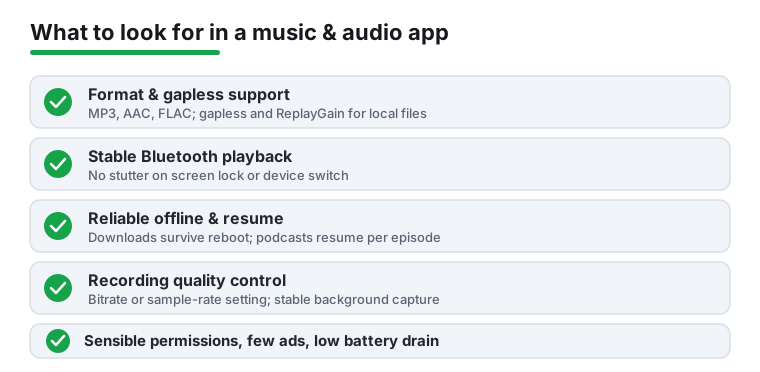
- Format support (players): if you keep local files, confirm it handles MP3, AAC, FLAC, and ideally OGG and WAV. Gapless playback and ReplayGain matter for albums and live sets.
- Bluetooth and codec behavior: the best apps keep playing cleanly when you switch to earbuds or a car and show the codec in use. Watch for stutter or a half-second cut every time the screen locks.
- Offline and downloads: for podcasts and streaming, check that downloads survive a reboot, let you set quality, and auto-delete played episodes so they do not eat storage.
- Resume and queue logic (podcasts): reliable per-episode resume, variable speed, silence trimming, and a queue you can reorder are what separate a real podcast app from a glorified RSS reader.
- Recording quality (recorders): look for a real bitrate or sample-rate setting, WAV or high-bitrate output, and stable background recording that does not stop when another app opens.
- System-wide effect (equalizers): a good EQ should affect all audio, not just one player, and survive headphone swaps. Check it does not introduce clipping at higher bands.
- Ads, permissions, and battery: a player asking for contacts or location is a red flag. Prefer apps that limit background battery drain and keep ads out of the playback controls.
Common mistakes to avoid
- Installing a streaming-first app when all your music lives locally, then wondering why it cannot see your files.
- Trusting a free "music downloader" that pulls from copyrighted sources; many are ad-stuffed or quietly grab broad permissions.
- Recording an important interview at the default low quality, only to find it muddy on playback. Test your settings first.
- Assuming a flashy equalizer improves sound. Over-boosting bass usually adds distortion rather than clarity.
How we pick
Every app here is installed and used hands-on across a few real devices and Bluetooth setups before it earns a spot. We take no paid placement, and anything that nags, drains battery, or over-asks for permissions gets cut regardless of how popular it is.