
Checked 3 September 2026
Wavelet is the pick and it is free, Neutron the choice with its own audio engine, USB Audio Player PRO the one for a DAC. Our answer, the free pick and the table ↓
Checked 3 September 2026: no pick changed since 21 August; ratings re-read 2 September, the two entries with no Play listing stay as documented
Full logEleven equalizers for Android, ordered by the thing that actually decides the outcome: how far the effect can reach. Seven attach to another app's audio session, two shape only their own playback, one needs root and one lives inside Spotify. Checked 21 August 2026 against each app's own listing, named in its section · full breakdown below.
Eleven Android equalizers, compared on how the effect actually reaches your audio, price and the ads label, because the route matters more than the sliders.
Wavelet is our best overall and best free pick because its 21 August 2026 listing was free, no ads label, with 5000+ AutoEq profiles.
Neutron is our niche pick because its 21 August 2026 listing cost 12.99 dollars, no ads label, and equalizes in its own engine, off the global mix route Google's AudioEffect reference deprecates.
USB Audio Player PRO is our DAC pick because its 21 August 2026 listing cost 8.99 dollars, no ads label, reaching other apps only through a paid Feature Pack.
Data checked: 3 September 2026.
Every entry below carries the same skeleton: a dated fact line, a one sentence verdict, what the developer itself says about reach, three points for and three against, the reason to skip it and the app to choose instead.
The facts: rated 3.7 from 19,038 ratings · 5M+ installs · free, with one optional $4.99 in-app unlock · by pittvandewitt · Play listing · Contains ads: No · checked 2 September 2026
Wavelet is the one to try first because it loads a correction curve for the exact headphone model you own, it is free with a single optional $4.99 unlock and its listing shows no ads label, and the blunt part is reach: the developer's own list places YouTube, TIDAL, Amazon Music, Pandora, Qobuz and most preinstalled players on the side lacking support for audio processing. Its rating of 3.7 from 19,038 ratings is the joint lowest score on this page.
Its Play listing calls it a system wide audio equalizer that enhances sound across many audio sources. Its own documentation is narrower and more useful: it keeps a maintained list of players with and without support for audio processing, and of the fallback it says "Legacy might work, depending on your device manufacturer's audio framework implementation" (Wavelet settings documentation, read 21 August 2026). That is the platform speaking, not the app: Google's AudioEffect reference records that attaching insert effects such as an equalizer to the global audio output mix by use of session 0 is deprecated, so an app is left attaching to sessions that other apps have to open for it.
Skip this if your headphones are not in the AutoEq database, because the automatic half of the app then has nothing to load.
Choose Wavelet over Poweramp Equalizer when the headphone model is known and tone correction is the goal; choose Poweramp Equalizer when you want to shape bands by hand.
↑ Back to the comparison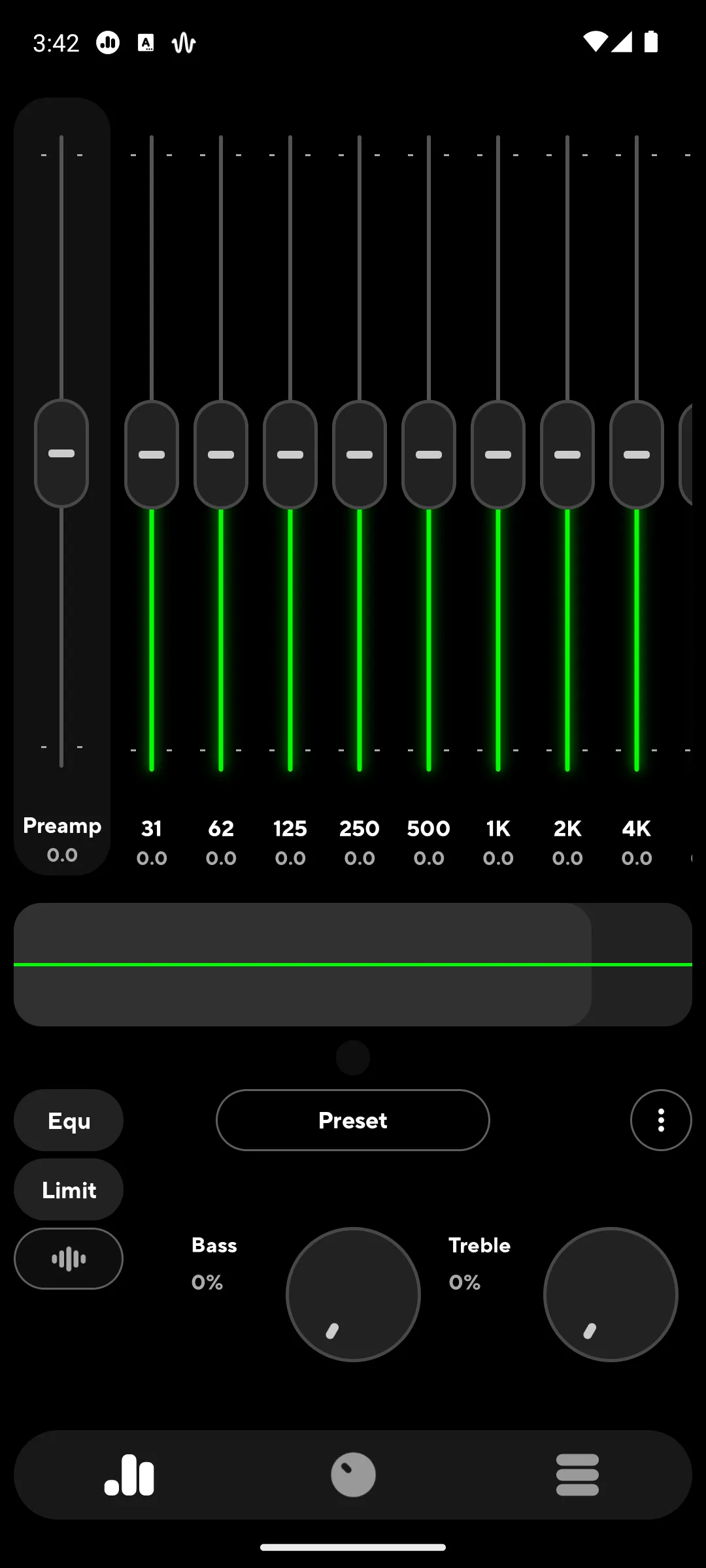
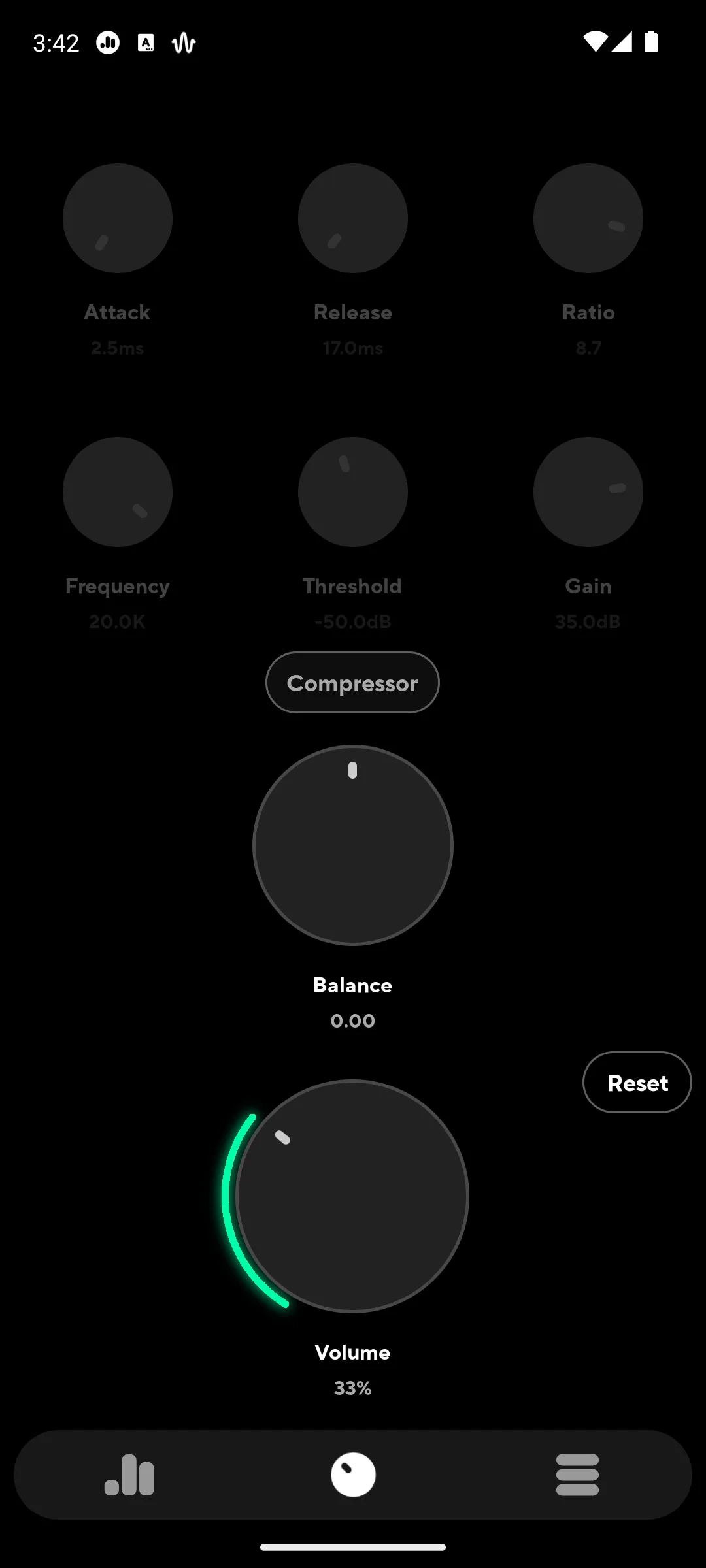
The facts: rated 4.4 from 22,894 ratings · 5M+ installs · free, with one optional $6.99 in-app unlock · by Poweramp Software Design (Max MP) · Play listing · Contains ads: No · checked 2 September 2026
Poweramp Equalizer is the standalone pick when you want to move bands yourself, it is free with one optional $6.99 unlock and no ads label, and the blunt part is that its own developer conditions the whole promise: the app reaches other players only where those players support Android audio effects. It runs without the paid Poweramp player.
The developer states the limit on its own site, in the same breath as the claim: "Poweramp Equalizer is a separate app that applies the same audio engine to streaming services and other players that support Android audio effects" (Poweramp, powerampapp.com, read 21 August 2026), and the listing adds that in some cases the equalizer has to be switched on inside the player app. A tracking mode that widens the reach is offered, and the listing says it needs additional permissions.
Skip this if your listening is mostly YouTube, which Wavelet's published compatibility list places among the players lacking support for audio processing.
Choose Poweramp Equalizer over Flat Equalizer when you want parametric control and no ads label; choose Flat Equalizer when you want presets and no decisions.
↑ Back to the comparisonThe facts: rated 4.7 from 618,150 ratings · 10M+ installs · free, in-app purchases $0.99 to $99.99 per item · by Beat Blend Labs · Play listing · Contains ads: Yes · checked 21 August 2026
Flat Equalizer is the pick for someone who wants a fuller commute playlist in a minute rather than a new hobby, and the price of that simplicity is the ads label on its listing and no parametric control. Its 4.7 from 618,150 ratings is the highest score here, and its reach claim is the least qualified.
Its listing says the app works seamlessly with all music and video players. No source we read establishes a mechanism that could deliver that on a current Android release: Google's AudioEffect reference records that attaching insert effects to the global audio output mix by use of session 0 is deprecated, which leaves the same session by session route every free app on this page uses. Treat the promise as marketing and the reach as conditional.
Skip this if you need to cut one narrow frequency, which fixed sliders cannot do.
Choose Flat Equalizer over Equalizer FX by WetcRun when you want the larger and better rated app; choose Equalizer FX when you want the six volume modes and a listing that sells nothing inside.
↑ Back to the comparison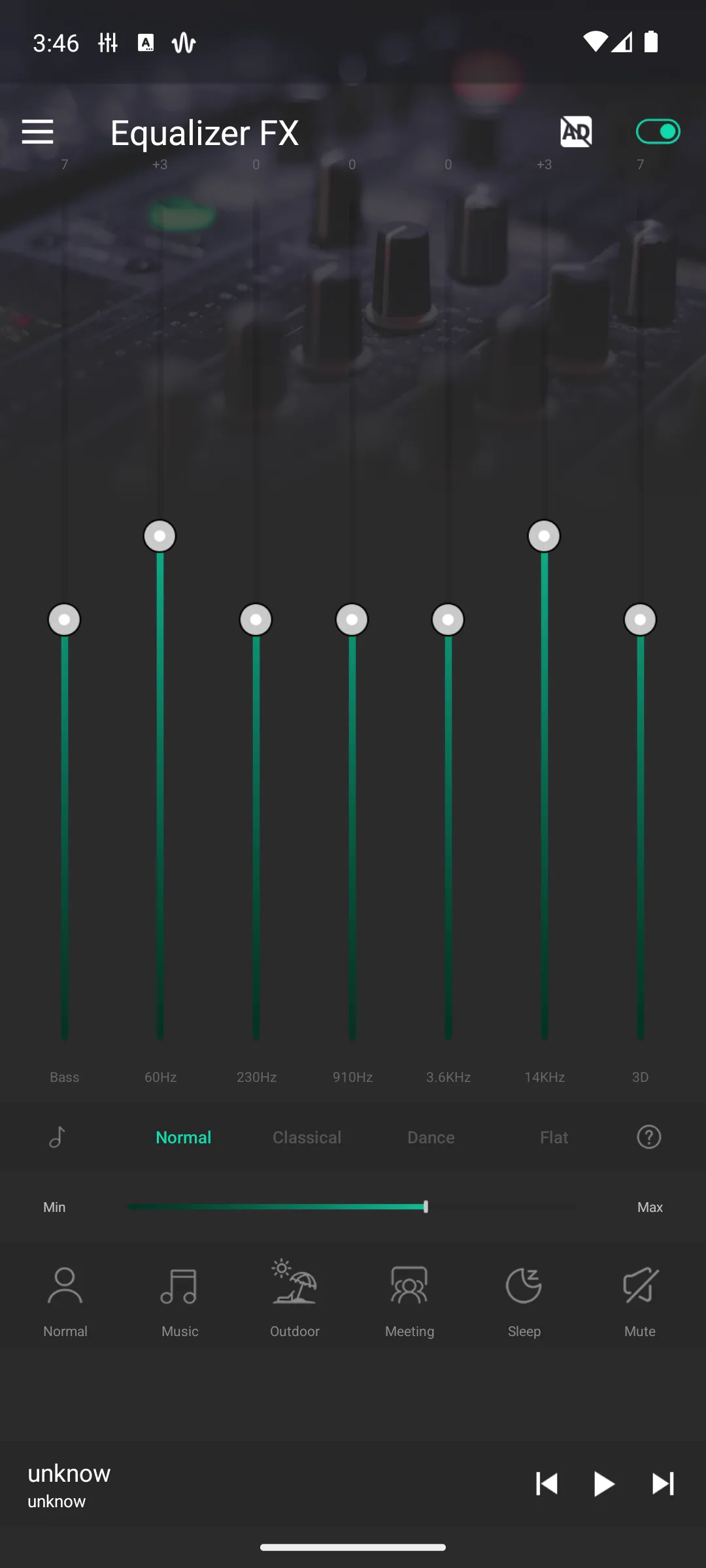
The facts: rated 4.3 from 15,350 ratings · 1M+ installs · free, no in-app purchases listed · by WetcRun · Play listing · Contains ads: Yes · checked 21 August 2026
Equalizer FX is the lightweight, ad carrying option for an older or budget handset, with the smallest review base among the free picks here at 15,350 ratings and a name almost identical to the ZipoApps app further down. The listing carries the ads label and sells nothing.
Its listing says any media player can be used and that the equalizer will change the original sound quality. The same listing points its privacy policy at a text file on a generic cloud storage bucket rather than a developer site, and its Data Safety section declares no data collected while also declaring data shared with third parties. Read the two together before installing it.
Skip this if you want anything past presets and a handful of sliders.
Choose Equalizer FX over Music Volume EQ when you want the six volume modes and a listing that sells nothing inside; choose Music Volume EQ when the problem is loudness rather than tone.
↑ Back to the comparison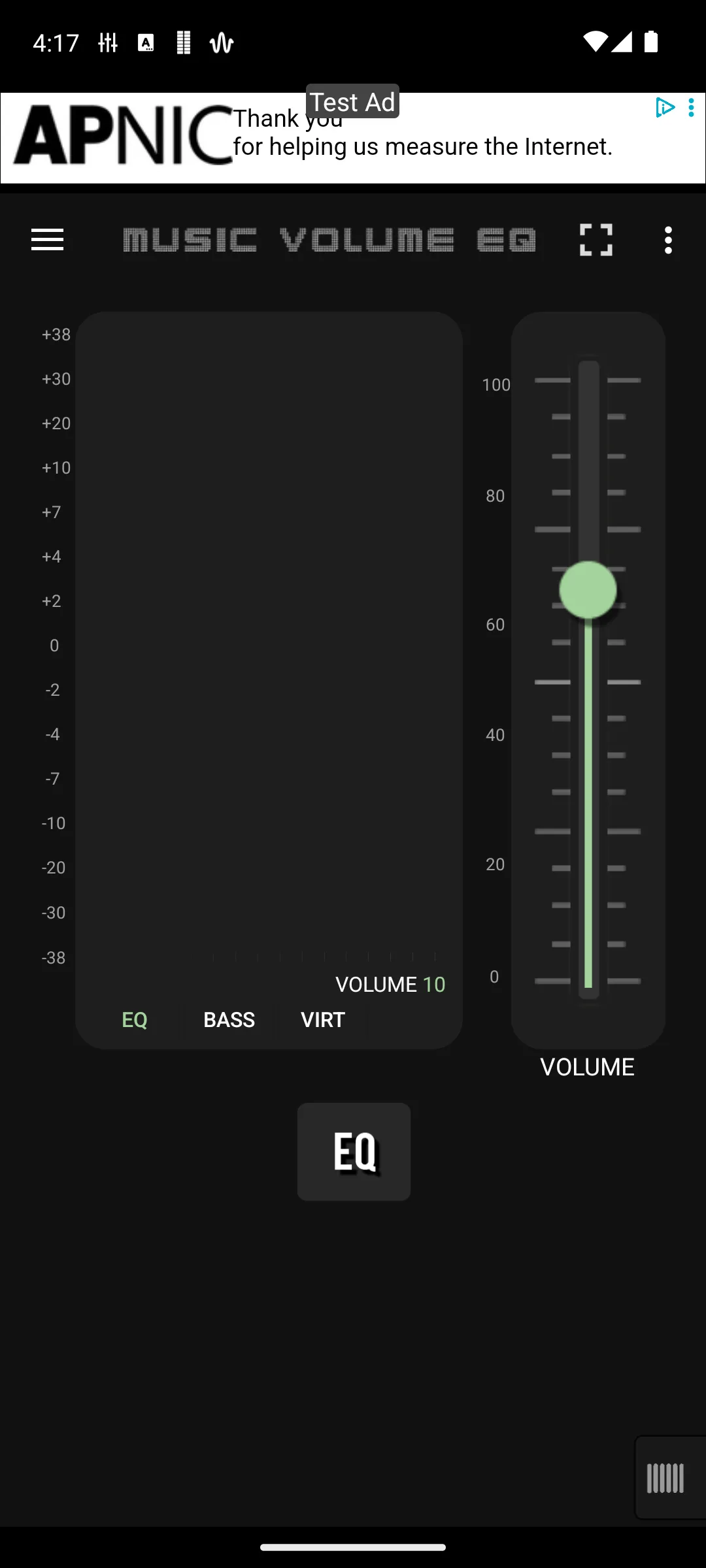
The facts: rated 4.5 from 663,241 ratings · 50M+ installs · free, in-app purchases $3.99 to $29.99 per item · by Dub Studio Productions · Play listing · Contains ads: Yes · checked 21 August 2026
Music Volume EQ is the one to reach for when the complaint is loudness rather than tone, and it carries the ads label and no parametric precision to get you there. At 50M+ installs it has the largest audience on this page, and its listing states its own boundary: it is designed to work while music or video playback is active.
The listing offers a five band or a ten band layout, a loudness and preamp control, a virtualizer and per headphone profiles. Because it works only during playback, it is a tone and volume control for whatever is already playing rather than a setting the phone keeps.
Skip this if your phone is already loud enough and you only want tone shaping.
Choose Music Volume EQ over the Coocent app when you want a band layout as well as volume; choose the Coocent app when a bass boost is the whole point.
↑ Back to the comparisonThe facts: rated 3.8 from 21,077 ratings · 100K+ installs · paid, 12.99 dollars once, with no in-app purchase badge · by Neutron Code Limited · Play listing · Contains ads: No · checked 21 August 2026
Neutron is a paid player at 12.99 dollars with a deep parametric equalizer inside it, no ads label and no in-app purchase badge, and the blunt part is that it shapes only what Neutron itself plays and nothing else on the phone. Its 3.8 from 21,077 ratings is the joint lowest score here.
It is the one entry whose reach does not depend on another app cooperating, and its listing explains why: the player runs its own audio engine and states that it does not rely on the operating system music player API. That removes the session problem entirely and replaces it with a different limit, namely that nothing outside Neutron is touched.
Skip this if you wanted the equalizer to reach Spotify or YouTube, because Neutron never leaves its own player.
Choose Neutron over USB Audio Player PRO when the parametric equalizer inside the player is the point; choose USB Audio Player PRO when you want its custom USB driver and the paid pack that can route other apps.
↑ Back to the comparisonThe facts: rated 4.0 from 14,761 ratings · 100K+ installs · paid, 8.99 dollars once, with in-app purchases from $2.99 to $4.99 each · by eXtream Software Development · Play listing · Contains ads: No · checked 2 September 2026
USB Audio Player PRO is built around sending audio straight to a USB DAC, it costs 8.99 dollars with no ads label, and the blunt part is that the hardware is the reason to buy it: the same listing names a HiRes driver for internal audio chips and the standard Android driver too, but the custom USB driver is what the price buys. Like Neutron it processes its own playback, with one paid exception the developer hedges heavily.
The developer is unusually plain about the boundary on its own driver page: "Note that you cannot use this driver to play or record audio in other apps!" (eXtream Software Development, USB audio driver, read 21 August 2026). The listing does offer a paid Feature Pack that routes audio from other apps through the same driver on Android 10 and above, and warns in the same paragraph that it may not work on every device or with every app.
Skip this if you have no USB DAC, because the custom USB driver is what the purchase is built around.
Choose USB Audio Player PRO over Neutron when you want the custom USB driver and the paid Feature Pack that can route other apps; choose Neutron when the parametric equalizer inside the player is the point.
↑ Back to the comparisonThe facts: rated 4.4 from 77,914 ratings · 5M+ installs · free, in-app purchases $0.99 to $149.99 per item · by ZipoApps · Play listing · Contains ads: Yes · checked 21 August 2026
This is the old devdnua equalizer, listed as Equalizer FX: Sound Enhancer under ZipoApps since at least our 6 August 2026 check, and it is the plain option for a spare handset: free, carrying the ads label, with in-app purchases that reach $149.99 per item. Both the name and the developer on the listing changed, which makes it easy to confuse with Equalizer FX by WetcRun above.
Its listing is the most explicit on this page about what it actually does: it names the equalizer, bass boost, virtualization and loudness effects one by one, says it works with music players and streaming services, and then states plainly that the app is not working with FM radio. That last line is the shape of the whole category, written by a developer rather than by us.
Skip this if you already run Wavelet or Flat Equalizer, because it adds nothing they lack.
Choose it over Flat Equalizer only when you want the automatic on and off when a player starts and stops; choose Flat Equalizer when you want ten bands and a reverb, both of which its own listing names and this one does not.
↑ Back to the comparisonThe facts: rated 4.5 from 385,065 ratings · 10M+ installs · free, no in-app purchases listed · by Coocent · Play listing · Contains ads: Yes · checked 21 August 2026
This is the entry whose listing leads with boosting rather than with equalisation: a bass boost, a volume boost and a stereo surround effect, with a five band equalizer behind them. It carries the ads label and sells nothing at all, and the listing has named Coocent as the developer rather than MakeMyPhone since at least our 6 August 2026 check.
It is also the most honest of the free listings about reach. It does not claim the phone: it says it works with most music and video players, and its own instructions tell you to start the player first and then turn the effect on, which is the session order every app on this page depends on.
Skip this if you want to shape a specific frequency rather than lift the low end as a whole.
Choose it over Music Volume EQ when a bass boost is the whole point; choose Music Volume EQ when you want the five or ten band layout as well.
↑ Back to the comparisonThe facts: not on Google Play, so no rating, no install band and no ads label are published anywhere we can read · free · needs root or a Magisk module · distributed as the ViPER4AndroidRepackaged installer, whose most recent commit is dated 26 February 2024 (GitHub repository, re-read through the GitHub API on 21 August 2026) · read 21 August 2026.
Viper4Android buys control that nothing else here matches, and charges for it in setup time rather than money: it is flashed as a Magisk module and does not run at all without root. It is the only entry on this page installed below the app layer, and the installer's own README is the reason that matters here, because it says the mode once called Process audio session 0 is enabled by default. Everything else on this page has to wait for a player to publish a session id first.
The root requirement is the whole story, and the two costs behind it are documented by Google rather than by us. Unlocking the bootloader comes first, and Android's own documentation warns that unlocking it deletes user data, and that after unlocking all data on the device is erased, private app data and shared data alike (Android Open Source Project, Running builds, read 21 August 2026), so back the phone up before you start. Second, Google's Play Integrity API returns a device integrity verdict that tells any developer whether their app is running on a genuine, certified Android device, so that a server can respond to what Google calls risky interactions (Play Integrity API overview, read 21 August 2026); that is the mechanism by which an app can decline to run on a modified phone. Budget an evening, and check that the apps you depend on still work before you rely on the phone.
Skip this if your phone is not already rooted; nothing on this page is worth unlocking a bootloader for.
Choose Viper4Android over Wavelet only when root is already done and you specifically want convolution.
↑ Back to the comparisonThe facts: free, part of the Spotify app, no separate download · Settings and privacy, then Playback, then Listening controls, then Equalizer · Spotify support article, read 21 August 2026.
Spotify's own equalizer is worth thirty seconds before you install anything, because it is the one control on this page that needs nothing new on the phone. Spotify's support article describes it on Android the same way as on the other platforms: switch the equalizer on, then choose a preset or drag the points.
The same article carries the sentence that decides where it belongs on this page: "If your device has a built-in equalizer, changes you apply also affect the sound of other apps." So on a handset whose maker ships one, the Spotify control is not confined to Spotify at all, and on a handset without one it is. Which of the two you own is not something a page can tell you, and it is the reason this entry is here rather than ranked. The article also notes that audio settings cannot be changed while Spotify Connect is playing to another device (Spotify support article, read 21 August 2026).
Skip this if you want the same tone on YouTube and podcasts, which this control was never meant to reach.
Choose Wavelet over the Spotify equalizer the moment more than one app needs the same correction curve.
↑ Back to the comparisonThree questions settle it, and the third column of the table above answers the first.
How far the effect can reach, which Android decides and not the app. An equalizer app applies an audio effect to an audio session, and a session belongs to the app that opened it. Google's AudioEffect reference states that attaching insert effects such as an equalizer, a bass boost or a virtualizer to the global audio output mix by use of session 0 is deprecated, and that an effect is otherwise attached by naming the session id of a specific player. It also records that only one instance of an effect type exists per session and that control passes by priority, which is why two equalizers running at once produce a result neither of them predicts. In practice a listing that promises your whole phone is describing an outcome it does not control. Wavelet's developer publishes the consequence as a maintained list of players that do and do not support audio processing, and it is the most useful page in this category (Wavelet settings documentation, read 21 August 2026).
Presets, graphic bands or parametric. Presets are the fastest start. Graphic bands, a handful of sliders over fixed slices of the range, are enough for almost everyone. Parametric control picks the exact frequency, how wide the adjustment reaches and how far to move it, which is what fixes one harsh note. Move right along that list only when something specific annoys you.
What no equalizer can fix. It shapes tone that is already in the recording and cannot add detail that was never captured, so lifting treble on a low quality file lifts hiss with it. Bass boost and virtualizer are seasoning: too much muddies the mix and pushes small drivers into distortion. Anything deeper than the effect API exposes needs root.
These six are our own starting points rather than anything a source publishes, and the frequencies are where the named instruments and voices sit. Move one slider, listen, and keep the change only if you can hear it.
Method: start from a preset, change one slider at a time, and switch the effect off and on to compare. If the difference is not audible, undo it.
Spotify is on the supported side of Wavelet's published compatibility list (Wavelet settings documentation, read 21 August 2026), so a total silence usually means something else is holding the effect. In order: start playback first, because most of these apps only show their controls once a session is open; then check whether a second equalizer is installed, which the Wavelet troubleshooting page names as a common cause; then exempt the equalizer from battery optimisation. If none of that helps, use the equalizer inside Spotify itself.
YouTube sits on the unsupported side of the same published list, alongside TIDAL, Apple Music, Amazon Music, Pandora, Qobuz and most players that came preinstalled on the phone. There is no setting in the equalizer that changes that. YouTube Music is on the supported side, so switching player is the only reliable answer short of root.
Battery optimisation killed the service. Exempt it: Settings, Apps, your equalizer app, Battery, Unrestricted. The Wavelet troubleshooting page puts the cause on the phone maker rather than on any one brand, saying that many OEMs limit applications from starting automatically or kill them even while in use, and it points to dontkillmyapp.com for the instructions that match your device brand (read 21 August 2026).
You ran out of headroom. Lower the preamp or master volume by roughly the same amount you boosted. A +5 dB bass boost with the preamp at 0 dB clips on almost any phone.
That is the documented behaviour rather than a bug. Google's AudioEffect reference states that one instance of an effect type exists per session and that control passes to whichever app claims the higher priority, so two equalizers on one session produce a result neither predicts. The Wavelet troubleshooting page names the same conflict and lists a phone maker's own sound enhancement among the causes, alongside a custom ROM's built in effects and other equalizers from the store (read 21 August 2026). Keep one and disable the rest.
The Wavelet troubleshooting page attributes this to the AIDL Audio HAL that Google is rolling out from Android 15, and says not every feature that existed in Wavelet before is available on it (read 21 August 2026). That is one developer reporting a platform change rather than an app that broke, and it is his account of it, not Google's.
It depends on the player, not on the equalizer. An equalizer app attaches its effect to an audio session that the player opens, and Google's AudioEffect reference records that attaching such an effect to the global audio output mix by use of session 0 is deprecated. Wavelet's developer keeps a public list of both sides: Spotify, YouTube Music, Deezer, VLC, Poweramp and Neutron are on the supported side, several of them only after a setting is changed inside the player itself, while YouTube, TIDAL, Amazon Music, Pandora, Qobuz and most preinstalled players are on the unsupported side, with Apple Music listed there as sometimes working but very buggy. If YouTube is your main listening, no app on this page fixes it without root. Checked 21 August 2026.
No source we read publishes a damage threshold, so treat any figure you see as guesswork, ours included. What the sources do support is milder: the Music Volume EQ listing names a control that limits frequencies to prevent harsh or distorted sound at higher levels, and Google's AudioEffect reference is about shaping a signal rather than about hardware, so the audible failure to watch for is distortion rather than damage. Our own guidance is to keep boosts moderate, lower the preamp by whatever you raised, and back off the moment the low end sounds loose or buzzy. On this page the Coocent listing is the one that leads with bass boosting rather than with equalisation, so it is the one to set most carefully. Checked 21 August 2026.
A graphic equalizer gives you fixed frequency bands with sliders, which is quick and beginner friendly. A parametric equalizer lets you choose the exact frequency, how wide the adjustment is, and how much to boost or cut, so it is far more precise. Start with a graphic equalizer and move to parametric once you know which frequency you want to change.
No. Every app on this page except Viper4Android runs on a stock, unrooted phone. What root buys is not a better equalizer but a different place to put it: Viper4Android sits below the app layer, so it does not depend on a player opening an audio session. That is also the only thing root fixes here, and it costs an unlocked bootloader.
It is a bad idea, and the platform documentation explains why. Google states that only one instance of a given effect type exists per audio session and that control passes to whichever app claims the higher priority, so two equalizers attached to the same session give a result neither of them predicts. Pick one layer, and switch off the phone maker's own sound enhancement while you test another app.
An equalizer shapes the tone that is already in a recording, but it cannot add detail that was never captured. Pushing the treble up on a low quality file lifts the hiss and the harshness along with everything else instead of revealing hidden clarity. A better source file will always help more than any amount of equalisation.
Most of them are. Flat Equalizer, Equalizer FX by WetcRun, Music Volume EQ, Equalizer FX: Sound Enhancer by ZipoApps and Bass Booster and Equalizer by Coocent all carried the Contains ads label on their Google Play listings when they were read on 21 August 2026. Wavelet and Poweramp Equalizer did not: both were free with one optional paid unlock instead. Checking that label on the listing is the fastest way to know what you are agreeing to.
In two cases. If you own a USB DAC, USB Audio Player PRO at 8.99 dollars sends audio straight to it and bypasses the Android mixer. If you want a high resolution player with a deep parametric equalizer built into it, Neutron costs 12.99 dollars. Both prices were read from their Google Play listings on 21 August 2026. For everyone else the free picks do the same tone shaping, either with ads or with one optional unlock.
Checked 21 August 2026: every rating, review count, install band, price, in-app purchase range and ads label was re-read from the app's own Google Play listing, and one entry changed install band while its rating moved a tenth. Three claims are withdrawn, all of them about how far an equalizer reaches. The claim that Wavelet in legacy mode reaches YouTube is withdrawn: the developer's own settings documentation places YouTube on its list of players lacking support for audio processing, and says only that legacy mode might work depending on the device maker's audio framework. The claim that Flat Equalizer processes the global mix is withdrawn: nothing on its listing describes that mechanism, and Google's own AudioEffect reference records that attaching insert effects to the global audio output mix by use of session 0 is deprecated. The claim that the Spotify equalizer draws no sliders of its own on Android, and that the button opens nothing on a Pixel, is withdrawn: Spotify's own support article describes presets and draggable points on Android and warns that on a device with a built-in equalizer the change also affects other apps. Nine further claims inherited from the 6 August 2026 version are withdrawn, because no source we read carries them. Equalizer FX by WetcRun was credited with a home screen widget for quick preset changes, and the word widget appears nowhere in its listing. Equalizer FX: Sound Enhancer by ZipoApps was credited with two widget sizes and with five bands plus bass boost, virtualizer and preset reverb, while its listing names widgets with no count and no size, twelve presets, and no reverb at all; the same entry was described as one that starts fast and stays out of the way, which is a claim about running it rather than about anything published. USB Audio Player PRO was called pointless without external hardware and said to process nothing outside its own playback, and its listing names a HiRes driver for internal audio chips as well as the USB one, and sells a Feature Pack that routes other apps on Android 10 and above. Bass reaches harder, said of the Coocent app, and a dated interface and a real learning curve, said of Neutron, describe listening and handling rather than anything a source publishes. The troubleshooting note that named Xiaomi, Huawei and OnePlus phones as the usual offenders behind an effect that stops is withdrawn: the developer documentation this page uses for that symptom names no brand at all and points to dontkillmyapp.com instead. The screenshot alt text was rewritten to describe only what each capture shows: two band counts came out because neither capture displays them, and the provenance note now reads as our own capture rather than naming an Android version nothing here establishes. The Viper4Android entry was re-sourced to the installer's own README, which documents a convolver, the bundled DDC files and a default that processes audio session 0; the feature wording it replaces was not published by any source this page reads, which is not the same as being wrong. The rooting paragraph now cites Android's own documentation for the data loss and the Play Integrity API for why an app can decline to run afterwards, in place of two claims that carried no source at all. No app was removed: all nine Play listings answered and parsed today.