
Updated September 2026
Updated September 2026 · Verified against the Play Store listings on 27 September 2026 · full breakdown below. All fourteen Play listings and the Poweramp unlocker re-read in the US store, three table ratings and four factual claims corrected, as the changelog below details
Fourteen players, each read at its own US Google Play listing on 27 September 2026. Seven are streaming clients for a catalogue you rent. Seven play files you already own, and three of those seven also open internet radio or a network share. The table sorts them on exactly that, because a star rating cannot tell those two products apart.
Open source players. Four open source Android music players catalogued on F-Droid, each with its last release traced to a dated source, are compared in 4 Open Source Android Music Players in 2026: The F-Droid Record.
Before the individual reviews, here is the whole field on one row each. The question the table answers first is the one that decides everything else: does the app play a catalogue it streams to you, or files you already have? The two lists after it cover sound and the catch to know before you commit.
Spotify is our best overall because its description, read 21 August 2026, names over 80 million songs, on a free install with a Contains ads label.
Musicolet is our best free because its description, read 21 August 2026, says it uses no internet permission, on a free listing with no ads label.
Poweramp is our sound control pick because its description, read 21 August 2026, names an equalizer up to 32 bands, and its free build is a time limited trial.
Data checked: 27 September 2026.
Released on Google Play on 22 August 2026, by its listing read 27 September 2026, and read in the best new apps guide: Sleeve, one player for library, radio and podcasts.
For streaming ears, Tidal's description says all plans include HiRes lossless, while Apple Music's names lossless up to 24-bit and 192 kHz without tying it to a plan and closes by saying features vary by country, region, plan or device. Amazon puts spatial audio under Unlimited. For a collection of files, Poweramp and AIMP describe the deepest equalizers here, and Retro Music describes none at all. Every value below is from that app's own description on its Play listing, read 21 August 2026; the Spotify, Apple Music and Retro Music values were re-read and corrected on 27 September 2026.
What each description says about sound, and the one feature each is known for.
Every free tier here has a string attached, and the strings are not the same shape. On the streaming side the catch is the tier; on the file side it is the listing itself. What follows is the ads label and the Data Safety line each listing publishes, read 21 August 2026, next to the one thing worth knowing before you commit.
The paid tier, and the catch.
One rule from Android itself shapes every file player on this page. Under the heading Granular media permissions, Google's Android 13 behaviour changes page on developer.android.com, read 21 August 2026, states that an app targeting Android 13 or higher which needs to access media files that other apps created must request READ_MEDIA_AUDIO rather than the old storage permission. Note what that condition attaches to. It is a rule about what the APP targets, not about the Android version on your phone: a player still targeting Android 12 or lower asks for the old whole-storage permission even on an Android 13 handset. Nothing we read on 21 August 2026 publishes the target level of any of the fourteen apps here, so the honest form of the rule is the one Google writes, and the practical point stands either way: a file player has to be granted something before it sees a track, and the newer of the two permissions is scoped to audio rather than to your whole storage. It also explains why the streaming entries need nothing of the kind for the job this page compares them on: no description read on 21 August 2026 names playback of files you already own.
The other half of the premise is what none of these fourteen apps does. No description we read on 21 August 2026 offers to turn a streaming subscription into files you keep, and two of them say so in as many words: Pi Music Player states that it is not a music or MP3 downloader, and Retro Music states that it does not support online music download or streaming. Offline listening inside a streaming app is a download tied to the subscription, and it goes when the subscription goes. Getting music onto the phone as files in the first place is a separate job with its own legal and licensing questions, and it is not one this page answers; our music downloader roundup covers the apps that claim to do it.
Most people
1B+ installs · Free to install, Premium subscription · In-app purchases $4.99 to $203.88 per item · Developer Spotify AB · Listing updated 25 September 2026 · Contains ads: Yes · checked 27 September 2026
Google Play listing · 4.3 (36,381,008) · read 27 September 2026
Spotify is the pick for most people who want a catalogue rather than a file collection. It installs free, its listing carries a Contains ads label, and Premium is a subscription. The blunt part: the free tier is advertising supported, and its Data Safety section states the app may share data types with third parties. Its own description says a Premium subscription is what lets you download and listen offline, so nothing you save with it is a file you keep.
Skip this if. A Contains ads label on the free tier and a Data Safety section declaring that the app may share data types with third parties are both dealbreakers, because its listing, read 21 August 2026, carries the two of them.
Choosing between them. Choose Spotify over YouTube Music for the catalogue its own description names rather than for the app that is already on the phone, and choose Musicolet over both when the point is to own the music rather than rent it. The streaming services alone, compared on their free tiers, are in Best Music Streaming Apps for Android.
Google households
5B+ installs · Free to install, Premium subscription · In-app purchases $0.05 to $999.99 per item · Developer Google LLC · Listing updated 22 September 2026 · Contains ads: Yes · checked 27 September 2026
Google Play listing · 4.5 (7,828,382) · read 27 September 2026
YouTube Music is the natural pick if the rest of the phone is already Google. It is free to install, its listing carries a Contains ads label, and Premium is a subscription. The blunt part is what Premium is for: its own description lists ad-free listening, background play and downloads as upgrade features, which means the free tier plays with ads and stops when you leave the app. Files you own can reach it as uploads made outside the mobile app: Google's YouTube Music Help page on uploads, read 27 September 2026, says uploads cannot be completed in the mobile app, allows up to 100,000 songs, and says uploaded songs then play in the background, ad-free and offline without Premium. The route is set out in Uploading your own music to YouTube Music, and playing it on Android.
Skip this if. Your library is files you already own: no local file playback is named anywhere in its description, read 27 September 2026, and Google's help pages read on 27 September 2026 show device files only as a separate view of the library and say uploading cannot be done in the mobile app.
Choosing between them. Choose YouTube Music over Spotify for a Data Safety section that declares no data shared with third parties and reports an independent security review, and Spotify over it when the catalogue named in the description weighs more than the app already being installed.
Apple households
100M+ installs · Subscription, trial first · In-app purchases $5.99 to $199.99 per item · Developer Apple · Listing updated 22 September 2026 · Contains ads: No · checked 27 September 2026
Google Play listing · 4.6 (754,583) · read 27 September 2026
Apple Music suits a household with an iPad or a Mac in it. Its listing carries no Contains ads label, and its own description calls the service ad-free with lossless included. The blunt part: there is no permanent free tier at all, only a trial, so the app is unusable the moment the subscription stops, and every download vanishes with it.
Skip this if. There has to be a way to keep listening for nothing, because Apple's own Apple Music page, read 27 September 2026, offers Individual at $11.99/month with the first month free for new subscribers, and the Play description read the same day names no free tier.
Choosing between them. Choose Apple Music over Tidal when an iPad or a Mac is already in the house, and Tidal over it when the TIDAL Connect to a supported network player that its own description names is what the system needs.
Big offline libraries
50M+ installs · Free to install, full version sold separately · In-app purchases $0.49 to $8.99 per item · Developer Poweramp Software Design (Max MP) · Listing updated 25 May 2026 · Contains ads: No · checked 27 September 2026
Google Play listing · 4.1 (1,382,047) · read 27 September 2026
Poweramp is the pick for a large library of files you already own. It installs free with no Contains ads label on its listing. The blunt part: the free build is not a free tier but a time limited trial, which the developer describes as 15 days full featured, after which the full version is bought through the separate unlocker listing or a Buy option in Poweramp settings, and this listing has not been updated since 25 May 2026.
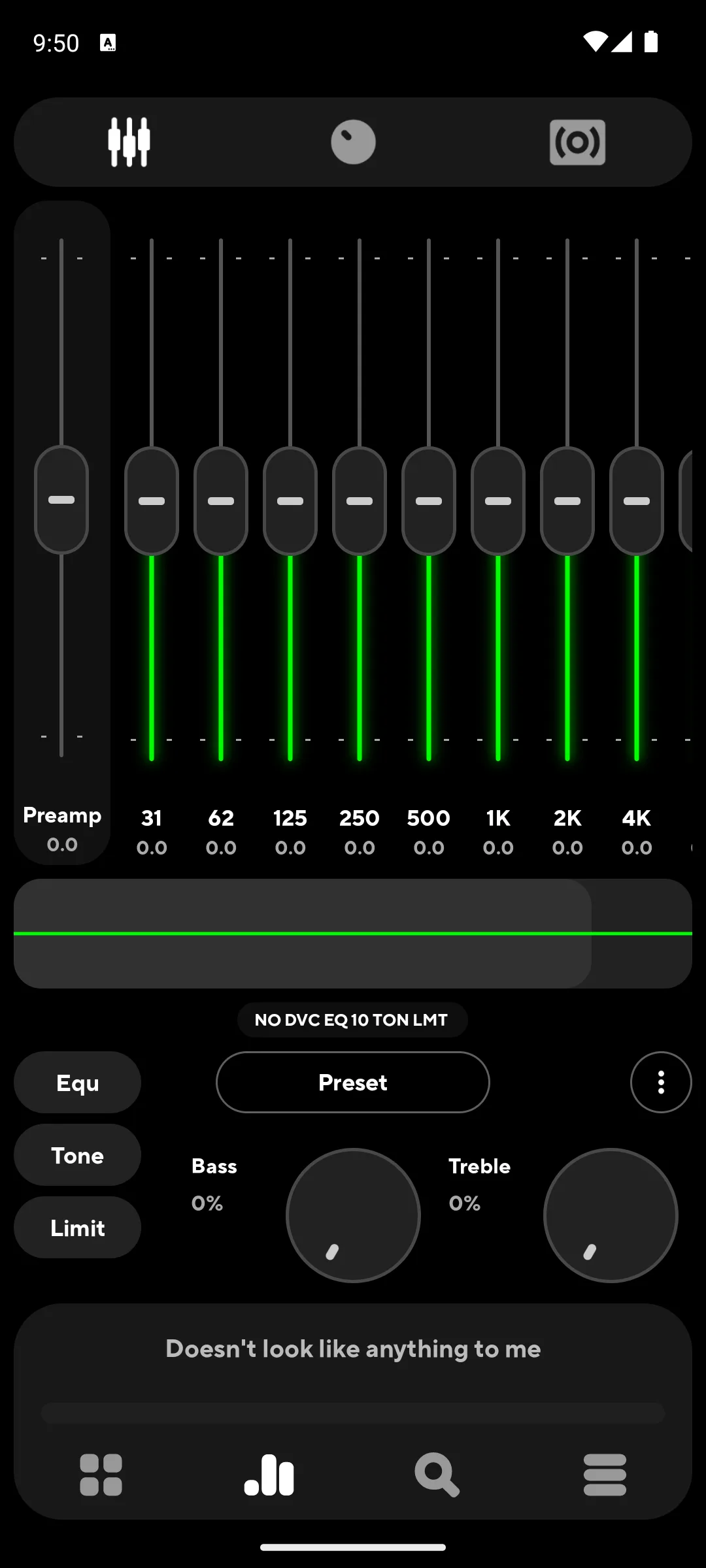
Where the price actually lives. Poweramp's own listing, read 27 September 2026, shows in-app purchases of $0.49 to $8.99 per item and does not say what each item is. The full version is sold on a separate Play listing, Poweramp Full Version Unlocker, and that listing, read 27 September 2026 and last updated on 2 July 2025, sells for $19.99 as a one-time purchase with no subscription. The player's own Play description, read the same day, names a second route to the same full version: a Buy option in Poweramp settings. On sound, the developer writes "Poweramp is a powerful Android music player with Hi-Res output. 64-band parametric EQ, deep customization. Unlock the real sound of your headphones, Bluetooth buds, DAC, or DAP" on the official Poweramp site, read 27 September 2026, while the Play description read the same day lists a graphic equalizer with up to 32 bands plus a separate parametric mode, so the two numbers describe two different modes rather than contradicting each other.
Skip this if. Paying once is out of the question, because the free build is described by its own developer as a 15 days full featured Trial and the full version is a separate $19.99 listing, read 21 August 2026.
Choosing between them. Choose Poweramp over Musicolet for the depth of the graphic equalizer its own description spells out, and Musicolet over it when the player must carry no time limit and ask for no internet permission at all.
Hi-res streaming
10M+ installs · Subscription, trial first · In-app purchases $0.99 to $35.50 per item · Developer TIDAL · Listing updated 25 September 2026 · Contains ads: No · checked 27 September 2026
Google Play listing · 4.4 (384,593) · read 27 September 2026
Tidal is the streaming pick when sound quality is the point. Its listing carries no Contains ads label and its description promises ad-free listening and HiRes lossless on every plan. The blunt part: like Apple Music there is no permanent free tier, only a 30 day trial, and the description says the subscription renews monthly until cancelled.
Skip this if. A pair of earbuds is the whole listening chain, because the HiRes lossless up to 24-bit and 192 kHz that its description sells is the reason to be here at all.
Choosing between them. Choose Tidal over Apple Music when the subscription should not lean on the rest of the household being Apple, and Apple Music over it when the beat by beat lyrics and the exclusive radio shows its own description names are the draw.
Offline and private
10M+ installs · Free to install · In-app purchases $8.99 to $159.92 per item · Developer Krosbits · Listing updated 21 August 2026 · Contains ads: No · checked 27 September 2026
Google Play listing · 4.6 (241,609) · read 27 September 2026
Musicolet is the best free pick on this page. It installs free, its listing carries no Contains ads label, and its Data Safety section states no data collected and no data shared with third parties. The blunt part is the scope, and the developer states it in the first line of the description rather than hiding it: the app plays only audio files already on the device, and it cannot stream, download or search for new music online at all.
Krosbits opens its own description with the scope rather than the features, in a box above everything else: "This app can organise and play only the local audio files which are stored on the internal storage or SD card. This app can not stream/download/search new music online", on the Musicolet Play listing, read 21 August 2026. That is the sentence the second column of the table above is built on for this entry.
Skip this if. Discovery and streaming are what you came for, because its own description states that the app can not stream, download or search new music online.
Choosing between them. Choose Musicolet over Poweramp because its description says it does not even use the internet permission and its listing has no time limit on it, and Poweramp over it when the sound controls matter more than the permission list.
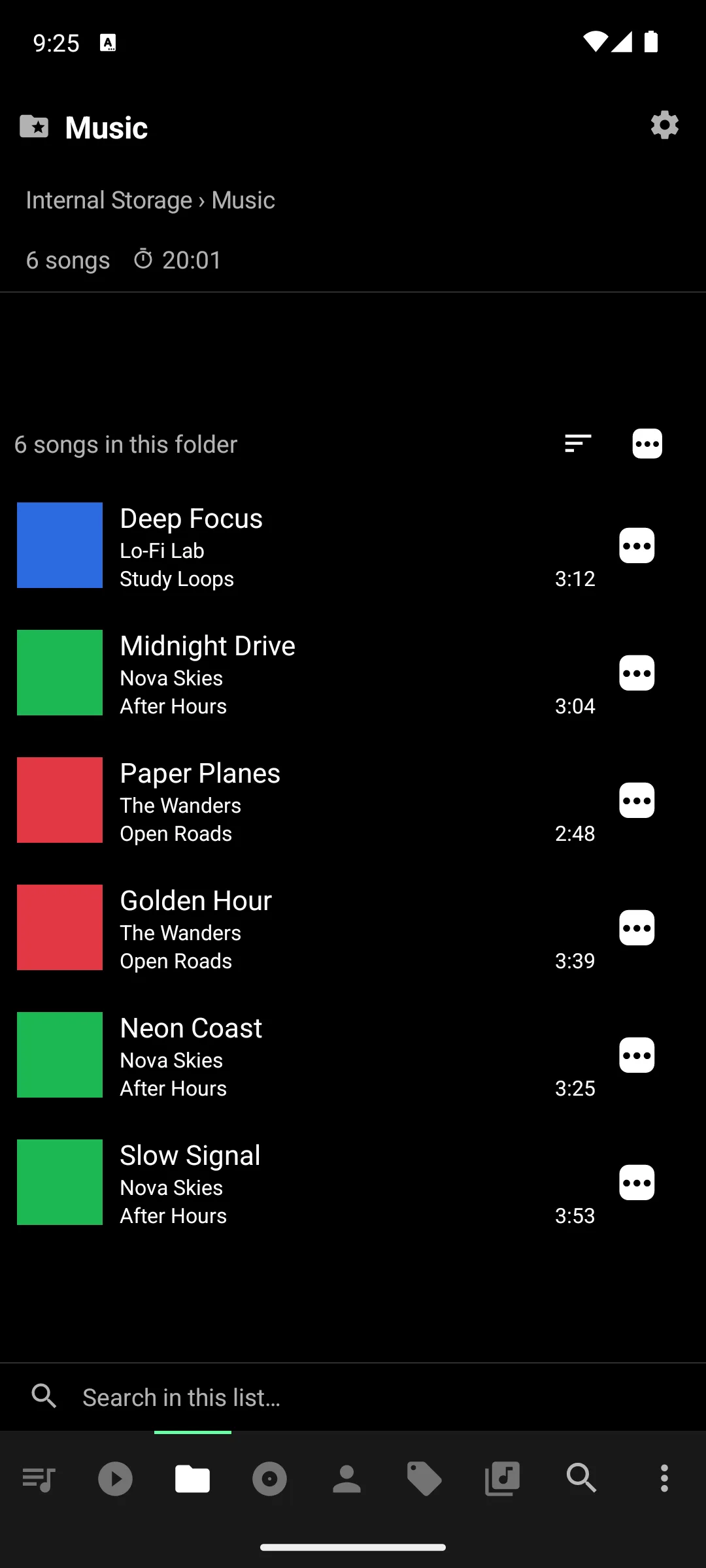
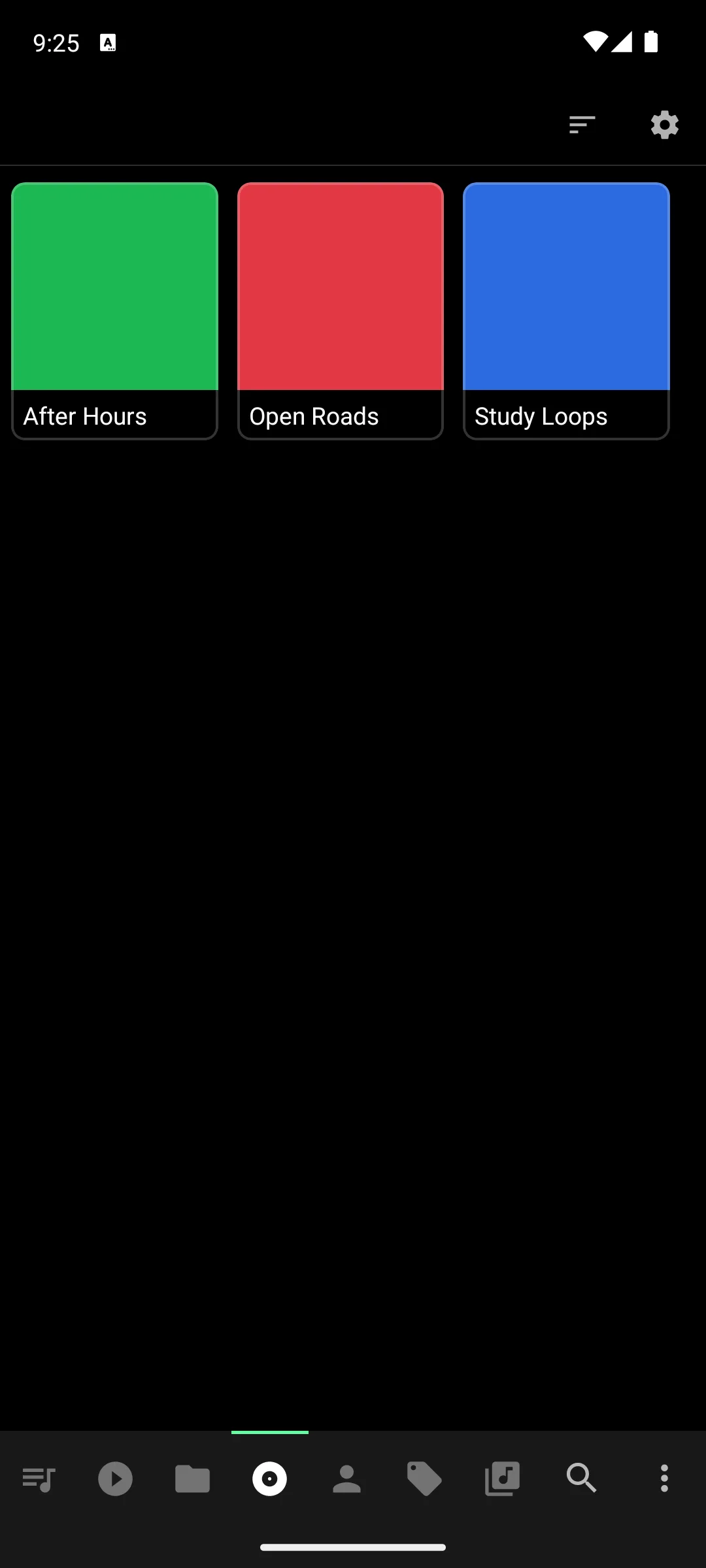
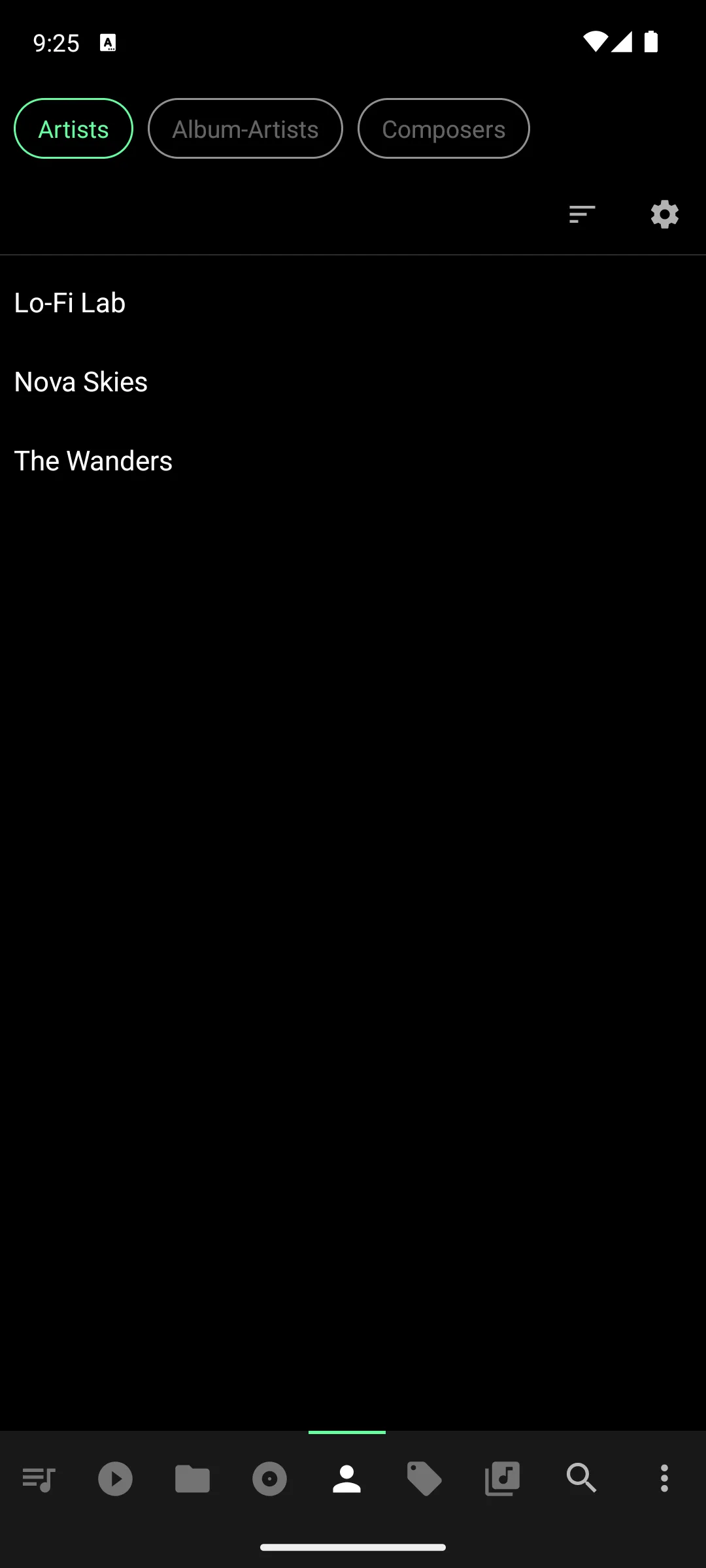
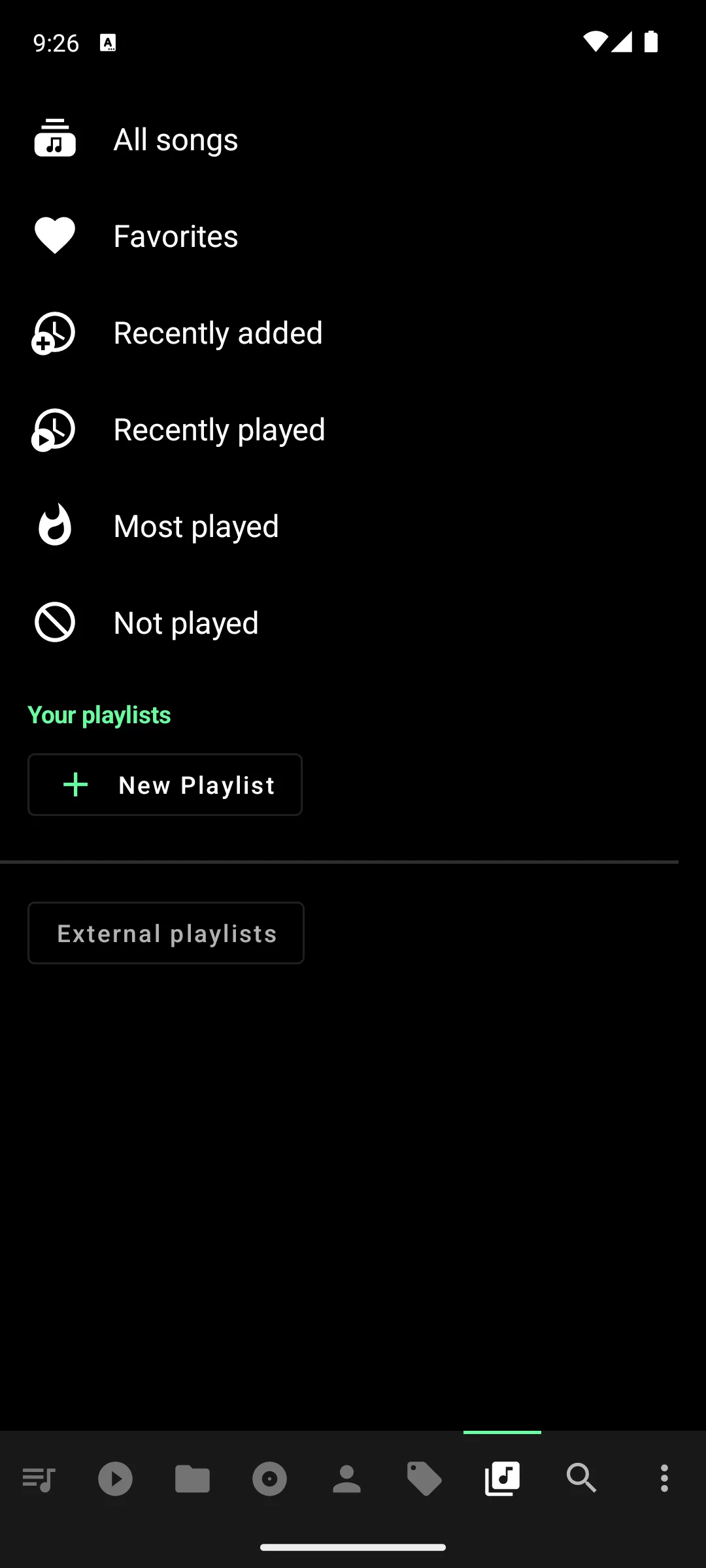
Short version: Poweramp for the sound engine, Musicolet for the scope. Both entries here were checked against their own Play descriptions on 3 September 2026. A head to head sits at Poweramp vs Musicolet.
Any file format
500M+ installs · Free, no in-app purchases · Developer Videolabs · Content rating All ages · Listing updated 11 May 2026 · Contains ads: No · checked 27 September 2026
Google Play listing · 4.0 (2,005,252) · read 27 September 2026
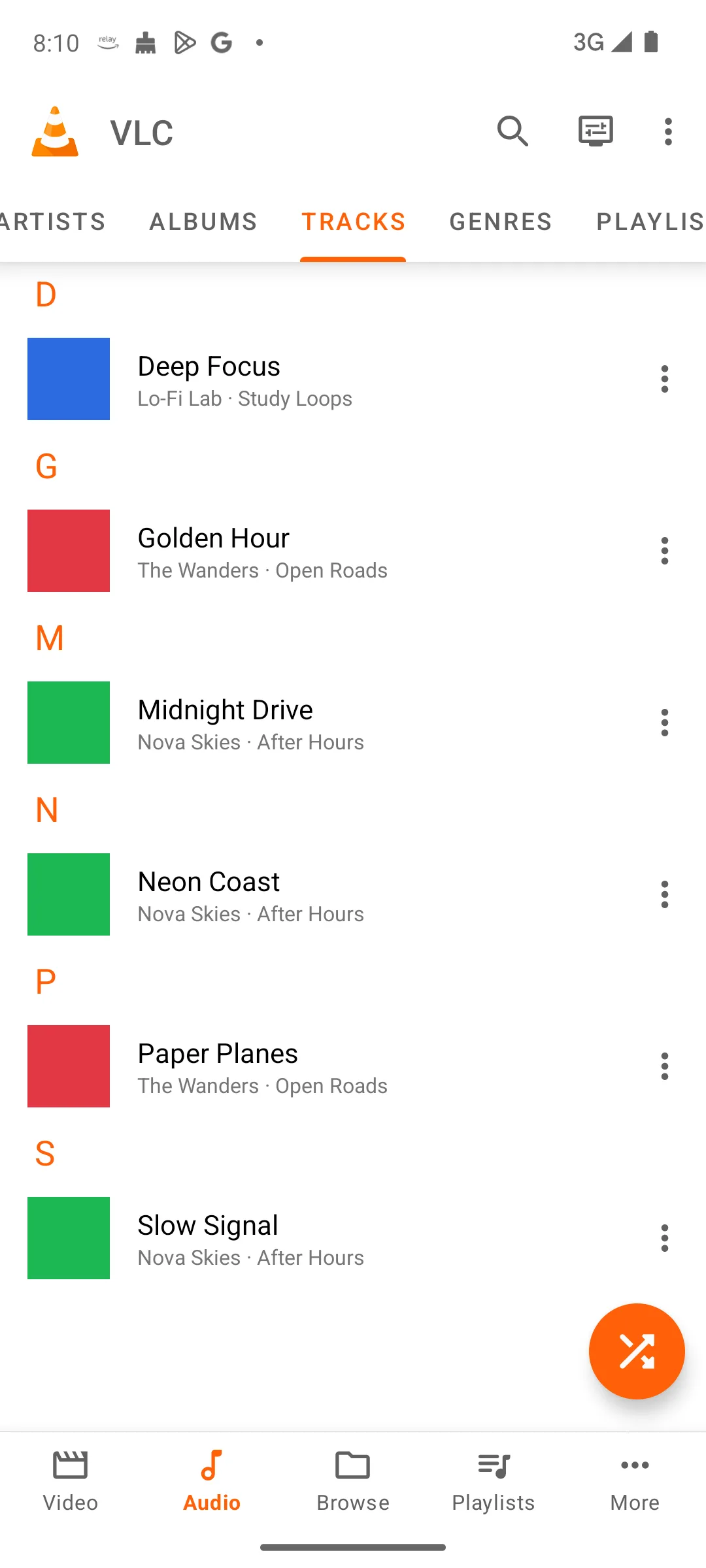
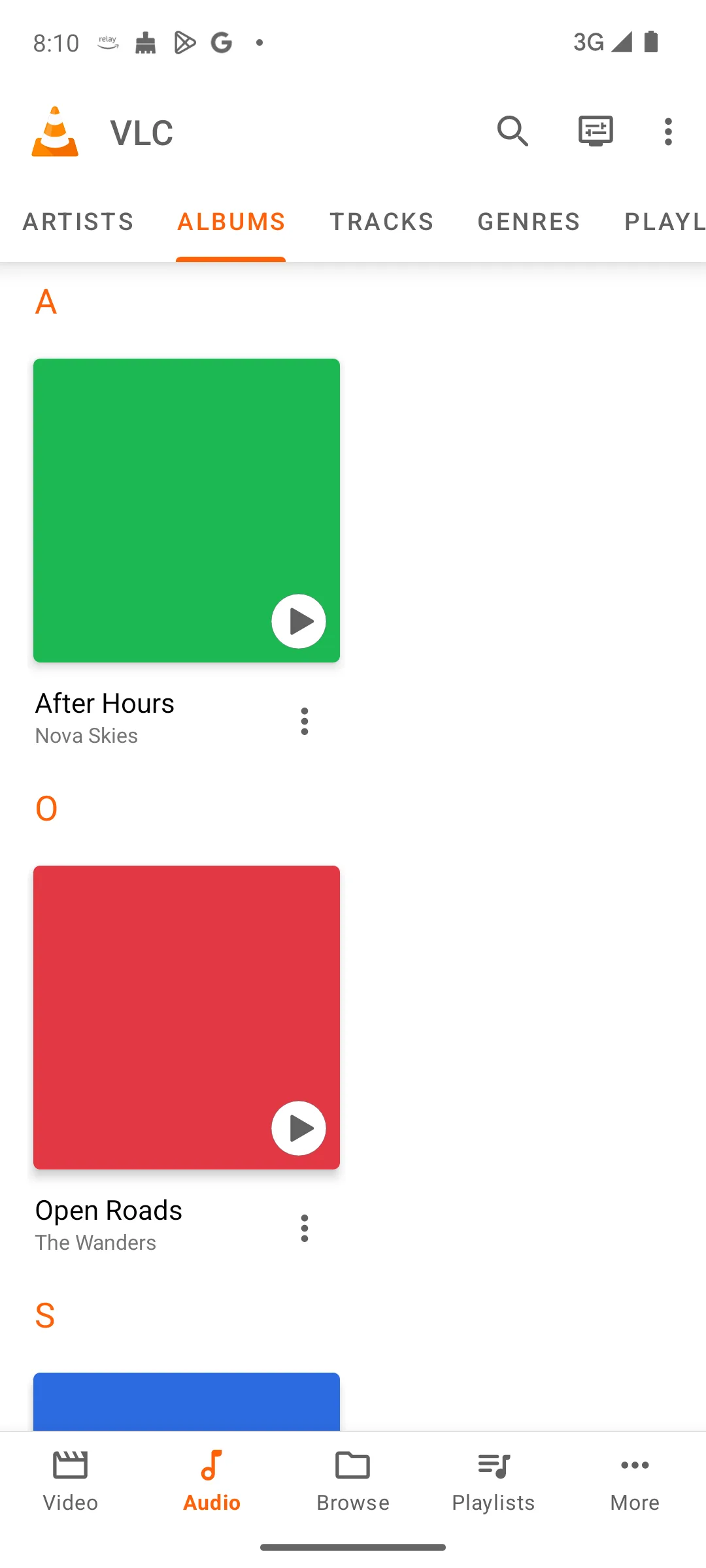
VLC is the pick when the library is a mess of formats or lives somewhere other than the phone. Its listing carries no Contains ads label and no in-app purchases at all. The blunt part: it is a media player first and a music library second, and only BlackPlayer carries a lower rating on this page, with Amazon Music level with it at 4.0 on the listings read 27 September 2026.
Skip this if. A tidy music library is the point, because its own description calls it a media player that has a library attached rather than a music library first.
Choosing between them. Choose VLC over AIMP when the files sit on a network share or a drive and nothing at all should be paid, and AIMP over it for the longer explicit format list and the cue sheet support its own description spells out. VLC is also compared as a video player in Best Video Player Apps for Android.
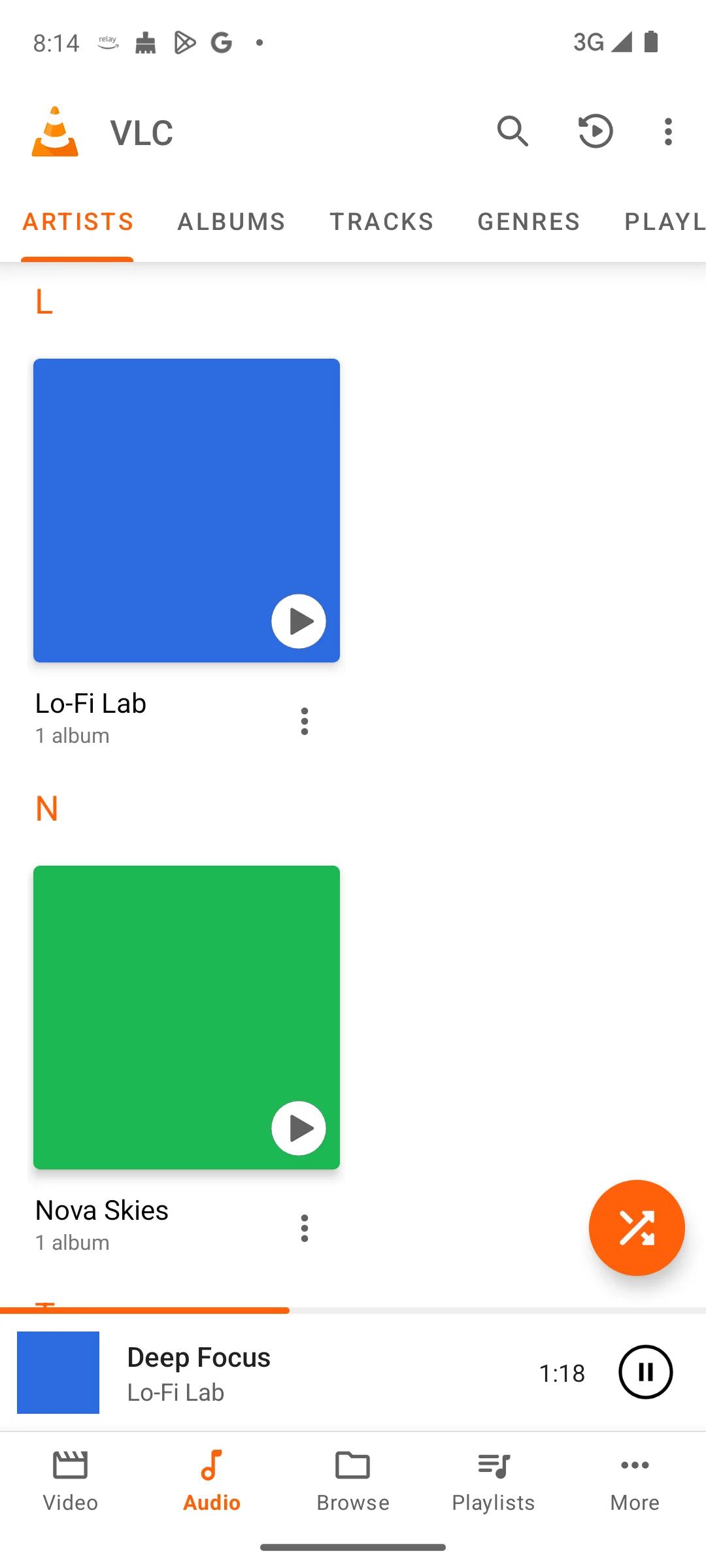
50M+ installs · Free to install · In-app purchases $1.49 to $4.99 per item · Developer App Holdings · Listing updated 9 December 2024 · Contains ads: Yes · checked 27 September 2026
Google Play listing · 4.6 (1,249,450) · read 27 September 2026
Pi Music Player is a local file player that installs free, and its US Google Play listing, read 27 September 2026, carries a Contains ads label with in-app purchases that remove them. The blunt part is age and data: that listing was last updated on 9 December 2024, more than twenty-one months before 27 September 2026, and it is the only one of the fourteen Data Safety sections read on 27 September 2026 that states data is not encrypted.
Read this first. This listing was last updated on 9 December 2024, which is more than twenty-one months before 27 September 2026, the day it was last read. Our own rule is to call a listing older than eighteen months stale and to say so, and this is the oldest listing on this page. Nothing here says the app is broken; it says the store record has not moved, and a reader deciding whether to install it should weigh that.
Skip this if. A listing last updated on 9 December 2024, more than twenty-one months before 27 September 2026, is not something you want on the phone, or its Data Safety line stating that data is not encrypted settles it.
Choosing between them. Choose Pi Music Player over Retro Music for the equalizer and the MP3 cutter its own description names, and Retro Music over it when a listing refreshed in August 2026 matters more than either of them. Other ways to turn a song into a ringtone are in How to Set a Song as Your Ringtone on Android: 5 Routes.
Prime and Alexa homes
100M+ installs · Free tier, Prime bundle, Unlimited upgrade · $12.99 to $129.00 per item · Developer Amazon Mobile LLC · Listing updated 24 September 2026 · Contains ads: No · checked 27 September 2026
Google Play listing · 4.0 (3,407,172) · read 27 September 2026
Amazon Music makes most sense inside a household that already pays for Prime. Its listing carries no Contains ads label, yet its own description opens by offering free listening with ads. The blunt part is the rating, which is the lowest of the streaming entries here by a clear margin, and label and description plainly disagree.
The label and the description do not agree here, so both are printed rather than one of them chosen. The Play listing read on 21 August 2026 shows no Contains ads label. Amazon's own description on that same listing states that you can listen free to music and podcasts with ads and no credit card required, and that Prime members get the music ad-free. That store label is a declaration about advertising inside the app, and it is not a promise that a free tier plays without interruption.
Skip this if. The free tier has to be quiet, because its listing, read 21 August 2026, carries no Contains ads label while its own description opens by offering free listening with ads.
Choosing between them. Choose Amazon Music over Spotify when Prime is already paid for and Amazon MP3 purchases need somewhere to play, and Spotify over it when the daily music mixes its own description sells are what you are after.
Theming
5M+ installs · Free, no in-app purchases · Developer Hemanth Savarala · Version 7.0.3 · Listing updated 13 August 2026 · Contains ads: No · checked 27 September 2026
Google Play listing · 4.3 (83,584) · read 27 September 2026
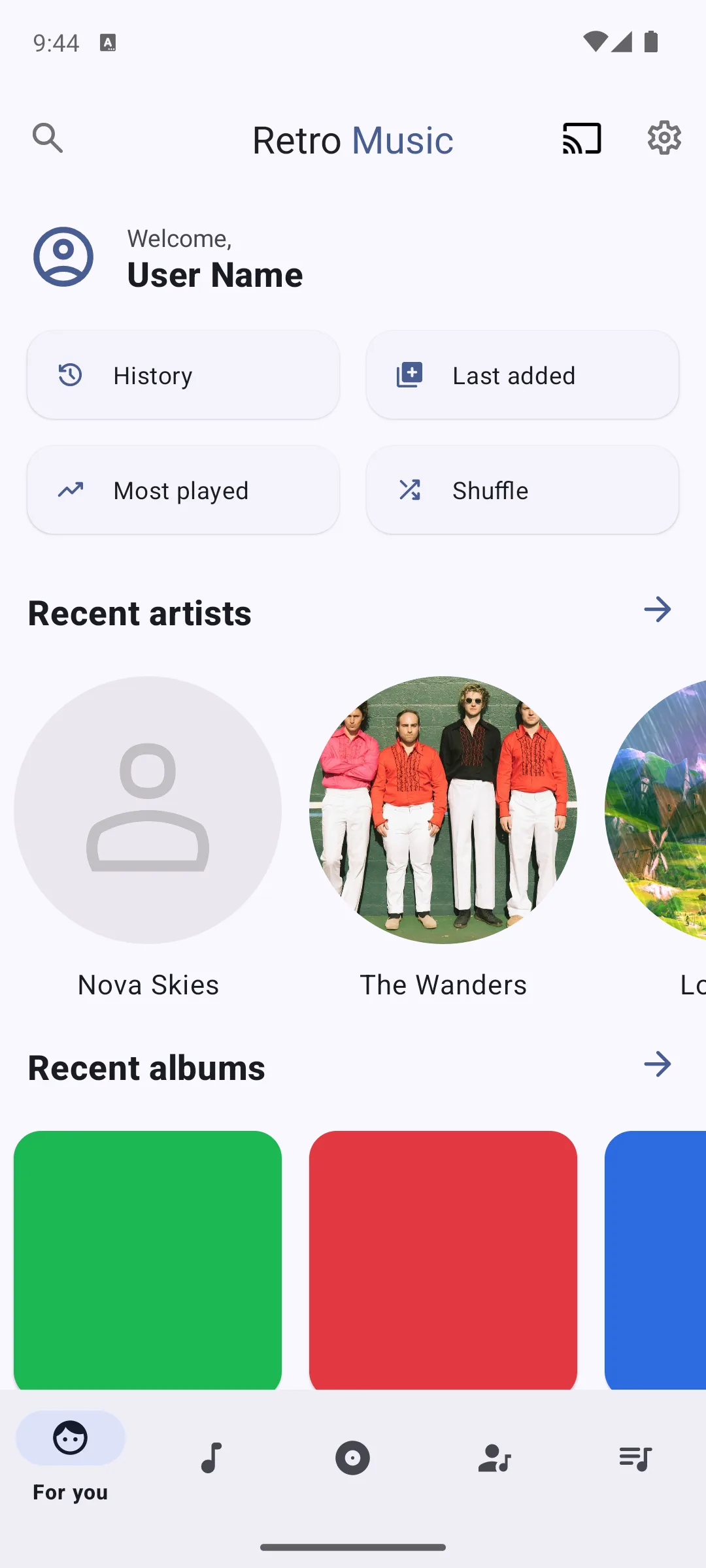
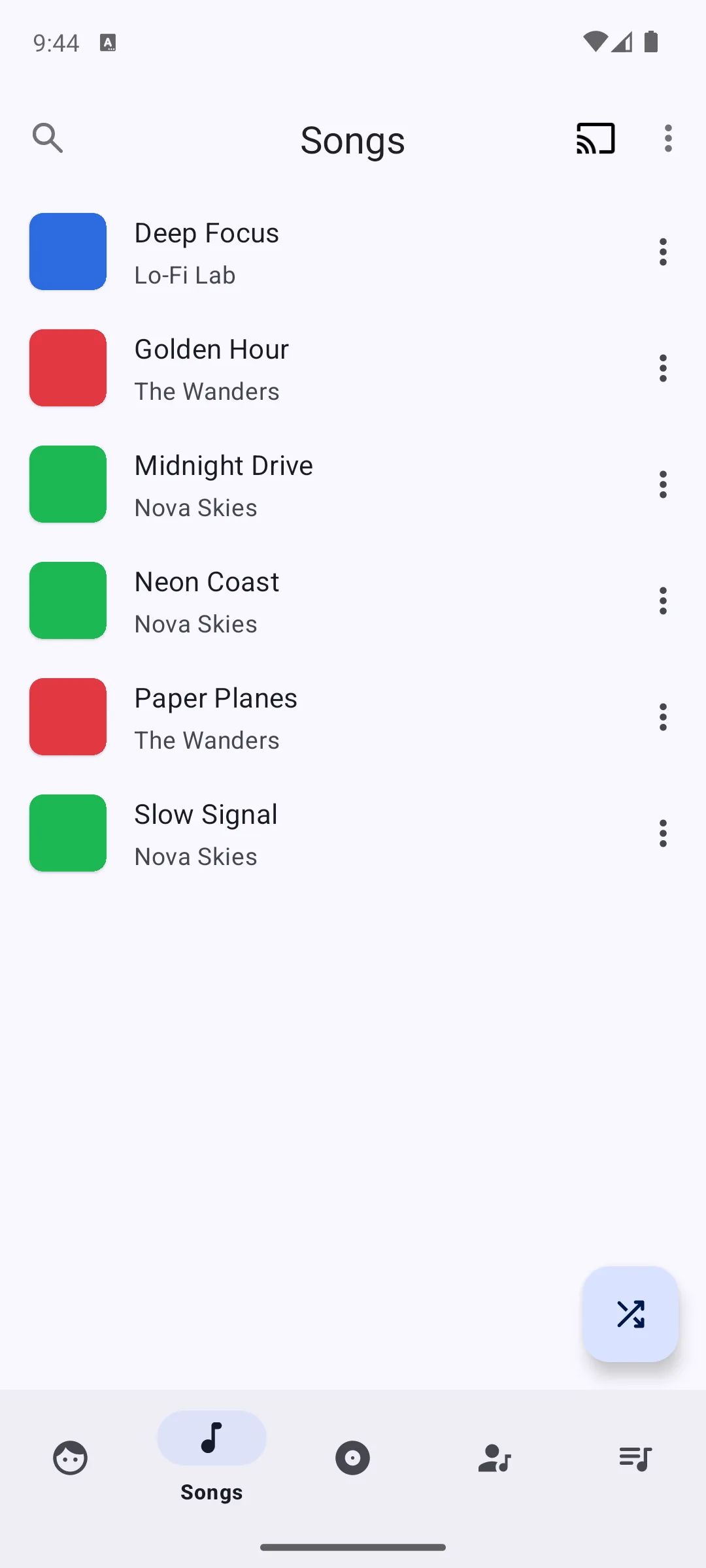
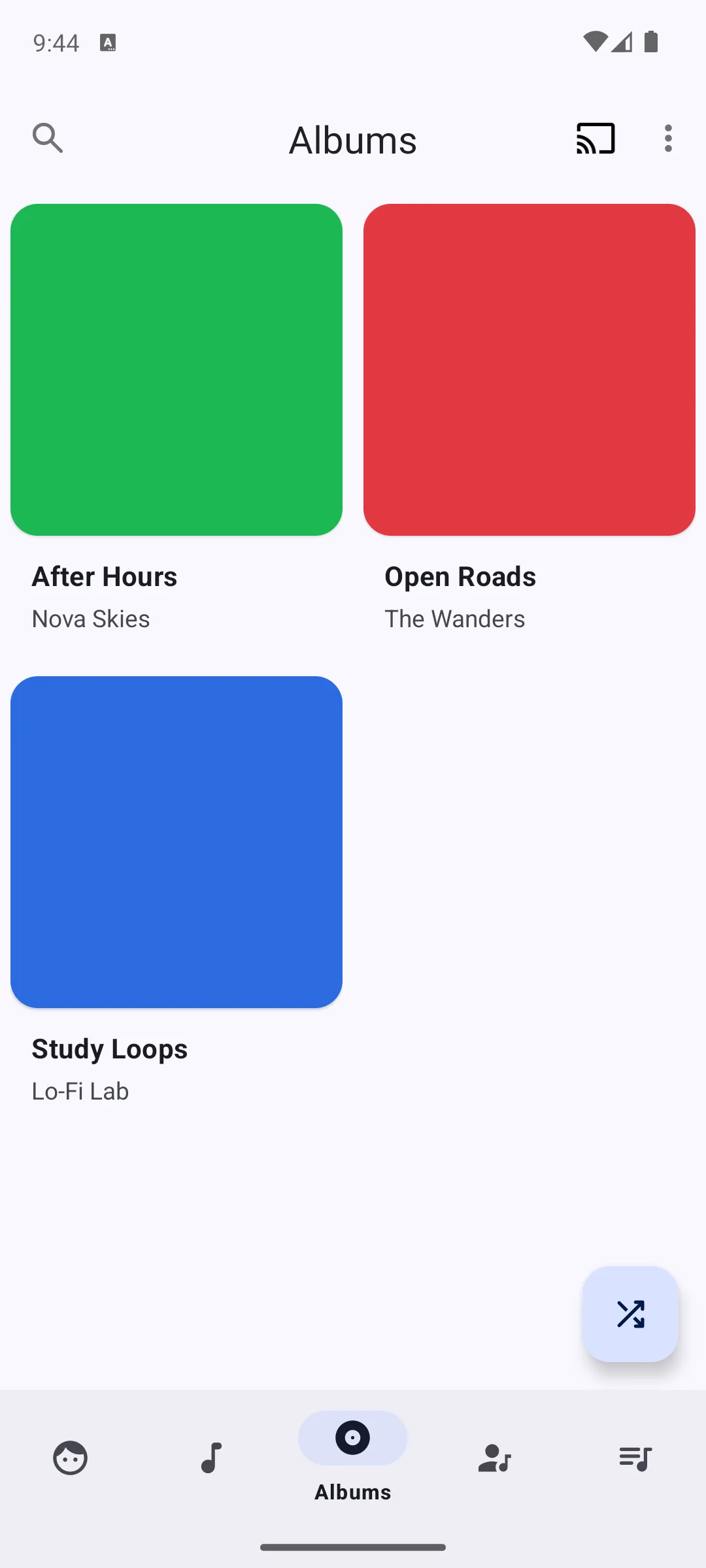
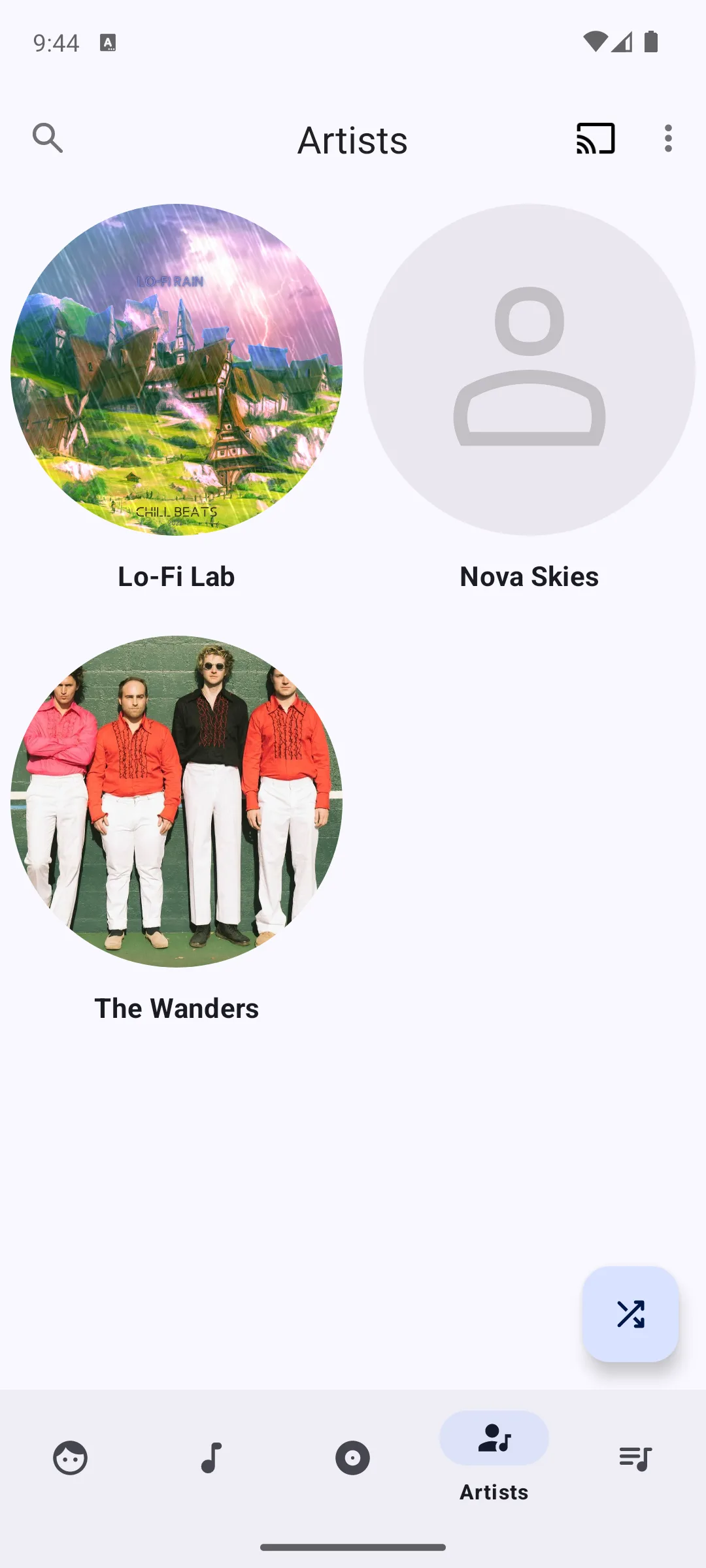
Retro Music is the free local player to pick for looks. It installs free, its listing shows no Contains ads label and no in-app purchases, and its Data Safety section states no data collected. The blunt part: its own feature list names no equalizer at all, so sound shaping has to come from somewhere else, and the description still calls the app a beta.
Skip this if. A built-in equalizer is not negotiable, because its feature list names none, and its own description still calls the app a beta version.
Choosing between them. Choose Retro Music over Pi Music Player for a listing with no ads label, no in-app purchases and a Data Safety section declaring no data collected, and Pi Music Player over it when an equalizer inside the player is the thing you cannot do without.
Underground artists
100M+ installs · Free to install, paid plan · In-app purchases $5.99 to $114.00 per item · Developer SoundCloud · Listing updated 23 September 2026 · Contains ads: Yes · checked 27 September 2026
Google Play listing · 4.7 (7,645,697) · read 27 September 2026
SoundCloud is the pick for music that never reaches the big catalogues. It installs free, its listing carries a Contains ads label, and its paid plans add premium features. The blunt part: what it plays is uploads by artists rather than a licensed release catalogue, so it complements one of the other streaming entries here rather than replacing it, and it touches no file you own.
Skip this if. The catalogue you want is released albums rather than tracks artists upload themselves, because uploads are what its own description sells.
Choosing between them. Choose SoundCloud over Deezer for those artist uploads, and Deezer over it when a lossless tier decides it, which no line of SoundCloud's description read on 21 August 2026 names.
Personalized radio
100M+ installs · Free to install, subscription · In-app purchases $2.49 to $218.99 per item · Developer Deezer Music · Listing updated 21 September 2026 · Contains ads: Yes · checked 27 September 2026
Google Play listing · 4.3 (3,624,970) · read 27 September 2026
Deezer is the streaming pick for people who want the app to choose. It installs free, its listing carries a Contains ads label, and its description puts ad-free listening on Premium. The blunt part is that almost everything its description advertises is described as part of a Premium plan, so the free tier is thinner than the feature list suggests.
Skip this if. A Contains ads label sitting next to a Data Safety section that declares sharing with third parties is the combination you are here to avoid, because this listing, read 21 August 2026, has both.
Choosing between them. Choose Deezer over Spotify for the HiFi lossless its own description puts on the paid plan, and Spotify over it when the daily music mixes and the audiobook titles its description names are the deciding line.
Format range and cue sheets
50M+ installs · Free, no in-app purchases · Developer Artem Izmaylov · Content rating Ages 9+ · Listing updated 10 September 2026 · Contains ads: No · checked 27 September 2026
Google Play listing · 4.5 (462,178) · read 27 September 2026
AIMP is the free file player for a collection with awkward formats in it. It installs free with no in-app purchases and no Contains ads label on its listing. The blunt part: its own description opens, before any feature, with the words App may works incorrectly on devices based on M.I.U.I firmware. No source read on 21 August 2026 publishes how many phones that covers, so the warning is printed as the developer wrote it and left there.
Skip this if. The phone runs MIUI firmware, because that is the warning its own description opens with, quoted verbatim in this section.
Choosing between them. Choose AIMP over VLC for the format list and the cue sheet support its description spells out, and VLC over it when the firmware warning at the top of this listing rules this one out.
Dark minimal look
1M+ installs · Free to install · Developer FifthSource · Version 3.13 · Listing updated 21 November 2025 · Contains ads: Yes · checked 27 September 2026
Google Play listing · 3.2 (28,081) · read 27 September 2026
BlackPlayer is the minimal dark local player, and it is the hardest entry here to recommend without qualification. It installs free and its listing carries a Contains ads label. The blunt part is twofold: it holds the lowest rating on this page by a wide margin, and it is the only one of the fourteen Data Safety sections read on 27 September 2026 that states data cannot be deleted.
Skip this if. A 3.2 star rating on 21 August 2026 gives you pause, or a Data Safety section stating that data can not be deleted does.
Choosing between them. Choose BlackPlayer over Retro Music only for the stripped down now playing screen its own description sells, and Retro Music over it for a Data Safety section that declares no data collected, against the one here stating that data can not be deleted.
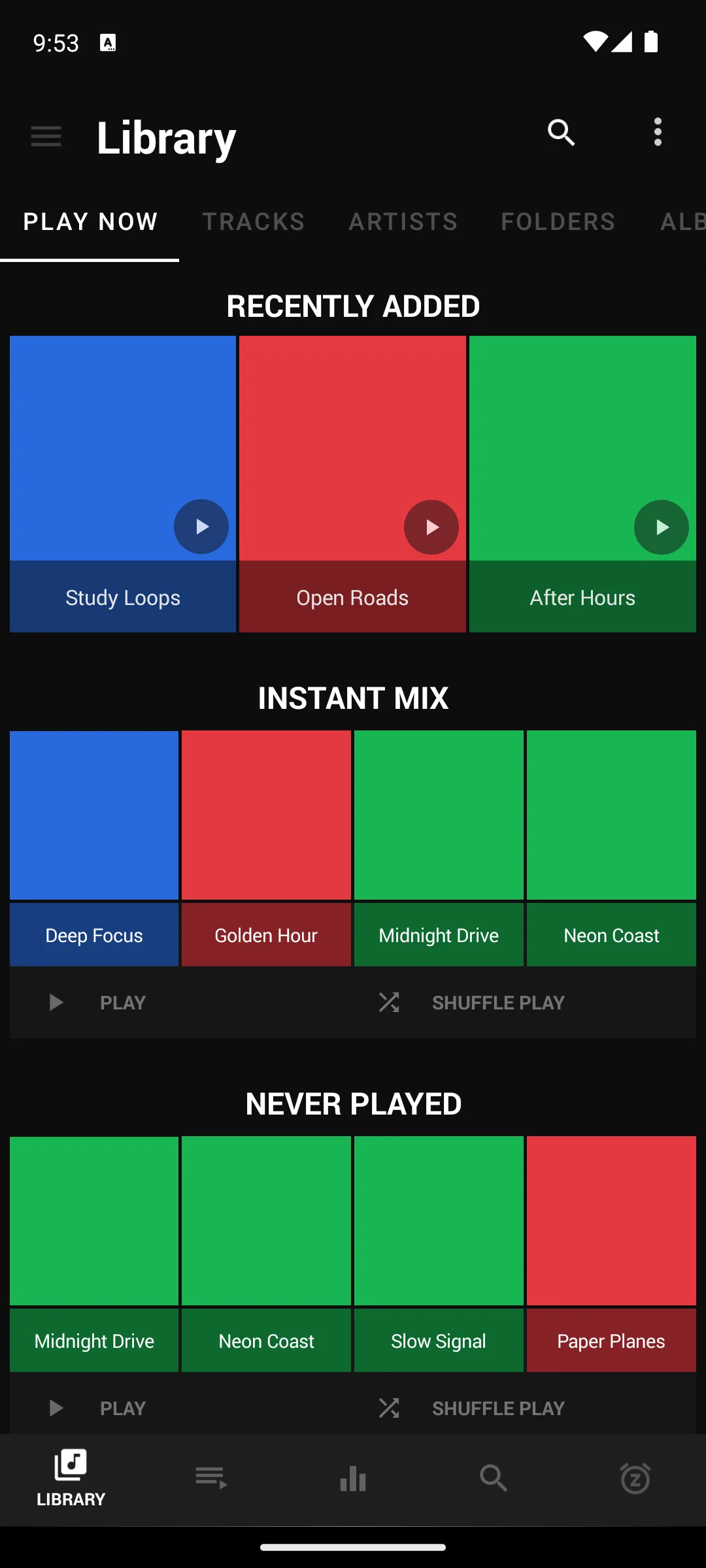
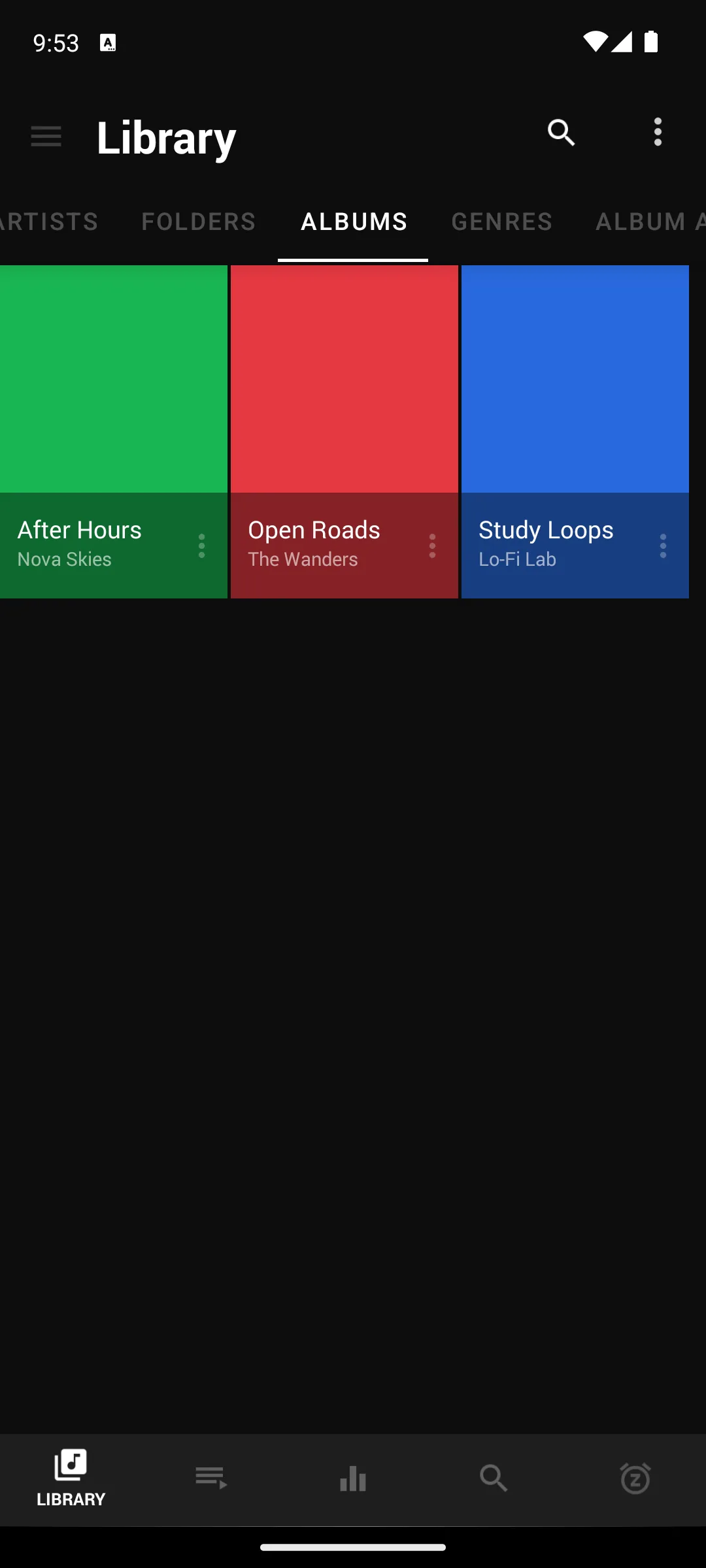
There is no single best music player, only the one that fits how you listen. One question settles most of it: do you own your music as files, or do you stream it from a service? The second column of the table above answers that for all fourteen apps, and almost every other decision follows from it.
A local file player plays music that already lives on the phone or an SD card. It works on a plane, in a basement or anywhere with no signal, it costs nothing per month, and it asks nothing of a data plan. The trade is that you gather and manage the files yourself, and you only ever hear what you already have.
A streaming app hands you a catalogue the moment you sign in. You can follow a whim and never think about storage. The cost is ongoing, you usually need a connection unless you download inside the app, and you are renting access rather than owning anything: the downloads go when the subscription goes.
Plenty of listeners want both, and three of the file players here reach a little way in either direction. Poweramp, VLC and AIMP all name network sources in their own descriptions, radio streams for the first, network shares for the other two, while still playing your own files first.
The format a track is stored in affects both sound quality and file size:
If you only stream, the service handles this and you never think about it. If you keep files, check the player opens what you have collected. AIMP carries the longest explicit format list of the fourteen descriptions read on 21 August 2026, and VLC's simply says all formats are supported.
People organize music two ways. Some think in a library, browsing by artist, album and genre from the tags inside each file. Others think in folders, navigating the directory structure they built themselves. Most of the file players here do both, and the difference shows up immediately on screen.
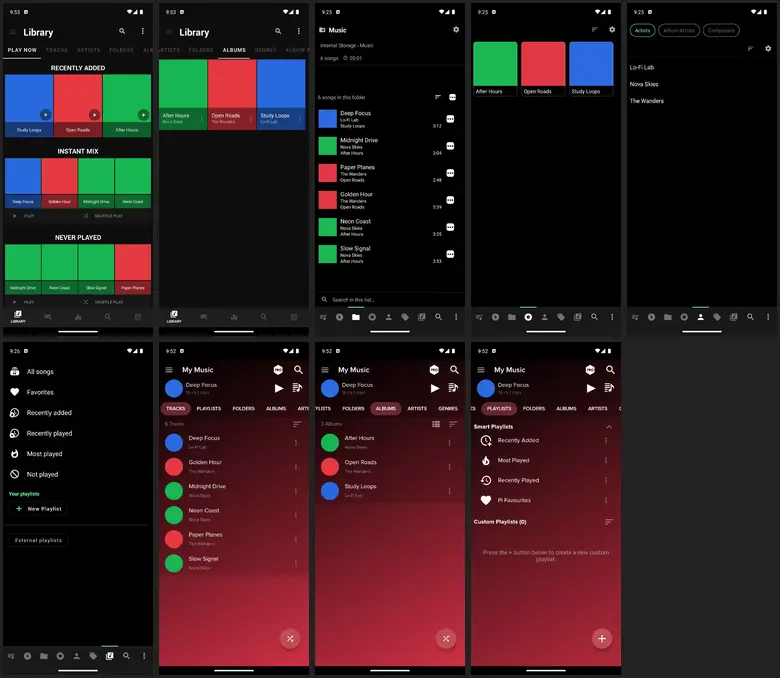
If your music is carefully sorted into folders, check the player offers folder browsing, because not all of them do. If the files are well tagged, any library based player will present them neatly.
Gapless playback removes the short silence between tracks, which matters for live albums, concept records and anything meant to run continuously. Crossfade blends one track into the next, which suits parties and workouts. Four of the file players here name gapless playback in their own descriptions: Poweramp, Musicolet, Retro Music and BlackPlayer. AIMP names cross-fade instead.
An equalizer shapes the sound: lifting bass, taming harsh treble, or matching the character of a pair of headphones. Some players ship a 5-band equalizer with presets, which is plenty for most ears. Poweramp and AIMP go much further. Retro Music is the entry here whose feature list names no equalizer at all, which is worth knowing before you pick it for its looks.
For file players everything is offline by nature. For streaming apps, offline means downloading tracks inside the app so they play with no connection, and that almost always sits behind the paid tier. Those downloads are tied to the subscription and go when it stops, unlike files you own.
Three models cover this page. Free with ads means a Contains ads label on the listing and, on some streaming services, limits as well. A paid subscription removes ads and unlocks offline downloads and higher quality, at a recurring cost. A one time purchase, common among file players, unlocks the app with no account and no monthly bill: on this page that is Poweramp, whose full version its own description, read 27 September 2026, sells through the separate unlocker listing or a Buy option in its settings.
If you stream and value discovery, start with one of the big services and pay for offline only once you know you will use it. If your music lives as files, pick a capable file player, confirm it handles your formats and your folder layout, and enjoy never seeing an ad.
Pair it with: once the player is sorted, an equalizer app shapes the sound system wide, a music downloader is the separate job of getting files onto the phone, and a podcast app covers the spoken word listening most music players leave out.
Musicolet and VLC are the free picks with no ads label on their listings, both read on 21 August 2026. Musicolet plays only files already on the phone and its developer says so on the listing itself. VLC plays a wider range of formats and also reads network shares and streams. Retro Music and AIMP are free and ad-free too. Checked 21 August 2026.
No. Spotify, YouTube Music, SoundCloud, Deezer and Amazon Music all install free, and the first four carry a Contains ads label. For files you already own, Musicolet, VLC, Retro Music and AIMP are free with no ads label at all. Paid tiers mainly add offline downloads, higher audio quality and the removal of ads. Checked 21 August 2026.
For streaming, Tidal's own description says all plans include HiRes lossless, and Apple Music names lossless up to 24-bit and 192 kHz while adding that features vary by country, region, plan or device. Neither has a permanent free tier. For files you own, Poweramp describes a graphic equalizer with up to 32 bands plus a parametric mode, and AIMP describes a 20-band graphic equalizer with replay gain normalization. A wired output or a DAC matters more than the app. Checked 21 August 2026.
Often, yes. Several players here ship an equalizer of their own, and Retro Music is the one on this page whose feature list names none, so it needs a system wide equalizer app instead. Our guide to the best equalizer apps for Android covers those. Checked 21 August 2026.
A music player plays files that already exist on the phone or an SD card, so it works with no connection and costs nothing per month. A streaming app plays a catalogue over the network and you are renting access rather than owning anything. Seven of the fourteen apps on this page are streaming clients and seven play your own files. The second column of the table says which is which. Checked 21 August 2026.
It matters for live albums, concept records and mixes, where the short silence between tracks breaks the flow. On this page Poweramp, Musicolet, Retro Music and BlackPlayer all name gapless playback in their own descriptions, and AIMP names cross-fade instead. If you mostly shuffle single tracks you will never notice it. Checked 21 August 2026.
Musicolet. Its listing carries no Contains ads label, its Data Safety section states no data collected and no data shared with third parties, and its own description says the app does not use the internet permission at all. It plays only files already on the phone, and its developer states that plainly on the listing. Checked 21 August 2026.
Among the streaming entries, Apple Music describes beat by beat lyrics with translations and Deezer describes on-screen lyrics. Among the file players, Musicolet, Poweramp and BlackPlayer all name synchronised lyrics from .lrc files or embedded tags, and Musicolet says it never fetches them automatically. Retro Music names a lyrics screen that downloads and syncs, without saying where the lyrics come from. Our synced lyrics roundup compares the dedicated apps. Checked 21 August 2026.
Copy the folders and keep the folder structure, then let the player rescan. Playlists are the fragile part, because they store paths. The new player will ask for a storage or audio permission before it can see any of it. Google's Android 13 behaviour changes page says an app that targets Android 13 or higher must ask for the audio permission specifically when it reads media files another app created. Our library moving guide has the step by step. Checked 21 August 2026.
Checked 27 September 2026: all fourteen Play listings and the Poweramp Full Version Unlocker listing were re-read in the US store, and every fact line and rating line carries that date and the review count each listing published that day. Moved since the last read: Spotify's in-app purchase range, which starts at $4.99 where it started at $6.99, and the listing dates of Spotify, YouTube Music, Apple Music, Tidal, Amazon Music, SoundCloud, Deezer and AIMP. Three rating cells in the decision table disagreed with their own sections and are corrected to Tidal 4.4, Amazon Music 4.0 and Retro Music 4.3. Re-reads made between 1 and 3 September 2026 (Tidal, Amazon Music and Retro Music, the table lead and four listing dates) had no entry in this log; four fact lines then printed a listing date later than their own check date, and all fourteen carry one read date after this pass. Corrected: YouTube Music was said to play no file you own, and Google's own help page on uploads says uploaded songs play in the background, ad-free and offline; Poweramp's full version was said to be sold only on the separate unlocker listing rather than inside the app, and its own description also names a Buy option in its settings; Retro Music was said to carry the second freshest listing date among the file players, and AIMP's date of 10 September 2026 sits ahead of it; Apple Music's trial was attributed to its Play description, which no longer names one, and is sourced to Apple's own page instead. Withdrawn because the descriptions they were attributed to do not say them: Spotify known for the recommendation engine and Android Auto, Apple Music known for human curation, Retro Music known for Material You theming, the recommendation engine in the Amazon Music and Deezer comparisons, and the gloss that Poweramp's in-app purchases are skins and extras. Pi Music Player, last updated on 9 December 2024, is no longer called the friendliest layout, the gentlest starting point or a pick for newcomers, because this page does not praise a listing that stale. The quoted sentence from the official Poweramp site is replaced with the site's wording read 27 September 2026. The comparison drawing is removed: its caption admitted one cell behind the text, and three were (Poweramp as a ten band equalizer, Tidal with no offline files, and Spotify's standout). The social preview image, which carried a testing claim and the BlackPlayer EX edition withdrawn on 21 August 2026, is replaced by the page's own header image. Added: questions on Android Auto, FLAC files and whether Poweramp is free, and links to the music streaming, video player, YouTube Music upload and ringtone guides. Removed: the halfway box, a repeated downloader box and the July 2026 update image above the list, whose links remain elsewhere on the page.
Checked again 26 August 2026: the four listings behind the answer were re-read in the US store. Spotify's listing date had moved to 24 August 2026 and is corrected above; no rating, price, advertising label or in-app purchase range had changed, so every other figure keeps its 21 August 2026 date. The answer box was rebuilt to the house form: each pick now carries the reason it was chosen rather than its price alone, Poweramp is named for its equalizer instead of competing with Musicolet for the offline role, and its free build is stated as a time limited trial rather than a free tier. Review counts drift by the hour and are deliberately not restated.
Checked 21 August 2026: all fourteen Play listings this page links were re-read on 21 August 2026, and every developer description was read end to end the same day, so every rating, review count, install band, price, in-app purchase range, ads label, Data Safety line, version and listing date now carries that date. All fourteen rounded review counts came off and the exact figure each listing publishes is printed instead. Eight of those rounded forms no longer round correctly to the count on the listing on 21 August 2026 and are retired for that reason: 36.1M, 7.73M, 743K, 1.39M, 378K, 3.38M, 83.2K and 3.61M. The other six, among them 1.25M for Pi Music Player, still rounded correctly and came off only because an exact count is better than a rounded one. One rating moved on its own listing rather than being restated: Pi Music Player read 4.7 on the previous pass and read 4.6 on 21 August 2026. The decision table was rebuilt. Its old Pick it for column, the fourth of its four, held cells that paraphrased the verdict line already printed under each app heading, so it differentiated nothing; the second column now carries what the app plays and from where, taken from each developer's own description. That column is the reason three claims changed. Poweramp is no longer described as a local files player alone, because its own description opens by saying it plays local music files and radio streams. VLC is no longer filed as local files, because its description names network streams, shares, drives and DVD ISOs. AIMP is no longer filed as files only, because its description names internet radio and Windows and WebDAV shares. Four load bearing claims came off the body of the page, and the complete withdrawn list closes this note. Retro Music was said to have last been updated in December 2025; its listing read on 21 August 2026 gives 13 August 2026 at version 7.0.3, so that is withdrawn as simply out of date. Musicolet was said to have only a basic equalizer that should be paired with a system one, and its own description contradicts that: it names a separate equalizer with its own presets for speakers, headphones and Bluetooth, so the claim is withdrawn and the entry now credits the equalizer. Poweramp was said to offer one queue against Musicolet's many; no source we read on 21 August 2026 supports a one queue limit, and Poweramp's own description names a dynamic queue, so that comparison is withdrawn rather than restated. And Amazon Music was presented as making the most sense for Prime members, with a line telling anyone who does not pay for Prime to skip it; Amazon's own description offers a free ad-supported tier with no credit card required, so the entry now prints the label and the description side by side instead of choosing between them. A price this page carried was re-derived rather than cut, and it survived: $19.99 for Poweramp is not on the player's own listing, whose in-app purchases run $0.49 to $8.99 per item, but it is the price on the separate Poweramp Full Version Unlocker listing, read 21 August 2026, and that listing is now linked in the same sentence as the figure. The image channel was corrected, and nothing was deleted. All twenty one images stay on the page and every file resolves. Every screenshot caption said the shots were captured in-app on Android 14, which is a use claim in a channel the gates do not read, and the owner rule verificat, nu testat bans use claims in every channel, so all six were rewritten as own screen captures with the developer named and the date the name was read. Two attributions were wrong and are fixed: BlackPlayer was credited to Kodarkia and is listed on Google Play by FifthSource, and Retro Music was credited to the Retro Music team and is listed by Hemanth Savarala. VLC is now credited as published on Google Play by Videolabs for the VideoLAN project, because the listing and the brand are not the same name. Three pictures were mislabelled. The first image in the Poweramp gallery is not a Poweramp screen at all: it is a contact sheet of nine BlackPlayer, Musicolet and Pi Music Player screens that already appear full size in their own sections, and the markup declared it 1080x2400 when the file is 780x678. It has been moved out of that gallery into the browsing section as a correctly sized figure with a caption that says what it shows; the file was not removed. The first Musicolet screenshot shows the folder view, not the song library, and its alt text and thumbnail caption now say so. The fourth Retro Music screenshot was captioned as generated artist images, a mechanism no source we read on 21 August 2026 supports: Retro Music's own description names no artist image behaviour at all. The alt text now describes the screen instead, three artists of which two show a picture and one shows the default placeholder. The comparison drawing on this page is a static file this account cannot redraw, and one of its cells labels Poweramp a ten band equalizer while the Play description read on 21 August 2026 lists up to 32 graphic bands plus a parametric mode, so its caption now names the mismatch rather than leaving the picture to contradict the text. A review of this rebuild found more to fix, and it is fixed here rather than left for a later pass. This page already carried fourteen Skip it if lines, tucked into a single line beside a Love it for clause; each one is now written from the listing facts read on 21 August 2026 and printed on its own after the pros and cons, which is where the page standard puts it, and every one of the fourteen sections now also carries the choose over the neighbour line the standard asks for and this page has never had. The six screenshot strips used to sit at the very top of their blocks, above the section they illustrate; each now sits inside that section, after the pros and cons and ahead of the back to the table link. That order is the standard's, and it also keeps every strip clear of the next app's verdict line, which is how a picture ends up illustrating the wrong app. The artist pictures visible in two of the Retro Music screens are artwork the app pulls in from a third party rather than anything captured for this page, and the caption now says so, because a figure headed own screen captures should not quietly carry someone else's photograph of identifiable people; the licence on those pictures is not something this page can settle. Two alt attributes were corrected to agree with the text beside them: the Poweramp equalizer screen is now described as being in its ten band mode rather than as a ten band equalizer, since the same description names up to 32 bands, and the comparison drawing's alt now carries the same caveat its caption does, so a reader who never sees the picture gets the correction too. The decision table's third column was headed Works with no connection and it did not differentiate: six of its file rows read the same six words and each streaming row repeated the plan name already printed in the price column. The offline answer is what the second column is for, and the lead above the table now says so in one sentence. In its place the table prints each listing's own Data Safety section, which no other column carries and which cuts across the streaming and file split rather than restating it. One cell in the Contains ads column now carries a marker of its own: Amazon Music publishes no label while its own description opens by offering free listening with ads, and a reader filtering that column should not have to reach the Amazon section far below to learn it. Six sentences were tightened where they claimed more than the sources do. A clause saying the MIUI warning covers a large share of Android phones came off, because no source read on 21 August 2026 publishes how many phones that is, so the developer's own wording is quoted and left to stand alone. A line saying the streaming entries never touch a file you own is now written as what was read: no description read on 21 August 2026 names playback of files you already own. The lyrics answer in the FAQ listed Retro Music among the players that read .lrc files and embedded tags, and its description names neither, only a lyrics screen that downloads and syncs, so it is described separately. And the FAQ answer about moving a library had dropped the condition that makes Google's rule true, that the permission applies to media files another app created; the condition is back in the answer. A line about the MP3 format said every file player here names it, and two of the seven do not print the word at all: the line now names the five that do, and says what Poweramp and VLC write instead. And Apple Music was said to put lossless on every plan, which its own description does not say and arguably contradicts, since it closes by stating that features vary by country, region, plan or device; the page now prints what that description does name, lossless up to 24-bit and 192 kHz, and leaves the every plan wording to Tidal, whose description prints the words all plans include. The capsule was tightened once more so that each pick survives being lifted out on its own: the price and ads clause in the Spotify sentence has its own subject instead of attaching itself to the songs, the word over that the description uses is restored, and the Poweramp sentence separates the two listings it rests on, naming the in-app purchase floor on the player's own listing and the full version as a separate listing. Two structural repairs from the 17 August pass were preserved deliberately and re-checked: this page carries exactly one table, inside exactly one table wrapper, and no wrapper is left holding anything that is not a table. The verdict capsule was relabelled from Quick answer to Our answer and rewritten to the owner ruling of 18 August 2026, one self contained sentence per pick joined by because, each carrying its own dated reason and the price and ads reality, closing with the date the data was checked. A platform section was added, because the premise of a local player is constrained by Android rather than by any app: Google's own Android 13 behaviour changes page, read 21 August 2026, is quoted for the permission a player targeting Android 13 or higher has to request before it can read audio another app created, with the condition left attached to the app rather than moved onto the reader's phone, and it is linked where it is used. The How we verify box now names that source alongside the listings and keeps the sentence that nothing here rests on our own use of the apps. No app was removed from this page: all fourteen listings answered on the run date and none is delisted. Withdrawn on this pass, summarised rather than quoted, because the previous wording was spread across a table cell, a caption or a list line rather than written as a sentence: Retro Music was last updated in December 2025; Musicolet has only a basic equalizer; Poweramp gives you a single queue; Retro Music is made by the Retro Music team; BlackPlayer is made by Kodarkia; the screenshots were captured in-app on Android 14; the first Poweramp screenshot shows the Poweramp library menu; the first Musicolet screenshot shows the song library; Retro Music generates its artist images; Amazon Music only makes sense for Prime members; AIMP has flawless gapless playback. That last one came off on a count rather than on a date: the word gapless appears in four of the fourteen descriptions read on 21 August 2026, in Poweramp, Musicolet, Retro Music and BlackPlayer, and not in AIMP, whose description names cross-fade instead. One more came off the same way: the paid EX edition adds extra themes, a richer equalizer and visualizers. BlackPlayer's own free listing does not mention an EX edition at all and shows no in-app purchase range, so no source we read on 21 August 2026 supports it, and the entry now says that the listing states no route to remove its ads. Every one of those twelve claims is named here and nowhere else on the page. Two more came off the update banner at the top, for the same reason as the rest: Oto Music returned after two quiet years, and a wave of open-source players shipped major versions. Both were carried over from an earlier pass, and nothing read on 21 August 2026 supports either. Oto Music's own listing was read that day and it is alive, but a single listing shows the date of the current update and not the gap before it, so the quiet years cannot be checked from it and the claim is withdrawn rather than restated. The banner now points at the dated article and claims nothing itself.