
Three routes put manga on an Android phone without a copyright problem. Publishers give current chapters away in their own apps, because a free chapter sells a volume. Webcomic platforms release the back catalogue free and charge for skipping the queue. Local readers open the CBZ and CBR files you already own. The fourth route, apps bundling fan scans of licensed series, ends in heavy advertising and a reader that disappears from Play. Every figure below was read from Google Play on 3 September 2026.
Shonen Jump Manga and Comics is our best overall pick because its listing on 28 August 2026 showed 4.8 stars, no ads label and free weekly chapters.
MANGA Plus by SHUEISHA is our best free pick because on 28 August 2026 its listing gave the first three and newest three chapters free, with ads and no purchase.
Perfect Viewer is our offline CBZ pick because on 3 September 2026 its listing showed no ads, no in-app purchases and no data collected.
Data checked: 3 September 2026.
Every figure is read from the app's own Google Play listing: rating and review count, install band, update date, price and in-app purchase range, and the Contains ads label. The Data Safety section is read separately, which is how the K MANGA sharing disclosure and the no data collected lines for Perfect Viewer and Librera PRO reached the page. Free chapter offers, unlock timers and offline downloading are quoted from the listing description, and where a listing describes no download that silence is recorded rather than filled in. Mihon has no Play listing, so the project's own site is the source, and a store search for that name returned a different publisher.
The Play results look interchangeable. Sort them by who owns the content and the choice takes a minute.
None of the first three groups hands over a complete back catalogue free. That offer exists only in the fourth, which is both its appeal and its problem.
Japanese publishers now release English chapters alongside the Japanese edition and give the newest away to sell the paid volumes. These are the most generous legal apps on Play.
Most free chapters, lowest score
MANGA Plus by SHUEISHA. First three and newest three chapters of a series free, per the listing, with some ongoing titles readable in full once. Rated 3.4 from 90,444 reviews, updated 25 August 2026, adverts and in-app purchases from 1.99 to 4.99 dollars.The only ad-free publisher app here
Shonen Jump Manga and Comics by Viz Media. Weekly chapters free, with a vault of over 20,000 more at 3.99 dollars a month after a trial. Rated 4.8 from 86,793 reviews, updated 3 August 2026, in-app purchases from 0.99 to 19.99 dollars and no adverts flagged.A chapter a day, at a data cost
K MANGA by Kodansha. Over 500 titles, more than 60 published the same day as Japan, one free chapter daily. Rated 4.4 from 12,907 reviews, updated 28 July 2026, adverts and in-app purchases running to 239.99 dollars an item. Its Data Safety section declares data shared with third parties and data that is not encrypted.Biggest free catalogue of the four
Manga UP! by Square Enix. Over 400 manga on the listing’s own count, free to read by logging in daily to unlock chapters, though the listing warns that series availability may change without notice. Rated 4.4 from 26,839 reviews, updated 18 August 2026, adverts and in-app purchases.Many publishers, one licensed library
INKR is the odd one out, a licensed library rather than a publisher: over 1,000 titles from publishers large and small in one app. Rated 3.9 from 9,400 reviews, updated 29 July 2026, adverts and in-app purchases.Note the spread in stars. MANGA Plus carries the most generous free offer and the lowest score, so sorting on rating alone points you at the wrong app.
↑ Back to the comparison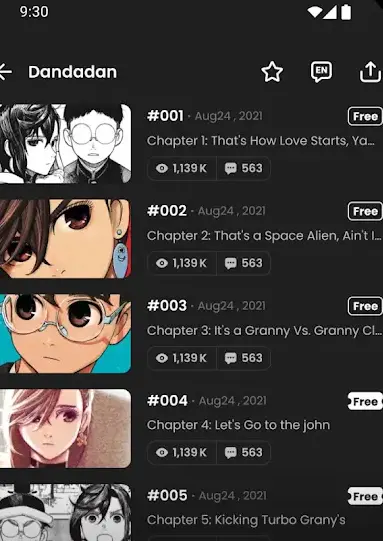
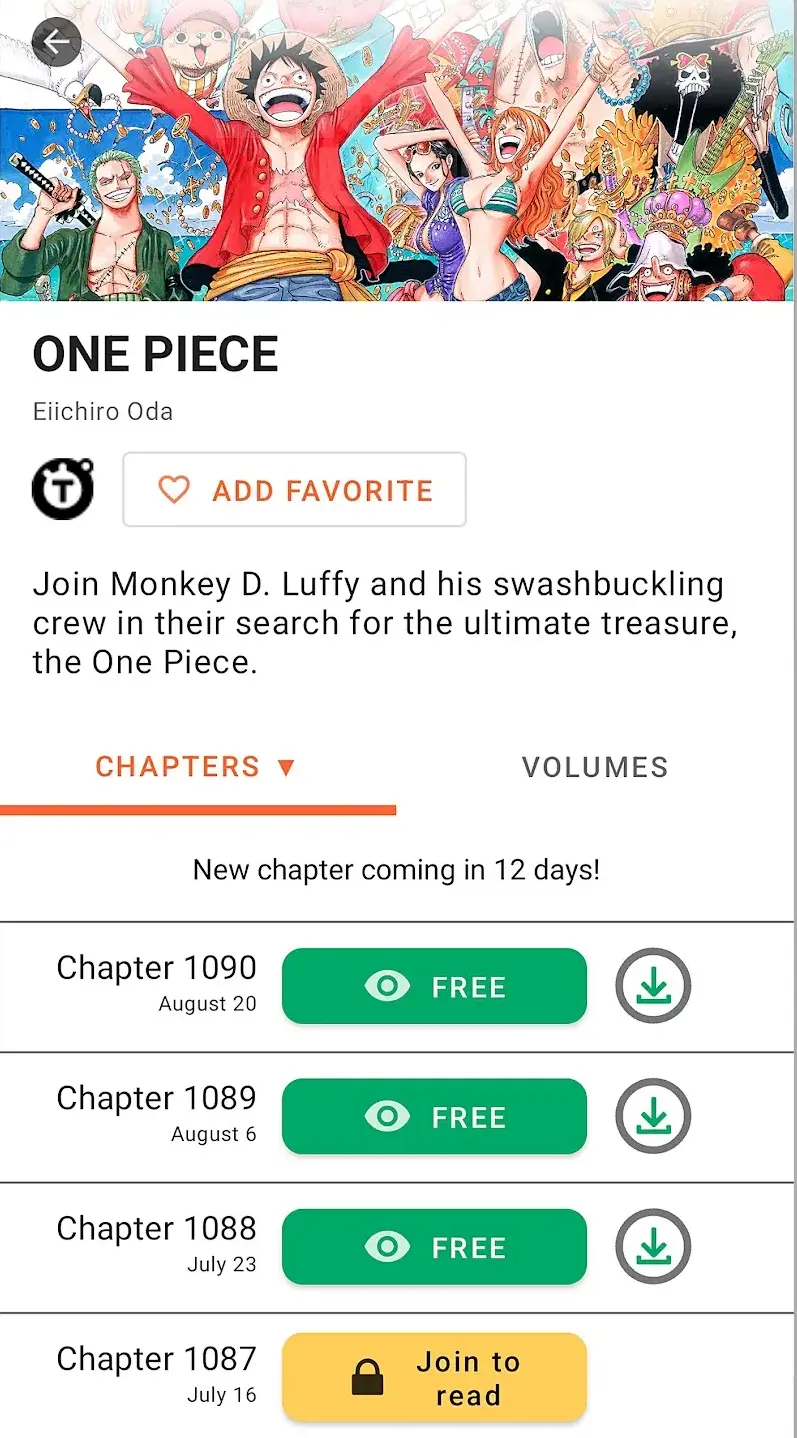
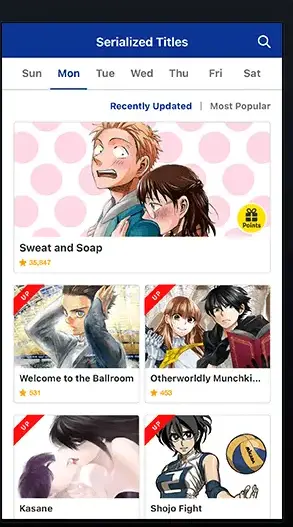
Korean manhwa and most original webcomics are drawn as one continuous vertical strip, not as pages, so they need a different reader. Both big platforms release episodes free once they are old enough.
The largest free vertical-scroll catalogue
WEBTOON by Naver Webtoon. Rated 4.6 from 4.58 million reviews, 100 million plus installs, Editors' Choice, updated 27 August 2026, adverts and in-app purchases. Millions of episodes are free; Coins buy early access and full series unlocks.Free episodes on a three-hour timer
Tapas. Rated 4.2 from 125,169 reviews, also Editors' Choice, updated 10 August 2026, adverts and in-app purchases. The listing describes a Wait Until Free timer, a currency called Ink, and free episodes every three hours.The timer is the business model: wait, and the episode costs nothing. Read a completed series rather than chase a weekly release and you will rarely meet a paywall.
Only worth it if you already subscribe
One paid option belongs here. Crunchyroll Manga is rated 4.7 from 2,753 reviews, updated 16 July 2026, in-app purchases from 13.99 to 179.99 dollars and no adverts flagged. Its listing puts unlimited reading inside the Ultimate membership: a subscriber benefit, not a free app.
↑ Back to the comparisonAn aggregator pulls chapters from scanlation groups, who scan a licensed volume and publish their own translation without permission. That is copyright infringement, and the consequences land on the reader.
The German version of this guide steered readers towards open source clients loaded with third party sources; that recommendation is not carried over. If a series matters enough to chase, buy the volume: the artist is paid and the chapter is still there next month.
Bought a digital volume without DRM, or scanned your own shelf? A local reader is the best experience here: no account and no network. Only Perfect Viewer also gets you the advert-free part; the free Librera listing carries the Contains ads label.
No ads, no purchases, no data collected
Perfect Viewer by Rookie001. Rated 4.4 from 57,595 reviews, 5 million plus installs, with neither adverts nor in-app purchases flagged and a Data Safety section that declares no data collected. The listing has not been updated since 12 March 2026, five months ago. The description covers CBZ, CBR, 7Z and CBT archives, image folders, both reading directions, page and scroll modes, and PDF or DJVU through a plugin.Comics only as a side job
Librera. The free listing is rated 4.1 from 137,361 reviews, updated 21 July 2026, carries adverts and declares data shared with third parties; the PRO listing is 4.6 from 6,819 reviews at 5.99 dollars, with no adverts and a Data Safety section declaring no data collected. Both list CBR and CBZ next to PDF and EPUB. It is a general reader first, covered in full on the ebook and PDF guides below; it is here only because it opens comic archives.Mihon, the project that continued Tachiyomi, is not on Google Play; its own site describes a reader whose content arrives through extensions you supply. Pointed at a personal library it is a local reader. Pointed at scanlation sources it is the section above. Search the store for the name and you will find a listing called Mihon: Comic and Manga Library, but it is published by ABUNDANCIA LTD, was released on 21 July 2026, publishes no rating yet and carries the Contains ads label. Check the developer name before installing anything that borrows that name.
Local reading starts with finding the files, a job for the best file manager apps for Android. Prose libraries belong with the best ebook reader apps for Android, and scanned volumes with the best PDF reader apps for Android.
↑ Back to the comparisonOffline downloading is not universal here, so check before you rely on it. Of the store apps above, two listings state it outright: Shonen Jump, with Download to read offline, and Crunchyroll Manga, with Download chapters to read offline and on the go. The MANGA Plus, K MANGA, Manga UP!, INKR, WEBTOON and Tapas listings describe no download feature. Where the option exists, queue chapters over Wi-Fi while the phone charges.
A reader needs storage access for local files and nothing else, so revoke the rest: how to manage app permissions on Android. More reading apps sit in books, news and education.
MANGA Plus is the strongest free offer, because Shueisha owns the series and gives away the first three and newest three chapters of each. Shonen Jump from Viz Media releases its latest chapters free weekly, and WEBTOON and Tapas add licensed originals in vertical scroll.
Those apps distribute scans and translations published without the rights holder's permission, which is infringement on the distributor's side. Action against individual readers is rare, but the practical risks are not: the app can be pulled from Play, and replacing it means installing an APK from an unreviewed site.
Only in some apps, so check the listing first. Shonen Jump states "Download to read offline". The MANGA Plus, K MANGA, WEBTOON and Tapas listings describe no download feature. Where one exists, queue chapters over Wi-Fi before travelling, because comic pages are images and weigh far more than text. Local readers such as Perfect Viewer and Librera need no connection at all.
A comic reader rather than a manga app. Perfect Viewer by Rookie001 is the comic-first pick, listing CBZ, CBR, 7Z and CBT support and showing neither adverts nor in-app purchases on its Play listing. General readers such as Librera open them too, and the ebook and PDF guides cover those in full.
That is the deal that pays for the free ones: publisher apps give away the opening chapters to hook you and the newest to keep you current, then sell the middle as volumes or a subscription. Anything advertising a complete free archive is not licensed.
No, and the MANGA Plus listing says so directly: available titles vary by language and region. Licences are sold territory by territory, so a series can be free in one country, subscription only in another and absent from a third.
 Best PDF Reader Apps for AndroidBooks, News & Education