
Updated September 2026 · the symptoms now sit in one table that jumps to the fix, and the two apps the page names, Digital Wellbeing and DontKillMyApp, carry their own dated listing figures
The delay is a design decision before it is a fault. Android ships two power-saving features that manage how apps behave off a charger: Doze, which defers background CPU and network activity once the device has been unused a while, and App Standby, which defers background network activity for apps with no recent user activity. Google's Pixel help page says the same of the layer above them: Adaptive Battery may reduce performance and delay notifications to extend battery life. The job is to find which system is holding your alerts, because every exemption you hand out is battery you spend.
Under Doze the system suspends network access, ignores wake locks and defers alarms, jobs and syncs, surfacing periodically for a maintenance window in which the pending work runs. The longer the phone sits untouched, the rarer those windows get.
That is where the unlock symptom comes from. Most apps do not hold their own connection open: Android points developers at Firebase Cloud Messaging, one shared connection to the cloud, and Firebase's setup guide has apps check for a compatible Google Play services package first. A high priority message wakes the app even in Doze. A normal priority one waits for a maintenance window, or until you wake the device.
Android 9 and later also sort apps into standby buckets, from active down to rare, with a stricter restricted bucket added in Android 12, and the bucket sets how often an app's jobs and alarms run.
Split the problem. Nothing at all from one app points at a switch: a muted category, a permission never granted, an app put to sleep. Late, then several at once points at power management.
The cheapest test is a charger. Google states the standby restrictions apply only on battery power, so an app prompt on the cable and slow off it is behaving as documented.
Aim at two or three apps. A page full of optimised apps is a healthy phone.
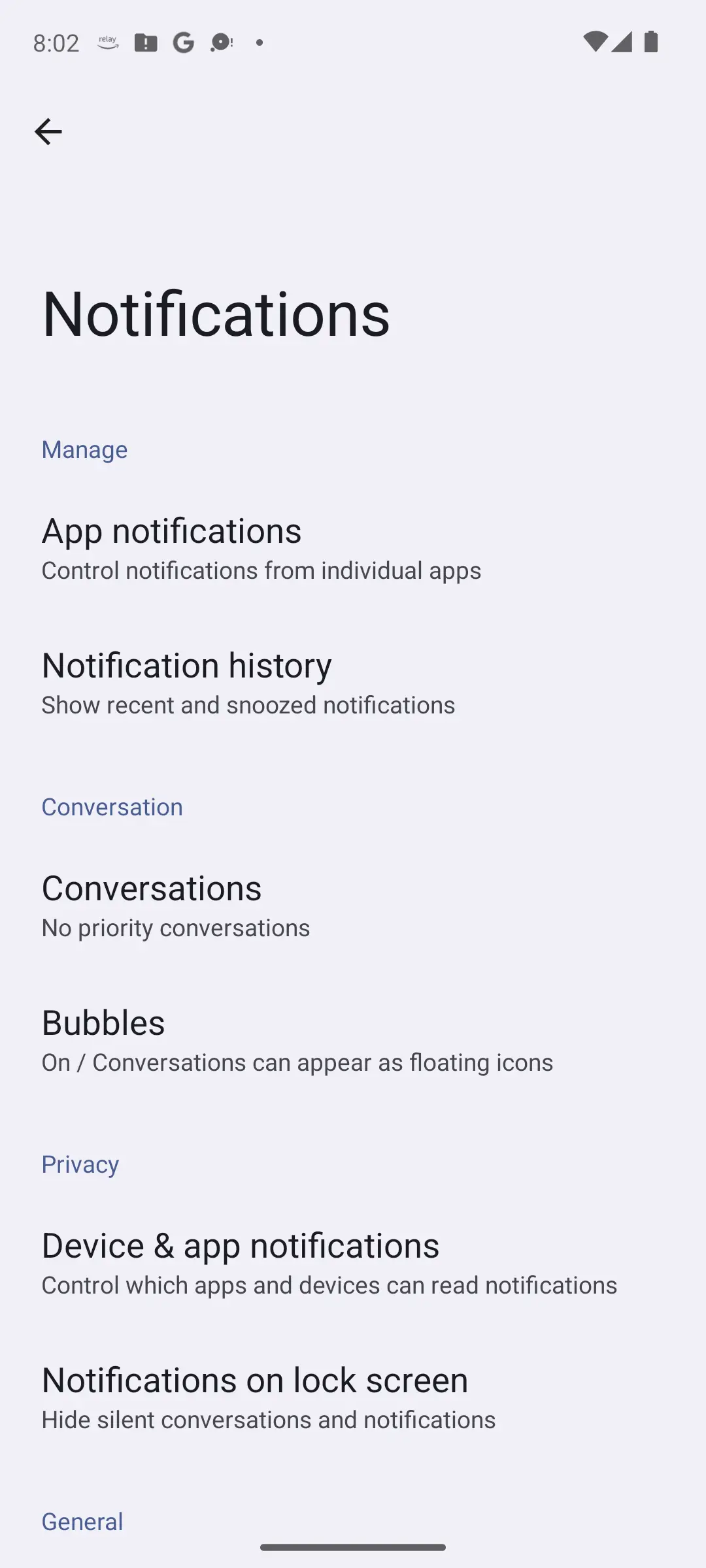
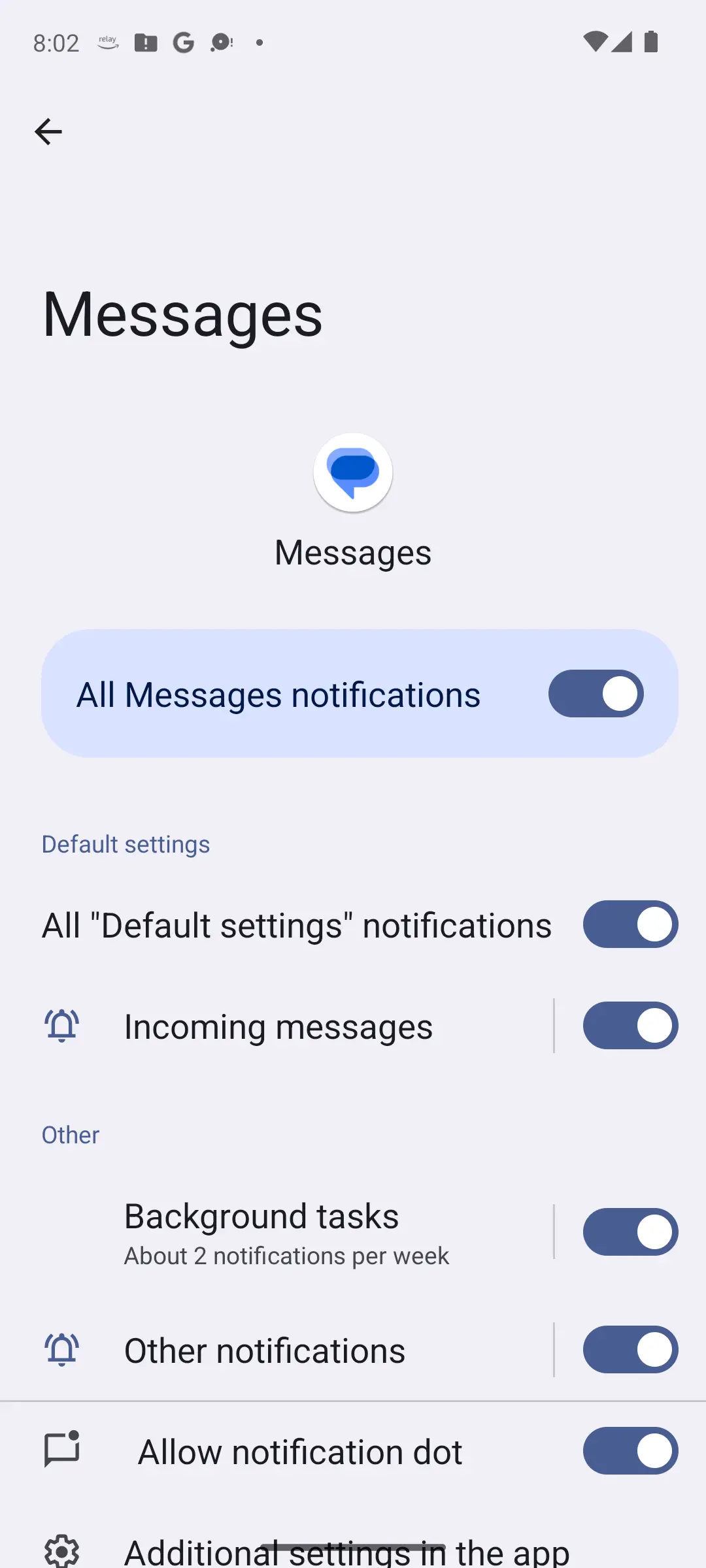
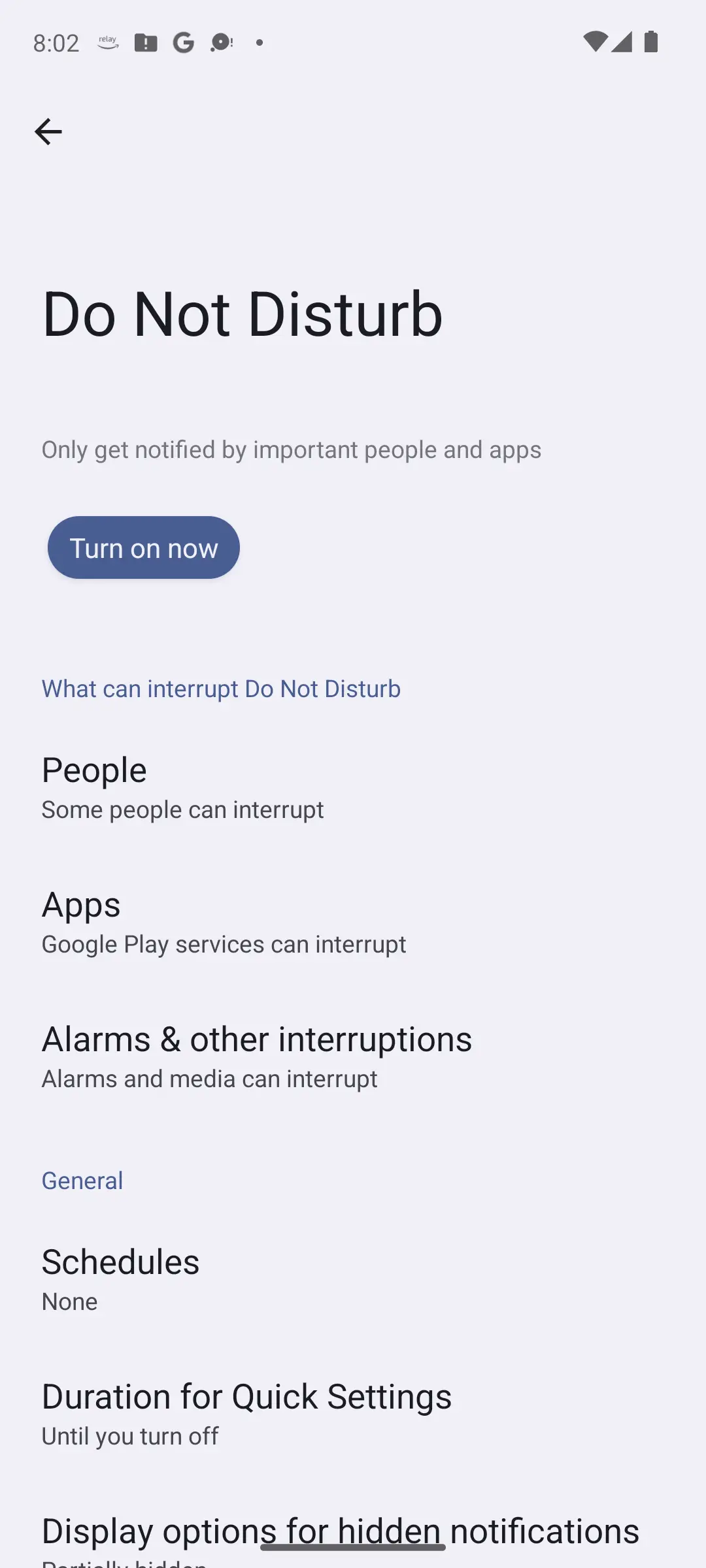
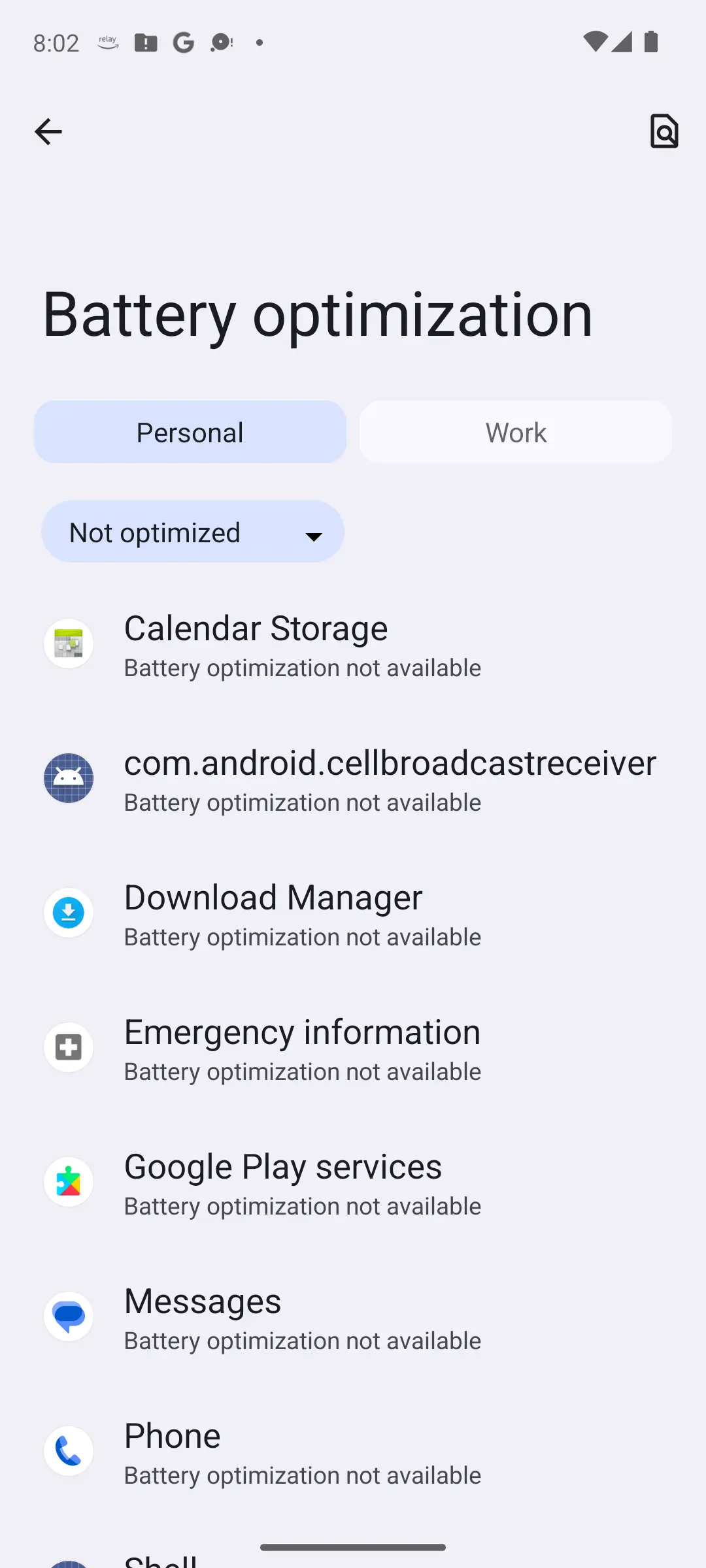
This is the section that fixes most delays, and the one that bills you. Google's warning comes first: with battery optimisation off an app runs more while unused, and can use more battery than needed.
So pick the app first. On a Pixel: Settings, Apps, See all apps, the app, App battery usage, Allow background usage. Android's standby documentation calls this designating an app to provide unrestricted functionality in system settings.
That designation does more than it sounds. On Android 13 and higher an app falls into the restricted bucket after eight days without interaction, then runs jobs once a day in a ten-minute batched session. Unrestricted apps are exempt.
Which is why installing a helper usually hurts. Our roundup of battery saver apps for Android is plain: an app that cannot run in the background cannot deliver your messages.
Since Android 8.0 every notification belongs to a channel, and Android's documentation names the detail that catches people out: the interface calls channels categories. An app switch can be on while the category you want is off.
Google's path is Settings, Notifications, App notifications, where you can turn everything off or choose from specific categories.
Android 13 and higher added a runtime permission an app must hold before it can post notifications, so a recent install can be silent because it never got one. The Pause app activity if unused toggle sits further down that app's info screen, under Unused app settings, and the app permissions guide explains what that toggle switches off.
That toggle has a documented name: hibernation. An app targeting Android 11 or higher and untouched for months is hibernated, and on Android 12 and higher it then cannot receive push notifications, including high-priority Firebase ones. Opening it ends hibernation; the permissions are not restored.
Modes are easy to leave running. Google documents Do Not Disturb, Bedtime, Driving and custom modes under Settings, Modes, and flags that some steps need Android 14 or later; our guide to updating your Android version shows where to check.
Inside a mode, Notification filters decide what gets through: People for calls and messages, Apps for which apps may notify you, and alarms and other interruptions. Critical notifications still show; system security notifications cannot be blocked.
Focus mode lives somewhere else, and that is where a check quietly goes wrong. It sits under Settings, Digital Wellbeing and parental controls, Focus mode, and Google's description leaves no room: you choose which apps to pause, and while it is on you get no notifications from them. Clearing every mode tells you nothing about it.
If you want apps silenced on purpose, our guide to choosing an app blocker for Android covers that.
The section above puts Focus mode inside Digital Wellbeing, and that is an app with a Google Play listing of its own, which answers what a preinstalled screen is rarely asked: whether it carries ads, what it collects, and how people rate it.
Finding and clearing Focus mode, which pauses chosen apps outright
3.6 stars from 1,469,683 reviews · 10,000,000,000+ installs · free · no in-app purchases · updated 11 August 2026 · by Google LLC · Contains ads: No · checked 5 September 2026
Google Play listing · 3.6 (1,469,683) · read 5 September 2026
Google's own build of the screen the Modes section names, and the app that holds Focus mode. Free, no in-app purchases and no Contains ads label on a listing read 5 September 2026, whose data safety card says No data shared with third parties and carries an independent security review. At 3.6 stars from 1,469,683 reviews on 10,000,000,000+ installs it is the lower rated of the two apps here, and its store update on 11 August 2026 is the more recent of the two listings. What it does for this problem is one switch: Focus mode pauses the apps you chose, and Google says you get no notifications from them while it runs, so a silent app with every mode cleared still needs this screen checked.
One network setting breaks push. Android's documentation says that with Data Saver on and the device on a metered network, the system blocks background data usage. Delays only on unmetered Wi-Fi are probably not this. The master switch is the wrong fix: Data Saver caps roaming and end-of-cycle data, and single apps can be allowed background metered data while it stays on. If nothing loads at all, that is a connection fault: see mobile data not working on Android.
Many phones run more than stock Android. DontKillMyApp, a community-run project documenting vendor behaviour, says manufacturers prefer battery life over proper functionality of your apps. Its scoreboard, read 4 August 2026, scores Xiaomi, Samsung, OnePlus and Huawei worst, and stock Android, Pixel, Nokia and HTC zero.
Its Samsung page calls Put unused apps to sleep the major headache: a feature absent from stock Android that restricts an app unused for a few days, and re-sleeps apps you wake by hand unless it is off. The lists sit under Battery, Background usage limits. Switching it off costs battery, the trade this page describes.
That is a volunteer-edited project, not manufacturer documentation. It also carries a July 2024 statement it attributes to Samsung, that since One UI 6.0 foreground services targeting Android 14 are expected to work as intended.
The project the section above quotes also publishes an app, and it is an honest way to turn the vendor argument into a number: a benchmark that runs scheduled background work for a set period and reports what share of it your phone let through.
Measuring whether the phone, not the app, is the one dropping alerts
4.7 stars from 14,270 reviews · 1,000,000+ installs · free · no in-app purchases · last updated 28 January 2026 · by Petr Nálevka (Urbandroid) · Contains ads: No · checked 5 September 2026
Google Play listing · 4.7 (14,270) · read 5 September 2026
A benchmark, not a manager: it runs scheduled background work for a set period and reports what share of it the phone actually let through, which is the number that settles whether a Samsung, Xiaomi, OnePlus or Huawei phone is sleeping your apps. Free, no in-app purchases and no Contains ads label on a listing read 5 September 2026, whose data safety card says No data shared with third parties and No data collected. At 4.7 stars from 14,270 reviews it is the better rated of the two apps here, on the smaller install base, 1,000,000+, and its listing was last updated on 28 January 2026, the older of the two. It measures; the switches it points at are the vendor screens named above.
Two patterns mean the per-app hunt is wrong. If several unrelated apps are crashing as well as going quiet, the shared layer beneath them is the suspect, and our guide to an Android app that keeps stopping covers that, Google Play services included. A force-stopped app needs opening by hand before background work resumes.
The honest limit: you trade battery for punctuality, one app at a time. Two or three exemptions is a working phone; a page of them is a phone that dies by six.
Which is where the other half lives. If your alerts now arrive on time and the battery no longer lasts the day, that is the same machinery from the other end: Android battery draining fast has the per-app battery screens for Pixel and Samsung, and its own warning about deep-sleeping the apps you need alerts from.
Doze is the cause, and it is deliberate. Android defers background network activity while the phone is idle, and Google says a normal priority push message waits for a maintenance window or until you wake the device. Lifting one app's background battery limit fixes that app, at a cost in battery life.
On a Pixel: Settings, Apps, See all apps, the app, App battery usage, Allow background usage. Google warns that an app with battery optimisation off runs more while unused and can use more battery than needed, so grant it to two or three apps only.
Notification categories. Since Android 8.0 every notification belongs to a channel, which the interface calls a category, and each has its own switch. Open Settings, Notifications, App notifications, choose the app, and check the categories, not just the master toggle. A Silent category delivers without sound.
Do Not Disturb can, but it is not the only mode that silences an app. Google documents Do Not Disturb, Bedtime and Driving under Settings, Modes. Focus mode sits separately, under Settings, Digital Wellbeing and parental controls, Focus mode, and Google says apps it pauses send no notifications.
Samsung and Xiaomi phones add power management above stock Android. DontKillMyApp, a community project documenting vendor behaviour, gives Xiaomi, Samsung, OnePlus and Huawei its worst score and stock Android and Pixel zero. It singles out Samsung's Put unused apps to sleep, under Battery then Background usage limits.
Yes. Android hibernates an app targeting Android 11 or higher once it has gone months unused. On Android 12 and higher a hibernated app cannot receive push notifications, including high-priority Firebase Cloud Messaging ones, and its permissions are reset. Opening it ends hibernation; the permissions are not restored.
DontKillMyApp, the benchmark from the project this page quotes on vendor behaviour. It runs scheduled background work for a set period and reports how much of it the phone let through, so the vendor question becomes a score for your exact phone. Its Google Play listing, read 5 September 2026, is free with no in-app purchases and no Contains ads label, its data safety card says No data collected, and it sits at 4.7 stars from 14,270 reviews, last updated 28 January 2026. It measures; the switches it points at are in the vendor section above.
Focus mode is part of Digital Wellbeing, reached from Settings, Digital Wellbeing and parental controls, Focus mode. On Google Play it is a free app by Google LLC with no in-app purchases and no Contains ads label, at 3.6 stars from 1,469,683 reviews on a listing read 5 September 2026 and updated 11 August 2026. Google says the apps it pauses send no notifications while it runs, so check it before you blame Doze.
Checked 5 September 2026: the guide walked through its eight sections with no table, no dated line and no store record for the two apps it names. The symptoms now sit in one table that jumps to the fix. Digital Wellbeing, where Focus mode lives, carries a fact line read from its own Google Play listing: 3.6 stars from 1,469,683 reviews, free, no in-app purchases, no ads label, updated 11 August 2026. DontKillMyApp, the benchmark from the project the vendor section quotes, carries its own: 4.7 stars from 14,270 reviews, free, no in-app purchases, no ads label, last updated 28 January 2026. The H1 now matches the page title, and four FAQ questions moved to the second person. Nothing in the diagnostic advice changed, and the DontKillMyApp scoreboard in the vendor section keeps its 4 August 2026 read date because that site was not re-read today.