What this category covers
Navigation and auto apps are the tools you reach for the moment you start moving. In practice they fall into a few clear groups, and most people end up using one from each. Turn-by-turn navigators (Google Maps, Waze, organic maps) get you from A to B and warn you about traffic. Offline and outdoor mapping apps keep working when you lose signal on a back road or a trail. Compass and GPS utilities tell you exactly where you are and which way you face. Car launchers and dashboard apps redesign your screen for driving, with big tap targets and quick access to music and directions. Finally, phone and vehicle trackers help you find a misplaced device, keep an eye on family, or remember where you parked.
What to look for
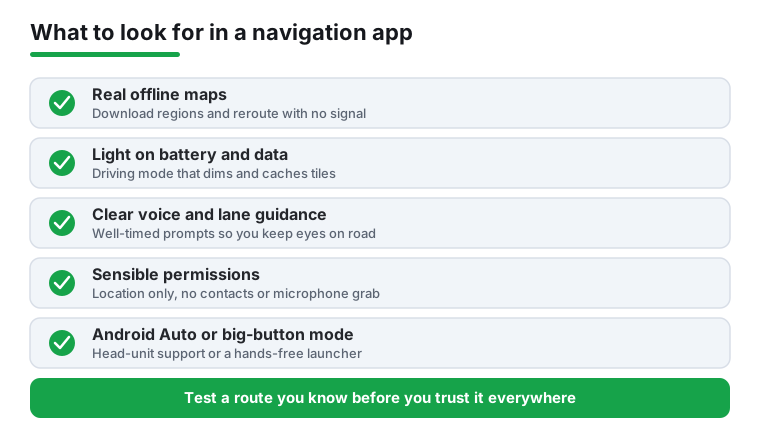
The right choice depends on how and where you drive, but a few things matter in almost every navigation or auto app:
- Offline maps that actually download. If you travel where coverage drops, confirm the app lets you save regions in advance and reroute without data. Many apps claim offline support but still phone home for search or traffic.
- Honest battery and data use. GPS plus a bright always-on screen drains a phone fast. Look for a battery-saver or dimmed driving mode, and check whether the app streams map tiles constantly or caches them.
- Lane guidance and clear voice prompts. For city driving, lane arrows and well-timed spoken directions prevent missed exits far better than a glance at the screen.
- Sensible permissions. A navigator needs location. It does not need your contacts, microphone, or call log. Trackers are the exception, so read what a tracker asks for and why before you trust it with family.
- Android Auto or large-button driving mode. If your car has a screen, head-unit support is safer than glancing at a phone. If it does not, a car launcher with oversized buttons is the next best thing.
- Accurate, current map data. Test a route you know well. Outdated one-way streets or missing roundabouts are a sign the map data is stale.
Common mistakes to avoid
- Relying on online-only navigation for remote trips. Download your route region before you leave; do not assume you will have signal in the mountains or across a border.
- Trusting a phone compass without calibrating it. Magnetic sensors drift near metal and speakers. Do the figure-eight calibration and cross-check against a known direction before relying on it.
- Installing a tracker loaded with ads and broad permissions. Free trackers often monetize your location data. Prefer ones that are clear about what they collect and ideally let you self-host or keep data private.
- Fiddling with the app while driving. Set your destination and audio before you move. A good car launcher and voice control exist precisely so you can keep your hands off the screen.
- Ignoring storage. Offline maps for a whole country can run to several gigabytes. Check free space before a long download.
How we pick
Every app in this category is one we installed and used on real drives, walks, and parking-lot fumbles, not chosen from a spec sheet. We check signal lock, rerouting, offline behavior, permissions, and battery drain. There is no paid placement here. If an app annoyed us or quietly hoovered up data, it did not make the list.