
Updated September 2026
Updated September 2026 · every rating, price, ads label and store update date below was re-read from the Play listings on 6 September 2026, and the claims those listings contradicted are corrected in the changelog
A car launcher turns a mounted phone or an Android head unit into a big-button dashboard: maps, music and calls one glance away. For the wider category, browse our Navigation and Auto hub, or start with the best GPS navigation apps for Android if you mainly want directions.
Cheap head units
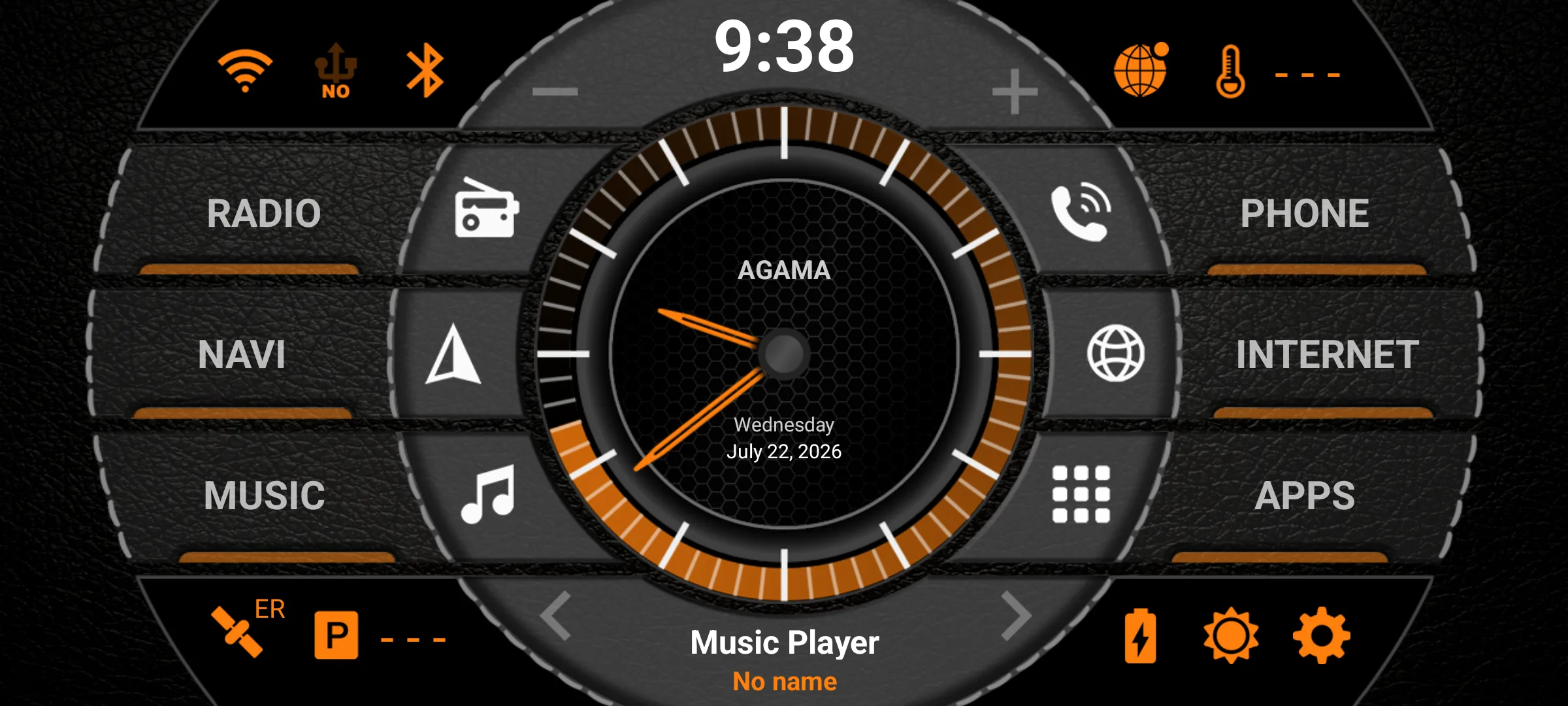
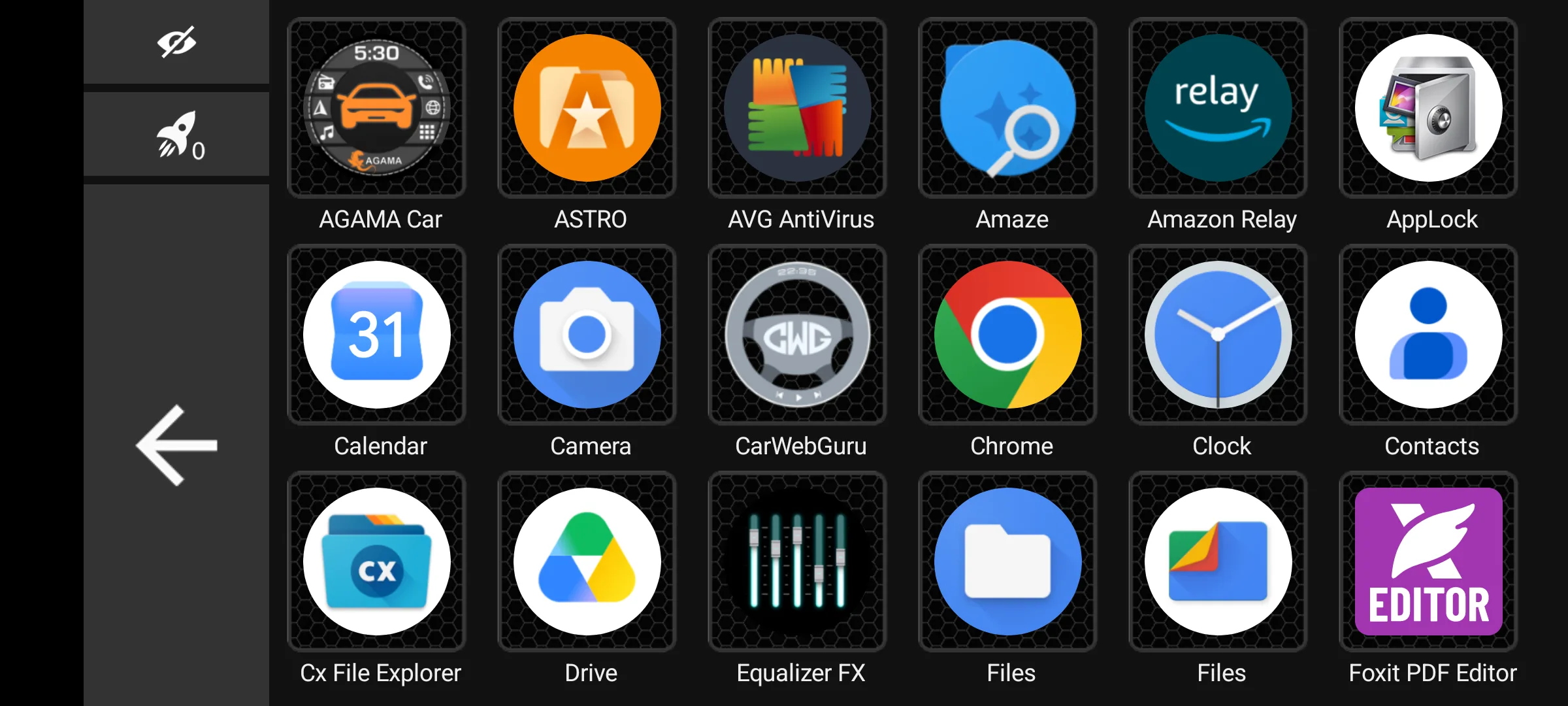
4.5 stars from 46,729 reviews · 5,000,000+ installs · free to install · in-app purchase $8.49 per item · listing updated 19 May 2026 · by altercars.ru · Contains ads: No · checked 6 September 2026
Google Play listing · 4.5 (46,729) · read 6 September 2026
The best overall pick here, and the highest rated: 4.5 stars from 46,729 reviews on a listing read 6 September 2026, free to install, with a single in-app purchase of $8.49 per item for the full version and no ads label. Chunky glanceable buttons, deep widget customization with OBD2 readouts, and it stays smooth on cheap head units. The bluntest con is that the best widgets sit behind that paid unlock, and Waze will not render inside its nav widget.
The developer is upfront about the trial: "The trial version of the launcher has no restrictions in comparison with the full version and differs only in this information window," says the AGAMA manual on altercars.ru. The Play listing publishes no trial length, so none is quoted here. See how it stacks up against the field in our car launcher comparison.
Skip it if you want a launcher that stays free forever; the full version is a paid unlock. Choose AGAMA Car Launcher over Car Launcher Pro when you want the cheaper unlock and OBD2 widgets rather than a fully free-form grid.
↑ Back to the comparisonTablet builds
4.3 stars from 43,901 reviews · 100,000+ installs · $15.99 one time · no in-app purchases · listing updated 3 September 2026 · by Apps LabDev · Contains ads: No · checked 6 September 2026
Google Play listing · 4.3 (43,901) · read 6 September 2026
The pick for tablet and head-unit builds: a fully editable grid, huge clock and speed readouts, and auto-launch of music and navigation on startup. It is a paid app at $15.99 with no in-app purchases and no ads label, on a listing read 6 September 2026 and refreshed on the store on 3 September 2026. The bluntest con is that price with no free tier of its own, plus a long first setup before it looks right.
The same developer publishes a separate free app called Car Launcher, which is the way to see the layout before paying for this one.
Skip it if you will not invest setup time; out of the box it looks plain. Choose Car Launcher Pro over AGAMA Car Launcher when you want to place every widget yourself on a big screen and never meet an upsell again.
↑ Back to the comparisonClutter-free
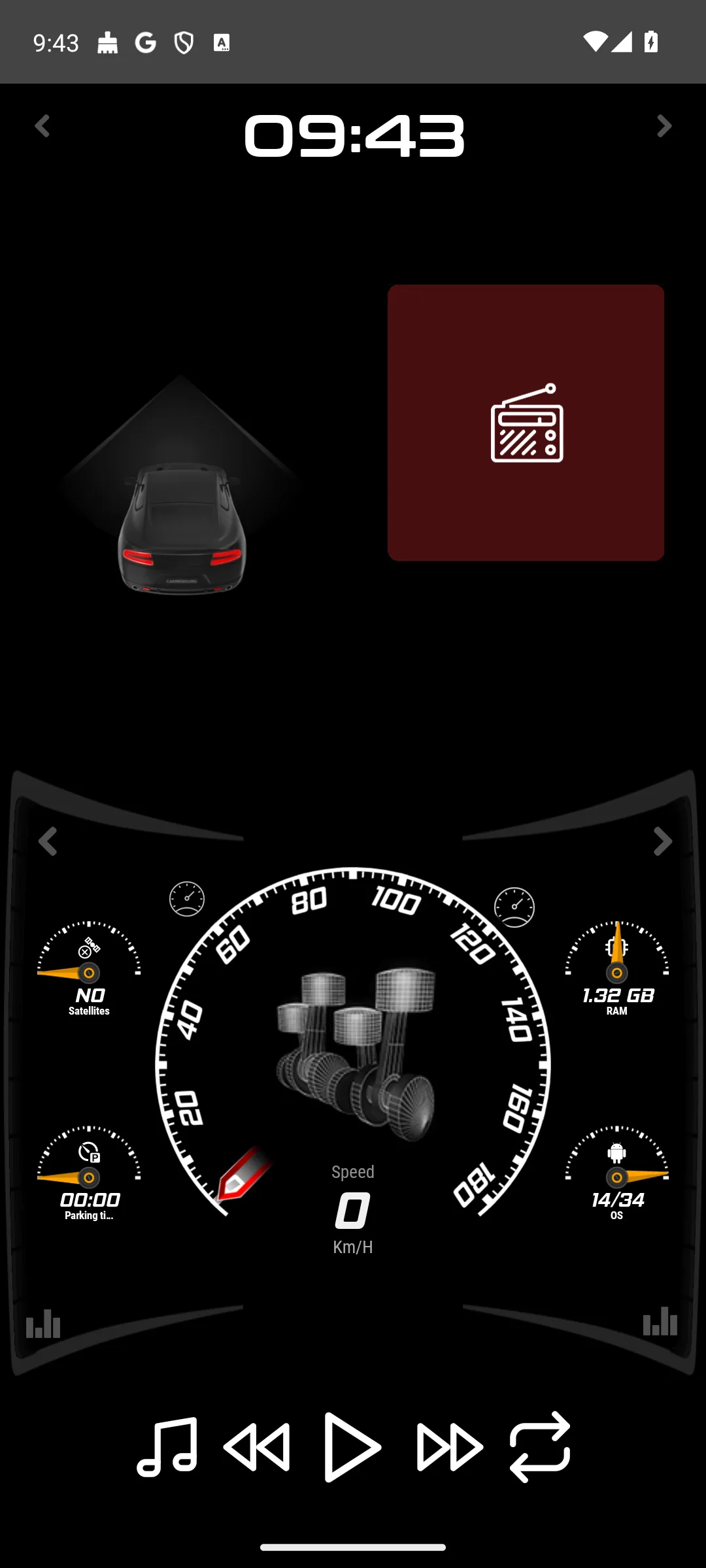
3.5 stars from 9,131 reviews · 1,000,000+ installs · free to install · in-app purchases $0.99 to $49.99 per item · listing updated 16 July 2026 · by SoftArtStudio · Contains ads: Yes · checked 6 September 2026
Google Play listing · 3.5 (9,131) · read 6 September 2026
The best free pick: calm rotating widget screens for navigation, media and speed that switch in one tap, light enough for an older phone on a mount. Free to install on a listing read 6 September 2026, and that listing carries the Contains ads label and sells in-app purchases of $0.99 to $49.99 per item. The bluntest con is the rating: 3.5 stars from 9,131 reviews, the weakest of the free picks on this page.
Skip it if in-dash advertising bothers you more than a paid unlock would. Choose CarWebGuru Car Launcher over AutoZen Car Dashboard and Launcher when you want swappable widget screens rather than fixed dashboard layouts.
↑ Back to the comparisonMaps shortcut
no star rating yet · 5,000+ installs · free to install · no in-app purchases · listing updated 15 August 2026 · by Gatolabo · Contains ads: No · checked 6 September 2026
Google Play listing · no star rating yet · read 6 September 2026
A single free shortcut that opens Google Maps in driving view and then steps out of the way. Free to install, with no in-app purchases and no ads label, on a listing read 6 September 2026 that is still too small to carry a star rating at all. The bluntest con follows from that: it is no dashboard, and at 5,000+ installs there is no crowd verdict to lean on.
Its Play listing is titled Driving Mode Launcher, not Drive Mode, and it sits in the Tools category rather than Auto and Vehicles.
Skip it if you want an actual dashboard. Choose Driving Mode Launcher over Car Home Ultra when a one-tap map button is all you need and paying for a dock app feels like overkill.
↑ Back to the comparisonMounted phone
4.1 stars from 6,029 reviews · 1,000,000+ installs · free to install · in-app purchases $0.99 to $34.99 per item · listing updated 3 September 2026 · by ZenThek · Contains ads: Yes · checked 6 September 2026
Google Play listing · 4.1 (6,029) · read 6 September 2026
The pick for a mounted phone: polished cockpit, speedometer and map layouts with navigation built in and Bluetooth auto-connect, on one of the two freshest listings here, refreshed on the store on 3 September 2026 and read 6 September 2026. It is free to install, and the listing carries the Contains ads label alongside in-app purchases of $0.99 to $34.99 per item. The bluntest con is that the best layouts sit behind that premium upgrade.
Skip it if your dash phone is old and slow; it is heavier than AGAMA Car Launcher. Choose AutoZen Car Dashboard and Launcher over CarWebGuru Car Launcher when you want ready-made layouts that look right immediately instead of widget tinkering.
↑ Back to the comparisonPhone on dash
3.6 stars from 11,817 reviews · 1,000,000+ installs · free to install · in-app purchases $1.99 to $14.99 per item · listing updated 5 November 2025 · by TheSpinningHead · Contains ads: No · checked 6 September 2026
Google Play listing · 3.6 (11,817) · read 6 September 2026
A steady big-button media controller for a docked phone, with speed, location and weather widgets and auto-start on the dock. It is free to install with no ads label, and the licence arrives as an in-app purchase of $1.99 to $14.99 per item, on a listing read 6 September 2026. The bluntest con is age: that listing was last updated on 5 November 2025, the oldest of the working picks here, next to a middling 3.6 stars from 11,817 reviews.
Skip it if you want an actively developed launcher. Choose Car Home Ultra over AutoZen Car Dashboard and Launcher when you want a dock controller with no ads label and can live without flashy layouts.
↑ Back to the comparisonHands-free voice, gone from Play
Read this first. Car Dashdroid has no Google Play listing. A store search on 6 September 2026 returned nothing under that name, so it cannot be installed from the store and no rating, price or ads label can be quoted for it. It stays on this list only so you know why it is gone.
Dashdroid led with voice: it read messages aloud, started navigation and played music hands-free behind six big tiles. Skip it entirely: there is nothing left on Play to install. Choose AutoZen Car Dashboard and Launcher as the closest voice-friendly replacement that is still on the store.
↑ Back to the comparisonDIY control
4.0 stars from 56,042 reviews · 1,000,000+ installs · $4.49 one time · no in-app purchases · listing updated 24 February 2026 · by joaomgcd · Contains ads: No · checked 6 September 2026
Google Play listing · 4.0 (56,042) · read 6 September 2026
The niche pick for tinkerers. Tasker is not a car launcher out of the box, but a custom driving scene that fires on the car dock beats any off-the-shelf dashboard. It is $4.49 one time with no in-app purchases and no ads label, at 4.0 stars from 56,042 reviews on a listing read 6 September 2026. The bluntest con is that nothing works until you build it, so budget an afternoon.
Skip it if you will not tinker; every hour of polish is yours to spend. Choose Tasker over every launcher above when the exact dashboard in your head does not exist yet.
↑ Back to the comparisonDIY Pi setups
2.1 stars from 4,580 reviews · 100,000+ installs · $4.99 one time · no in-app purchases · listing updated 29 July 2026 · by AAWireless · Contains ads: No · checked 6 September 2026
Google Play listing · 2.1 (4,580) · read 6 September 2026
Headunit Reloaded puts real Android Auto on DIY tablet, PC and Raspberry Pi screens that were never meant to have it. It is $4.99 one time with no in-app purchases and no ads label, on a listing read 6 September 2026 that the developer refreshed on 29 July 2026. The bluntest con is the rating: 2.1 stars from 4,580 reviews, so treat this as a tinkerer's gamble rather than a safe buy.
Read this first. At 2.1 stars from 4,580 reviews, read 6 September 2026, this is the lowest rating on this page by a wide margin, and the app is paid up front at $4.99. Confirm it runs on your exact hardware before you buy it.
Its Play listing is titled Headunit Reloaded Emulator HUR, and the developer shown on the store is AAWireless.
Skip it if you expect plug-and-play; at 2.1 stars, most buyers evidently did not get it. Choose Headunit Reloaded over a launcher only when you specifically want real Android Auto on a screen Google never blessed.
↑ Back to the comparisonA car launcher replaces the home screen with a few large buttons for maps, music and calls. It does not make a phone safe to use while moving; it only makes the taps you cannot avoid faster. If your car supports Android Auto, use that: "Android Auto brings apps to your car display so you can focus while you drive," and it requires a compatible car, per Google's own Android Auto guide. Google no longer offers a phone-screen driving mode, which is why a launcher is now the only big-button dashboard for a mounted phone. The stakes are real: the World Health Organization reports that drivers using mobile phones are approximately 4 times more likely to be involved in a crash than drivers who are not.
Four things decide it: touch targets (three to six large zones beat a crowded grid), one-tap access to maps and music that auto-launches when the car starts, hardware fit (light launchers for old phones and cheap head units, Tasker for capable devices), and cost: test the free tier first, pay only when a feature you actually use is locked, and favor high contrast with automatic day and night themes over glossy skins that wash out in sunlight.
A home screen should ask for very little. Android gates the sensitive requests behind runtime permissions, which "give your app additional access to restricted data," as the Android developer documentation puts it, so every request should map to a feature you use: location for a speedometer, microphone for voice commands, contacts for calling, media access for local music. Decline anything a home screen has no use for, and when two launchers do the same job, pick the one that asks for less.
Mount, charge and arrange your buttons while parked, start navigation and music before you pull out, and make any change by voice or after stopping. Handling a phone behind the wheel can mean a fine in many places regardless of the app on screen. A launcher is a glance, not a task.
A car launcher replaces your normal home screen with a simplified dashboard built for driving, using large buttons and quick access to maps, music, and calls. You do not strictly need one, but if you mount your phone or use an aftermarket head unit, it makes everything easier to reach at a glance.
It varies, and the listing decides it. AGAMA Car Launcher, CarWebGuru Car Launcher, Driving Mode Launcher, AutoZen Car Dashboard and Launcher and Car Home Ultra all install free; AGAMA, CarWebGuru, AutoZen and Car Home Ultra then sell in-app purchases, and CarWebGuru and AutoZen carry the Contains ads label. Car Launcher Pro is a paid app at $15.99 with no free tier of its own, though the same developer publishes a separate free app called Car Launcher. AGAMA installs free and sells one in-app purchase at $8.49 per item for the full version. Tasker is $4.49 and Headunit Reloaded is $4.99, both one time. Try the free ones first and pay only when a feature you actually use is locked. Checked 6 September 2026.
No. Android Auto is Google's official system that projects onto a compatible car screen and is purpose-built for safer use on the road. A car launcher is a third-party home screen you run on the phone or a generic head unit, and it works even when your car does not support Android Auto. Some launchers, like Driving Mode Launcher, are designed to sit alongside Android Auto rather than replace it. For off road or trail use you may also want one of the best compass apps for Android on hand.
It can if the screen stays on, since these apps keep the display awake while driving. Always plug into a car charger when using one; it keeps the phone topped up and cool. Lighter launchers like Driving Mode Launcher use fewer resources, so older or repurposed phones hold up better through a long trip.
Keep it minimal. Location is fair if the app shows your speed or a map, microphone fits voice commands, contacts fit calling, and media access fits playing your local music. Be cautious about a launcher that asks for things a home screen has no use for, or one that leans heavily on ads, and decline anything that does not match a feature you actually use.
No. Set up the app, mount the device, and arrange your buttons while parked, then open maps and music before you pull out. On the road, use voice commands for any change or pull over and stop first. Never rearrange buttons or adjust settings while the car is moving, and remember that handling a phone behind the wheel can be illegal where you live.
Not always. On some aftermarket units the factory radio and phone apps are wired to the stock launcher, so a third-party launcher either cannot open them or opens them without sound. Install the free version first, test FM radio and one phone call, and only pay for a premium unlock after both work.
Usually no. Waze does not share its map view with other apps, so it will not render inside AGAMA's nav widget. You can still add a Waze button that opens it full screen. If you want a live map embedded in the dashboard, use Google Maps, and see our GPS navigation apps guide for which maps work best offline.
Two of the eight still on Google Play carry the Contains ads label: CarWebGuru Car Launcher and AutoZen Car Dashboard and Launcher. AGAMA Car Launcher, Car Launcher Pro, Driving Mode Launcher, Car Home Ultra, Tasker and Headunit Reloaded carry no ads label on their listings. Four of them still sell in-app purchases, so no ads label does not mean no money. Checked 6 September 2026.
Checked 6 September 2026: all eight surviving listings were re-read and several of them corrected this page. AGAMA Car Launcher is published on Play by altercars.ru, so the line by Altergames is withdrawn; its listing publishes no trial length either, so free 30-day trial is withdrawn and replaced by what the listing does publish, free to install with one in-app purchase of $8.49 per item. Car Home Ultra is listed the same way, free to install with in-app purchases of $1.99 to $14.99 per item, so 30-day trial, then a license via in-app purchase is withdrawn. AutoZen refreshed its listing on 3 September 2026, so updated as recently as 1 August 2026 is withdrawn. Two store names were wrong: the app this page called Drive Mode Launcher is listed as Driving Mode Launcher, and Headunit Reloaded is listed as Headunit Reloaded Emulator HUR, whose rating line the lowest rating on this page as of 6 August 2026 is withdrawn and re-dated. Car Dashdroid still has no Play listing, so Pulled from Google Play on January 11, 2026 and after going unmaintained since its July 2024 update are both withdrawn: what can be checked today is that a store search returns no listing under that name. Ratings, review counts and store update dates moved on every app since the last pass and now carry 6 September 2026. Structurally, the verdict capsule was relabelled Our answer and rewritten as one self-contained sentence per pick, the decision table gained an ads column, the How we verify box moved up under the table, and two FAQ questions were rephrased in the second person.