
A stud finder app does not see wood. It reads your phone's magnetometer, the sensor the compass uses, and that reacts only to ferrous metal: screws, nails, steel pipe, conduit, the box behind a socket. You find a stud indirectly, from the line of fixings holding the board to it. On those terms the apps are free and useful. As proof that it is safe to drill, they are dangerous.
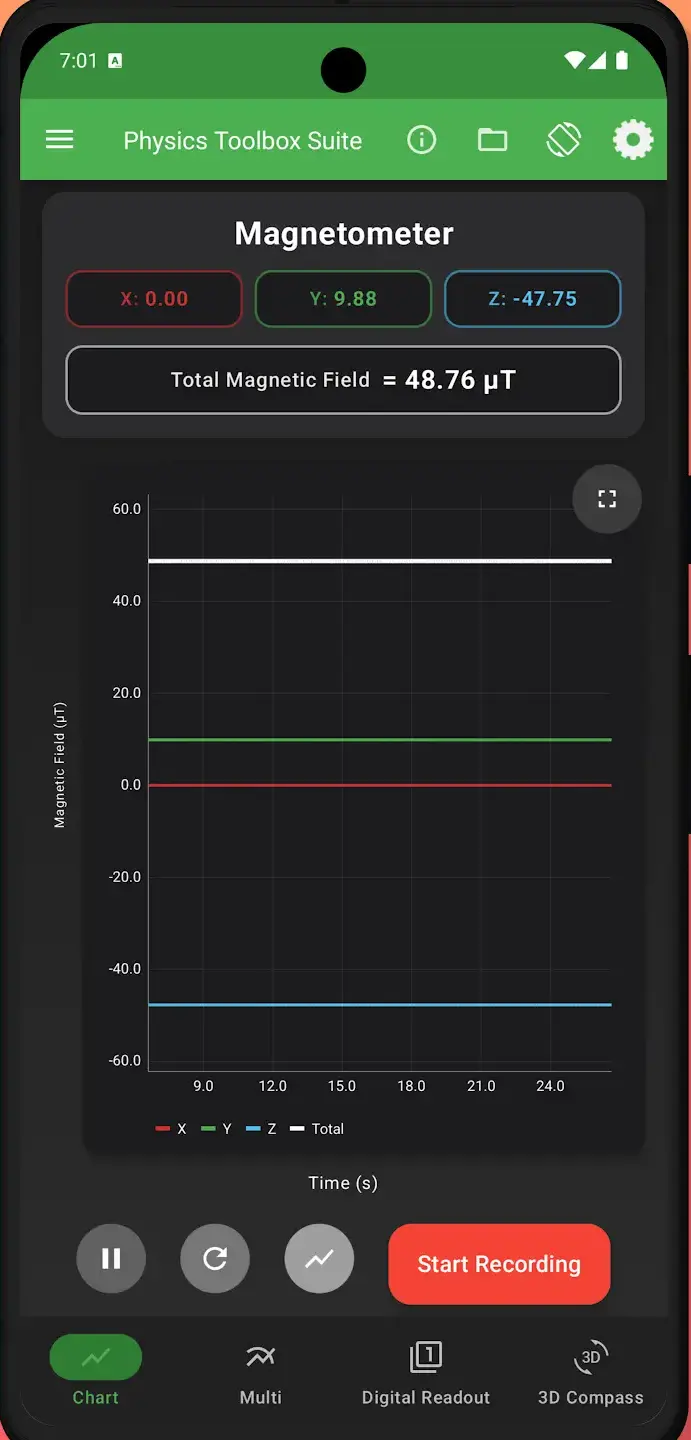
Physics Toolbox Sensor Suite is our best overall pick because on 28 August 2026 its listing showed 4.8, no ads label, purchases at $5.99.
Metal Detector by Smart Tools co. is our best free pick because on 28 August 2026 it was free with nothing to buy, rated 4.0, but labelled Contains ads.
Sensor Test by Andrey Efremov is our hardware check pick because on 28 August 2026 it was free, carried no ads label, and was last updated in October 2024.
Data checked: 3 September 2026.
The ads label, rating, rating count, installs and update date came from the seven Google Play listings on 28 August 2026, the Smart Tools entry again on 3 September 2026. Data Safety is read apart from the marketing copy, and gives the ExaMobile sharing note. Developer claims such as live wire detection are quoted, then checked against the sensor. Screenshots are the developers' own Play images. A figure a listing omits stays out.
Whatever the app is called, it reads the magnetometer and reports the local magnetic field in microtesla. Ferrous metal distorts that field, so steel and iron show up and the rest of the wall does not. Metal Detector by ExaMobile S.A. states on its listing that gold, silver and copper are non ferrous and give no magnetic field.
A stud is wood, so it is invisible. What you find is the repeating line of screws or nails fixing the board to it. Two hits at a consistent spacing means a stud behind them, which is an inference, not a reading.
A magnetometer is one of the first parts dropped to hit a budget price, and plenty of cheap phones lack one. Nothing warns you: the app installs, opens and shows a needle that never moves or a number that drifts at random. Check the hardware first.
Free check that the sensor exists
The listing shows a green indicator for a registered sensor and a red one where there is none. Verified in August 2026, last updated October 2024, no ads or in-app purchases listed. On 28 August 2026 that update date, 17 October 2024, was 22 months old, on a listing with 1M+ installs, so expect a settled app rather than a maintained one.
↑ Back to the comparisonThe fuller hardware report
A hardware inspector with a sensors section. Verified in August 2026, in-app purchases. On 28 August 2026 its listing showed 10M+ installs, no ads label, purchases from $1.99 to $24.99 per item, and a last update on 26 July 2026.
↑ Back to the comparisonIf the sensor is missing, stop there. No app can add it. Buy a basic electronic stud finder instead.
Android calibrates the magnetometer by watching it move, which is what the figure of eight is for. Sweep the phone through a lazy figure of eight a few times, then rotate it on all three axes, clear of the wall. Skipping this causes most complaints about these apps.
Stud spacing is regular, so measure the rest once two fixings line up. The best measuring apps for Android cover the marking out.
There is no clever app here. Pick a plain magnetometer readout with a live graph and ignore the marketing. Listings checked on 28 August 2026.
The plain readout most people land on
The best known, rated 4.1 from around 116,000 ratings and over 10 million installs. Microtesla with a live trace, ads, and a listing that says outright it needs a magnetic sensor. On 28 August 2026 it was free with nothing to buy, carried a Contains ads label, and was last updated on 29 May 2026.
↑ Back to the comparisonTrend graph and colour scale
A similar readout with a trend graph, rated 4.4 from about 4,300 ratings. Ads and in-app purchases. On 28 August 2026 it was free to install with purchases at $1.99 per item, last updated on 14 April 2026, and its Data Safety section says the app may share data with third parties.
↑ Back to the comparisonA physics tool, not a wall gadget
Not sold as a stud finder, which is the point. A magnetometer chart on three axes, rated 4.8, in-app purchases, no ads. The cleanest readout here. On 28 August 2026 it was free to install with in-app purchases at $5.99 per item, 1M+ installs, and a listing updated on 26 August 2026, two days before this check.
↑ Back to the comparisonNamed as a warning, not as a pick
Apps branded as stud finders use the same sensor with a wall themed skin, and promise more. Stud Finder for Walls by ToolsZone states that it detects studs, nails, screws and even live wires. Stud Finder Stud Detector Wall by Synosure Tech promises accurate results every time. A magnetometer supports neither claim. Checked on 28 August 2026, the ToolsZone listing showed 4.2 from 590 ratings, 100K+ installs, free with nothing to buy and a Contains ads label; the Synosure Tech listing showed 4.3 from 411 ratings, 100K+ installs, and the same free listing with a Contains ads label.
↑ Back to the comparisonThe magnetometer needs no permission and these apps work offline, so scan in airplane mode. If one wants contacts, the microphone or your call log, uninstall it. See how to check what an app can access on Android and how to manage app permissions on Android.
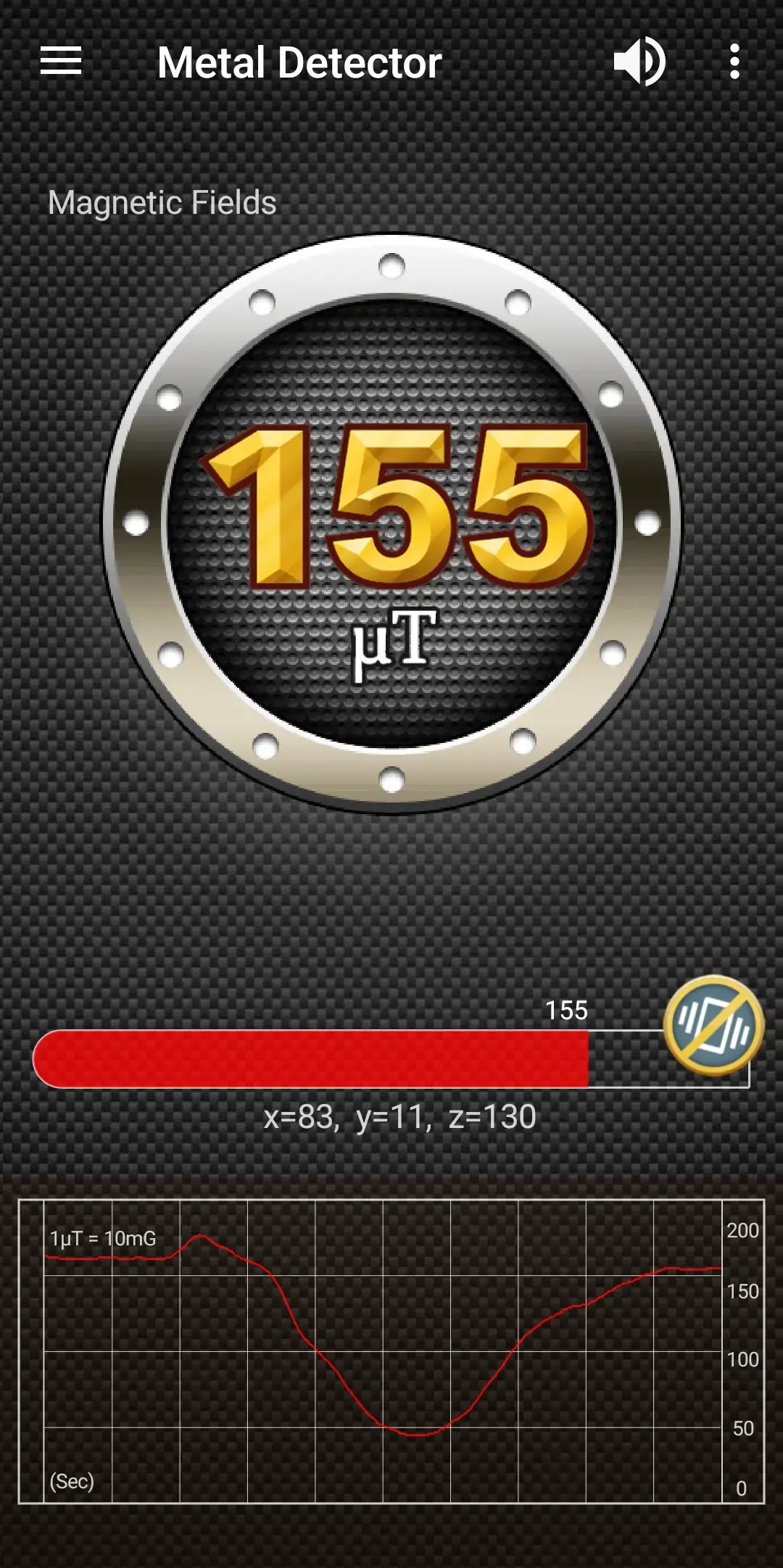
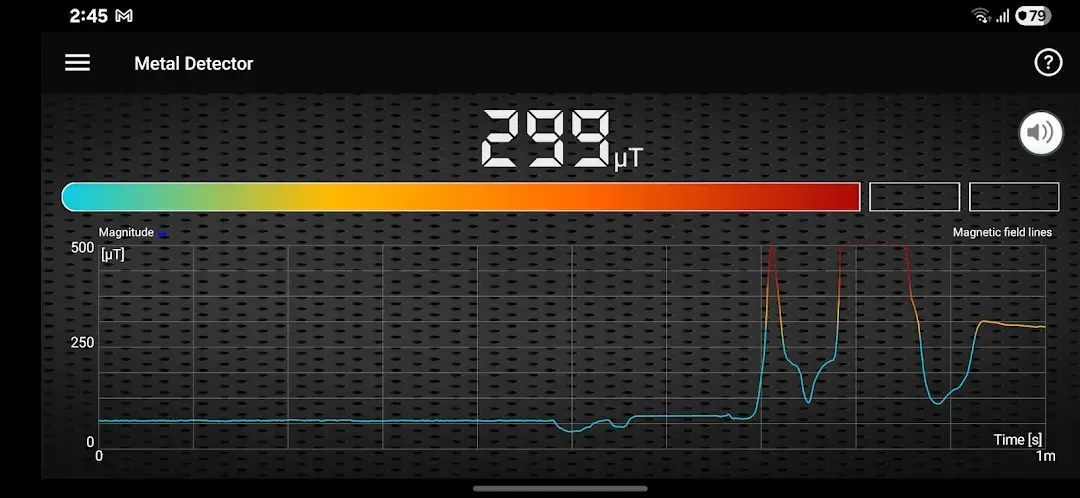
A phone magnetometer does not reliably find live electrical cable, and no app changes that. Flat cable runs its conductors close together, so their fields largely cancel. A cable with nothing switched on carries no current and no alternating field. Plastic conduit, plastic pipe and copper stay invisible. A clear screen is not evidence that there is nothing there.
Never treat a quiet reading as permission to drill. Live cable is the job of a cheap non contact voltage detector, or a multi detector with a live wire mode. Those sense the alternating electric field around an energised conductor, so the circuit has to be live at the breaker, but nothing on it needs to be switched on or drawing current. Cable runs vertically and horizontally from sockets and switches, so avoid the strip above, below and beside them.
If you cannot avoid a suspect area, isolate the circuit at the consumer unit or breaker panel first. Bathrooms, kitchens, heated walls, load bearing walls and anything near the incoming supply belong to an electrician. A drilled cable can kill you.
A dedicated electronic stud finder costs roughly 20 to 40 dollars and is a different instrument. It senses density through the wall, so it finds the timber itself, marks both edges of the stud, and usually adds an AC live wire mode.
None of that is an argument against the apps. As a free first look they do a real job: they show where the metal is, and metal is what you most want to miss. Treat a hit as a warning, and treat silence as no information at all rather than as an all clear. The best compass apps for Android use the same sensor, and there are more in tools and utilities.
Only indirectly. The magnetometer reacts to ferrous metal, not wood, so what you find is the line of screws or nails holding the board to the stud. On solid masonry with no metal in it the app finds nothing, which does not mean the wall is empty.
Check before installing a detector app. Sensor Test by Andrey Efremov marks each sensor green when the system has registered it and red when it has not, and DevCheck Device and System Info by flar2 shows the same inside a fuller hardware report.
A few centimetres, and the signal falls away fast beyond that. The back box of a socket reads further than a single screw. Depth figures in app listings are usually optimistic, so use a proper detector for anything behind more than plasterboard.
Not reliably, and you should not rely on it. Some listings claim live wire detection, but the sensor needs a strong alternating field and flat cable largely cancels out its own. Copper is not ferrous, so household cable is effectively invisible to the sensor whether the circuit is live or not. Use a non contact voltage detector instead, and never read a quiet sweep as an all clear.
The sensor is uncalibrated or something magnetic is next to it. Take off any case with magnets, move away from laptops, speakers, other phones and radiators, then sweep the phone through a figure of eight and rotate it on all three axes.
Yes, clearly. A dedicated finder senses density rather than magnetism, so it detects the timber itself, shows both edges of the stud and usually includes a live wire warning mode. For anything structural or electrical the app is no substitute.
 Google Play Store Not Working or Won't Download AppsTools & Utilities