
Eleven Android weather apps, compared on the thing a feature list will not settle: which forecast provider each developer actually names, and where that provider applies. They sit in our Tools and Utilities collection, next to the best cleaner apps and the best battery saver apps, because background location is a weather app's real cost.
Weawow is the pick and it is free, Windy.com the choice for comparing forecast models, RadarScope the one for storm watchers. Our answer, the free pick and the table ↓
Checked 3 September 2026: no pick changed since 21 August; Weawow re-read 3 September, Windy.com and RadarScope stand as read on 21 August
Full logEleven Android weather apps, compared on the column a weather app is usually judged without: whose forecast you are actually getting, beside price, ads and the rating.
Weawow is our best overall and best free pick because its 3 September 2026 listing showed no ads label, ten switchable providers and optional purchases $2.00 to $50.00.
Windy.com is our model-comparison pick because its 21 August 2026 listing named ECMWF, GFS and ICON, free, no ads label, purchases to $114.99.
RadarScope is our niche pick for storm watchers because its 21 August 2026 listing sells radar for six countries and territories at 9.99 dollars, no ads label, purchases to $99.99.
Data checked: 3 September 2026.
Every store figure is read off the app's own Google Play listing on a stated date: rating and review count, installs, price, purchase range, the Contains ads label and the Data Safety section. Which forecast provider an app serves is a separate claim, read the same day from that developer's listing, help page or privacy policy, linked where it is used. Where a listing and a developer page disagree, both are printed, not reconciled. We do not rank them by accuracy, because nothing we can read establishes it, and nothing rests on our judgement of how an app behaves over time. The screen captures are our own.
Widest reach
The AccuWeather listing we read names no outside forecast provider and brands the data as its own, free with ads and in-app purchases $0.99 to $79.99. The blunt con is the score: 3.54 from 2,575,372 reviews, and the Data Safety section on the same listing says the app may share data with third parties. Its Play listing puts MinuteCast precipitation timing at street level in 210 countries and territories, and credits its severe-weather alerts to AccuWeather meteorologists rather than to a national warning service, so treat them as a supplement to an official warning and never as a replacement for one. Skip it if you want to know which public model you are reading; choose it over 1Weather because this listing at least declares data encrypted in transit. Our AccuWeather hidden features guide goes deeper.
Personality
Carrot Weather wraps a real forecast in written jokes, free with ads and in-app purchases $1.99 to $19.99. The blunt con is upkeep: its Play listing shows a last update of 8 June 2023, 38 months before this check, and 2.39 from 3,048 reviews. On the source question it is one of the clearest here: that same listing credits its data to Foreca and names no other provider, so the jokes sit on top of one commercial forecast rather than a model you choose. Skip it if you need an app that is still being maintained; choose it over Overdrop only when the writing matters more than the upkeep.
Best overall and best free
Weawow is our best overall and our best free pick, free with no Contains ads label and optional in-app purchases $2.00 to $50.00. The blunt con is scope: it is a forecast and widget app rather than a radar tool, and 4.89 from 750,751 reviews measures sentiment, not accuracy. It earns the pick on the column this page is built around. Its Play listing names ten forecast providers you can switch between, among them NWS (NOAA), DWD, Meteo France, AEMET, MET Norway, Weatherbit and OpenWeather, with AccuWeather and Foreca unlocked by a donation, and the same listing states in the developer's own words: "There are no ads and no tracking." Its Data Safety section declares no data collected and none shared. Skip it if you need professional radar; choose it over 1Weather because no advertising label appears on this listing at all.
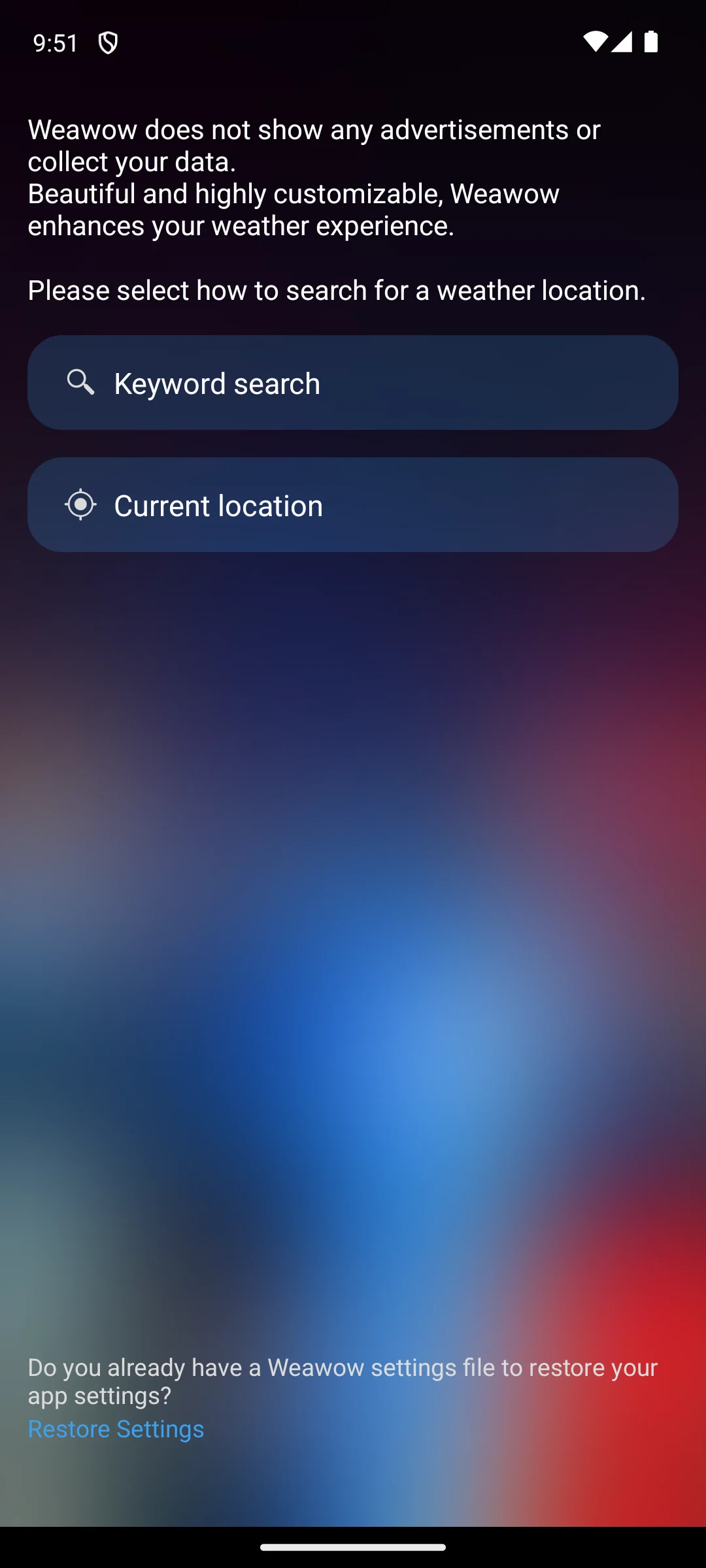
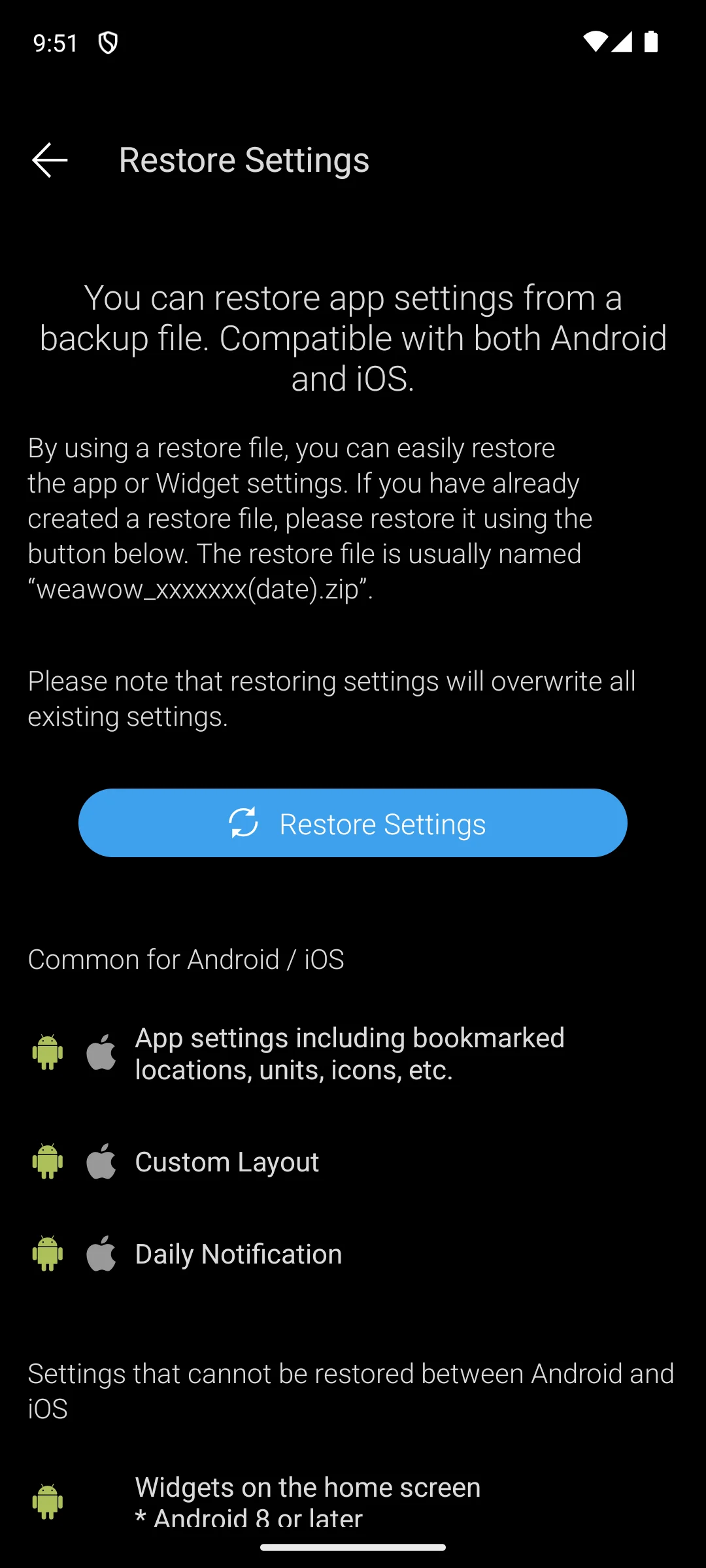
The two captures below are our own, from a Pixel 6 Android emulator. The first shows what the app puts on screen before any location is chosen: the sentence stating that Weawow does not show any advertisements or collect your data, the choice between a keyword search and the current location, and a Restore Settings prompt at the foot. The second is that Restore Settings page. Nothing here is a claim about how the app behaves over time.
Comparing models
Windy.com is the model comparison map, free with no Contains ads label and in-app purchases $1.49 to $114.99 for Windy Premium. The blunt con is that ceiling together with the density: 51 weather maps is a great deal of app for someone who wants today's temperature. Its Play listing names the models it draws instead of hiding them: ECMWF, GFS by NOAA, ICON and meteoblue mLM globally, then NEMS, UKV, ICON EU, ICON-D2, AROME, NAM, HRRR and ACCESS as local models, with the satellite composite credited to NOAA, EUMETSAT and Himawari. That is the whole point of it: you read several forecasts and see where they disagree. Skip it if one timeline is enough; choose it over Flowx to compare models rather than read one.
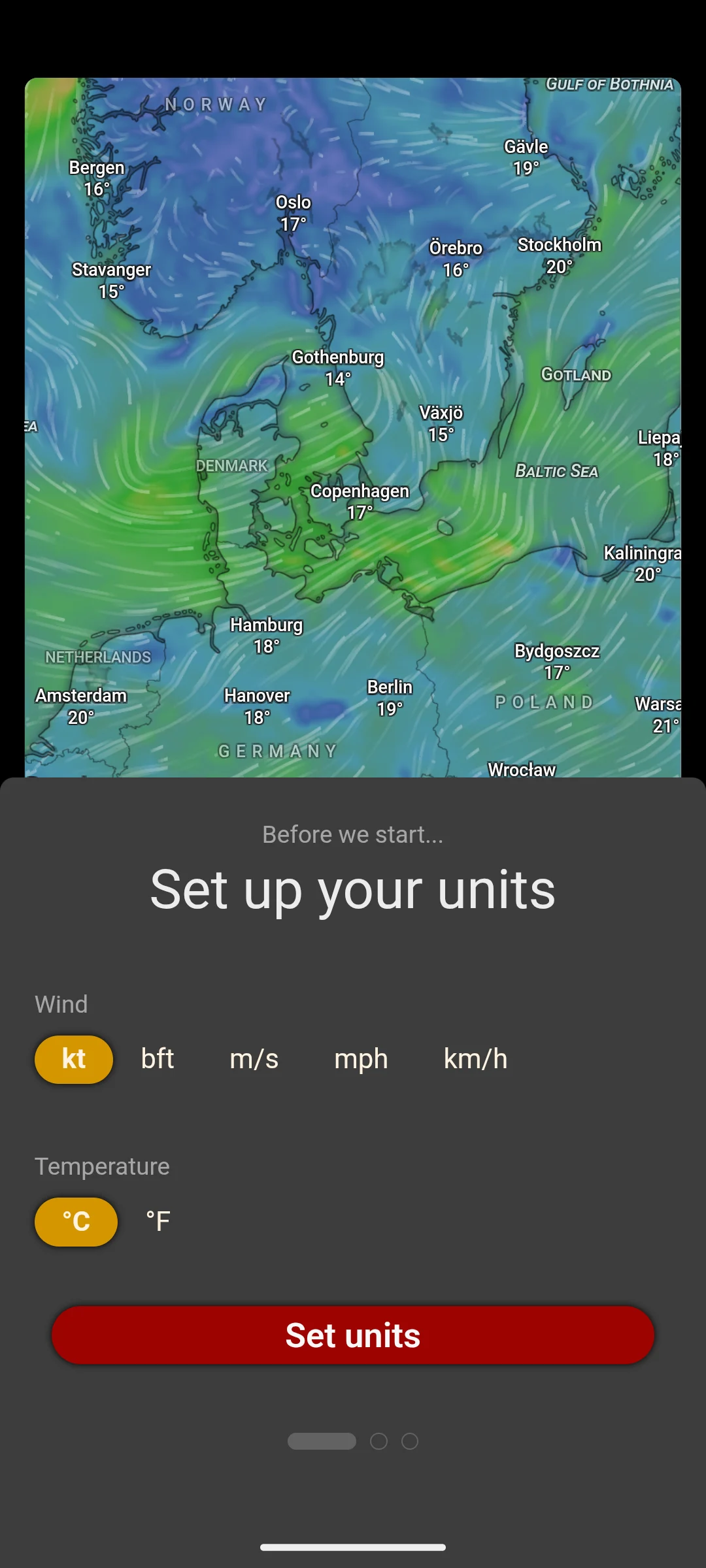
The capture below is our own, from a Pixel 6 Android emulator, and shows the wind layer over northern Europe with the setup sheet that offers knots, Beaufort, metres per second, miles per hour and kilometres per hour for wind and Celsius or Fahrenheit for temperature.
Nearby stations
Weather Underground reads from a network of privately owned weather stations, free with ads and in-app purchases $1.99 to $19.99. The blunt con is that the whole idea fails where no station sits near you, and its Data Safety section says the app may share data with third parties. Its Play listing says the forecast comes from over 250,000 personal weather stations combined with a proprietary model, and it credits the severe-weather alerts to NOAA and the satellite imagery to GOES-16 rather than claiming either as its own. Skip it if no station is nearby; choose it over AccuWeather when a reading from a few streets away matters more than precipitation timing.
Storm watchers
RadarScope is the only paid entry here, 9.99 dollars up front with no Contains ads label and in-app purchases $0.99 to $99.99 for its Pro tiers. The blunt con is that you pay before you can see anything, and it is not a forecast app at all. Its Play listing describes single-site radar shown in its original radial format, and it is unusually plain about where that stops: the products it carries cover the US, Canada, Guam, Denmark, Finland and Germany, with tornado, thunderstorm, flash flood, special marine, snow squall and extreme wind warnings in the US and selected severe weather warnings in Canada and Australia. That listing names the NWS for its storm tracks and its bulletin archive, and it does not name the body that issues each warning. Skip it if radar is a glance before the dog walk; choose it over Windy.com for the raw sweep.
One simple screen
1Weather is the one-screen all-rounder, free with ads and in-app purchases $0.49 to $19.99, the cheapest starting price on this page. The blunt con is its own Data Safety section, which carries the line that data is not encrypted and says the app may share data with third parties: it is the only one of the eleven listings we read that declares both. Its Play listing names no forecast model of its own. What it does name are the alerts, which it credits to the National Weather Service, NOAA, the Storm Prediction Center, Dark Sky and WDT. Skip it if you want to know whose model you are reading; choose it over AccuWeather for fewer screens.
Pixel owners
Pixel Weather is Google's own app and the one entry its listing presents as exclusive to one phone maker: it is free, with no Contains ads label and no in-app purchases label at all. The blunt con is the score, 2.15 from 15,844 reviews, the lowest here. Its Play listing calls it Pixel's exclusive weather app and shows a nominal 1+ downloads rather than a real install band, so we cannot tell you how many people run it. On the question this page is built around it is the least informative of the eleven: the listing we read names no forecast provider, so we cannot tell you whose model it serves. Skip it unless you own a Pixel; choose it over Weawow only because it is already on the phone.
Read this first. Pixel only. Its listing presents the app as exclusive to Pixel and shows a nominal 1+ download figure, which is not a measure of how many people use it. Nothing we read says whether the package can be installed on another manufacturer's phone.
Named sources
Today Weather names more sources than any other listing we read here, free with ads and in-app purchases $0.99 to $18.99. The blunt con is that ads label, which sits awkwardly beside the app's quiet reputation, and 103,979 reviews is a small base beside the big free apps here. Its Play listing declares two source sets and does not say which one you get. The first is global, ten named providers followed by an etc., among them Apple WeatherKit, AccuWeather, OpenWeatherMap, Foreca, Open-Meteo, Visual Crossing and GFS. The second is what the listing calls separated data sources for each country, seventeen of them: Weather.gov (the US National Weather Service), the UK Met Office, ECMWF, Weather.gc.ca, DWD, AEMET, Meteo-France, BOM, SMHI, DMI, Yr.no, Met Eireann, MeteoSwiss, JMA, CMA, KMA and GEM (the Global Environmental Multiscale model). Skip it if you want a listing where the Contains ads label is absent, because Weawow is the free pick that does not carry one; choose it over 1Weather when the named sources matter more than the layout.
Named models, no ads label
Flowx turns the model map into a timeline you scrub with a finger, free with no Contains ads label and in-app purchases $1.99 to $19.99. The blunt con is that the sharper models sit behind that purchase: its Play listing puts NOAA GFS, CMC GDPS, ECMWF HRES and the NOAA smoke and ocean models in the free tier, and DWD ICON, ECMWF AIFS, NOAA NAM and the Meteo-France models in Gold. The same listing carries the sentence every app in this category ought to carry: "Flowx is not affiliated with and does not represent any meteorological government entity whose data is displayed in the app". Skip it if you want a plain forecast card; choose it over Windy.com when one readable timeline beats a wall of layers.
Flowx Ltd states its funding on its own business model page, read on 21 August 2026: "Our business model is simple. We provide a free weather app with an annual subscription for more data and features." Its privacy policy, read the same day, says "Flowx does not collect, store, share or sell any personal information from app users", and discloses on the same page that crash logs, app interactions and device identifiers go to the analytics service Sentry, and that the initial location is guessed from the IP address so that no location permission is needed until Travel Mode is switched on.
Home screen widgets
Overdrop is the home-screen app, free with ads and in-app purchases $0.99 to $104.99. The blunt con is that ceiling and what sits behind it: its Play listing names OpenWeatherMap, Weatherbit and Foreca as its providers, then lists unlocking all of the available weather providers among the Premium features, so which forecast you read depends on what you have paid for. The Data Safety section on that listing declares both that data may be shared with third parties and that no data is collected, and nothing on the page we read resolves the two. Skip it if widgets are not the point; choose it over Carrot Weather for an app that is still being maintained.
We do not answer that, and we would distrust anyone who does from a store page. Accuracy varies by country, by season and by how far you are from the nearest observation, and nothing readable on Google Play measures it. The useful question is whose forecast you are reading. Windy.com and Flowx name the models outright, Today Weather names seventeen per country sources beside ten global providers and does not say which you get, Weawow lets you switch provider, and the Pixel Weather listing we read names none at all. Checked 21 August 2026.
On 21 August 2026 five of the eleven carried no Contains ads label on their Google Play listings: Weawow, Windy.com, Flowx, Pixel Weather and RadarScope. Only RadarScope costs money, 9.99 dollars up front. All of those except Pixel Weather still carry an in-app purchases label, so no ads label means no advertising, not no paid tier.
They can, when several of them hold background location and refresh often. Keep one weather app, set its location permission to while using the app rather than all the time, and ease back the refresh frequency. Google documents that from Android 11 the permission dialog no longer offers all the time at all, so you have to go to the settings page to grant it. Checked 21 August 2026.
Read the wording carefully, because it differs. Weather Underground credits its alerts to NOAA, and 1Weather to the National Weather Service, NOAA, the Storm Prediction Center, Dark Sky and WDT. AccuWeather credits its alerts to its own meteorologists. RadarScope lists the warning types it carries in the US and selected severe weather warnings in Canada and Australia, and the listing we read does not name the body that issues each one. In every case an app is a way of seeing a warning, never a substitute for the service that issues it. Checked 21 August 2026.
Count what the listings claim rather than trusting a ranking. Overdrop counts more than seventy widget styles, in a free build that carries the Contains ads label. Carrot Weather names one customizable widget and sells it inside Premium Club, on a listing last updated 8 June 2023. Weawow counts fourteen widget styles with no ads label at all. Pixel Weather is listed as exclusive to Pixel. Checked 21 August 2026.
It depends on the phone. Google's own Weather app is listed on Google Play as Pixel software: on 21 August 2026 its listing called it Pixel's exclusive weather app and showed a nominal 1 plus download figure. Several manufacturers, Samsung among them, ship a weather app of their own, but we read no manufacturer documentation for this page, so treat that as orientation rather than a verified fact. Where none is preinstalled you install one.
For most people the free versions are enough. Weawow, Today Weather and 1Weather cover daily life without a subscription, and Weawow was rated 4.89 from 750,751 reviews with no ads label. Paying buys ad removal, longer forecasts, extra models or professional radar. Of the eleven here only RadarScope costs money up front, 9.99 dollars. Checked 21 August 2026.
Most will run on a city you type in rather than on GPS, and that is the setting to look for first. Flowx states in its privacy policy that it guesses your initial location from your IP address, and only asks for a location permission when you turn on Travel Mode. Grant location while using the app, and to one app rather than four. Checked 21 August 2026.
Checked 21 August 2026: every figure was re-read from eleven Play listings today and the page was rebuilt around a new second column, which forecast provider each developer names. Three ratings moved, retiring 3.53 for AccuWeather, 3.91 for RadarScope and 2.27 for Pixel Weather. All eleven review counts moved with them, retiring 2,576,306 for AccuWeather, 813,965 for Windy.com, 748,803 for Weawow, 620,918 for Weather Underground, 1,109,869 for 1Weather, 103,811 for Today Weather, 20,672 for Overdrop, 15,467 for Pixel Weather, 7,681 for Flowx, 6,314 for RadarScope and 3,047 for Carrot Weather. Seven listing dates moved: AccuWeather, Windy.com and 1Weather now read 17 August 2026, Pixel Weather 19 August 2026 and Flowx 14 August 2026, RadarScope moved from 4 March 2026 to 20 August 2026, and Weather Underground from 30 October 2025 to 21 August 2026, which retires the claim that Flowx was the newest here. One claim this page carried is withdrawn: Pixel Weather is no longer the one entry you cannot simply install, since the listing establishes only that Google presents the app as exclusive to Pixel. Three further wordings drafted for this rebuild were cut before it shipped, because the listings do not carry them: that AccuWeather serves its own forecast rather than a public model, that RadarScope attributes every warning to the issuing service, and that Today Weather routes you to your own national service. Two source lists were printed short and are now printed whole: 1Weather also credits Dark Sky, and Today Weather declares ten global providers beside its seventeen per country ones. The How we verify box shipped twice, and its first tier claimed more than this site does; one box ships now, inside its word budget, saying only what is true of the screen captures. Both screenshot galleries sat after the following app's anchor, so the Weawow captures rendered under Windy.com and the Windy.com capture under Weather Underground; both now sit inside the section they illustrate and above its back to table link, with captions that drop the use claim and date the captures apart from the day the listings were read. No app was cut and no image was lost.
 The Best Free Messaging Apps for Android in 2026Communication