
Checked 3 September 2026
Nine Android scanner apps for receipts, contracts and books, ranked on price, ads, OCR and where your scans actually go.
Adobe Scan is the pick, Genius Scan the free one that keeps scans on the device, vFlat Scan the choice for bound books. Our answer, the free pick and the table ↓
Checked 3 September 2026: no pick changed since 7 August; Adobe Scan, Genius Scan and vFlat Scan re-checked 26 August for price and ads
Nine Android scanner apps, compared on price and ads, the one thing each does best and who it suits, with the checked date on every row.
Read the price and ads column first: it is where the nine split, and the standout column second.
| App | Price and ads | The standout | Pick it for | Checked |
|---|---|---|---|---|
| Adobe Scan | Free, no ads, IAP to $69.99 | Syncs scans to Acrobat | Most people | 7 Aug 2026 |
| Genius Scan | Free, no ads, IAP to $39.99 | Processing stays on the device | Sensitive documents | 7 Aug 2026 |
| Google Drive | Free, no ads, IAP to $1,024.00 | Built in, saves to Drive | Zero new installs | 7 Aug 2026 |
| CamScanner | Free with ads, IAP to $399.99 | Deepest toolbox, OCR and fax | Power users | 7 Aug 2026 |
| vFlat Scan | Free, no ads, IAP to $44.99 | Curved book page flattening | Students, textbooks | 7 Aug 2026 |
| TurboScan | Free, no ads, one $7.99 purchase | SureScan 3 shot merge | No subscription fans | 7 Aug 2026 |
| SwiftScan | Free, no ads, IAP to $99.99 | Smart file auto naming | Small business | 7 Aug 2026 |
| Notebloc | Free with ads, IAP to $14.99 | Simple, no sign up | Beginners | 7 Aug 2026 |
| Clear Scan | Free with ads, IAP to $19.99 | Free cloud sync | Budget users | 7 Aug 2026 |
Adobe Scan is our best overall pick because it syncs scans into Acrobat (7 August 2026), free to install, no ads badge (26 August 2026). Proofed 3 September 2026
Genius Scan is our best free pick because its publisher states scans stay on the device (7 August 2026), free to install, no ads badge (26 August 2026). Proofed 7 August 2026
vFlat Scan is our pick for bound books because it flattens curved pages (7 August 2026), free to install, no ads badge (26 August 2026). Proofed 3 September 2026
Data checked: 3 September 2026.
Pair it with: the best PDF editor apps for Android to sign and reorder scans, the best PDF reader apps and what their free tiers take away, the best file manager apps to file them where you choose, and how to make a scanned PDF searchable with OCR on Android when a finished scan will not turn up in search.
Every figure on this page names the source it came from and the date it was read.
Best overall
Adobe Scan is the pick for most people: free to install, no Contains ads badge on its listing, in-app purchases $1.99 to $69.99, checked 2 September 2026. The blunt con: it wants an Adobe account, and OCR and sync run through Adobe cloud services, so it is not a stay on device option.
Skip this if you will not sign in to an Adobe account. Choose it over Genius Scan when Acrobat sync beats keeping scans on the phone.
↑ Back to the comparisonPrivacy pick
Genius Scan is the privacy pick and the best free choice for sensitive paperwork: free to install, no Contains ads badge, in-app purchases $0.99 to $39.99, and the top score here at 4.86 from 606,692 ratings on 7 August 2026. The blunt con: cloud export destinations are a paid unlock. The Grizzly Labs states in its Genius Scan privacy policy that "Your documents are only stored on your device and are never sent to a third party unless you explicitly choose to."
Skip this if you need fax or ID card layouts. Choose it over Adobe Scan whenever the document is an ID or a medical record.
↑ Back to the comparisonZero installs
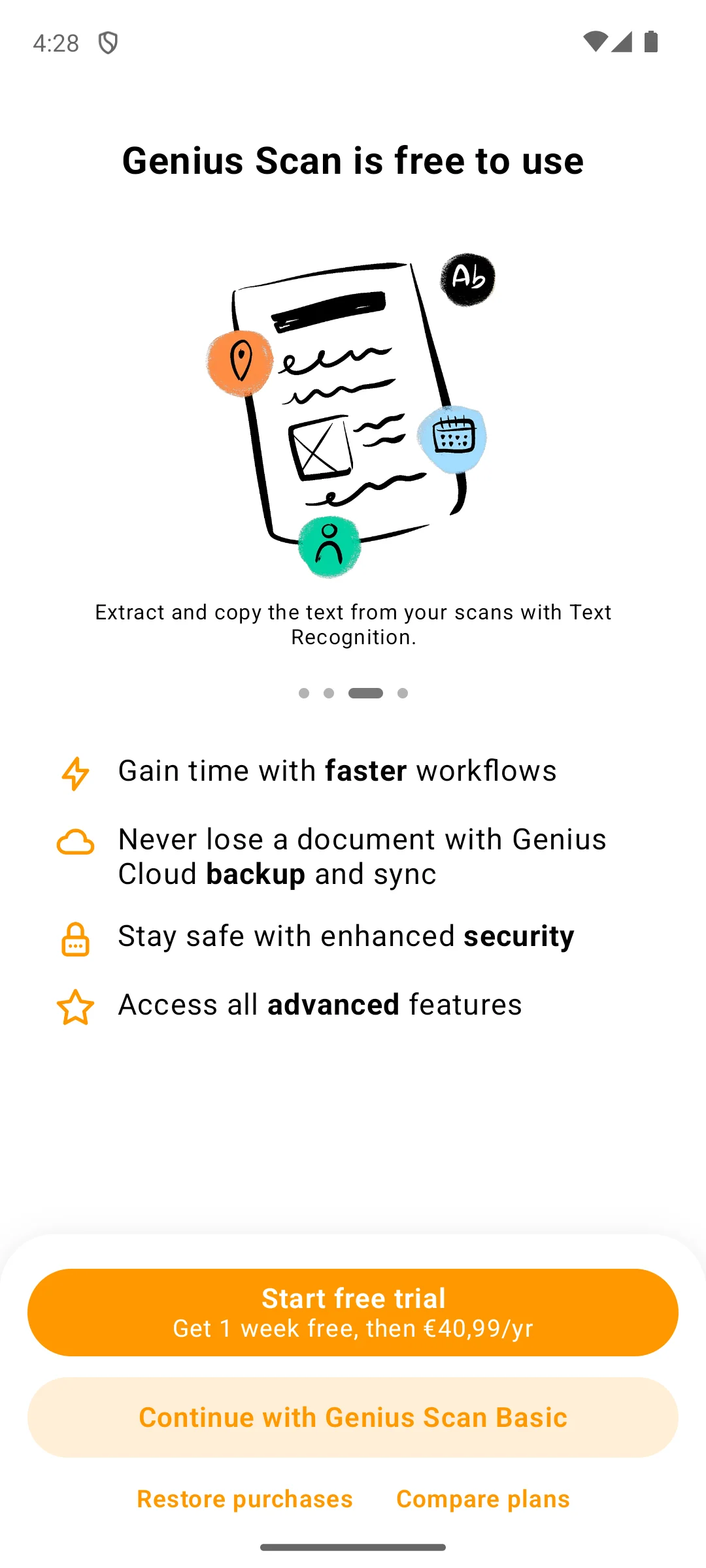
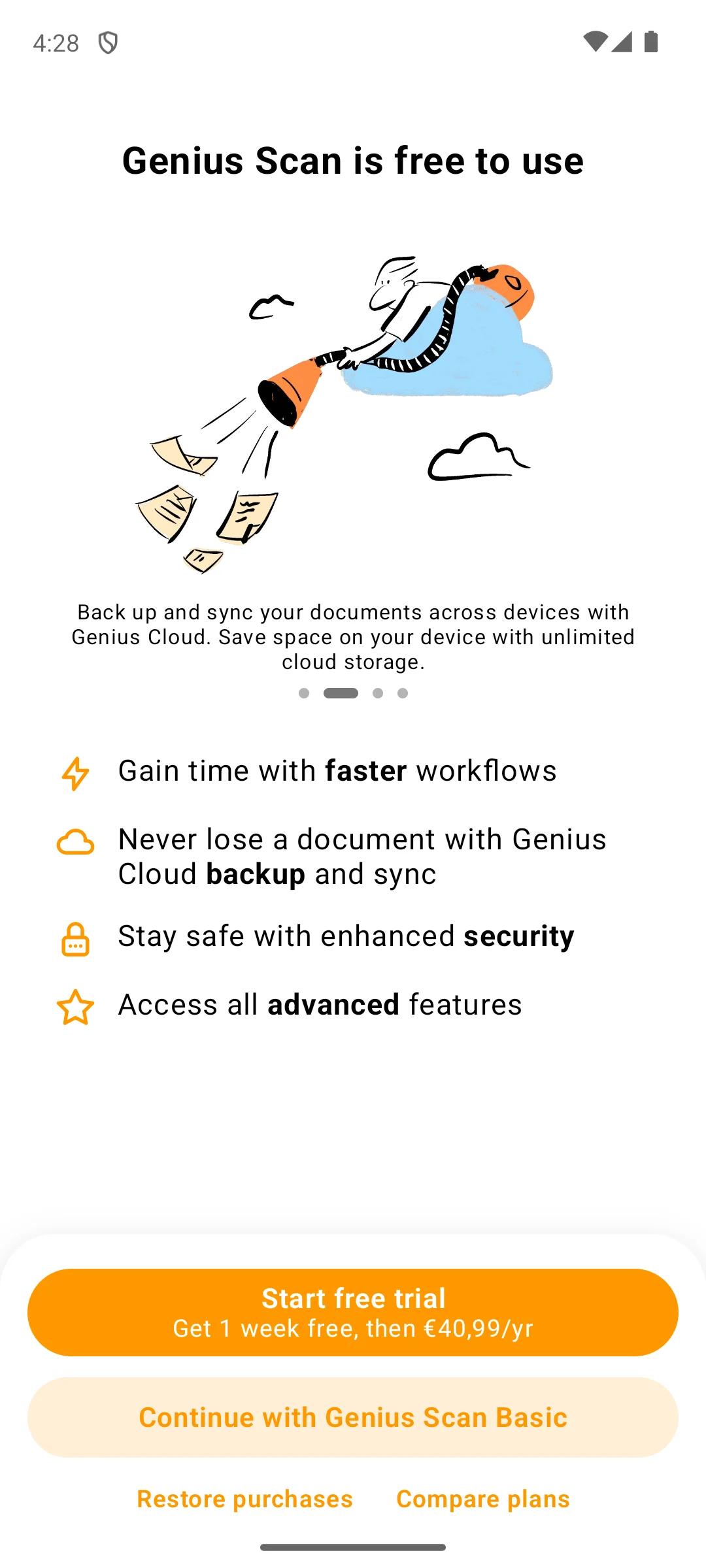
The screenshots here are our own captures from an Android emulator, taken on the date shown.99. Under that sits a second button, Continue with Genius Scan Basic, so the free path is present and labelled rather than hidden. Also on the same screen: Restore purchases and Compare plans. We started no trial. The screenshots below are ours, taken on 18 August 2026.
If you want zero new installs, Google Drive already has a scanner: tap the camera button and it saves a PDF straight to Drive. It is free, carries no Contains ads badge, and its in-app purchases are Google One storage, $0.99 to $1,024.00. The blunt con: capture is local, but the file lands in Google cloud storage and search and OCR run on Google servers, so it is not a keep it local option.
Skip this if the scan must stay off a company server. Choose it over Notebloc when you would rather add nothing at all.
↑ Back to the comparisonPower users
CamScanner has the deepest toolbox here: OCR in dozens of languages, ID card layouts, signatures and fax. It also carries a Contains ads badge plus in-app purchases from $0.49 to $399.99 as of 7 August 2026. Play still shows it an Editors’ Choice badge with 4.63 stars from 5,042,921 ratings. The blunt con: ads and that ceiling together.
Skip this if ads in a document tool bother you. Our CamScanner hacks guide covers the workflow tricks; choose it over Adobe Scan when you need fax.
↑ Back to the comparisonStudents
vFlat solves the one thing other scanners fumble: books. It is free to install with no Contains ads badge, but in-app purchases run $1.66 to $44.99, so it is not the unlimited free tool it is often called (7 August 2026). VoyagerX says on its own site: "vFlat automatically flattens curved pages and removes visible fingers from scans" (vflat.com). The blunt con: it is tuned for books and thinner as a general scanner.
Skip this if you mostly scan single receipts. Choose it over Adobe Scan when the source is a bound book.
↑ Back to the comparisonNo subscription
TurboScan is the pay once pick: free to install, no Contains ads badge, and a single in-app purchase at $7.99 rather than a range, checked 2 September 2026. SureScan takes three shots and merges them, which is what helps on dim restaurant receipts. The blunt con: it is the smallest app here at 1M+ installs and 28,624 ratings.
Skip this if you want cloud folder sync built in. Choose it over CamScanner when you would rather pay once than put up with ads.
↑ Back to the comparisonSmall business
SwiftScan, formerly Scanbot and now published by Maple Media, auto names files, reads QR codes and barcodes and exports searchable PDFs. It is free to install with no Contains ads badge and in-app purchases from $0.99 to $99.99. The blunt con is the score: 3.82 from 63,637 ratings on 3 September 2026, the lowest here by a wide margin.
Skip this if a 3.82 rating is a deal breaker. Choose it over TurboScan when invoices need consistent file names.
↑ Back to the comparisonBeginners
Notebloc is the friendliest starting point: capture, automatic cleanup, tidy PDFs, no account to create. It is free with a Contains ads badge and in-app purchases from $1.99 to $14.99 as of 7 August 2026. The blunt con: ads sit in the free tier, and at 4.24 from 124,924 ratings it scores below the other ad supported picks.
Skip this if you need OCR in many languages. Choose it over Clear Scan when you want the plainest app and no account.
↑ Back to the comparisonBudget pick
Clear Scan is the budget pick, syncing scans to Google Drive, Dropbox or email without payment. It is free with a Contains ads badge and in-app purchases from $0.99 to $19.99, and it is rated 4.75 from 481,982 ratings on 7 August 2026, third highest here. The blunt con: the listing now reads Clear Scan from Indy Mobile App, not the older Clear Scanner name, so it is easy to install the wrong app.
Skip this if ads bother you. Choose it over Notebloc when free cloud sync matters more than the simplest interface.
↑ Back to the comparisonPapers scanned, so which app edits the finished PDF without paying?
Our answer there: PDFgear, the only one of the ten listings there that carries no advertising label and sells nothing at all, its developer states exported files carry no watermark, and it edits text only in searchable PDFs rather than scans, listing read 18 August 2026.
See it against 9 rivalsEvery scanner does four things: capture the page, crop and straighten it, recognize the text so the file is searchable, and export a multi page PDF. Edge detection is the part you notice on every scan, so weigh it first, then confirm the app builds multi page PDFs and lets you reorder pages before saving.
The bigger question is where the document travels. People scan IDs, bank letters, tax forms and contracts, and many apps upload scans to a server to run OCR or to back them up. On device apps such as Genius Scan keep that work local. Permissions are the tell: a scanner needs the camera, and on modern Android it does not need all files access, your contacts, your call logs or your location. The Android privacy pages explain how those permissions work.
 Best PDF Editor Apps for AndroidProductivityHow to Make a Scanned PDF Searchable with OCR on AndroidProductivity
We re-verify this category monthly. Get the monthly diff by email (form below the questions)
Genius Scan is our best free pick and Adobe Scan is our best overall pick. Both are free to install and neither carries a Contains ads badge on its Play listing, re-read 26 August 2026. If you want the work to stay on your phone, pick Genius Scan; if you would rather install nothing, the Google Drive scanner is already there.
Yes. The feature is called OCR. Adobe Scan, CamScanner and SwiftScan turn a photo of a page into a searchable PDF, so you can find a document later by typing a word that appears inside it. Results are best on clear, well lit printed text.
It depends on the app. Some upload scans to a server to run OCR or to back them up. Genius Scan keeps the work on your device, and its publisher, The Grizzly Labs, states in its privacy policy that documents are only stored on your device unless you explicitly choose otherwise. If you scan IDs or contracts, prefer an on device app and read the privacy policy before signing in.
Yes, and it is one of the best reasons to use a dedicated app instead of your camera. Almost every app here captures pages one after another and stitches them into a single PDF. Pair it with one of the best PDF editor apps for Android to sign or annotate it.
No. A scanner needs the camera. On modern Android it usually does not need broad storage access either, because it can save through the system, so be wary of one that demands all files access. It does not need your contacts, call logs or location. If an app asks, deny it or pick another app.
Not always. Android already includes a scanner inside the Google Drive app, rated 4.27 from 10,804,052 ratings on 7 August 2026. Capture happens on the device, but the file is saved to Google Drive and the search and OCR run on Google servers, so it is not a keep it local option. Install a dedicated app when you want batch OCR, smart naming or book page flattening.
Microsoft retired Lens. Its own support page, Retirement of Microsoft Lens at https://support.microsoft.com/en-us/lens/retirement-of-microsoft-lens, says the app left the Google Play Store on February 9, 2026, that scanning worked until March 9, 2026, and that Microsoft recommends the OneDrive app instead; read on 7 August 2026. Adobe Scan and Genius Scan are our picks if you want a free replacement.