What this category covers
Security and privacy apps for Android fall into a few clear groups, and most people only need one or two of them. Antivirus and malware scanners watch for shady apps and dodgy downloads. VPNs encrypt your connection and hide your traffic on public Wi-Fi. App locks put a PIN or fingerprint in front of individual apps like your gallery or banking app. Parental controls let you set screen limits and filter content on a child's phone. There are also password managers and permission auditors, but the four above are what most readers come here looking for. Knowing which group you actually need saves you from installing a heavy all-in-one suite when a single small tool would do the job.
What to look for
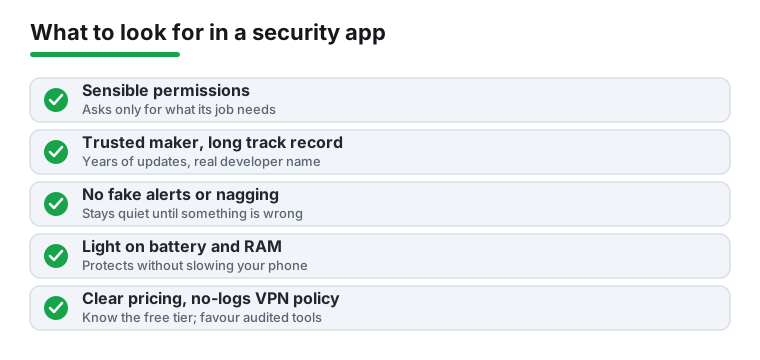
- Permissions that make sense. A flashlight-style app asking for your contacts is a red flag. A good security app requests only what its job needs, and explains why.
- A real track record. Favour apps from established makers with years of updates and millions of installs over a brand-new app with a generic name. Check the developer, not just the star rating.
- No nagging or fake alerts. Avoid apps that constantly warn you are at risk to push an upgrade. Honest tools stay quiet until something is actually wrong.
- Light on battery and RAM. A scanner that drains your battery or slows your phone is doing more harm than the threats it claims to stop. Watch the background usage in your battery settings for a day.
- VPN logging policy and speed. For a VPN, look for a clear no-logs stance (ideally independently audited) and servers close enough to keep streaming and calls smooth.
- Open-source or audited where it counts. For password managers and VPNs especially, open code or a published security audit is worth more than marketing claims.
- Clear pricing. Know what the free tier really includes and what the subscription unlocks before you commit. Watch for auto-renewing trials.
Common mistakes to avoid
- Installing several antivirus apps at once. They fight each other and slow everything down. One is plenty.
- Trusting a free VPN with no clear funding. If you are not paying, your browsing data often is the product.
- Granting Accessibility or Device Admin access without reading why. These are powerful permissions that malware loves to request.
- Relying on an app lock alone for sensitive data. Pair it with a strong screen lock and, where offered, real encryption.
- Ignoring the built-in tools. Google Play Protect and Android's own privacy dashboard already cover a lot before you add anything.
How we pick
Every app here is one we installed and lived with on real Android phones, checking permissions, background drain, alerts, and how easy it was to set up. We take no payment for placement, and an app earns its spot only by being genuinely useful and trustworthy.