
Nine Android VPN apps, compared on three things: what the Play listing declares, what the provider promises in its own privacy policy, and who has independently examined that promise. The first two are a developer writing about itself, and only the third is anybody else checking. A tenth name from an earlier version of this page, Google One VPN, is no longer available and is covered at the end.
ExpressVPN is the pick with an audit behind it, Proton VPN the free one whose audit is published in full, Star VPN the warning. Our answer, the free pick and the table ↓
Checked 3 September 2026: no pick changed since 20 August; ExpressVPN re-read 3 September, Proton VPN and Star VPN stand as read on 20 August
Full logNine Android VPN apps, all free to install and all selling their plans inside, compared on the independent audit each can point to and on what its Data Safety section declares.
ExpressVPN is our best overall because KPMG audited its no logs claim in February 2025, and its listing, read 3 September 2026, shows no advertising label and plans from $9.99.
Proton VPN is our best free pick because Securitum’s June 2026 no logs audit is published in full, over a free plan whose listing, read 20 August 2026, carries no advertising label.
Star VPN is our warning because its Data Safety section, read 20 August 2026, alone declares data sharing on a free app that alone carries the advertising label.
Data checked: 3 September 2026.
Every figure here is read from the app’s own Google Play listing on the United States English storefront (gl=US, hl=en): rating and review count, the install band, price and the in-app purchase range, the advertising label and the full Data Safety section. Because a listing is a developer’s own statement, claims about logging go to two further sources read separately: the provider’s own privacy policy, and the independent audit where one exists, named with its auditor, its scope and its date. Where a provider publishes no audit, this page says so rather than treating silence as proof either way, and where a provider’s own site returned nothing readable to us on the date above, it says that instead of filling the gap from somewhere else. Ratings are geography dependent. Any screenshot is our own capture and carries the date it was taken.
Largest review base
Rating 4.6, 1,339,029 reviews · Installs 100,000,000+ · In-app purchases $2.99 to $199.99 per item · Developer Nord Security · Contains ads: No · checked 1 September 2026
Google Play listing · 4.6 (1,339,029) · read 1 September 2026
NordVPN has the largest review base on this page and a blank in the audit column: nordvpn.com returned nothing readable to us on 20 August 2026, so no auditor, no scope and no date is printed for it here. Its listing carries no advertising label and declares no data shared with third parties, though the app may collect data types. There is no free tier at all, and in-app purchases run $2.99 to $199.99 per item.
Every other audit named in the table above was read at the provider's own address on 20 August 2026, and this one was not: requests to nordvpn.com returned a challenge page rather than content. That is a limit on what we could check rather than a finding about the company. It is not a claim that no audit exists, only that we did not read one, and the alternative would be repeating a date and an auditor from somewhere other than the source.
Skip this if. Skip it if the audit column is how you are choosing, because this is the one row where this page has nothing to put in it.
Choosing between them. Choose NordVPN over ExpressVPN for the lower entry price on Play, and ExpressVPN over it for a no logs report this page could open and read on the day of this run.
Best all round
Rating 4.6, 484,525 reviews · Installs 100,000,000+ · In-app purchases $9.99 to $999.00 per item · Developer ExpressVPN · Contains ads: No · checked 1 September 2026
Google Play listing · 4.6 (484,525) · read 1 September 2026
ExpressVPN is the best all round pick here, and the blunt part comes first: in-app purchases run $9.99 to $999.00 per item, the highest ceiling on this page, with no free tier underneath. What that buys is the evidence this page values most. KPMG examined its TrustedServer system and its privacy policy claims as of 28 February 2025, and the report opens to anyone willing to accept the auditor terms first. Its listing carries no advertising label and declares no data shared with third parties, though the app may collect data types.
The company sets out the engagement on its own audit page, read 20 August 2026, which names KPMG LLP, dates the examination as of 28 February 2025, and says of the evidence: The full assessment report is available for all; you simply need to first acknowledge KPMG's terms and conditions to access it
.
Skip this if. Skip it if price is the deciding factor, because this is the most expensive way onto the list.
Choosing between them. Choose ExpressVPN over NordVPN for an audit this page could read at the source, and NordVPN over it on price and on the size of the review base.
Best free plan
Rating 4.7, 1,265,253 reviews · Installs 100,000,000+ · In-app purchases $9.99 to $119.88 per item · Developer Proton AG · Contains ads: No · checked 1 September 2026
Google Play listing · 4.7 (1,265,253) · read 1 September 2026
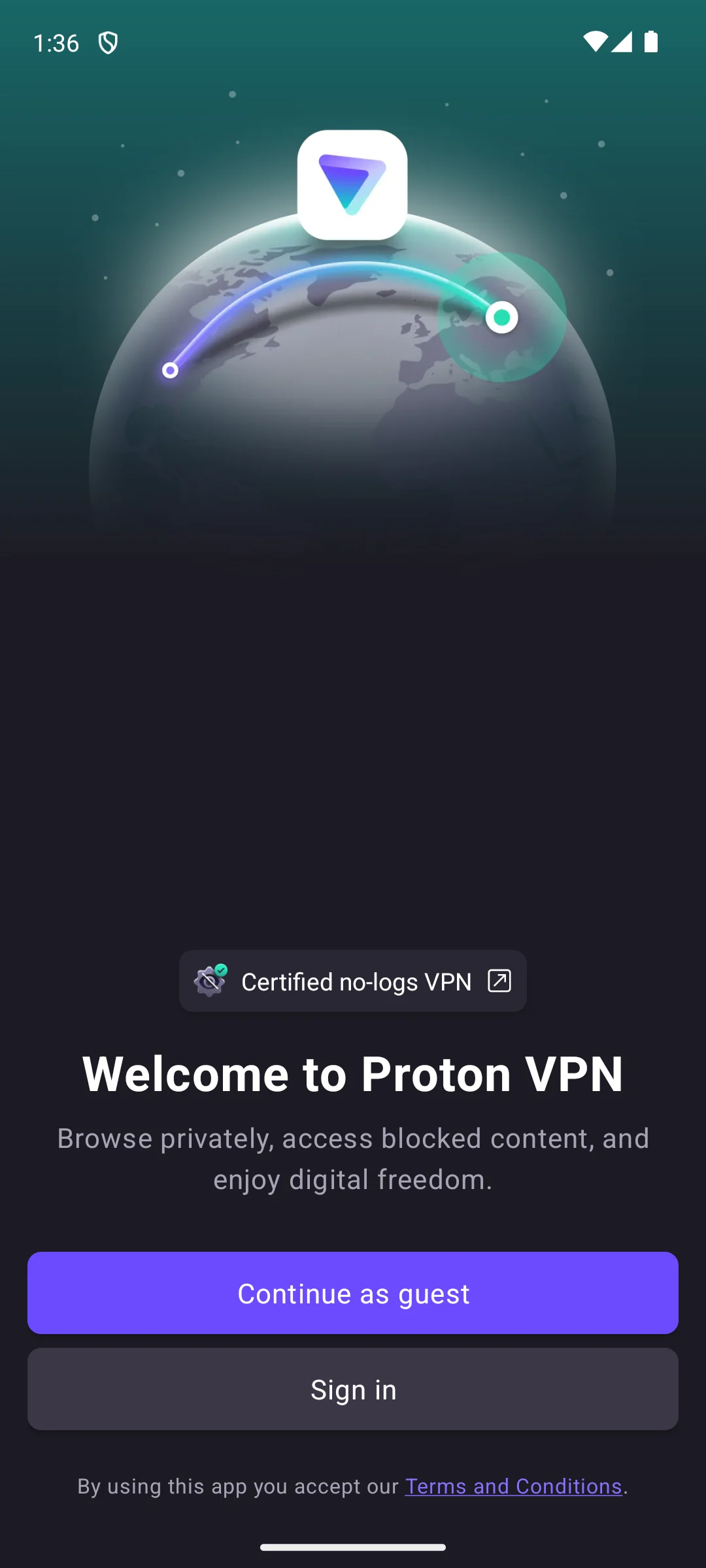
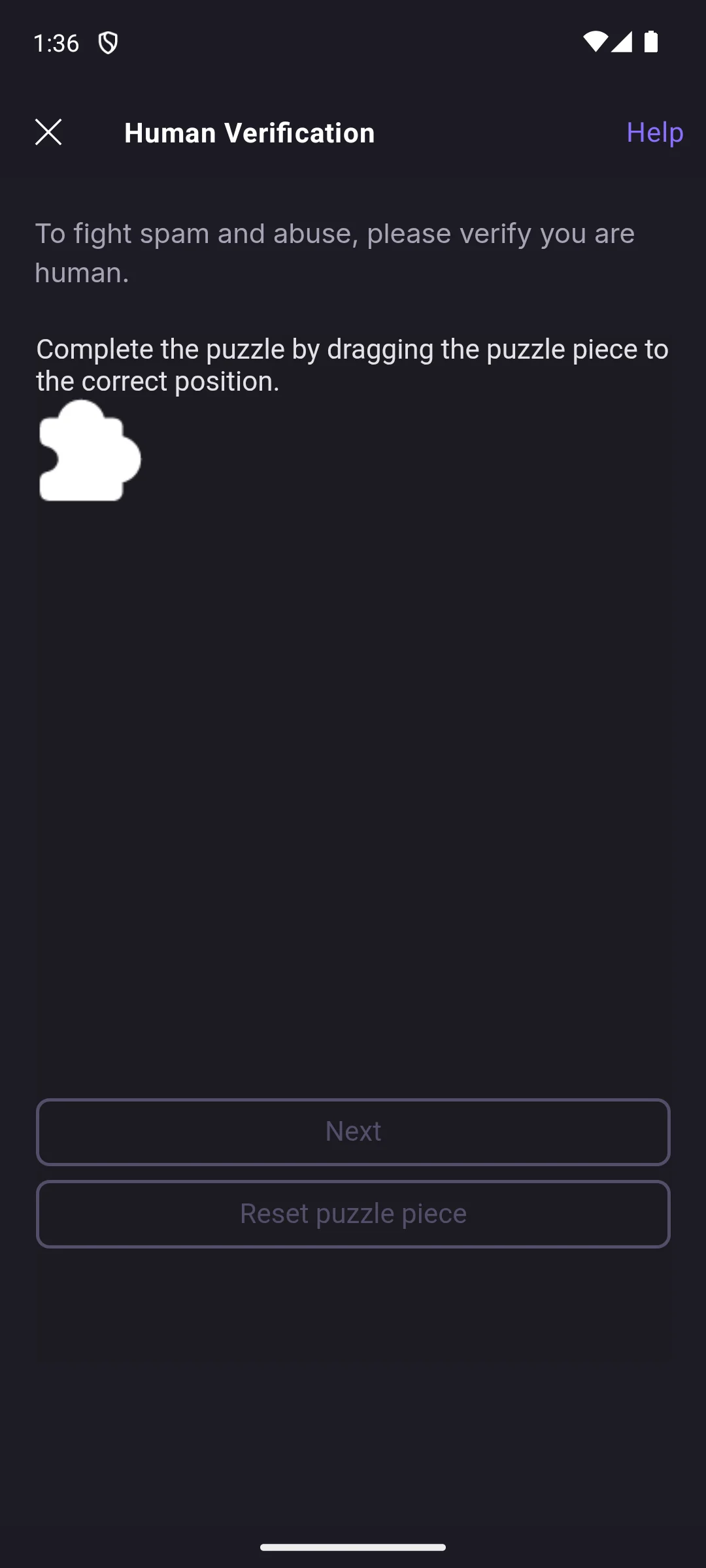
Proton VPN is the free pick, and the only name here whose no logs report can be read without an account. The blunt part is that the free plan covers one device, and paid features cost $9.99 to $119.88 per item. Securitum completed a fifth consecutive annual audit of that claim, published June 2026. Its listing carries no advertising label and declares no data shared with third parties, though the app may collect data types.
Proton describes the plan on its own free plan page, read 20 August 2026: Our unlimited free plan has no data or time limits, and will be free forever
. The same page lists that plan as covering one device. The audit sits on its own no logs audit page, last updated 16 June 2026 and read 20 August 2026, which names Securitum as the auditor, calls this the fifth consecutive annual audit of the no logs policy, and says the company openly publishes the full no logs report for anyone to read.
Skip this if. Skip it if you need more than one device covered without paying.
Choosing between them. Choose Proton VPN over Windscribe when you want no data cap and a published no logs report, and Windscribe over it if the lower paid entry price matters more.
Best for a household
Rating 4.7, 297,568 reviews · Installs 10,000,000+ · In-app purchases $0.99 to $119.99 per item · Developer Surfshark B.V. · Contains ads: No · checked 1 September 2026
Google Play listing · 4.7 (297,568) · read 1 September 2026
Surfshark is the value pick for a household: its own site says one subscription runs on unlimited devices at once. The blunt part is that its assurance report is handed to account holders rather than posted openly, and there is no free tier, so the household saving only starts once you pay. Its listing carries no advertising label and declares no data shared with third parties, though the app may collect data types, and in-app purchases run $0.99 to $119.99 per item.
Surfshark sets out the device rule on its own home page, read 20 August 2026, where the unlimited devices section says one subscription works on several devices at once and covers an entire household. The audit is described on its own no logs verification page, read 20 August 2026, which names Deloitte, lists what the assurance covered (server types including standard, static and multiport VPN servers, server configuration and deployment processes, and privacy related settings and procedures), and says where the evidence sits: This assurance assessment assures our compliance with our privacy policy. The detailed report (ISAE 3000) is available to all Surfshark users in the Surfshark account
. That page carries a published date of 16 June 2025 and an updated date of 26 November 2025.
Skip this if. Skip it if you only have one device to cover, because the device count is the whole point.
Choosing between them. Choose Surfshark over NordVPN when several people share one plan, and NordVPN over it for the larger review base.
Best for a private signup
Rating 4.1, 8,299 reviews · Installs 5,000,000+ · In-app purchases $5.67 to $17.97 per item · Developer Mullvad VPN AB · Contains ads: No · checked 1 September 2026
Google Play listing · 4.1 (8,299) · read 1 September 2026
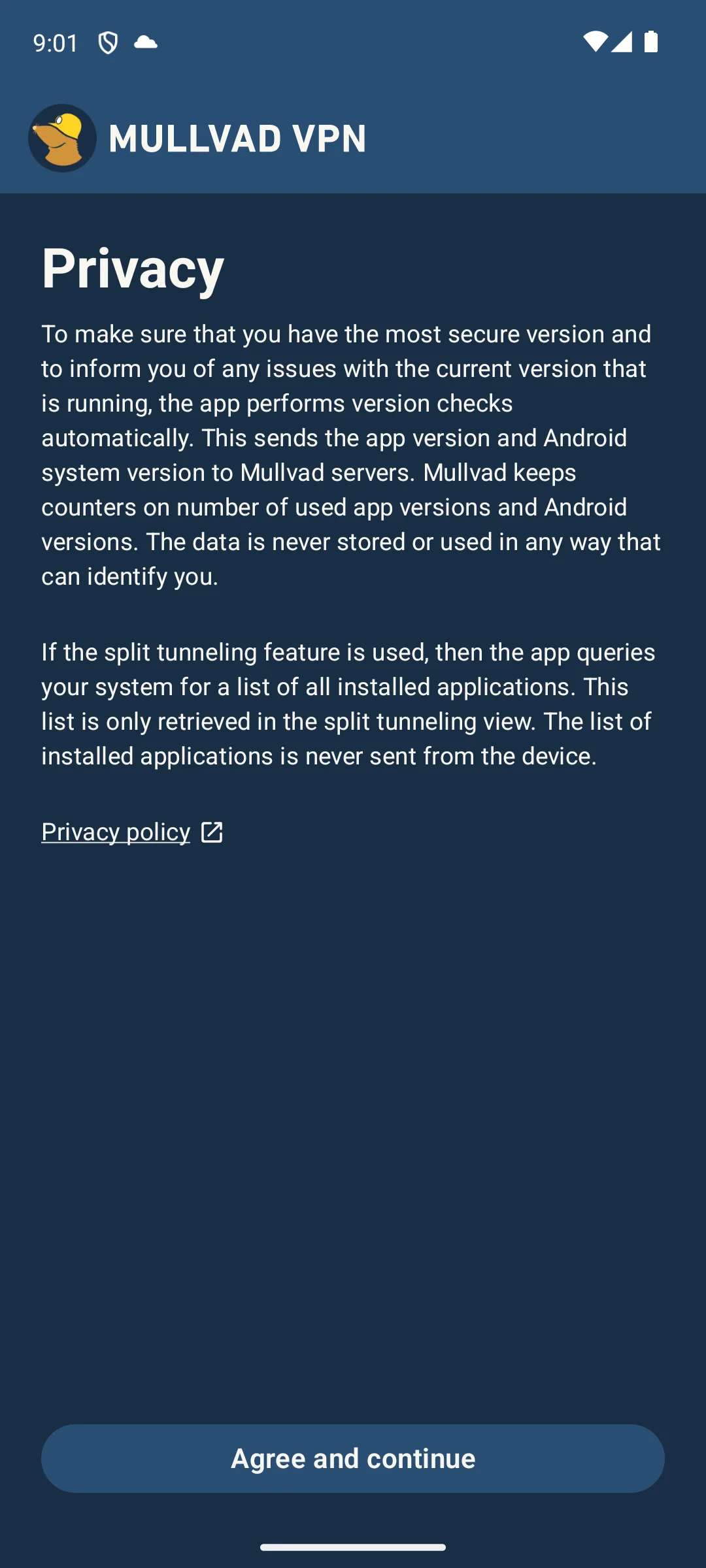
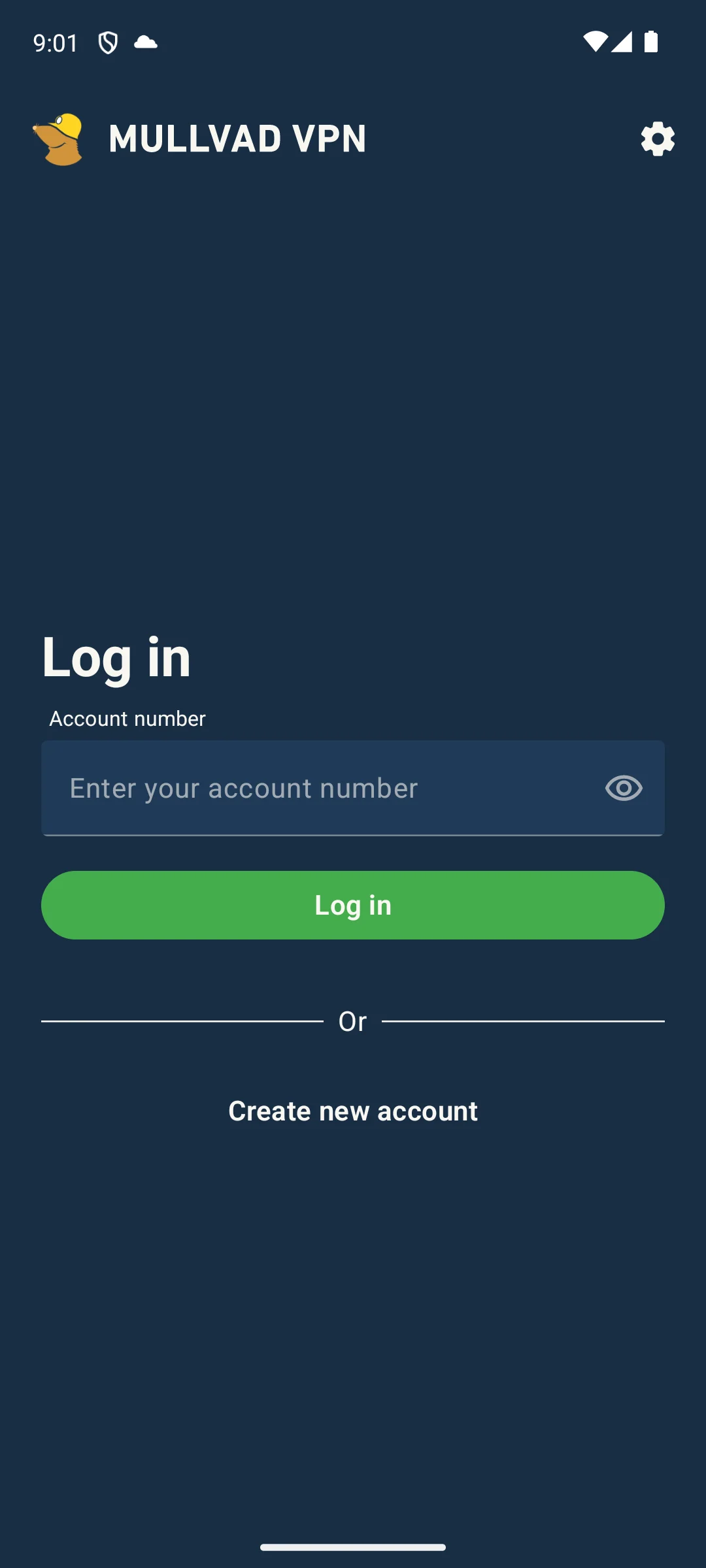
Mullvad is the strictest option here on signup data: no email address and no username, just a generated account number. The blunt part is the rating, 4.1 from 8,299 reviews, lower than every app here except IVPN. Its listing carries no advertising label and declares no data shared with third parties, though the app may collect data types, and in-app purchases run $5.67 to $17.97 per item with no free tier underneath.
Mullvad states the logging position on its own no logging policy page, read 20 August 2026: The underlying policy of Mullvad is that we never store any activity logs of any kind
. The same page is unusually specific about what it does keep, listing account numbers and expiry dates, payment records that vary by method, WireGuard configuration data and aggregated per server metrics, and it links a Cure53 infrastructure audit rather than asking to be taken at its word. The logging question has also been put to auditors directly, which is why this row is not a policy alone. On its own page for the second infrastructure audit, read 20 August 2026, Mullvad says it gave Assured AB full access to provisioned VPN servers and asked them to verify whether or not it logs customer activity, and reports that Assured AB found no information leakage or logging of customer data, work concluded in May 2022. On its own page for the third, read 20 August 2026, it puts the same question to Radically Open Security and quotes the report finding no logging of user activity data, work concluded in mid June 2023; Cure53 ran a fourth in June 2024. The apps are a separate line of work: X41 D-Sec penetration tested and read the source of the app between 23 October and 28 November 2024, per its own 2024 audit report page, read 20 August 2026. Its newest published assessment, listed on its own audit index, read 20 August 2026, is dated 1 June 2026 and is a MASA assessment by Leviathan Security Group, which is the programme behind the Play badge described below rather than a further look at the logging.
Skip this if. Skip it if you would rather sign up with an email address and a card than keep track of an account number.
Choosing between them. Choose Mullvad over IVPN for the larger review base and for logging findings as recent as June 2023, and IVPN over it for a no logs audit published as its own standalone report.
Free, no auditor named
Rating 4.5, 343,147 reviews · Installs 10,000,000+ · In-app purchases $3.99 to $38.99 per item · Developer Star Core Studio · Listing updated 6 August 2026 · Contains ads: Yes · checked 1 September 2026
Google Play listing · 4.5 (343,147) · read 1 September 2026
Star VPN is the only entry here usable without paying, and the one to weigh hardest: its Data Safety section alone declares that data may be shared with third parties. Its listing is also the only one carrying the advertising label. Its own privacy policy makes a strong logging claim, carries a date of January 2022 and names no auditor, and in-app purchases run $3.99 to $38.99 per item.
Read this first. Star VPN is the only app on this page whose own Data Safety section says it may share data types with third parties, and the only one whose listing carries the Contains ads label. Both were read from its own listing on 20 August 2026. A free VPN is paid for somehow, and on this listing the funding is declared rather than hidden.
Its own privacy policy, at vpn131.com, read 20 August 2026, claims a good deal: We do not know which user was connected to the VPN at a specific time
, and it says the service collects connection success by day, the VPN location, the originating country and the total volume of data transferred. That document carries its own date at the foot, Last updated Jan 20, 2022, more than four years before the listing was refreshed, and no auditor is named on it or on the site it sits on. The company name is not one settled thing either. The Play listing developer reads Star Core Studio, the footer of the privacy policy page reads Copyright ©2025 CTECH GLOBAL PTE LTD, and the footer of the same site's home page, read 20 August 2026, reads Copyright ©2025 WORLD CREATION TECHNOLOGY NATHAN. Three names across one listing and two pages of one site. A different Android app also uses the same display name under another developer, so read the developer line on the listing itself.
Skip this if. Skip it for anything sensitive: a listing that declares third party sharing and a policy nobody has audited is the wrong combination for work mail or banking.
Choosing between them. Choose Proton VPN over Star VPN if the reason for the choice is that you are not paying, because its free plan declares no third party sharing and its no logs report is published.
Best for tinkerers
Rating 4.5, 108,187 reviews · Installs 10,000,000+ · In-app purchases $5.90 to $74.99 per item · Developer PIA Private Internet Access, Inc · Contains ads: No · checked 1 September 2026
Google Play listing · 4.5 (108,187) · read 1 September 2026
Private Internet Access is the pick for settings and paperwork alike, with three published Deloitte Audit Romania reviews of its no logs policy. The blunt part is that there is no free tier, and the sheer number of settings is a lot to meet on a phone screen. Those reviews cover its infrastructure and the reports are put up for download rather than tucked into an account. Its listing carries no advertising label and declares no data shared with third parties, though the app may collect data types, and in-app purchases run $5.90 to $74.99 per item.
Its own privacy policy, read 20 August 2026, states that the company collects and retains zero user logs and lists what that excludes: browsing history, connected content, user IP addresses, connection time stamps, bandwidth logs and DNS queries. The third review is described on its own audit page, updated 24 February 2026 and read 20 August 2026, which names Deloitte Audit Romania, follows the ISAE 3000 assurance standard as the 2022 and 2024 reviews did, and links the full report for download.
Skip this if. Skip it if you want to connect once and never open a settings screen again.
Choosing between them. Choose Private Internet Access over Windscribe for the depth of settings and an audit aimed at the logging claim, and Windscribe over it if a free allowance comes first.
Best free allowance
Rating 4.7, 307,036 reviews · Installs 10,000,000+ · In-app purchases $3.99 to $94.99 per item · Developer Windscribe · Contains ads: No · checked 1 September 2026
Google Play listing · 4.7 (307,036) · read 1 September 2026
Windscribe is the other real free tier here, and the most candid name about what it keeps: it does not claim zero logs. The blunt part is that the free allowance costs an email address, so it is not an anonymous one. It names the three non identifying items it stores instead of claiming none. Its listing carries no advertising label and declares no data shared with third parties, though the app may collect data types, and paid plans run $3.99 to $94.99 per item.
The condition on the free tier is stated on its own home page, read 20 August 2026: Sign up and confirm your email to get 10GB of data every month
. On logging, its own no identifying logs page, read 20 August 2026, describes the policy as non identifying logs rather than no logs, and names what it keeps: the date you last used it, total bandwidth over the last thirty days, and which app versions were activated. The same page describes a test the other names here have not had: it says a co-founder was personally charged after a Windscribe server was allegedly used to breach a Greek system, and that the case was dismissed on 11 April 2025 because the company had no user data to provide. Its audits are listed on its own audit article, read 20 August 2026: Packetlabs on the server stack in June 2024, and Leviathan Security Group on the desktop app in September 2021 and the mobile apps in March 2022. None of the three is described there as an examination of the logging claim.
Skip this if. Skip it if you will not hand over an email address, because that is what the allowance costs.
Choosing between them. Choose Windscribe over Proton VPN for the lower paid entry price and the franker disclosure, and Proton VPN over it for no cap at all and a published no logs report.
Best for a minimal client
Rating 3.5, 1,755 reviews · Installs 500,000+ · In-app purchases $0.99 to $244.99 per item · Developer Privatus GmbH · Listing updated 23 June 2026 · Contains ads: No · checked 1 September 2026
Google Play listing · 3.5 (1,755) · read 1 September 2026
IVPN is the smallest operation on this page and the lowest rated, at 3.5 from 1,755 reviews across a 500,000+ install band. It was also the first name here to put its logging claim in front of an auditor: Cure53 examined it in March 2019 and reported that the privacy statements held. Its listing carries no advertising label and declares no data shared with third parties, though the app may collect data types, and in-app purchases run $0.99 to $244.99 per item.
Its own privacy policy for the mobile app, read 20 August 2026, says it does not log any data relating to a user VPN activity, listing six items: no traffic logging, no connection timestamp or connection duration, no DNS request logging, no logging of user bandwidth, no logging of customer IP addresses, and no logging of any account activity except active total simultaneous connections. The audit is described on its own audit page, read 20 August 2026, which names Cure53, dates the work to March 2019 and concludes: Based on the findings, it is safe to say that all of the IVPN's privacy statements could be verified as truthful within the defined scope
. The report itself is not behind an account: that page links the full unredacted report on Cure53's own site. The programme is still running, and it is not aimed at logging any more: its own blog, read 20 August 2026, carries a post dated 19 June 2026 saying an eighth annual security audit with Cure53 was scheduled for July, targeting systems and services rather than the logging claim.
Skip this if. Skip it if a large and current review base is part of how you judge an app.
Choosing between them. Choose IVPN over Mullvad for a no logs audit published as its own standalone report, and Mullvad over it for the larger review base and for logging findings as recent as June 2023.
Read this first. There is no VPN by Google One left to install. Google One’s own plan overview lists no VPN among the plan benefits, and the former product page at one.google.com/about/vpn now redirects to that overview, checked 20 August 2026. There is no Play listing for it, so it is not in the table above and no figure on this page describes it.
If the bundled VPN was the reason a Google One plan looked worthwhile, the replacement is one of the nine apps above rather than a phone setting. Two of them can be used without paying anything: Proton VPN, whose free plan its developer describes as unlimited and whose no logs report is published in full, and Windscribe, whose free allowance depends on confirming an email address and which states plainly that it keeps non identifying logs rather than none. Both declare no data sharing with third parties in their Data Safety sections.
Seven of these nine Play listings carry a line reading Independent security review in their Data Safety panel, and it is easy to read that as somebody having checked the no logs promise. It is not that. Google’s own Data safety help page for readers, re read on 20 August 2026, says of that line: This review does not verify the accuracy and completeness of the developer’s Data safety section disclosure
. The developer’s guide is blunter still about where it comes from: This is an optional review undertaken and paid for by developers
, against a mobile application security standard, arranged with a laboratory Google authorises (Play Console Help, Google Play Help).
So the badge is evidence about an app binary and its security controls, and it is silent on what a company writes to disk in a data centre. The two questions come apart on this page in both directions. IVPN carries no badge and its logging claim was examined by an independent auditor who published the result. Star VPN carries no badge either, and names no auditor of anything on its own site. Reading the badge as a proxy for the audit would rank those two identically, and they are not close. The same programme is why Mullvad’s newest published assessment, dated 1 June 2026, does not appear in the audit column above: it is a MASA assessment, which is this badge rather than a look at the logging.
Two questions settle most of this. Are you trying to reach a service that is tied to another country, or are you trying to keep your connection to yourself on a network you do not control? The first points at the paid apps and their refund windows, because streaming access changes from month to month and no store listing can promise it. The second is answered by almost anything reputable on this page, including the two free plans.
After that, work down the table in order. The advertising label and the sharing declaration are the developer’s own statements to Google, so they cost nothing to check and rule out the worst mismatches quickly. The audit column is the slower one and the one that decides between the names left standing: an auditor and a date beat an adjective, a report you can open beats one held behind an account, and an examination of the logging claim itself beats a penetration test of the app that carries it.
A VPN encrypts your traffic and hides your IP address from your internet provider and from anyone else on the local network. That is genuinely useful on cafe, hotel and airport Wi-Fi, where you have no idea who else is connected or how the network is configured.
Without a VPN, your internet provider can see the services you connect to. With one, your provider sees an encrypted tunnel and the VPN company sees that traffic instead. That is the whole trade, and it is why the audit column exists: you are choosing which company to trust, so the useful question is who has checked that company and when. Top10VPN keeps a readable explainer of how jurisdiction affects that, read 20 August 2026. Read it as background rather than as a finding: the same page states its own position at the top, that buying a VPN through its links supports its work.
Running a VPN costs money, so a free one is funded somehow, and on this page that funding is visible in the listings themselves. Star VPN can be used without paying, its listing carries the advertising label, its Data Safety section is the only one here that declares data may be shared with third parties, and no auditor has looked at it. The two free plans that declare none of that, Proton VPN and Windscribe, are attached to services that paying subscribers fund, and both publish audit reports. Mozilla and Norton have both written calm overviews of what the worst free apps do with the traffic they carry, and both sell a VPN of their own, Mozilla VPN and Norton VPN, so they are interested parties on that question. The declarations in the table above are not: they are what each developer told Google about its own app.
Match the tool to the need. For safety on public Wi-Fi the free plans are enough; for reach across regions a paid plan earns its cost. Then judge whichever you pick on the audit column rather than on the marketing, and keep expectations honest: a VPN hides your traffic and your address from the network, it hands all of it to the provider instead, and it does not do the rest of your security for you.
Seven of the nine name an independent audit on their own site, and each of those pages was read at the provider's own address on the day of this check; whether the report behind it opens is a separate question, answered in the table. Five name a practitioner who examined the logging claim itself: KPMG for ExpressVPN as of February 2025, Securitum for Proton VPN in June 2026, Deloitte for Surfshark in 2025, Deloitte Audit Romania for Private Internet Access in 2025, and Cure53 for IVPN in March 2019. Mullvad put the same question to its infrastructure auditors, who reported no logging of customer activity in May 2022 and again in June 2023. Windscribe publishes audits of its servers and apps and describes none of them as an examination of the logging claim. Star VPN names no auditor on its site or in its policy. NordVPN's own site returned nothing readable to us, so this page names no auditor for it. Checked 20 August 2026.
No. Google says that review does not verify the accuracy and completeness of the developer Data safety disclosure, and that it is an optional review developers arrange and pay for against a mobile app security standard. It is evidence about the app itself, not about what a company stores on its servers. Two apps here show why the difference matters: IVPN carries no badge and has a published no logs audit, and Star VPN carries no badge and has no audit at all. Checked 20 August 2026.
Some are, and some are funded in ways you would not choose. On this page the difference is visible in the listings themselves: Star VPN can be used without paying, carries the advertising label, is the only one here whose Data Safety section says data may be shared with third parties, and names no auditor. Proton VPN and Windscribe offer free plans on services that paying subscribers fund, both declare no third party sharing, and both publish audit reports. Checked 20 August 2026.
It depends on the provider, and that is worth knowing before you pay, so the table above has a column for it. Proton VPN publishes its full no logs report openly, and Private Internet Access, Mullvad, Windscribe and IVPN publish theirs. ExpressVPN opens its report to anyone who accepts the auditor terms first. Surfshark says the detailed report sits inside the Surfshark account, so you subscribe before you read the evidence. Star VPN names no report at all, and NordVPN's own site returned nothing readable to us, so this page cannot say. Checked 20 August 2026.
Somewhat, and the distance to the server usually matters more than the app. Speed cannot be read from a store listing, so nothing on this page ranks it. Pick a nearby server and a modern protocol, and judge the result inside the refund window of whichever paid plan you choose. Checked 20 August 2026.
No. It hides your traffic and your address from your internet provider and from others on the local network, and the services you sign in to still see what you do there and can still track you with cookies. A VPN changes where your connection appears to come from, not who you are once you are signed in. Checked 20 August 2026.
Yes, because they do different jobs. A VPN encrypts the connection and hides your address, and it does not stop a malicious app or a bad download from reaching the phone. The two work together rather than replacing one another. Checked 20 August 2026.
One of the nine: Star VPN, whose listing carries the advertising label and whose Data Safety section says the app may share data types with third parties. The other eight declare no data shared with third parties, and none of them carries an advertising label. All nine declare that the app may collect data types, which is a separate question from sharing. Checked 20 August 2026.
Checked 20 August 2026: all nine Play listings re read, and every rating, review count, install band, price, in-app purchase range, advertising label and Data Safety line now carries the date it was read. Review counts moved: NordVPN 1,328,063 to 1,332,286, Proton VPN 1,208,400 to 1,228,152, ExpressVPN 480,185 to 481,593, Surfshark 290,270 to 292,727, Star VPN 337,667 to 339,451, Private Internet Access 107,935 to 108,008, Windscribe 301,294 to 303,177, Mullvad 8,197 to 8,229 and IVPN 1,738 to 1,745. The decision table gained the column this page existed to provide and did not have: who independently audited each no logs claim, what they examined, and when. It replaced the in-app purchase range, which held a dollar range in all nine rows and separated nothing at the moment of choosing; that range is still printed in every section. A previous pass recorded that "The claim that one provider held an independently audited no logs policy was dropped". That withdrawal was too broad and is reversed: seven of these nine providers publish an independent audit at their own address, each of them read at the source on this date, six naming a practitioner whose written scope covered the logging claim itself, and each of the seven is now named with its auditor and its date. Star VPN is the eighth, and no auditor is named in its privacy policy or on its developer site. NordVPN is the ninth, and nothing is claimed either way for it, because its own site returned no readable content to us. Four claims are withdrawn because they did not survive being checked at their own sources on this date. First, a sentence printed as a quotation from an auditor, opening "properly prepared, in all material respects": the page it cited was fetched again today and does not contain it, so the wording that page does publish is quoted instead. Second, an audit line naming an auditor and a month, "Deloitte, December 2025", under a read date: that provider site returns a challenge page to us and was never read here, so no auditor, no scope and no date is printed for it now, and its cells say why. Third, the sentence "No practitioner has run a no logs assurance engagement on it", which stood against two providers: one of them published two infrastructure audits whose written scope was whether it logs customer activity, now named with auditors and dates, and the other is described as what its own audit article does and does not cover. Fourth, a claim that one company had said "it will not commission another" no logs audit, carried on no source, replaced by that company own blog post of 19 June 2026 announcing its eighth annual audit. Two smaller ones: an app audit was labelled as covering servers when its own report page describes a test of the app, and a price cell printed a flat rate the Play record does not publish. The table also lost a column carrying no information: it held one value in eight rows and another in the ninth, character for character what the advertising column holds, so a reader saw two safety signals where there was one. The sharing declaration is not dropped, it is stated once above the table and repeated in every section it applies to, and the slot went to whether each audit report can be opened without paying, which separates the rows five ways. Every price cell now carries the free tier and the paid entry price in that order, because the old one hid the paid price of exactly the rows with a free tier. The Play Independent security review badge is no longer presented as evidence about logging. Google says of it that the review does not verify the accuracy and completeness of the developer Data safety disclosure, and that it is an optional review developers commission and pay for against an app security standard. The IVPN con that it "does not carry the Independent security review badge that seven of these nine listings do" is withdrawn: it penalised the one provider here whose logging claim an independent auditor examined and published. Every claim of personal use is withdrawn. The How we verify box opened with a tier headed "Installed and examined" that described opening these apps on an emulator and taking the screenshots, which is a testing claim inside the box that exists to replace testing claims; the tier is gone and the box is rewritten around the three sources this page actually reads. The Proton VPN and Mullvad paragraphs built on that same narrative are replaced by their developers own documentation, and both figure captions now describe the capture and its date and nothing more. Two facts survived the rewrite because their sources were re read today: the Proton free plan wording, and the Windscribe email condition on its 10 GB allowance. Windscribe is now described as it describes itself, keeping non identifying logs rather than none, and the three items it names are printed. No app was added or removed, and no rating, review count, install band or price changed in this correction pass. The seo title changed from naming free plans and prices to naming the audit question, which is what the page now answers.
 Best Notes Apps for AndroidProductivity