What personalization apps actually cover
Personalization on Android is less about one big app and more about a small stack of tools that work together. The main types you will run into are launchers (they replace your home screen and app drawer, controlling layout, gestures, and folders), keyboards (typing feel, autocorrect, swipe, themes), widgets (live info like weather, calendar, and battery placed right on the home screen), icon packs (a consistent visual style across your app icons), and wallpaper and live wallpaper apps. A good setup usually mixes two or three of these rather than chasing a single do-everything app.
What to look for
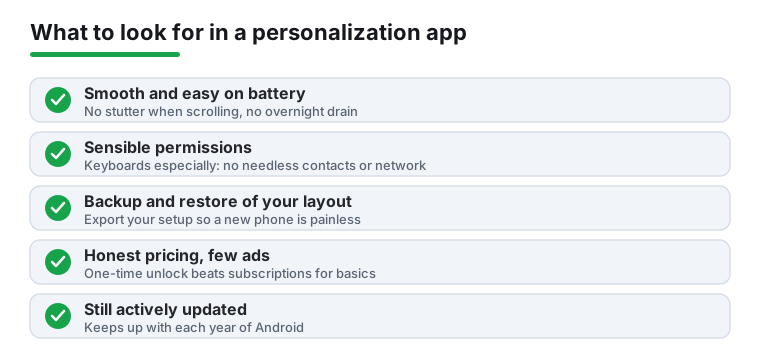
- Performance and battery, not just looks. A launcher that stutters when you swipe, or a live wallpaper that drains 8 percent overnight, ruins the experience fast. Test scrolling and app-open speed for a day before committing.
- Permissions that make sense. A keyboard needs to handle your typing, but it should not demand contacts, location, or your full network for no reason. Be especially careful with keyboards, since they see everything you type, including passwords. Prefer ones with a clear privacy policy and an offline or no-network mode.
- Backup and restore of your setup. The best launchers let you export your layout so a new phone, or a reinstall, does not mean rebuilding everything by hand. This matters more than people expect.
- Reasonable, honest pricing. Many strong options are free with an optional one-time "pro" unlock. Watch for apps that lock basic settings behind a subscription, or that are free but stuffed with full-screen ads.
- Theme consistency. If you care about a cohesive look, check that the launcher supports icon packs and that the keyboard and widgets can match your colors. A matching accent across all three is what makes a setup feel intentional.
- Active maintenance. Android changes every year. An app last updated three years ago may break gestures, notification badges, or the lock screen on a current phone.
Common mistakes to avoid
- Installing five launchers at once. Pick one, set it as default, and live with it for a few days. Stacking them creates conflicts and confusing back-button behavior.
- Granting a keyboard everything on the first prompt. Read what it asks for. Free "theme" keyboards are a common source of intrusive ads and shady data collection.
- Going overboard with live wallpapers and animations. They look great in a video and cost you battery and smoothness every single day.
- Forgetting to set the launcher as default. If your home button still opens the stock launcher, the new one is not really installed; set it in your phone's default-apps settings.
How we pick
Every app here was installed and used hands-on as a daily setup on real Android phones, judged on speed, battery, privacy, and how it held up after the novelty wore off. No paid placement and no rankings bought by developers.