
Updated August 2026

Checked 21 August 2026 against each app's own listing, named in its section. All eight Google Play listings were read again on 1 September 2026, and every Play figure below carries that date: FUTO Keyboard now rates 4.2 rather than 4.1, Typewise 3.3 rather than 3.2, all eight ratings counts moved and four listing update dates moved with them. The two F-Droid entries were not re-read on that pass, so FlorisBoard and HeliBoard keep their 21 August date.
Ten keyboards, two catalogues, and one question that decides the category: a keyboard is handed every character typed into every other app on the phone. This page keeps to what the catalogues and the developers actually publish about these ten, and says where each of them stops. For more ways to make your phone yours, browse our wider Personalization guides.
The companion page checks four keyboards against what Google Play and F-Droid publish, entry by entry: Android Keyboards in 2026.
Gboard is our best overall because its listing, read 3 September 2026, rates 4.5 stars, is free, no ads label, but says data can’t be deleted.
Simple Keyboard is our best free pick because it drops swipe and autocorrect: its listing, read 3 September 2026, is free, no ads label, declares nothing collected.
FUTO Keyboard is our dictation pick because keyboard.futo.org, read 21 August 2026, says voice input transmits nothing, beside a Play listing free to install, no ads label.
Data checked: 3 September 2026.
Skip to the ten keyboards, or start with how to read the table, what each listing declares and what this page cannot tell you.
Five of those columns are Google Play fields and nothing else, so here is how to read them.
One threshold, applied to all ten: an entry counts as current here when the newest date its own catalogue publishes for it falls inside six months of 21 August 2026, and stale when it does not. Two of the ten fall outside it.
The two catalogues do not measure the same event. Google Play prints the date the listing as a whole was last updated. F-Droid prints the date on which one specific version was added to its repository. Neither of those is a release date, and this page prints no release date for any of the ten, because nothing read for it carries one.
Every Google Play listing carries a Data Safety section the developer fills in. These were read on 21 August 2026, and they are the closest thing on this page to an answer to the question a keyboard raises. Each line is a declaration made to Google by the developer rather than an audit result, and where a declaration says may, the may stays.
The same section states what an app may collect and, separately, whether you can get that data deleted. On this page those two lines point in opposite directions on the two entries most readers are choosing between. Gboard’s listing carries no ads label and says data can’t be deleted. Microsoft SwiftKey’s listing carries the one ads label on this page and says you can request that data be deleted. Squeezed into one column, either app comes out looking like the opposite of what its own listing says.
Typewise is the only entry here whose listing answers both against the reader: it declares sharing with third parties and it says data can’t be deleted. Grammarly declares the same sharing and does offer deletion on request. The four listings that declare nothing collected publish no deletion line at all, which is the absence of the question rather than an answer to it.
A Data Safety section says what may be collected. It does not say where the processing happens. Two kinds of source speak to that here and neither is an audit. One is the developer’s own documentation. The other is a single third party account read for this page, the Kaspersky write up, read on 21 August 2026 and quoted further down, which covers three of the ten: it reports that Gboard and Microsoft SwiftKey send per word metadata rather than the text itself, and that AnySoftKeyboard sent no telemetry to servers. Nothing read for this page measures the other seven.
Three of the ten publish such an account, and each is quoted in full in that app’s own section below. Google’s Gboard documentation, read on 21 August 2026, names two mechanisms: under federated learning the text you type is not sent to Google, only what the model learns from it, and under conventional learning donated audio snippets are sent to and stored by Google. Microsoft’s SwiftKey support page, read the same day, makes the optional account the switch between a model that stays on the phone and one that syncs. FUTO’s own site, read the same day, publishes the plainest of the three claims about its voice input. All three are developers describing their own products. On two of them, Gboard and Microsoft SwiftKey, the Kaspersky write up quoted further down is a third party account read the same day; on FUTO Keyboard nothing read for this page measures anything.
The two entries read from F-Droid publish no statement of that kind, and no developer documentation was read for either of them beyond the catalogue entry itself. What those entries carry instead is the permission list for the version each names, read on 21 August 2026: FlorisBoard version 0.5.2 lists show notifications and control vibration and one permission it defines for itself, and HeliBoard version 4.0 lists read your contacts, run at startup, control vibration, two dictionary permissions and one it defines for itself. Neither list holds a network permission. That is the checkable half of the question and it is a narrow half: a permission list records what a build may reach as the catalogue read its manifest, not what it sends, and none of the eight Play listings read for this page publishes such a list.
Everything typed anywhere on the phone passes through the keyboard, so the data question is the one that matters most in this category. What a catalogue publishes stops well short of settling it, and where it stops is set out below.
In your own IME, handle text correctly when you send it to a password field. Hide the password in your UI, both in the input view and in the candidates view. Don't store passwords on a device.That is guidance to whoever writes the keyboard, not a control the system enforces on it, which is why the choice of app is the whole of the protection here.
Best overall on the fields read here: the highest rating of the Play listings on this page
Google LLC · Rating 4.5 stars from 18,805,596 ratings · Install band 10,000,000,000+, the figure Google Play prints and not a count of people · Free to install, with no in-app purchases shown · Play listing updated 27 August 2026 · Contains ads: No · checked 2 September 2026
Google Play listing · 4.4.5 (18,805,596) read 2 September 2026
Gboard is the first choice for most readers here, and the Play fields are why: 4.5 stars from 18,805,596 ratings, the highest rating of the Play listings on this page, free to install, no in-app purchases shown and no Contains ads label on the entry. The blunt part sits in the same listing: its Data Safety section says the app may collect these data types, and that data can’t be deleted.
That section, read on 21 August 2026, carries these lines: no data shared with third parties; this app may collect these data types; data is encrypted in transit; data can’t be deleted. Each is a declaration the developer makes to Google rather than an audit result, and the word may belongs to the declaration. Two of those lines answer different questions and this page keeps them apart: what the app may collect, and whether you can get it back. On the first, Google’s own Gboard documentation, read on 21 August 2026, states that Federated learning doesn’t send the text you speak or type to Google, but will send what it learns to Google, where it will be combined with learnings from other users to create better speech and typing models.
The same page describes a Delete learned words and data control that clears what Gboard has saved on the device, which is a different thing from the listing’s deletion line and does not cancel it. Skip it if a keyboard that may collect what you type is a deal breaker: that line is on the listing, and nothing here qualifies it further. Choose Gboard over Microsoft SwiftKey if you want the entry with no ads label and the larger ratings base of the two.
Google’s Gboard and Microsoft’s SwiftKey send data about every word entered: language, word length, the exact input time, and the app in which the word was entered.That is the one account on this page of what this keyboard sends that does not come from its developer, and it is about metadata rather than the text itself.
Mixed language prediction · the one Play listing here carrying an ads label
Developer listed as SwiftKey · Rating 4.3 stars from 4,585,121 ratings · Install band 1,000,000,000+, a count of installs and not of people · Free to install, with no in-app purchases shown · Version 9.13.14.5 · Play listing updated 19 August 2026 · Contains ads: Yes · checked 2 September 2026
Google Play listing · 4.4.3 (4,585,121) read 2 September 2026
Microsoft SwiftKey is the one entry on this page whose Play listing carries the Contains ads label. It is free to install with no in-app purchases shown, rated 4.3 stars from 4,585,121 ratings, and its Data Safety section declares no data shared with third parties while saying the app may collect these data types. What that costs you: the label is a fact about the listing, and nothing here rests on running the keyboard to see where an advert appears.
Its Data Safety section, read on 21 August 2026, carries these lines: no data shared with third parties; this app may collect these data types; data is encrypted in transit; you can request that data be deleted. On the question this page leans on, Microsoft’s own support page, read on 21 August 2026, states that unless you have opted in to use a Microsoft SwiftKey Account on your Android device, all personal and language data generated by Microsoft SwiftKey is stored locally on your device and is never transferred
, which makes the optional account the switch between a model that stays on the phone and one that syncs. The same page says the keyboard does not learn from fields marked as password fields, nor remember long numbers such as credit card numbers. Microsoft’s own SwiftKey page, read the same day, says of the keyboard: Seamlessly type in up to five languages without switching settings.
That is why it stays on this page. The head to head with the other mainstream entry has its own page: SwiftKey versus Gboard. Skip it if an ads label on the entry decides it for you. Choose Microsoft SwiftKey over Gboard if you write in two or more languages every day, or if a published route to deleting your data matters to you.
send data about every word entered, and that
Considering that both keyboards send the user’s unique advertising ID to the “headquarters”, this creates ample opportunity for profiling. It also dates one incident to 2016, when
the SwiftKey keyboard was found to be predicting email addresses and other personal dictionary entries of other users.
Beta by its own summary · nothing newer added to F-Droid since November 2025
Version 0.5.2, added to F-Droid on 29 November 2025 · Licence Apache License 2.0, SPDX id Apache-2.0 · Summary published on F-Droid: An open-source keyboard which respects your privacy. Currently in beta. · No Anti-Feature flag, which records what F-Droid has flagged and is not a finding about advertising · Permissions its entry lists for this version: show notifications, control vibration, plus one the app defines for itself, and no network permission among them · F-Droid publishes no rating, review count, install band, price, in-app purchase range or Contains ads label for any app it lists, and it carries no Data Safety section. It dates when a version was added to the repository, which is not a release date · F-Droid entry, read 21 August 2026
F-Droid entry · no rating, price or ads label is published there to quote · read 21 August 2026
FlorisBoard is the permissively licensed one of the two entries read here from F-Droid, and it is also the entry this page is most careful about. What its F-Droid entry gave this page is a version, the date that version was added, a licence and a summary, and the store fields a reader looks for are not among them: no rating to weigh, no price, no ads label and no data handling section. On the one question this page leans on, what a keyboard does with what you type, that catalogue publishes no declaration of any kind for it, and no developer documentation was read for it today; what it does publish is the permission list for that version, and no network permission is in it. The blunt part is the date. F-Droid added version 0.5.2 on 29 November 2025, more than 8 months before this read, and nothing newer has been added since.
Read this first. The summary on its F-Droid entry, read on 21 August 2026, says An open-source keyboard which respects your privacy. Currently in beta.
A keyboard whose own summary calls it beta, and whose newest build reached that catalogue in November 2025, is the plainest thing this entry has to tell you. Nothing in the record says the project has stopped. It says that no newer version has been added there.
Respects your privacy in that summary is the project describing its own work, and this catalogue publishes no data handling section that could be set against it. The licence is a fact about the code: what may be read, changed and passed on. It is not a privacy guarantee and it is not an ads guarantee. Skip it if you want software the people who wrote it call finished, or a published rating to weigh first. Choose FlorisBoard over HeliBoard if a permissive licence matters more to you than a recently added version.
The more recently added of the two F-Droid entries here: 4.0, added on 12 July 2026
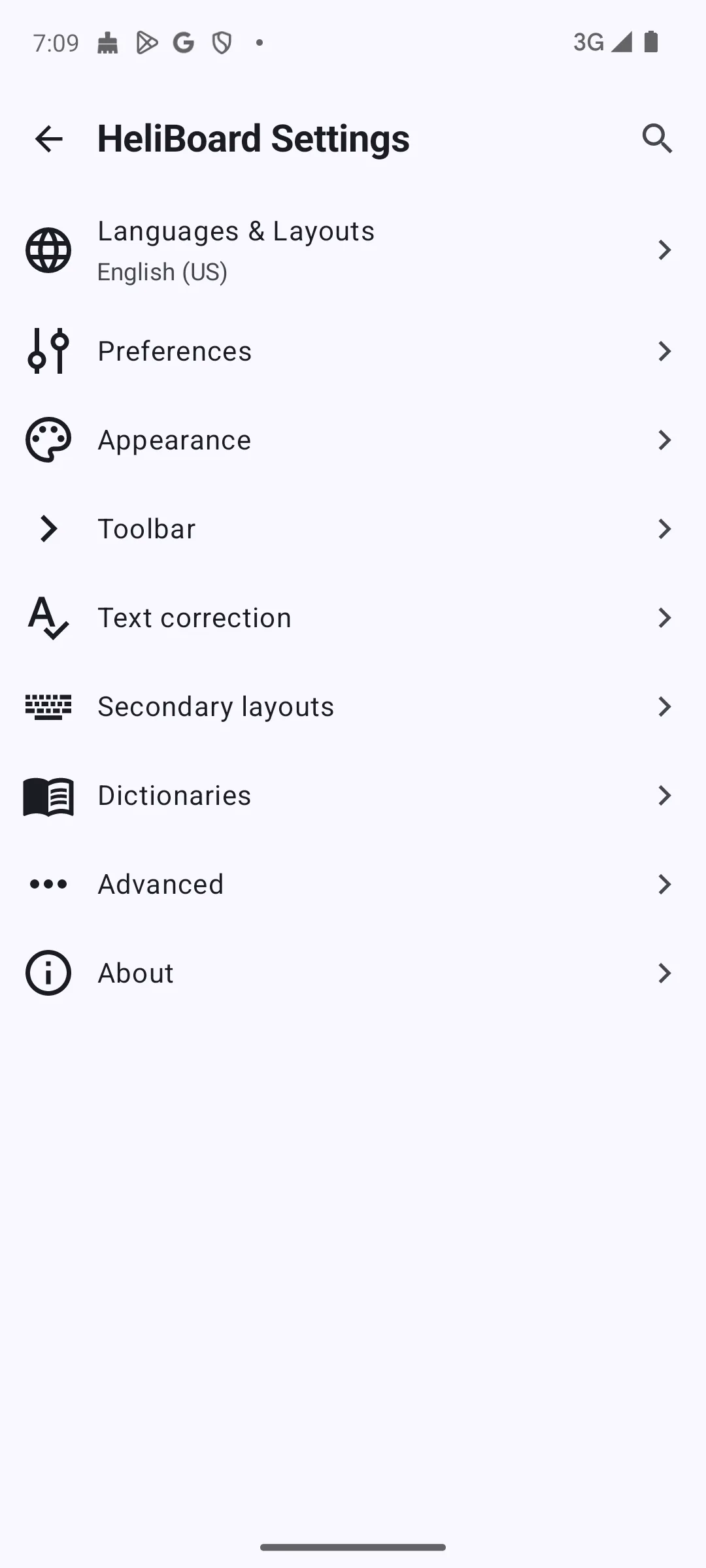
Version 4.0, added to F-Droid on 12 July 2026 · Licence GNU General Public License v3.0 only, SPDX id GPL-3.0-only · Summary published on F-Droid: Customizable open-source keyboard · No Anti-Feature flag, which records what F-Droid has flagged and is not a finding about advertising · Permissions its entry lists for this version: read your contacts, run at startup, control vibration, two dictionary permissions and one the app defines for itself, and no network permission among them · F-Droid publishes no rating, review count, install band, price, in-app purchase range or Contains ads label for any app it lists, and it carries no Data Safety section. It dates when a version was added to the repository, which is not a release date · F-Droid entry, read 21 August 2026
F-Droid entry · no rating, price or ads label is published there to quote · read 21 August 2026
HeliBoard is the more recently added of the two entries read here from F-Droid: that catalogue added version 4.0 on 12 July 2026, and its F-Droid entry, read on 21 August 2026, describes it in the project’s own words as a Customizable open-source keyboard
. What that catalogue does not publish for it, or for any app, is a rating, a number of ratings, an install band, a price or a Contains ads label, and there is no data handling section either. What is missing: F-Droid publishes no Data Safety section for any app it lists, so there is no such declaration to read for this entry, and no declaration is not a clean declaration. No developer documentation was read for it beyond the entry itself, and on that entry the project describes its own build, read on 21 August 2026: HeliBoard is a privacy-conscious open-source keyboard, based on AOSP / OpenBoard. Does not use internet permission, and thus is 100% offline.
That is the project speaking about its own work rather than a finding, and the same entry publishes a line that runs the other way: the first item in its own release note for version 4.0, read on 21 August 2026, is add background gesture data gathering
. Nothing read for this pass says what that gathering collects, where it goes or whether it is switched on by default, and the entry that carries the offline summary above is the entry that carries this. The checkable half sits on the same page: the permissions it lists for version 4.0 are read your contacts, run at startup, control vibration, two dictionary permissions and one the app defines for itself, with no network permission among them. A permission list records what a build may reach as F-Droid read its manifest, not what it sends.
Open source here means the code can be read, changed and passed on under GPL-3.0-only, and that is all it means: it is not a privacy guarantee, not an ads guarantee and not a quality guarantee. Skip it if you want a published rating, an install band or a data handling declaration before installing, because this entry carries none of the three. Choose HeliBoard over FlorisBoard if a recently added version decides it.
add background gesture data gathering. That sits on the same entry as the offline summary this page quotes, and nothing read for this pass says what it collects or where it goes.
Offline voice typing · its listing declares no data collected
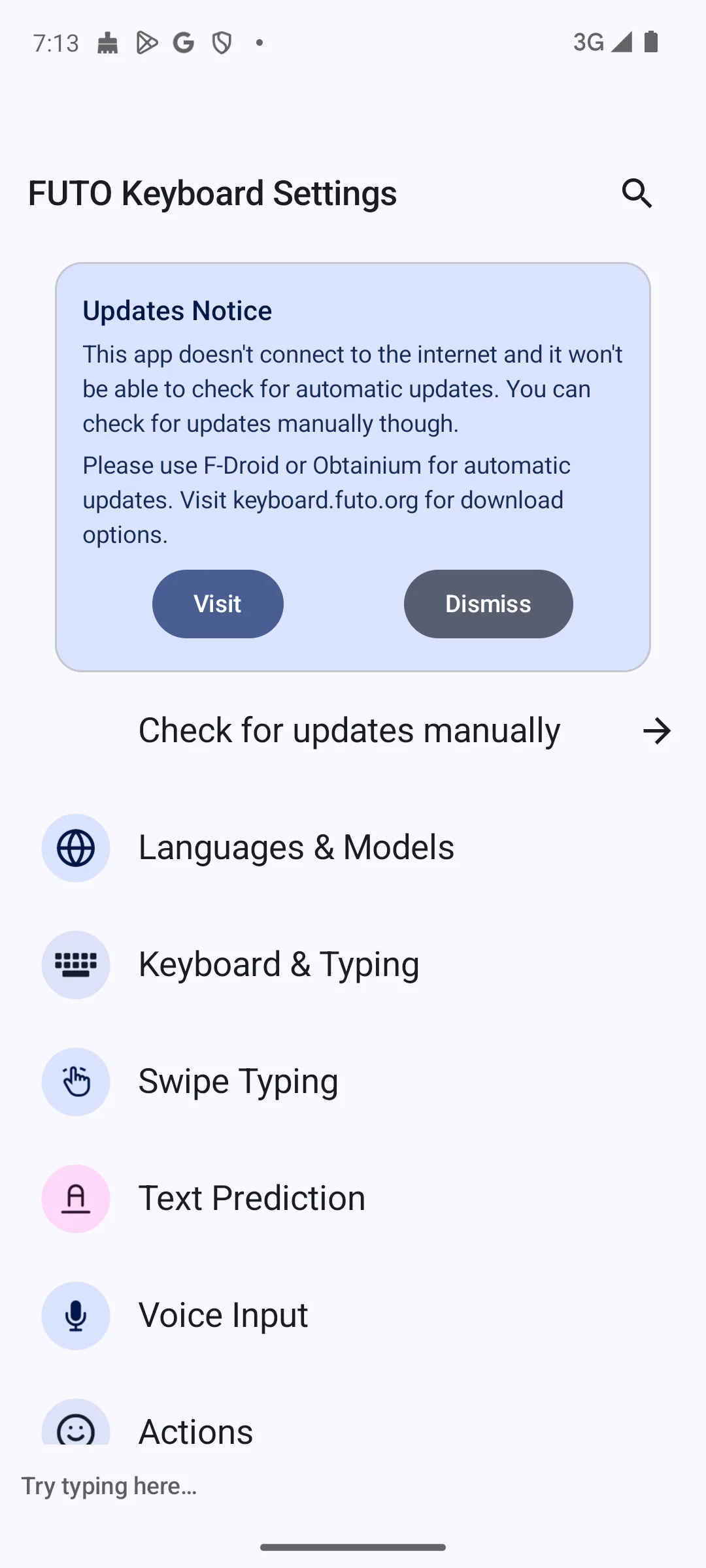
FUTO · Rating 4.2 stars from 5,583 ratings · Install band 100,000+, the smallest of the eight Play listings read here · Free to install, with no in-app purchases shown · Version 0.1.30-playstore · Play listing updated 4 August 2026 · Developer site named on the listing: https://keyboard.futo.org · Contains ads: No · checked 2 September 2026
Google Play listing · 4.2 (5,583) · read 2 September 2026
FUTO Keyboard is the niche pick: voice typing its developer says runs on the phone rather than on a server. Its Play listing is free to install with no in-app purchases shown and no Contains ads label, and its Data Safety section declares no data collected. Where it is weakest: it is rated 4.2 stars from 5,583 ratings, a base small enough that a bad week moves the average, and its install band, 100,000+, is the smallest of the Play listings read here.
Its Data Safety section, read on 21 August 2026, declares no data shared with third parties; no data collected. That is the developer’s word to Google rather than an audit result, and the developer says the same thing in its own words: FUTO’s site, read on 21 August 2026, describes the voice input as No internet connection used, no data transmitted or stored ever
. Nothing read for this page measures what the app sends, so both of those are statements by the people who wrote it. That same site asks for a one-time payment for a licence, which is a charge made on the developer’s own site rather than an in-app purchase the listing shows, and the same page, read on 21 August 2026, says FUTO Keyboard is still under active development, and you may experience missing features or languages.
Skip it if you never dictate: the voice typing is the whole reason this entry is here. Choose FUTO Keyboard over Gboard if dictation matters and you would rather it did not involve a server.
Big keys and fewer mis-taps · one of two entries here declaring third party sharing
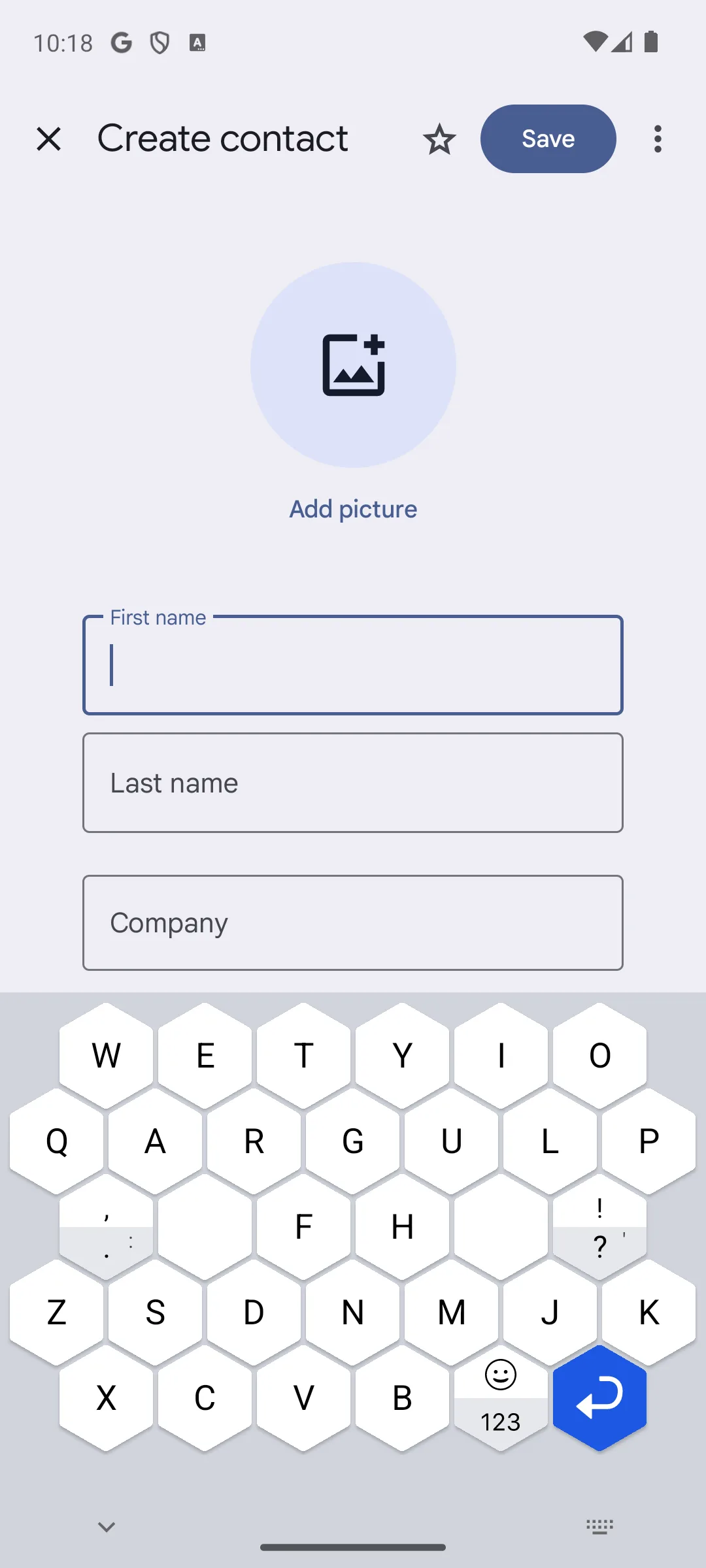
Typewise · Rating 3.3 stars from 15,074 ratings · Install band 1,000,000+, a count of installs and not of people · Free to install, with in-app purchases listed at $1.99 to $24.99 per item · Version 4.4.47 · Play listing updated 28 August 2026 · Contains ads: No · checked 2 September 2026
Google Play listing · 3.3 (15,074) · read 2 September 2026
Typewise is the layout pick: a honeycomb of large hexagonal keys instead of the usual grid. Its listing is free to install, shows in-app purchases at $1.99 to $24.99 per item and carries no Contains ads label, and it is rated 3.3 stars from 15,074 ratings. The line to read first is its Data Safety section: it is one of only two entries read here that declares this app may share these data types with third parties.
That section, read on 21 August 2026, carries these lines: this app may share these data types with third parties; this app may collect these data types; data is encrypted in transit; data can’t be deleted. A sharing declaration is not proof that anything was shared, and it is the developer’s own statement rather than an audit; it is also the one line on this entry that a reader choosing a keyboard for privacy should read first. This is the only entry on the page whose listing answers both of the data questions against the reader at once: the section says data may be shared, and it also says data can’t be deleted, so the entry names no route back. Skip it if you glide type: the honeycomb is built for tapping. Choose Typewise over Gboard if your thumbs keep catching two keys at once and a bigger key surface is worth relearning the layout for.
Editing what you already typed · listed under Productivity, not Personalization
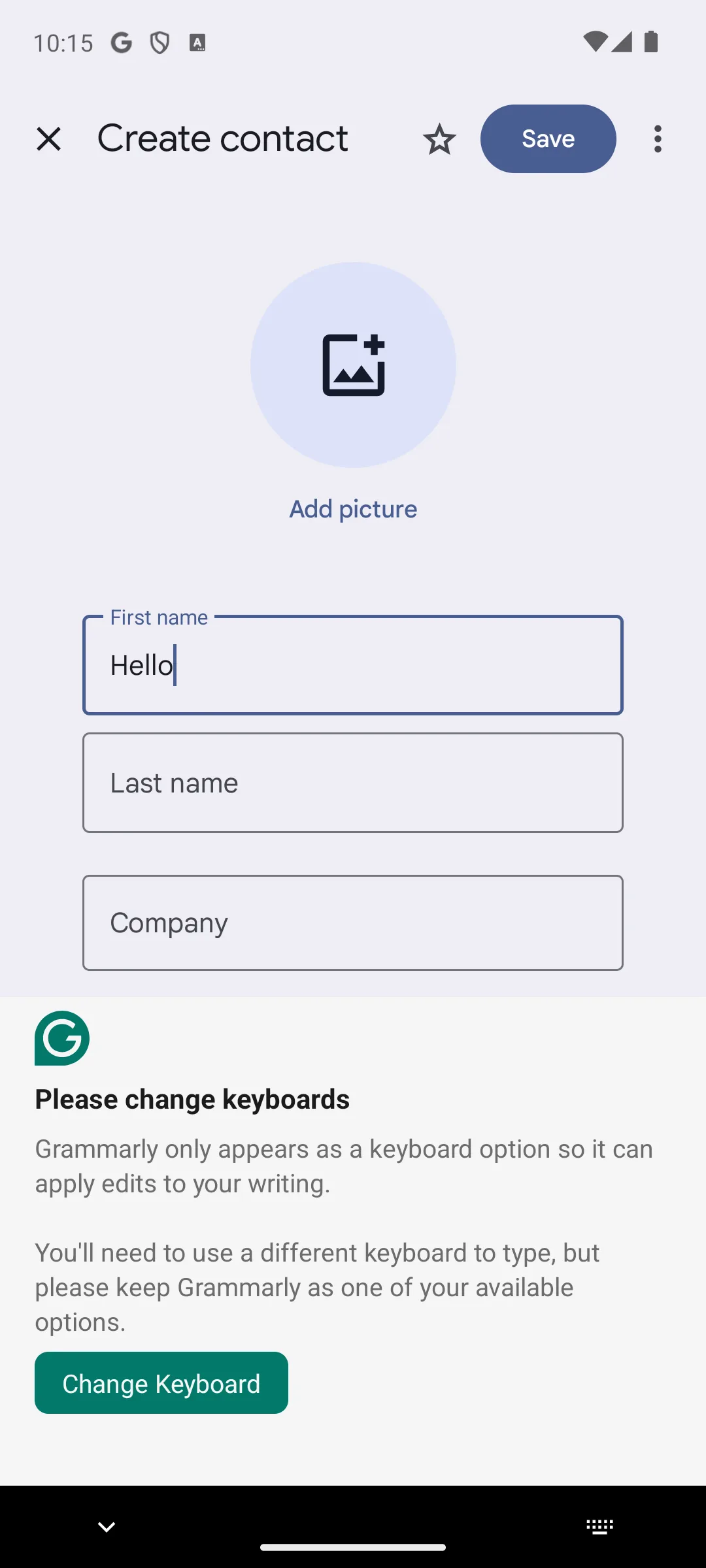
Grammarly, Inc. · Rating 4.3 stars from 263,007 ratings · Install band 50,000,000+, a count of installs and not of people · Free to install, with in-app purchases listed at $29.99 to $139.99 per item · Listed as Grammarly-AI Writing Assistant, in the Productivity category · Version 2.114.100050 · Play listing updated 24 August 2026 · Contains ads: No · checked 2 September 2026
Google Play listing · 4.3 (263,007) · read 2 September 2026
Grammarly is the entry here least like a keyboard, and its own listing says so: it is titled Grammarly-AI Writing Assistant and sits in the Productivity category rather than under keyboards. It is free to install with in-app purchases at $29.99 to $139.99 per item and no Contains ads label, rated 4.3 stars from 263,007 ratings. The catch: it is bought as an editor for text typed with another keyboard, and its Data Safety section declares that the app may share these data types with third parties.
Read this first. This entry is kept because readers arrive looking for it, not because it is a typing surface. Its Play listing, read on 21 August 2026, is titled Grammarly-AI Writing Assistant and sits in the Productivity category, and that is the whole of what this section reports about what it now is.
Its Data Safety section, read on 21 August 2026, carries these lines: this app may share these data types with third parties; this app may collect these data types; data is encrypted in transit; you can request that data be deleted. Text handed to an editor that checks it somewhere else is exactly the data that declaration covers, and the two halves of it pull apart: the section declares sharing with third parties, and it also says you can request that data be deleted. Skip it if you came here for a keyboard to type on. Choose Grammarly alongside Gboard or Microsoft SwiftKey, as the editor behind them, if your phone doubles as a work device.
The lightest entry here · its listing declares no data collected
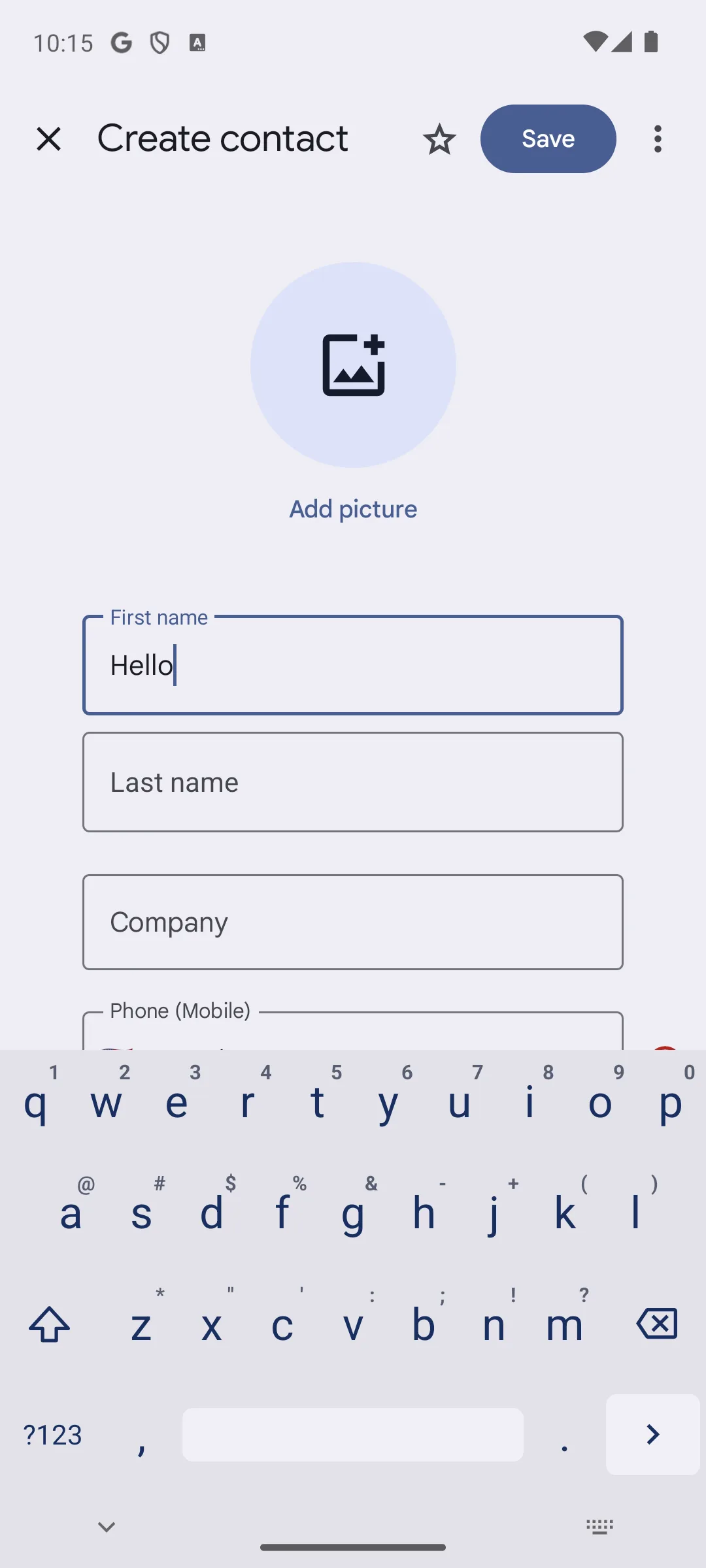
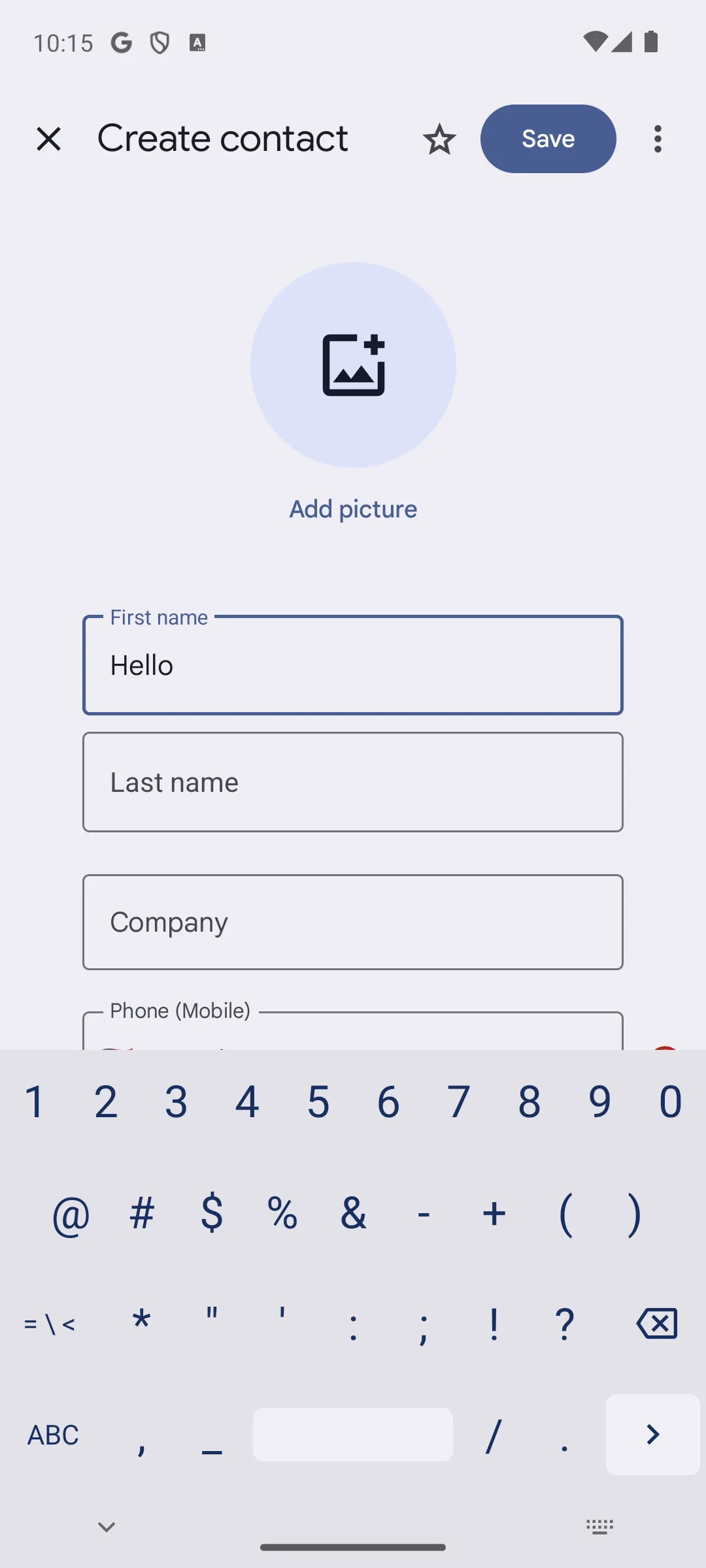
Raimondas Rimkus · Rating 4.0 stars from 11,579 ratings · Install band 1,000,000+, a count of installs and not of people · Free to install, with no in-app purchases shown · Version 6.6 · Play listing updated 19 August 2026 · Developer website on the entry: https://github.com/rkkr/simple-keyboard · Contains ads: No · checked 2 September 2026
Google Play listing · 4.0 (11,579) · read 2 September 2026
Simple Keyboard is the plainest entry on this page: no swipe, no autocorrect, almost nothing to configure. Its listing is free to install with no in-app purchases shown and no Contains ads label, rated 4.0 stars from 11,579 ratings, and its Data Safety section declares no data collected. The same sentence, read the other way: what you give up is every convenience the mainstream entries are bought for.
Its Data Safety section, read on 21 August 2026, declares no data shared with third parties; no data collected, and its entry links its own source repository at https://github.com/rkkr/simple-keyboard. A declaration is a statement to Google, and readable source is a fact about the code rather than about the build on your phone; neither is an audit. Because that section declares nothing collected, it publishes no deletion line at all, which is the absence of the question rather than an answer to it. Skip it if you rely on autocorrect or swipe, because it offers neither. Choose Simple Keyboard over Unexpected Keyboard if you want an ordinary layout rather than a power user grid.
Ctrl, Tab and Esc on key corners · for terminals and code
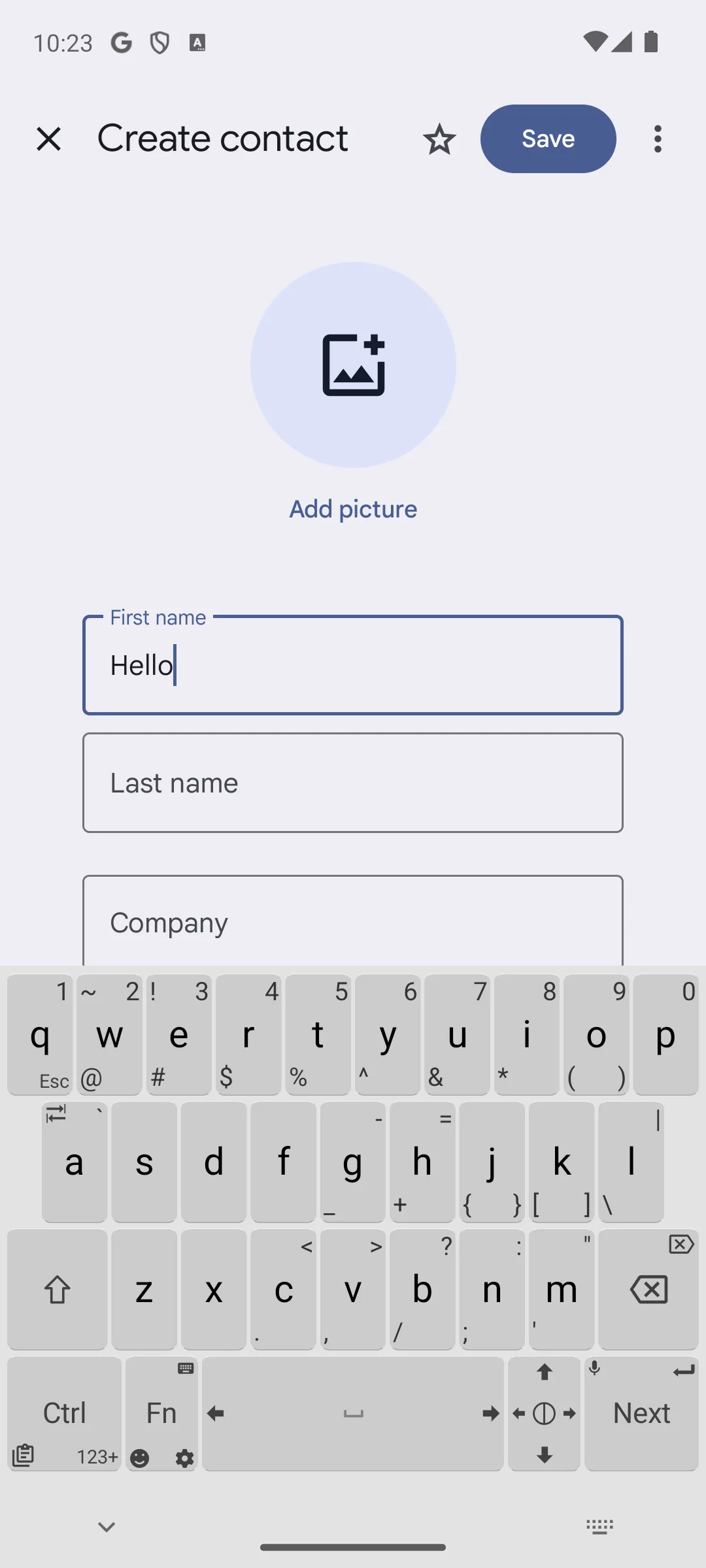
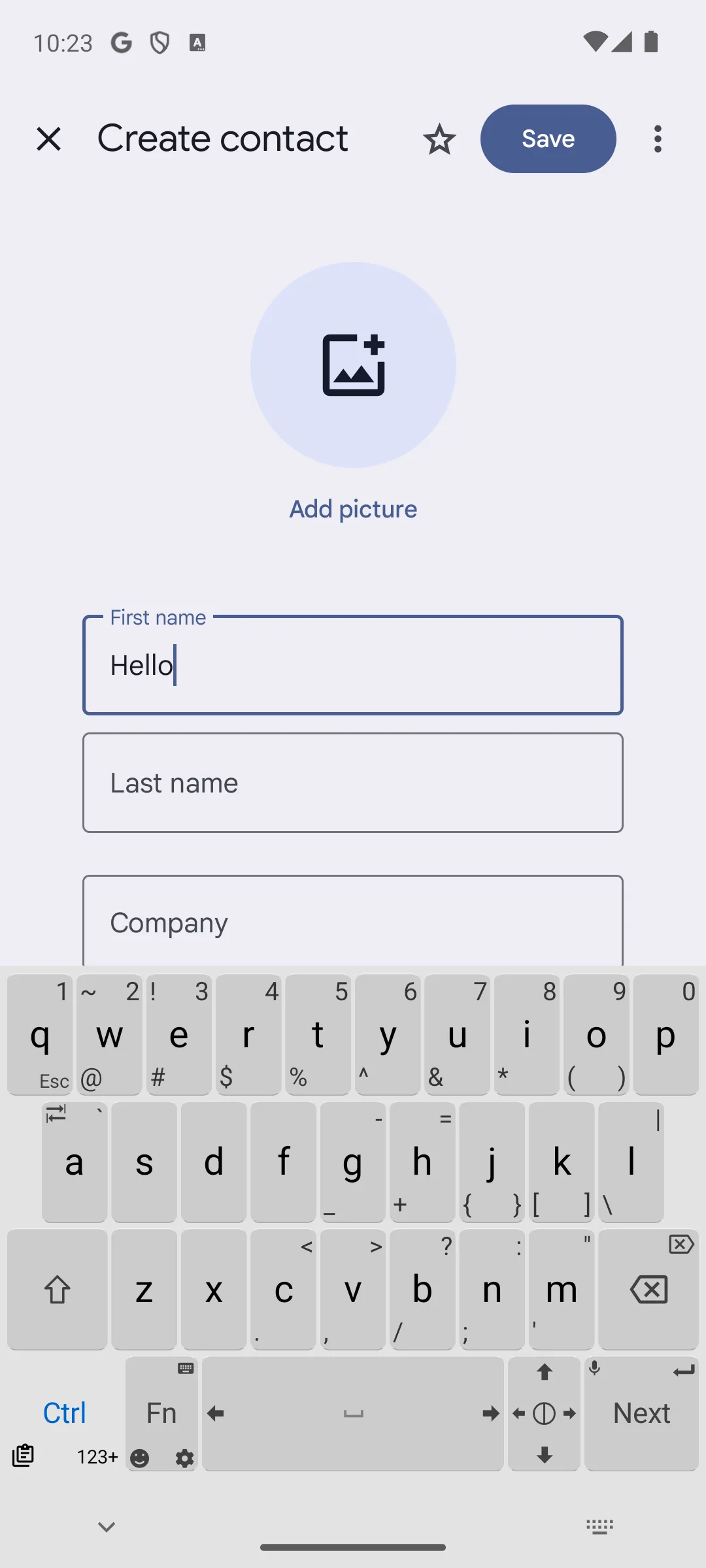
Juloo · Rating 4.3 stars from 3,529 ratings · Install band 500,000+, a count of installs and not of people · Free to install, with no in-app purchases shown · Version 2.0.4 · Play listing updated 25 May 2026 · Contains ads: No · checked 2 September 2026
Google Play listing · 4.4.3 (3,529) read 2 September 2026
Unexpected Keyboard is the entry for terminals and code: Ctrl, Tab, Esc, arrows and whole symbol layers ride on corner swipes. Its listing is free to install with no in-app purchases shown and no Contains ads label, rated 4.3 stars from 3,529 ratings, and its Data Safety section declares no data collected. Against it: that rating rests on the smallest number of ratings of the eight Play listings read here, and the listing itself has not been updated since 25 May 2026.
Its Data Safety section, read on 21 August 2026, declares no data shared with third parties; no data collected. Its rating is one of the smallest samples on this page, so it is not comparable with the averages the mainstream entries carry. Skip it if you mostly write prose, because a layout with autocorrect will serve you better. Choose Unexpected Keyboard over Simple Keyboard if you spend your time in a terminal or an SSH session on the phone.
Language packs · and the lowest rating of the Play listings on this page
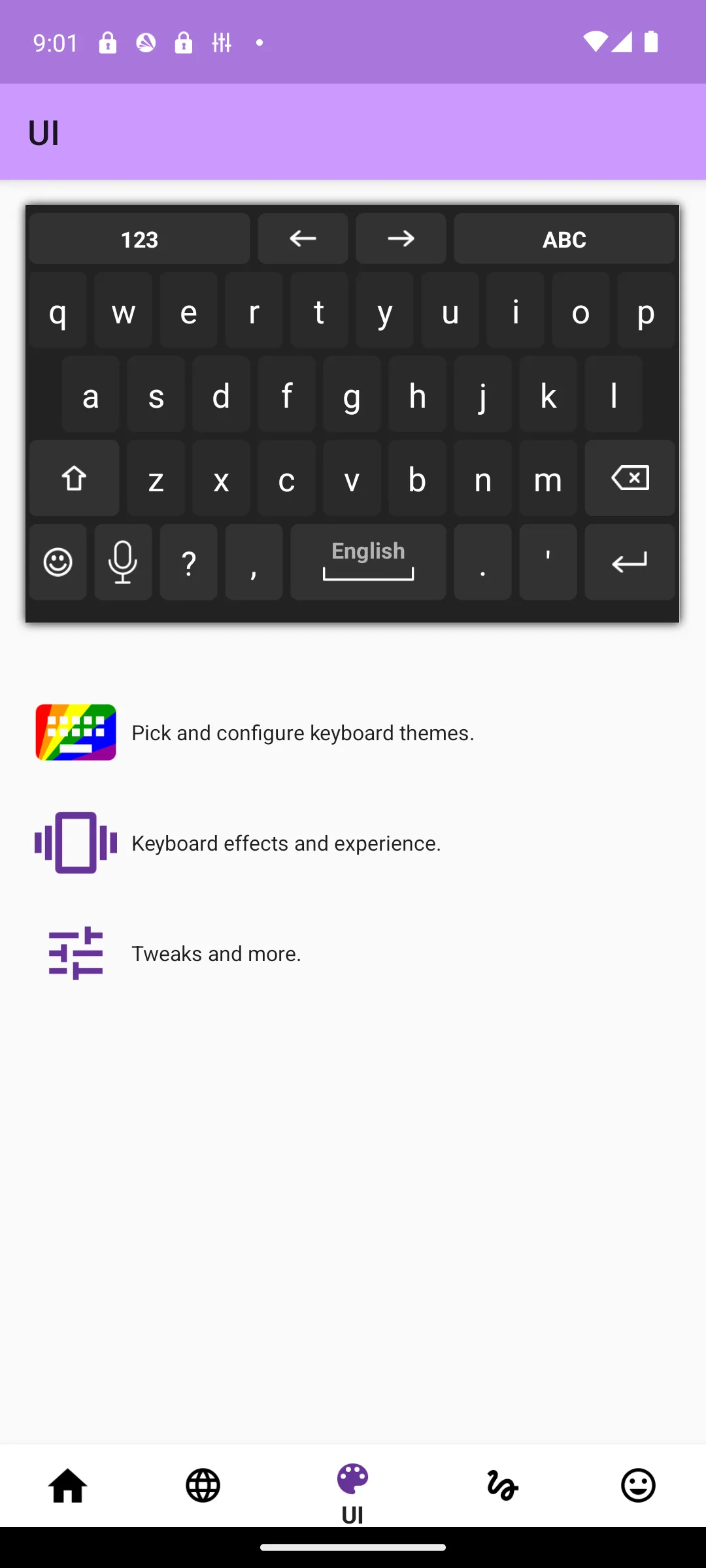
AnySoftKeyboard · Rating 3.1 stars from 26,270 ratings · Install band 1,000,000+, a count of installs and not of people · Free to install, with no in-app purchases shown · Version 1.13.547 · Play listing updated 8 February 2026 · Contains ads: No · checked 2 September 2026
Google Play listing · 3.3.1 (26,270) read 2 September 2026
AnySoftKeyboard publishes dozens of downloadable language packs: free to install, no in-app purchases shown and no Contains ads label, and its Data Safety section declares no data collected. No catalogue field read here counts the languages any of these ten covers. The blunt part is on the same listing: 3.1 stars, the lowest of the eight Play listings read for this page, and no update to the entry since 8 February 2026.
Its Data Safety section, read on 21 August 2026, declares no data shared with third parties; no data collected. The listing has not been updated for almost 7 months, the longest gap of the eight Play listings here, which says when the entry last changed rather than whether the project is active. Skip it if a polished interface matters more to you than language coverage. Choose AnySoftKeyboard over Simple Keyboard if you need packs for languages the mainstream entries handle badly.
It fully lived up to its reputation as a keyboard for privacy diehards by not sending any telemetry to servers.
Three questions settle most of it: do you swipe or tap, do you write in more than one language, and may your typing leave the phone? Answer those and the field narrows fast.
If you glide rather than tap, swipe quality is the single biggest factor: a good engine follows a sloppy path and still lands the word you meant. If you never swipe, pick a simpler keyboard with a clear layout instead.
If you write in more than one language, look for a keyboard that handles several at once without making you switch by hand. The better multilingual keyboards detect the language as you type and adjust autocorrect on the fly.
Check that your specific layout is supported, whether that is a regional script, a programmer friendly arrangement with easy brackets, or simply a number row you can keep visible. A layout that fits your hands and your writing matters more day to day than any single headline feature.
Themes matter least to how well you type; comfort is real. Key size, spacing, a one handed mode and an adjustable height all reduce mistakes, so spend a minute in the settings making the keys fit your thumbs.
A permanent number row saves a layout switch every time you type a digit. Where a keyboard offers a number row at all, the toggle sits in its own layout settings. Nothing read for this page names the menu path on any of these ten, so this page does not print one.
If your thumbs keep hitting two keys at once, size beats features. Typewise’s honeycomb layout is built around larger keys, which is the one size claim here that an entry publishes on its own listing. What any of the other nine offers in the way of a one handed mode, an adjustable height or a floating layout is not something a store listing publishes, and nothing read for this page settles it: read the app’s own settings.
Keyboard AI in 2026 splits in two. Cloud assistants live inside the mainstream picks. Microsoft SwiftKey’s Play listing, read on 21 August 2026, sells a panel that rewrites your text in a different tone, and Microsoft’s own SwiftKey page, read the same day, marks its cloud clipboard and its task capture as things you sign in for and says nothing of the kind about that panel, so what an account buys you is worth reading in the app’s own settings rather than assumed. What Gboard offers of the same kind is not something read for this page settles, and it varies by device and Android version, so read its settings on your own phone. Fully offline AI is rarer, and FUTO Keyboard is the entry here sold on it, with a Play Data Safety section that declares no data collected. A declaration is a developer statement rather than a measurement. The trade off is simple: cloud AI needs an account and a connection, which is exactly what a feature that runs on the phone does without.
Here is the fact that should shape your choice more than swipe speed or themes. A keyboard handles every word you enter on your phone, which means passwords, card numbers, private messages, search queries, and everything else. Of all the software on a phone, the keyboard has the most potential to leak what you do. This is not a reason to panic, but it is a reason to be deliberate about which one you install and trust.
Android knows this, which is why enabling any third party keyboard triggers a system warning. Microsoft’s SwiftKey support page, read on 21 August 2026, quotes that warning as Google’s own and says it is part of the Android operating system and appears when any third-party keyboard is enabled: the keyboard may be able to collect all the text you type, including personal data like passwords and credit card numbers.
That warning is not boilerplate. It is the operating system telling you, accurately, what you are granting. Read it, then decide whether you trust the app behind it.
That same page says the keyboard does not learn from fields marked as password fields and does not remember long numbers such as credit card numbers, and it adds that marking a field as a password field is up to the website or app you are logging into. Google’s guide for keyboard developers, read the same day, puts that duty on whoever writes the keyboard rather than on the system, so the flag is a convention a keyboard is asked to honour and not a block Android enforces. Google’s autofill documentation, read the same day, describes a separate path for saved passwords: Some apps, such as password managers, can fill out the views in other apps with data provided by the user.
The same page also links a guide for the other direction, Enable keyboards and other IMEs to use autofill
, so autofill on its own is not a promise that the keyboard is out of the way.
The big names are not all the same, and the differences are worth knowing. Gboard’s Data Safety section, read on 21 August 2026, declares that the app may collect these data types and that none is shared with third parties, and Google’s own Gboard documentation, read the same day, names two mechanisms behind it: Gboard can learn through techniques known as federated learning, and conventional learning.
Under federated learning the text you type is not sent to Google, only what the model learns from it. Under conventional learning the same page says If you agree, snippets of your audio input on Gboard are sent to and stored by Google to improve speech recognition for everyone through conventional learning.
It adds that Google won’t keep these snippets beyond 18 months.
Microsoft SwiftKey takes a different approach, and Microsoft’s support page, read the same day, states that personal and language data generated by the keyboard stays on the device and is never transferred unless you opt in to a Microsoft SwiftKey Account. What that account switches is the personal and language model: the Kaspersky write up quoted below, read the same day, reports per word metadata and an advertising ID leaving both of these keyboards and names no account as the condition for either.
Both Gboard and Microsoft SwiftKey declare data encrypted in transit in their Data Safety sections; the real privacy question is what gets collected in the first place, and what the company does with it.
Google’s own Play Console policy page, read on 21 August 2026, states the rule behind that section: All developers must declare how they collect and handle user data for the apps they publish on Google Play
. It sits on the store listing, and it is the single most useful thing to read before you install. The same page says what the section is not: Google’s review process is not designed to verify the accuracy and completeness of your data safety declarations.
That is Google’s own reason for the words this page puts beside every one of these lines, that a declaration is the developer speaking rather than a finding. If a keyboard you have never heard of declares that it collects your typed text and shares it with third parties, that tells you what you need to know.
A Kaspersky write up, read on 21 August 2026, reports a study of nine Chinese pinyin input methods, and its own count is narrower than the headline: of the nine keyboards analyzed, only the pinyin IME in Huawei smartphones had correctly implemented TLS encryption and resisted attacks. However, IMEs from Baidu, Honor, iFlytek, OPPO, Samsung, Tencent, Vivo, and Xiaomi were found to be vulnerable to varying degrees
. That write up scopes the finding twice, and both halves belong to it: this only concerns Chinese language input using the pinyin system, and only if the “cloud prediction” feature is enabled
. It adds that for most languages prediction can be done on the device, so a keyboard does not have to send what you type character by character in the first place. What that leaves standing still decides this category: a keyboard that does send something is only as safe as the encryption around it.
On encryption it clears the two mainstream ones: In terms of cryptography, data exchange in Gboard and SwiftKey did not raise any concerns among the researchers, as both apps rely on the standard TLS implementation in the operating system and are resistant to common cryptographic attacks.
On what they send it does not. The same article reports that Google’s Gboard and Microsoft’s SwiftKey send data about every word entered: language, word length, the exact input time, and the app in which the word was entered.
It adds that Considering that both keyboards send the user’s unique advertising ID to the “headquarters”, this creates ample opportunity for profiling
, and it dates one incident to 2016, when the SwiftKey keyboard was found to be predicting email addresses and other personal dictionary entries of other users
. It examined a third entry on this page and that one comes out the other way: of AnySoftKeyboard it says It fully lived up to its reputation as a keyboard for privacy diehards by not sending any telemetry to servers.
Those three are the only ones of these ten that any source read for this page looks at from outside. Everything else here is a catalogue field or a developer statement, and the page says which is which every time.
The firmest thing a store listing offers is a Data Safety section declaring no data collected and no data shared with third parties. Four of the Play listings read for this page carry exactly that: AnySoftKeyboard, Simple Keyboard, Unexpected Keyboard and FUTO Keyboard. It is still a declaration the developer makes to Google rather than an audit result, and the eight Play listings read for this page publish no permission list to set beside it. For the two entries read here from F-Droid there is no declaration of any kind, because that catalogue publishes none, and no declaration is not a clean one.
The risk is not theoretical: the write up linked above records eight of the nine pinyin input methods studied as vulnerable to varying degrees, scoped to Chinese pinyin input and to cloud prediction being switched on, and it separately reports the two mainstream entries here sending per word metadata and an advertising ID. You do not need to abandon mainstream keyboards over it, but it is a clear argument for sticking to apps from sources you can actually evaluate.
You do not have to choose between a good keyboard and a private one. A few minutes of setup gets you most of the protection with little loss of convenience. Use this as a checklist.
Google allows you to disable the “Share Usage Statistics” option in Gboard, which significantly reduces the amount of information transmitted: word lengths and apps where the keyboard was used are no longer included.On Microsoft SwiftKey, Microsoft’s support page, read on 21 August 2026, says the personal and language data stays on the device unless you opt in to a Microsoft SwiftKey Account, while the Kaspersky write up, read the same day, reports per word metadata and an advertising ID leaving both mainstream keyboards and names no account as the condition, so declining the account is not the whole of it.
If privacy across your phone is the wider goal, it pairs well with the same thinking applied elsewhere, from private SMS apps to a good antivirus app, and you will find more in our tools and utilities section.
 SwiftKey vs Gboard: Which Keyboard Wins on Your Android Phone?Personalization
 Android Keyboards in 2026: 4 Checked, and Which Are Still MaintainedPersonalizationGboard vs HeliBoard: the Private Android Keyboard, ComparedPersonalizationBest Private Keyboard for Android: HeliBoard vs FUTOPersonalization
On the fields read for this page, Gboard is the strongest all round first choice: it has the highest rating of the eight Play listings here, 4.5 stars, and by far the largest number of ratings behind it at 18,804,015. Microsoft SwiftKey is the classic alternative if you write in more than one language, and its listing is the one here that carries a Contains ads label. Read 1 September 2026.
The most useful thing published about any of them is the Data Safety section on the Play listing, and four of the eight read for this page declare no data collected and none shared with third parties: FUTO Keyboard, Simple Keyboard, Unexpected Keyboard and AnySoftKeyboard. That is a declaration the developer makes to Google rather than an audit result, and Google’s own Play Console policy page, read the same day, says its review is not designed to verify the accuracy and completeness of those declarations. Only three of the ten are examined from outside by any source read for this page: a Kaspersky write up, read the same day, reports that Gboard and Microsoft SwiftKey send data about every word entered, meaning language, word length, input time and the app it was typed in rather than the text itself, and that AnySoftKeyboard sent no telemetry to servers. Read 21 August 2026.
Because the Data Safety section answers two different questions and they do not always agree. One column is what the listing declares it may collect and share. The other is whether that data can be deleted. On this page the two entries most readers choose between come out opposite ways round: the Gboard listing carries no ads label and says data cannot be deleted, and the Microsoft SwiftKey listing carries the one ads label here and says you can request that data be deleted. Merged into one column, each would look like the opposite of what its own listing says.
Because those columns are Google Play fields, and FlorisBoard and HeliBoard are read here from their F-Droid entries. F-Droid publishes no price, no Contains ads label, no rating and no data handling section for any app it lists, so there is nothing to put in those cells. Their merged cell says so in words, rather than showing cells a reader could take for a price, a clean ads record or a low score.
A keyboard can technically see everything you type, so this is one category where the source matters. The most useful thing you can read before installing is the Data Safety section on the Play listing, which states what the developer says the app collects and shares. Google’s own guide for keyboard developers asks them to hide passwords in the keyboard interface and not to store passwords on the device, but that is guidance to the developer rather than something Android enforces, which is why the choice of app carries the weight.
Install the keyboard first. Google’s own Gboard help page, read 21 August 2026, prints the path through Android Settings to the keyboard list: On your Android device, tap Settings, then System, then Language and input, and then the step the same page writes as Tap On-screen keyboard. The same page walks that path to reach Gboard’s own settings, so that screen is the phone’s own list of on-screen keyboards, and nothing read for this page prints the step after it. Manufacturers rename these menus, so the wording on your own phone may differ, and most keyboards also walk you through the same setup the first time you open them.
Gboard and Microsoft SwiftKey are the two mainstream entries here that are bought for their swipe engines, and they are also the two with the largest number of ratings behind them. The two entries read here from F-Droid are not ranked on swipe typing: F-Droid publishes no rating and no comparable field, and nothing beyond the summary, the licence, the version and its added date was read from either entry on this pass. How well any of them follows your own thumb is not something a store listing publishes.
In principle, yes. When you enable any third party keyboard, Android warns you that it may be able to collect all the text you type, including passwords and credit card numbers, because the keyboard handles every keystroke. Microsoft says on its own support page that SwiftKey does not learn from fields marked as password fields, and Google asks keyboard developers to do the same, but marking a field is up to the app or website and Android does not enforce it. Google’s autofill documentation, read 21 August 2026, describes a separate path in which apps such as password managers fill the fields in other apps, and the same documentation carries a guide for letting keyboards use autofill too, so it is not on its own a guarantee that the keyboard is out of the way.
Encryption and collection are two different questions. Gboard and Microsoft SwiftKey both declare data encrypted in transit in their Data Safety sections, which protects data on its way to a server and says nothing about what is collected in the first place. To judge collection, read the Data Safety section itself, and then read what the developer publishes about where the processing happens.
Its Data Safety section, read on 21 August 2026, says no data is shared with third parties and that the app may collect these data types, that data is encrypted in transit, and that data cannot be deleted. Google’s own Gboard documentation, read the same day, says that federated learning does not send the text you speak or type to Google, but does send what it learns to Google to be combined with what it learns from other people. Both of those are the developer speaking rather than an audit finding.
Microsoft SwiftKey has a panel that rewrites your text in a different tone, according to its Play listing read on 21 August 2026. Microsoft’s own SwiftKey page, read the same day, marks the cloud clipboard and the task capture as features you sign in for and says nothing of the kind about that panel, so read the app’s own settings for what an account buys you. FUTO Keyboard is the entry sold on voice typing its developer says runs on the phone, and its listing declares no data collected. Cloud features generally need an account and a connection, which is exactly what a feature running on the phone does without.
Turn off usage statistics and personalization in the keyboard privacy settings, and do not sign in to an account you do not need. Beyond that, pick an entry whose listing declares nothing collected: on the eight Play listings read for this page, that is FUTO Keyboard, Simple Keyboard, Unexpected Keyboard and AnySoftKeyboard. For the two entries read from F-Droid there is no such declaration to read, because that catalogue publishes none, and no declaration is not a clean one.
Checked 26 August 2026: a spot check of three Google Play listings, made by hand in the CMS rather than by a build run, so the sentence below about ranking sentences being computed at build time describes the 21 August pass and not this one. Gboard, Simple Keyboard and FUTO Keyboard were re-read on 26 August 2026: price, ads label, in-app purchases, rating, install band, listing update date and every Data Safety line stood exactly as read on 21 August. Only the three ratings counts moved, which they do continuously, so the counts printed in those sections keep their 21 August figures and their 21 August date. The other five Play listings and both F-Droid entries were not re-read, so every figure in their sections keeps its 21 August 2026 date. The verdict capsule was rebuilt on the three listings that were: one paragraph per pick, the claim that Gboard rates highest here dropped because the seven ratings it ranked against were not re-read, and the FUTO Keyboard voice input claim dated 21 August 2026 inside its own sentence because the developer’s site was not reachable on this pass.
Checked 21 August 2026: a third pass, five days after the second, and a repair the same day after review. Every rating, ratings count, install band, price, in-app purchase range and Data Safety section was read again on 21 August 2026 from the eight Google Play listings, and both F-Droid entries the same day. Two ratings moved: FUTO Keyboard now reads 4.1 rather than 4.2, and Typewise now reads 3.2 rather than 3.3. Every one of the eight ratings counts moved as well, seven up and one down. The three largest moves were Gboard to 18,782,484, Microsoft SwiftKey to 4,581,463 and Grammarly to 262,714. One carried sentence fell with them: this page called Gboard’s the most recent update date of the eight Play listings, true on 16 August and false today, because Microsoft SwiftKey and Simple Keyboard have both been updated since. Every ranking sentence here is now computed from the live blocks and the facts file at build time rather than typed, so a superlative cannot outlive the figures under it.
The decision table gained the two columns this category turns on: what a listing declares it may collect and share, and whether that data can be deleted. Those are different claims and neither was on this page before, and on the two entries most readers choose between they point opposite ways, Gboard carrying no ads label over a listing that says data can’t be deleted and Microsoft SwiftKey carrying the one ads label here over one that offers deletion on request. A single column would have inverted both. The Best for column was split off the verdict line in the same pass, because it had been the same sentence printed twice and in six of the ten rows half of it restated the cell beside it. It now holds a use case in every row, the two F-Droid rows included, which had carried a currency fact there and no use case at all.
Sources quoted verbatim and linked in the sentence that uses them, all read on 21 August 2026: Google’s Gboard help page, which names two learning mechanisms where this page had summarised one; Microsoft’s SwiftKey support page on what stays on the device; FUTO’s own site on its voice input, on its one-time licence and on its own development caveat; Google’s guide for keyboard developers on password fields; Microsoft’s own SwiftKey product page; Google’s Play Console policy page, both for the rule that every developer must declare how an app collects and handles user data and for Google’s own statement that its review is not designed to verify the accuracy of those declarations; and Google’s autofill documentation, for a claim about saved passwords this page had made on its own authority. The 16 August pass retracted a FUTO quote and a Microsoft paraphrase for one reason only, that neither site had been re-read that day, which is a procedural withdrawal rather than a finding, so both were re-derived from the sources today.
The Kaspersky write-up was the one citation here carrying no read date at all. Read in full on 21 August 2026, it changed this page three ways and then a fourth. It reports somebody else’s study rather than research of its own; the keyboards it found sending keystrokes over encryption that did not hold were Chinese pinyin input methods; and its own count is one input method resisting and eight vulnerable to varying degrees, scoped twice, to Chinese pinyin input and to cloud prediction being switched on. The fourth came from reading the rest of it. Its reassurance about Gboard and Microsoft SwiftKey is real and stands, but it is about cryptography and traffic interception, and this page had printed it as though the study raised nothing about those two at all. The same article states that both send data about every word entered, meaning language, word length, input time and the app the word was typed in, that both send the user’s advertising ID, and it dates a 2016 incident in which the SwiftKey keyboard predicted other people’s email addresses and personal dictionary entries. It reports the opposite of a third entry here, AnySoftKeyboard, which it found sending no telemetry to servers. All of that now ships in the article’s own words, with a con bullet on each of the two entries it runs against. Withdrawn with it, because that same article refutes it: no source we read publishes an independent measurement of what any of these ten keyboards sends, a sentence that stood in the body and in the FAQ and is corrected in both.
Retracted, and named here so they appear nowhere else on the page. Check the network permission, a closing checklist step telling readers to look a keyboard’s internet access up in Android Settings and treat its absence as reassuring: nothing read supports it, and Android’s permission screens do not list that permission the way the step described. On Gboard, use incognito mode for sensitive typing; the instruction to open Settings, then Preferences, and turn on Number row, with the Microsoft SwiftKey toggle under Customize; and the claim that Gboard has a one handed mode plus a key height slider: in-app instructions and feature claims nothing read for this page carries, on a page whose How we verify box says nothing here rests on running these keyboards. The Share usage statistics half of that step survives, because the write-up above names the option and says what switching it off stops sending, and it now carries that source. The aside recommending Microsoft’s privacy notes, which are worth a read: it carried its link, and the fault was pointing at a source instead of quoting one, so the link now sits inside the sentences whose claims it backs. Gboard sends data about the words you enter, which left the page in the 16 August rewrite without ever being named here, and what stands in its place is Google’s own account of the same behaviour. And, in four channels at once, the Microsoft SwiftKey Copilot panel rewrites a message in a different tone once you sign in with a Microsoft account: nothing read says that panel is gated behind an account, while Microsoft’s own page marks the cloud clipboard and the task capture that way, and all four channels carry that instead.
Restored, and this is the one place on the page that says it was ever gone. On 16 August this page retracted no internet permission and the HeliBoard quote 100% offline, because the readme they came from had not been re-read that day, which is a procedural withdrawal rather than a finding. Both were re-derived today from a source that was read, the F-Droid entry itself. Neither entry lists a network permission for the version it names: FlorisBoard version 0.5.2 lists show notifications and control vibration and one permission it defines for itself, and HeliBoard version 4.0 lists read your contacts, run at startup, control vibration, two dictionary permissions and one it defines for itself. Both lists are printed in those two sections, scoped to the version the entry publishes and labelled as what a build may reach rather than what it sends. The claim is not extended to the eight Play entries, whose listings publish no permission list at all, which is why the wider retraction stands. New from the same entry and against the app: that permission list includes read your contacts, and the first line of HeliBoard’s own release note for version 4.0 is add background gesture data gathering, printed on the entry whose summary this page quotes for 100% offline.
Every screenshot was kept: 22 images in 10 galleries, 32 figure elements and 44 image tags, cut from the live blocks and carried byte for byte, and the build fails if that set changes by one. All 22 were also opened and looked at for this pass, and eight descriptions did not survive it. The worst named a screen that is not in the picture: both alt attributes and the caption on the second Unexpected Keyboard shot called it a symbol layer with brackets and arrows, and it is the same letter layer as the shot beside it with the Ctrl key latched. Three said number row about screens that have none. Two called a FUTO microphone and a FUTO settings entry offline, which is a claim about a network no screenshot can show. One said the SwiftKey keyboard was typing into a contact field, and this page may not say anyone was typing. One inner caption in the Grammarly gallery read what you get in 2026 over a shot of the prompt to switch keyboards. Every correction was made to the caption and never to the image: no source, width, height, loading or decoding hint was touched on any of the 44 image tags. Each gallery caption carries the date its image files hold on this server, which is what can be verified about them.
Corrected on the repair pass: the title, which said what ten keyboards do with what you type over a page that says four times it can only report what their entries declare; the pointer to the How we verify box, which said above and the box is below; the heading over the data section, which said each keyboard declares when it is the listing that does; and two Best for cells, Gboard’s, which restated the ads label in the cell beside it, and HeliBoard’s, which was still a currency fact. One name survives in the body that belongs to this zone: OpenBoard, an entry removed on 16 August, appears once above inside HeliBoard’s own verbatim description of its lineage. Trimming a quotation to satisfy a naming rule would be the worse error, so it stands and is declared here.
Checked 16 August 2026: a re-read of a page whose figures were last verified on 6 August 2026, and ten days moved several of them. Every rating, ratings count, install band, price, in-app purchase range and Data Safety section was read again on 16 August 2026 from the eight Google Play listings, and both F-Droid entries the same day. FUTO Keyboard is now rated 4.2 rather than the figure this page carried. Every ratings count was re-read, and three of them moved beyond the rounding this page had used: 18.75M became 18,772,368 for Gboard, 5,372 became 5,477 for FUTO Keyboard and 3,475 became 3,503 for Unexpected Keyboard. The other five round back to the figures this page printed on 6 August, and all eight are now printed exactly rather than rounded. The Typewise entry no longer says its last update was in June.
Removed, and this is the reason for the pass: the decision table gave FlorisBoard and HeliBoard a Price cell reading Free and an Ads cell reading No, and their sections said free, ad free and no ads. F-Droid publishes no price and no Contains ads label for any app it lists, so those were store fields no catalogue had published, and a No in an Ads column reads as a finding about the app. Both entries now take one merged cell across Price, Ads and Rating that says which fields are missing and why, and neither section prints an ads label of any kind. The page also called F-Droid's dates releases: latest release 0.5.2 on F-Droid, 29 November 2025 was wrong twice, since that catalogue dates when a version was added to the repository and never dates a release. Both entries now say added. Nothing here says either app is absent from Google Play either: no Play listing was read for either package on this pass, and an absence needs a fetch behind it.
Structure: the page carried four tables and PAGE-STANDARD allows one, which is why verify-page.cjs failed on it today. The three secondary tables, on typing speed and prediction, on themes and layout, and on privacy and permissions, are dissolved. What they scored came from nothing this pass could source: the Offline and Internet permission columns rested on permission lists, and no permission list was read here. Their blocks now carry three sourced sections instead, on how current each entry is, on what each listing declares about your data, and on what this page cannot tell you. Two FAQ items that repeated the closing guide, on adding a number row and on big thumb typing, went as well, and one was added on why two rows in the table carry a merged cell.
Entries removed: OpenBoard, Fleksy and Chrooma. Each had no store link on the page, and each carried a dated claim about a listing that could not be re-read on this pass; nothing was read for any of them on 16 August 2026, so they are named here and nowhere else. One further name left the body with them: a closing aside in the Unexpected Keyboard section pointed readers at Thumb-Key, and nothing was read for that either. No block was deleted to do any of it: the three slots those entries freed now carry the closing explainer that used to sit inside the last section block, so the block count went up by one rather than down by three.
Retracted: no internet permission, as a statement about FlorisBoard, HeliBoard, Simple Keyboard, Unexpected Keyboard and AnySoftKeyboard. No permission list was read on this pass, and what each Play listing does declare about collection is quoted instead. Also retracted: the HeliBoard quote 100% offline, from a repository readme that was not re-read today, and the FUTO Keyboard quote about a keyboard not connecting to the internet, from a developer site that was not re-read either. That same site was the only source the 6 August page had for the honour basis payment terms, so that claim goes with the quote. Also retracted: renamed itself Superhuman, said of the Grammarly developer, for which nothing read on this pass is a source; today's listing names the developer as Grammarly, Inc., as the 6 August page already did. Retracted with it: the Android keyboard has been discontinued, said of the same entry, which nothing read today settles either way; and two user counts for an old keyboard breach that carried no source. Every screenshot caption said captured in-app on Android 14, and six alt attributes said on Android 14 as well, both of which claim the app was run: the captions now name the app, its developer and its catalogue entry, the Android version is gone from the alt text, and neither claims anything about anyone running it. Three diagrams went. The four picks diagram printed a Free, no ads column for the two entries read from F-Droid; the other two ranked safety by open source licence and by the absence of a network permission, in their captions and inside the drawings, which is the same permission reasoning retracted above. The rating pill beside each store button went too: it repeated a rating outside the dated fact line, and those pills were still showing 6 August figures today.