
Updated September 2026

Updated September 2026 · every app listing re-read on 1 September 2026, refreshing 2 review counts, 1 listing date and 1 rating
One of these keyboards makes a promise you can check by reading a file, and that is the whole reason the comparison is interesting. This page sets out what each one is permitted to do, what Google says Gboard sends, and what you give up to leave it. If you want the wider field first, see our best keyboard apps for Android roundup.
HeliBoard is our pick for checkable privacy because its manifest, read 18 August 2026, declares five permissions and INTERNET is not among them. Gboard stays the pick for typing comfort because its Play listing, read 18 August 2026, names Glide Typing and voice typing as built-in features. FUTO Keyboard is the middle path because its Play listing, read 18 August 2026, declares no data collected and none shared. Data checked: 3 September 2026.
Strict, checkable privacy
free and open source under GPL-3.0 · no ads · nothing sold · F-Droid build 4.0 (4005), added 12 July 2026 · requires Android 5.0 or newer · F-Droid publishes no rating for any app · checked 18 August 2026 · F-Droid listing
The keyboard whose privacy claim you can check yourself rather than take on trust, and the reason to read this page at all. The claim survives inspection, with one caveat the old version of this page never mentioned.
Skip it if you need Chinese or Japanese input, which the project does not provide, or you want swipe typing working the moment you install. Choose it over Gboard when the question you care about is what the keyboard is permitted to do rather than what its publisher promises, and you accept setting up voice and swipe yourself.
The middle path
4.2 stars from 5,583 reviews · 100K+ installs · free to install · no in-app purchases · no ads · by FUTO · listing updated 4 August 2026 · data safety declares no data collected and none shared · checked 1 September 2026 · Play listing
The compromise for people who want off Gboard without the setup work, and it belongs on this page because it removes the two things that make HeliBoard hard: swipe and dictation both ship working.
Skip it if you want a licence you can audit and redistribute freely, because that is the specific thing this one does not offer. Choose it over HeliBoard if you want to leave Gboard today and keep swipe and dictation, rather than spending an evening assembling them.
Everything working by default
4.5 stars from 18,804,146 reviews · 10B+ installs · free to install · no in-app purchases · no ads · by Google LLC · listing updated 27 August 2026 · checked 1 September 2026 · Play listing
The default on most phones, and the reason to be precise rather than alarmist. Google publishes a short list of what the keyboard sends and what it does not, and that list is a better basis for a decision than either side's summary of it.
Skip it if you specifically object to a networked keyboard, because that is a structural property here rather than a setting. Choose it over both if you swipe, dictate or mix languages constantly, since it is the only one where all three work without any assembly.
What you give up
Leaving Gboard costs you three things, and the old version of this page overstated one of them and understated another.
The offline dictation trap, which this page used to walk readers into. A keyboard with no internet permission is only as quiet as the voice app it hands dictation to, and the two engines commonly recommended for this both reach the network. Sayboard declares a network permission on its own F-Droid listing, and FUTO Voice Input uses the network to download its models. Neither is disqualifying, but a setup that keeps the keyboard offline and then routes your dictation through a networked app has not achieved what it set out to.
On languages, the limit is narrower than this page used to say. Chinese and Japanese are genuinely absent. Korean is not: the project ships four Korean layouts with a Hangul combiner behind them.
Which one to pick
One question predicts the right answer better than any feature list: is the phone de-Googled or stock?
Be clear-eyed about the size of the win. On a phone running Google services, the keyboard is not the largest thing reporting home, so swapping it closes one window in a house with other windows open. That is a real improvement and it is not the same as making the phone private.
Whichever way you lean, install the new keyboard alongside the old one rather than instead of it. Android switches between them in a tap, so you can live on the new one for a week with the old one still there. Our comparison of HeliBoard and FUTO Keyboard goes deeper on the two alternatives.
Its manifest declares five permissions and INTERNET is not one of them, and F-Droid's listing for the same build shows no network permission either, so Android will not let the app open a network connection of its own. That is a stronger guarantee than a privacy policy because you can read the file yourself. One caveat the claim does not cover: the same manifest leaves the system backup flag on, so learned words remain eligible for Android's own backup. Checked 18 August 2026.
Yes, one. It requests access to your contacts, which F-Droid labels read your contacts, and which a keyboard uses to suggest names as you type. The other four are the dictionary read and write permissions, vibration, and starting at boot. Worth knowing before installing it as a privacy pick, even though none of them lets the app reach the network. Checked 18 August 2026.
Not out of the box. The project's own FAQ says there is no glide typing built into the app but that you can load compatible libraries, and the library involved is closed source, which is an awkward trade for a keyboard chosen on openness. If swipe matters and you still want off Gboard, FUTO Keyboard ships it working. Checked 18 August 2026.
No, and Google publishes the specifics. Under what Gboard does not send, Google lists anything you type other than your searches, naming passwords and chats with friends, and states that saved words are not sent and are saved only to your device. Under what it does send, Google names your searches, usage statistics, and your voice when you use talk-to-text. The honest concern is that none of this is verifiable from outside, not that your passwords are leaving. Checked 18 August 2026.
Probably not, and this is the trap. A keyboard with no network permission hands dictation to a separate app, and the two engines usually recommended both reach the network: Sayboard declares a network permission on its F-Droid listing, and FUTO Voice Input downloads its models over the internet. If dictation is part of your daily typing, that app deserves the same scrutiny you gave the keyboard. Checked 18 August 2026.
Only if you specifically object to a networked keyboard. With Google services running, the keyboard is not the largest thing on the phone talking to Google, so switching closes one window while others stay open. That is a real improvement rather than a transformation. If you do want out, FUTO Keyboard is the least disruptive route because swipe and voice work immediately. Checked 18 August 2026.
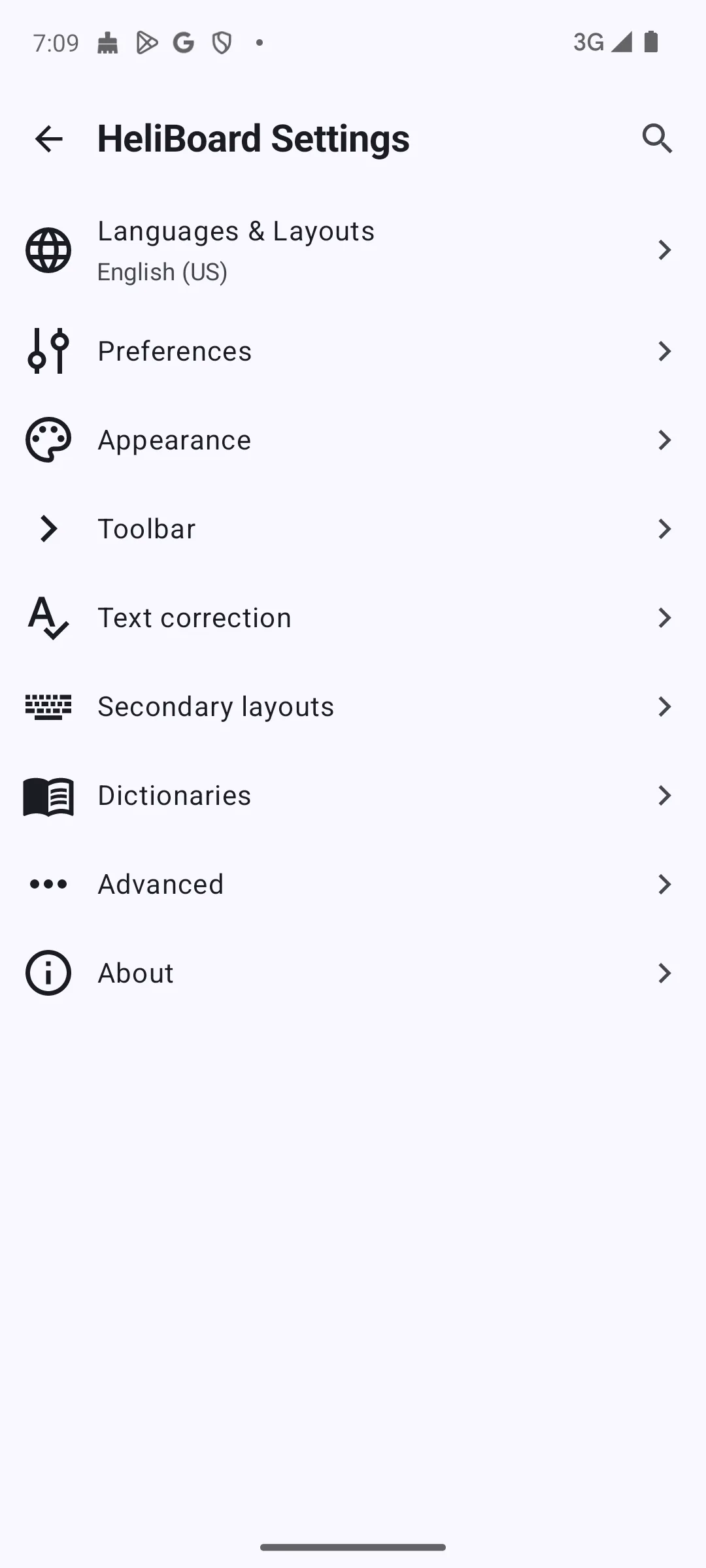
Checked 18 August 2026: the page's central claim held up and is now sourced to the file that carries it, with the exception it always had. HeliBoard's manifest declares five permissions, READ_USER_DICTIONARY, RECEIVE_BOOT_COMPLETED, VIBRATE, WRITE_USER_DICTIONARY and READ_CONTACTS, and INTERNET is not among them. Two corrections follow from reading it. The claim that Android blocks any transmission is too strong, because the same manifest leaves android:allowBackup set to true with no restriction file, so learned data stays eligible for the system's own backup; and the page never mentioned that HeliBoard requests access to contacts, which it does. The statement that dictionaries are not bundled is wrong for most readers, since the project ships main dictionaries for 18 languages as app assets. The claim of no CJK support is narrowed to Chinese and Japanese, because four Korean layouts ship with a Hangul combiner. The Gboard passages have been replaced rather than softened: the page described telemetry, metadata, device identity and an opt-out default, none of which Google documents, and the federated learning framing rested on a research post from 2017. In their place is Google's own current list, which names searches, usage statistics and talk-to-text audio as sent, and states that anything else you type is not sent and that saved words stay on the device. Gboard's own data safety line that data cannot be deleted is added, along with its store figures. A warning is new and matters: the two offline dictation engines this page recommended do not pass its own test, since Sayboard declares a network permission and FUTO Voice Input downloads models over the network. FUTO Keyboard is now a full entry with its figures rather than an aside. A decision table, an "Our answer" capsule, a dated verification box and this changelog are new, and the screenshot gallery is unchanged.