
Twelve Android planners, each read against its own Google Play listing and, where the developer publishes one, against its own pricing page. The column that decides most choices is not the install price, which is free on all twelve, but where the free tier stops. Two listings carry the Contains ads label, and the narrowest free plan here is Evernote at 50 notes on one device. This guide sits inside our wider Android productivity coverage.
TickTick is the pick, Google Tasks the free one that sells nothing, Sectograph the choice if no data collected is the point. Our answer, the free pick and the table ↓
Checked 3 September 2026: no pick changed since 20 August; ads labels and ratings re-read 1 September, free-tier limits re-read the same day
Full logTwelve Android planners, compared on where each free tier stops, the ads label and the rating, with the free-tier limit taken from each developer's own pricing page.
TickTick is our best overall Android planner because its upgrade page, read 20 August 2026, caps the free plan at 9 lists and 99 tasks, and its listing shows no ads label.
Google Tasks is our best free pick because its Play listing, read 20 August 2026, is free, sells nothing and shows no ads label.
Sectograph is our niche pick for privacy because its Play listing, read 20 August 2026, declares no data collected, shows no ads label and sells paid items.
Data checked: 3 September 2026.
Every app here is checked against its own Google Play listing: rating and review count, the install band, price and the in-app purchase range, the Contains ads label and the full Data Safety section. A Play listing states what Play bills, not what a free plan allows, so the free tier column is read separately: at the developer's own pricing page for the seven that publish one, and otherwise at the developer's own text on the listing, linked from the app's own section either way. Where no source publishes a free tier, the page says so as a finding about the source rather than as a statement that the app is unlimited. Where a listing and a developer's own page disagree, the disagreement is stated rather than smoothed away. Nothing here rests on our own use of the apps.
Growing a project list
Rating 4.6 from 303,804 reviews · Installs 10,000,000+ · Free to install · In-app purchases $0.99 to $149.99 per item · Developer Todoist Inc. · Data Safety: no data shared with third parties; may collect data types · Requires Android 8.0 or newer · Listing updated 31 August 2026 · Contains ads: No · checked 1 September 2026
Google Play listing · 4.6 (303,804) · read 1 September 2026
Todoist is the pick for a reader who expects to outgrow a single list, and the number that decides it is not on Play at all. It is free to install with no advertising label, and its own pricing page puts the free plan at 5 personal projects, 3 filter views and 5 people per personal project. The blunt con is that 5 projects is a low ceiling for anyone planning work and home in one place.
Free tier: 5 personal projects · read at the Todoist pricing page on 20 August 2026
The Play listing prints in-app purchases $0.99 to $149.99 per item, which is what a single purchase can cost rather than what the free plan allows. The free plan itself is stated on the Todoist pricing page, read 20 August 2026, which lists 5 personal projects against 300 on the paid tiers.
Skip this if. You plan work and home in one place, because the free plan counts projects and the count is low.
Choosing between them. Choose Todoist over TickTick for the cleaner project model, TickTick over it for a free plan that states every limit.
The free plan published in most detail
Rating 4.6 from 163,548 reviews · Installs 10,000,000+ · Free to install · In-app purchases $1.99 to $49.99 per item · Developer TickTick Limited · Data Safety: no data shared with third parties; may collect data types · Listing updated 28 August 2026 · Contains ads: No · checked 1 September 2026
Google Play listing · 4.6 (163,548) · read 1 September 2026
TickTick publishes more of its free plan than anything else on this page, which is the reason it leads here. It is free to install with no advertising label, and its own upgrade page sets the free tier at 9 lists, 99 tasks per list, 2 reminders per task and 1 attachment a day. The blunt con is that 1 attachment a day is a hard stop for anyone who photographs receipts or notes.
Free tier: 9 lists, 99 tasks each · read at the TickTick upgrade page on 20 August 2026
Its Play description also prints numbers, but they sit under a heading about Premium and are the ceilings the paid plan raises. The free column above comes from the TickTick upgrade page, read 20 August 2026, which sets a free tier beside the paid one. That page prices Premium at $49.99 a year, the same figure the listing shows as the top of its purchase range.
Skip this if. You attach photographs to tasks, because the free plan allows one a day.
Choosing between them. Choose TickTick over Todoist on the published free plan, Todoist over it if projects matter more than lists.
A task list with nothing to buy
Rating 4.6 from 479,583 reviews · Installs 10,000,000+ · Free to install · The listing shows no in-app purchases · Developer Microsoft Corporation · Data Safety: no data shared with third parties; may collect data types · Requires Android 8.0 or newer · Listing updated 14 July 2026 · Contains ads: No · checked 1 September 2026
Google Play listing · 4.6 (479,583) · read 1 September 2026
Microsoft To Do is the entry the developer itself calls free: it is free to install, its listing shows no in-app purchases, and it carries no advertising label. The developer states that position in its own words rather than leaving it to the store fields. The blunt con is that the same description ties it to Microsoft accounts and the Microsoft 365 service, so the thing it costs you is not money.
Free tier: Nothing sold: developer says free · read at its own Play description on 20 August 2026
The developer writes that To Do is free and available across the web and iOS, Mac, Android, and Windows devices, in the description on its own Play listing, read 20 August 2026. That is a statement about the app rather than about Play billing, which is why this row rests on the developer text rather than on the empty purchase field.
Skip this if. You do not already sign in to a Microsoft account, because the app expects one.
Choosing between them. Choose Microsoft To Do over Google Tasks inside Outlook, Google Tasks over it inside Gmail.
Tasks beside a calendar
Rating 4.4 from 505,537 reviews · Installs 10,000,000+ · Free to install · In-app purchases $0.99 to $598.80 per item · Developer Any.do To-do list & Calendar · Data Safety: no data shared with third parties; may collect data types · Requires Android 7.0 or newer · Listing updated 12 August 2026 · Contains ads: No · checked 1 September 2026
Google Play listing · 4.4 (505,537) · read 1 September 2026
Any.do puts tasks next to a calendar, and its free plan draws a line most planner readers will hit in week one: recurring tasks are a paid feature. It is free to install with no advertising label, rated 4.4 from 505,537 reviews. The blunt con is that a planner which cannot repeat a task without payment is doing half the job.
Free tier: No recurring tasks · read at the Any.do pricing page on 20 August 2026
Its own Any.do pricing page, read 20 August 2026, lists the free Personal plan as tasks and lists, reminders, calendar, daily planner and sync across devices. Recurring tasks, location reminders and colour tags are listed under Premium, priced there at $4.99 a month billed annually. The listing separately prints purchases to $598.80 per item, which is the dearest single item Play will sell and not the cost of the plan.
Skip this if. You need a task to repeat, because repeating one is a paid feature here.
Choosing between them. Choose Any.do over Structured for tasks beside a calendar, Structured over it for a visual day.
The plainest free list
Rating 4.6 from 601,003 reviews · Installs 10,000,000+ · Free to install · The listing shows no in-app purchases · Developer Google LLC · Data Safety: no data shared with third parties; may collect data types; independent security review · Listing updated 27 August 2026 · Contains ads: No · checked 1 September 2026
Google Play listing · 4.6 (601,003) · read 1 September 2026
Google Tasks is the pick when the bill decides it: free to install, no in-app purchases on the listing, no advertising label, and rated 4.6 from 601,003 reviews, the largest sample of any entry here with nothing for sale on its listing. It is also the only listing here whose Data Safety section reports an independent security review. The blunt con is that it is a list and nothing more: no timeline, no board, no day view.
Free tier: Nothing sold on the listing · read at its own Play listing on 20 August 2026
The developer describes it on its own Play listing, read 20 August 2026, as part of Google Workspace, and that description says nothing at all about price or plans. So this row records what the listing shows, which is nothing for sale, rather than a limit the developer states. It is the weakest sourcing in the free tier column on this page, and it is weak in the direction the page warns about everywhere else.
Skip this if. You want a board, a timeline or a day view, because this is a list and nothing else.
Choosing between them. Choose Google Tasks over Microsoft To Do inside Gmail, Microsoft To Do over it inside Outlook.
One workspace for everything
Rating 4.6 from 387,528 reviews · Installs 10,000,000+ · Free to install · In-app purchases $11.99 to $214.99 per item · Developer Notion Labs, Inc. · Data Safety: may share data types with third parties; may collect data types · Requires Android 8.0 or newer · Version 0.6.4068 · Listing updated 31 August 2026 · Contains ads: No · checked 1 September 2026
Google Play listing · 4.6 (387,528) · read 1 September 2026
Notion is the workspace pick, and its free plan is generous on content and tight on everything around it. It is free to install with no advertising label, rated 4.6 from 387,528 reviews. The blunt con sits in its Data Safety section, which declares the app may share data types with third parties, and the free plan caps file uploads at 5 MB each.
Free tier: 5 MB uploads, 7 day history · read at the Notion pricing page on 20 August 2026
The Notion pricing page, read 20 August 2026, states the free plan as unlimited pages and blocks for one person, file uploads up to 5 MB each, 7 days of page history and 10 external guests. It also notes that a free workspace shared with other members carries a block limit where a solo one does not.
Skip this if. You upload photographs or scans, because the free plan caps the size of each file.
Choosing between them. Choose Notion over Trello for pages and databases, Trello over it for boards and cards.
A note archive, once you pay
Rating 3.5 from 1,847,719 reviews · Installs 100,000,000+ · Free to install · In-app purchases $1.00 to $254.89 per item · Developer Evernote by Bending Spoons · Data Safety: may share data types with third parties; may collect data types · Requires Android 9 or newer · Version 11.30.5 · Listing updated 31 August 2026 · Contains ads: Yes · checked 1 September 2026
Google Play listing · 3.5 (1,847,719) · read 1 September 2026
Evernote is the entry to weigh hardest, because its free plan is the narrowest here and its listing carries the Contains ads label. Its own plan page caps the free tier at 50 notes in 1 notebook, synced to 1 device. It is rated 3.5 from 1,847,719 reviews: the largest sample on this page, and the second lowest rating on it.
Free tier: 50 notes, 1 device · read at the Evernote plan comparison page on 20 August 2026
Read this first. The free plan is a trial in all but name. The Evernote plan comparison page, read 20 August 2026, sets the free tier at 50 notes in 1 notebook, synced to 1 device, with 1 GB of storage. A planner that has to live on one phone and stop at 50 notes is not a planner for most people.
Skip this if. You want a free planner, because this free plan is the narrowest here and the listing carries ads.
Choosing between them. Choose Evernote over Notion only if you are paying, Notion over it on the free plan and on the advertising label.
Day, week and month views
Rating 4.2 from 15,023 reviews · Installs 1,000,000+ · Free to install · In-app purchases $2.99 to $94.99 per item · Developer TinyWork Apps · Data Safety: no data shared with third parties; may collect data types · Requires Android 8.0 or newer · Version 8.1.9 · Listing updated 30 July 2026 · Contains ads: Yes · checked 1 September 2026
Google Play listing · 4.2 (15,023) · read 1 September 2026
Planner Pro carries the Contains ads label and is the smaller of the two advertising entries here, rated 4.2 from 15,023 reviews. Its developer says in plain words what the free build is: ad supported, with function restrictions it never itemises. The blunt con is that advertising, in an app whose whole purpose is a clean view of the day.
Free tier: Ads, restrictions not itemised · read at its own Play description on 20 August 2026
The developer writes that This version is an ad-supported version and has some function restrictions, we also offer an ad-free version which is available as subscription, in the description on its own Play listing, read 20 August 2026. That is a statement about the free build, so the column above records the advertising and says the restrictions are not itemised, rather than reporting silence. The two sources disagree on the price: the same description prices the subscription at $3.99 a month or $19.99 a year, while the developer page for the Android build, read the same day, prices the year at $14.99.
Skip this if. Advertising inside a planner is a problem for you, because the label is on the listing.
Choosing between them. Choose Planner Pro over Structured on an older phone, Structured over it on the advertising label.
A visual day timeline
Rating 4.5 from 30,732 reviews · Installs 1,000,000+ · Free to install · In-app purchases $5.99 to $99.99 per item · Developer unorderly GmbH · Data Safety: may share data types with third parties; may collect data types; committed to the Play Families Policy · Requires Android 11 or newer · Version 3.7.2 · Listing updated 27 August 2026 · Contains ads: No · checked 1 September 2026
Google Play listing · 4.5 (30,732) · read 1 September 2026
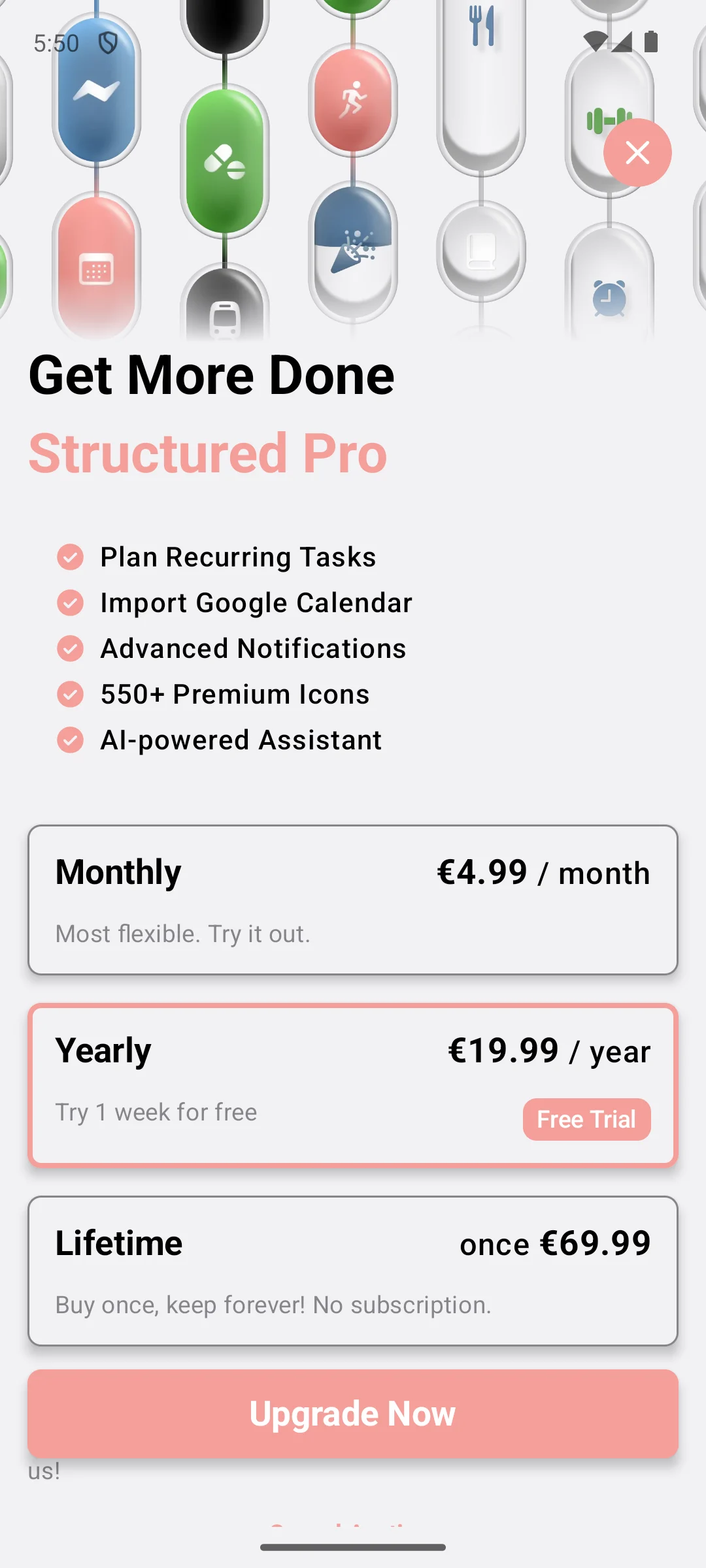
Structured lays the day out as a timeline and carries no advertising label, rated 4.5 from 30,732 reviews. Its developer says the app is free with optional Pro features, and names none of them. The blunt con is the entry requirement: Android 11 or newer, the highest on this page, so an older phone is refused outright.
Free tier: Pro line not itemised · read at its own Play description on 20 August 2026
The developer writes that Structured is free to use, with optional Pro features for additional flexibility and customization, in the description on its own Play listing, read 20 August 2026. That description does not enumerate the Pro line, and neither does the structured.app home page: the pricing address on that site answered 404 when it was read on 1 September 2026, and the subscription page renders nothing a reader can quote. So the column above is a finding about those three sources, not a statement that the free build has no limits.
Skip this if. Your phone is older than Android 11, because the listing says it will not install.
Choosing between them. Choose Structured over Sectograph to plan a day, Sectograph over it to read the calendar you already keep.
A clock face day, collecting nothing
Rating 4.6 from 100,213 reviews · Installs 5,000,000+ · Free to install · In-app purchases $1.99 to $99.99 per item · Developer Laboratory 27 · Data Safety: no data shared with third parties; no data collected · Listing updated 22 May 2026 · Contains ads: No · checked 1 September 2026
Google Play listing · 4.6 (100,213) · read 1 September 2026
Sectograph draws the calendar already on the phone as a clock face, and it is the privacy pick on the listings alone: it is the only one of the twelve whose Data Safety section declares no data collected as well as no data shared. It is free to install with no advertising label, rated 4.6 from 100,213 reviews. The blunt con is that it keeps no task list of its own.
Free tier: No source states a limit · read at its own Play listing on 20 August 2026
Its listing was updated 22 May 2026, roughly three months before this pass and the oldest of the twelve. Things are plainly sold here: the listing prints in-app purchases $1.99 to $99.99 per item. What no source states is where the free build stops. The developer site at sectograph.com carries no pricing page and the listing description names no plan, so the free tier column above records that limit of the sources rather than an absence of limits in the app.
Skip this if. You need somewhere to keep tasks, because what it draws is the calendar you already have.
Choosing between them. Choose Sectograph over Structured on the Data Safety section, Structured over it to plan rather than to view.
Boards and cards
Rating 3.8 from 122,468 reviews · Installs 10,000,000+ · Free to install · The listing shows no in-app purchases · Developer Atlassian · Data Safety: no data shared with third parties; may collect data types · Listing updated 18 August 2026 · Contains ads: No · checked 1 September 2026
Google Play listing · 3.8 (122,468) · read 1 September 2026
Trello is the board pick, and it is the entry that shows why a Play listing cannot settle a price. Its listing shows no in-app purchases and carries no advertising label, yet Atlassian sells paid Trello plans on the web, and the free plan is capped at 10 boards per Workspace. It is rated 3.8 from 122,468 reviews, the third lowest here.
Free tier: 10 boards per Workspace · read at the Trello pricing page on 20 August 2026
Read this first. No in-app purchases on Play does not mean nothing is sold. The Trello pricing page, read 20 August 2026, sets the free plan at 10 boards per Workspace, up to 10 collaborators, unlimited cards and 10 MB per file, with paid tiers above it. The billing simply does not run through Play.
Skip this if. A column of cards is not how you think about a week.
Choosing between them. Choose Trello over Notion for boards, Notion over it for pages, databases and notes.
A calendar tied to Notion
Rating 3.3 from 17,465 reviews · Installs 1,000,000+ · Free to install · The listing shows no in-app purchases · Developer Notion Labs, Inc. · Data Safety: may share data types with third parties; may collect data types · Requires Android 8.0 or newer · Version 1.48.0 · Listing updated 29 July 2026 · Contains ads: No · checked 1 September 2026
Google Play listing · 3.3 (17,465) · read 1 September 2026
Notion Calendar is the lowest rated of the twelve at 3.3 from 17,465 reviews, and it is here for one reason: it is the calendar that reads a Notion workspace directly. It is free to install with no in-app purchases and no advertising label. The blunt con is that its Data Safety section declares the app may share data types with third parties.
Free tier: Capped by the Notion plan · read at the Notion Calendar product page on 20 August 2026
It is published by Notion Labs, Inc., the same developer entry as Notion above, and the Notion Calendar product page, read 20 August 2026, offers it free rather than as a plan of its own. It has no plan to run out of, but it is not therefore unlimited: it reads a Notion workspace, and the limits that bind are that workspace's, which the Notion pricing page sets at 5 MB file uploads and 7 days of page history on the free plan.
Skip this if. Your planning does not already live in Notion, because that link is the reason it is here.
Choosing between them. Choose Notion Calendar over Sectograph inside a Notion workspace, Sectograph over it for a clock face view.
A Play listing settles the advertising label and the Data Safety section. It cannot settle what a free plan allows, and on this page that is the question most readers arrive with.
Every entry here is free to install, so the install price separates nothing. The in-app purchase range on a listing is the dearest single item Play will sell, which is not the same as the cost of a plan and says nothing at all about what the free build allows. At least two of the four entries showing no in-app purchases on Play sit behind plans sold on the web: Trello outright, and Notion Calendar through the Notion workspace it reads. The column in the table above is read at the developer's own pricing page wherever one exists, and otherwise at the developer's own text on the listing, for that reason.
Most people plan around one of three things: the tasks they owe, the hours they have to do them in, or an outcome made of many small steps. A list suits the first, a timeline the second, a board or a page the third. Several Play titles here name a to-do list outright, and several more name the day. No title on this page names a board or a page, so that grouping is our reading rather than a line the listings draw.
A calendar holds events that already have a time. A to-do app holds a list that has none. A planner puts one into the other, which is why two entries here are hard to classify: Sectograph draws the calendar already on the phone, and Notion Calendar is a calendar tied to a workspace.
Repeating one small thing every day is not the same job as planning a week, and the apps built for it are compared on their own listings in our habit tracker apps guide.
Four of the twelve listings show no in-app purchases at all: Microsoft To Do, Google Tasks, Trello and Notion Calendar. Two of those four are still capped elsewhere, Trello at 10 boards per Workspace sold on the web and Notion Calendar by the Notion plan it reads. Microsoft To Do is the one whose developer says in words that the app is free. Google Tasks has the larger sample of the two that sell nothing anywhere, rated 4.6 from 601,003 reviews on 1 September 2026, and neither carries an advertising label; its description names no plan, so no source states a free tier limit either way. Every other entry here is free to install but stops somewhere: TickTick at 9 lists, Todoist at 5 personal projects, Evernote at 50 notes. Checked 20 August 2026.
Seven of the twelve publish it on a page of their own, read 20 August 2026: Todoist 5 personal projects, TickTick 9 lists and 99 tasks per list, Notion 5 MB file uploads and 7 days of page history, Evernote 50 notes in 1 notebook on 1 device, Trello 10 boards per Workspace, Any.do everything except recurring tasks, and Notion Calendar no plan of its own. Three more say what the free build is without itemising it: Microsoft To Do calls itself free, Structured calls itself free with optional Pro features, and Planner Pro calls its free build ad supported with function restrictions it does not name. For Google Tasks and Sectograph no source states a limit either way, which is a fact about those sources rather than about the apps. Checked 20 August 2026.
No. It means Play is not billing for it. Trello is the clearest case here: its listing shows no in-app purchases, yet Atlassian sells Trello plans on the web and caps the free plan at 10 boards per Workspace. Read the developer's own pricing page before treating a listing as a price. Checked 20 August 2026.
Two of the twelve do. Evernote and Planner Pro both carry the Contains ads label on their own Play listings, read 20 August 2026. The other ten listings carry no such label, which is a statement about the listing rather than a promise about every screen in the app. Checked 20 August 2026.
Sectograph is the only one of the twelve whose Data Safety section declares no data collected as well as no data shared with third parties. Four go the other way and declare the app may share data types with third parties: Notion, Evernote, Structured and Notion Calendar. The remaining seven declare no sharing while saying the app may collect data. Checked 20 August 2026.
A calendar holds events that already have a time. A plain to-do app holds a list that has none. A planner sits between them and gives the work an order and a place in the day. Two entries here straddle that line: Sectograph draws the calendar already on your phone, and Notion Calendar is a calendar tied to a workspace. Checked 20 August 2026.
Every listing figure on this page was read from the app's own Google Play listing on 1 September 2026, and every free tier figure was read on 20 August 2026 at the developer's own pricing page where one exists, and otherwise at the developer's own text on the listing. The full pass is repeated quarterly. Ratings and review counts drift between passes and prices change without notice, so treat the date beside a figure as part of the figure. Checked 20 August 2026.
Checked 20 August 2026: all twelve Play listings were re-read and every rating, review count, install band, purchase range, advertising label and Data Safety line now carries 20 August 2026 as the date it was read. All twelve review counts moved since the previous pass and none of the twelve ratings did. The decision table's Price column was removed. Every cell in it opened with the word Free and closed either with the Play purchase range or with the words no purchases, so the only thing it varied on was Play billing: the dearest single item Play will sell, or the absence of any Play item at all. Neither is a price, and neither says anything about what a free plan allows. It is replaced by where the free tier stops. Seven of the twelve developers publish that on a page of their own: Todoist 5 personal projects, TickTick 9 lists and 99 tasks per list, Notion 5 MB uploads and 7 days of history, Evernote 50 notes on 1 device, Trello 10 boards per Workspace, Any.do everything except recurring tasks, and Notion Calendar no plan of its own. Three more state the free position in their own listing text without itemising it: Microsoft To Do, Structured and Planner Pro. For Google Tasks and Sectograph no source states a limit either way, and those cells now name the source rather than claiming the app is unlimited. The claim that the purchase range is where the free tier ends was withdrawn wherever it appeared. Trello's table cell read as free with nothing sold; it now names the 10 board cap Atlassian publishes on the web, which its section already described. The How we verify box was rewritten: its first tier was headed Installed and examined and described running the app on an emulator, which is a testing claim inside the box that exists to replace testing claims. The same claim was removed from the Structured section, along with its screenshot gallery and the caption and alt text that carried it, because a Play only app cannot be shown here without asserting that somebody ran it. Removing it also withdrew the Pro feature list this page printed for Structured and the three in-app prices beside it, none of which can be cited at any address a reader can open. No figure and no app was otherwise dropped: the version numbers, including Structured's, are still on the listings and still on this page. No app was removed from this page.
 Best Calendar Apps for AndroidProductivity
 Best Notes Apps for AndroidProductivity
 11 Best Habit Tracker Apps for AndroidProductivity