
Checked 3 September 2026
Updated September 2026 · all twelve listings re-read from Play on 3 September 2026.
Full breakdown below, part of our Android productivity coverage.
Google Calendar is the pick, TimeTree the free one for a household, Proton Calendar the choice for leaving Google. Our answer, the free pick and the table ↓
Checked 3 September 2026: no pick changed; Google Calendar, TimeTree and Proton Calendar re-read 26 August, the other nine stand as read on 7 August
Full logTwelve Android calendar apps, compared on price, the ads label and what each sells inside, with the checked date on every row.
Google Calendar is our best overall because it opens the Google account your events sit in, free on 26 August 2026 with no ads label or purchases.
TimeTree is our best free pick for a household because every event carries a comment thread, free on 26 August 2026 though its listing declares Contains ads.
Proton Calendar is our niche pick for leaving Google because it encrypts every event, free on 26 August 2026, no ads label, purchases from $6.49.
Data checked: 3 September 2026.
Every app on this page was checked in one of the three ways below.
Verdict: Google Calendar is the default worth keeping if your events already sit in a Google account: free, with no ads label and no in-app purchases on its listing, but its widgets offer little to configure.
10B+ installs · free · no ads label · no in-app purchases · Google LLC · listing updated 20 August 2026 · checked 26 August 2026.
Pros: already on most phones · Schedule view reads a busy week as a list · natural language entry.
Cons: widgets barely configurable · built around a Google account · Tasks and Reminders feel bolted on.
Skip it if you want deep widget control, or you are leaving Google. Choose it over Microsoft Outlook if your mail is Gmail; Outlook if work runs on Microsoft 365.
↑ Back to the tableVerdict: Outlook is the pick when work runs on Microsoft 365: mail, invites and colleague availability in one free app, but its listing declares Contains ads.
1B+ installs · free · Contains ads · in-app purchases $1.99 to $12.99 · Microsoft Corporation · listing updated 1 August 2026 · checked 7 August 2026.
Pros: mail and calendar in one place · room booking and free-busy lookup · a clean widget.
Cons: the listing declares ads · heavy for calendar-only use · personal Gmail sync is second class.
Skip it if you only want a calendar, or no ads at any price. Choose it over Google Calendar if your invites arrive in Exchange, not Gmail.
↑ Back to the tableVerdict: Business Calendar 2 Planner is the widget power tool, free to install with purchases from $1.49, but its listing declares Contains ads until you pay.
10M+ installs · free · Contains ads · in-app purchases $1.49 to $8.99 · Appgenix Software · listing now titled Business Calendar 2 Planner · listing updated 3 August 2026 · checked 7 August 2026.
Appgenix Software calls it "a powerful and easy to use calendar app including weather, widgets and tasks" on its own site (appgenix-software.com, read 7 August 2026).
Pros: seven widgets, fourteen widget themes · drag to create, multi-day overview · per-calendar colour control.
Cons: the listing declares ads · the settings depth is daunting · the full feature set needs paid unlocks.
Skip it if you want a calendar you can set up in a minute. Choose it over DigiCal if you want control, not looks out of the box.
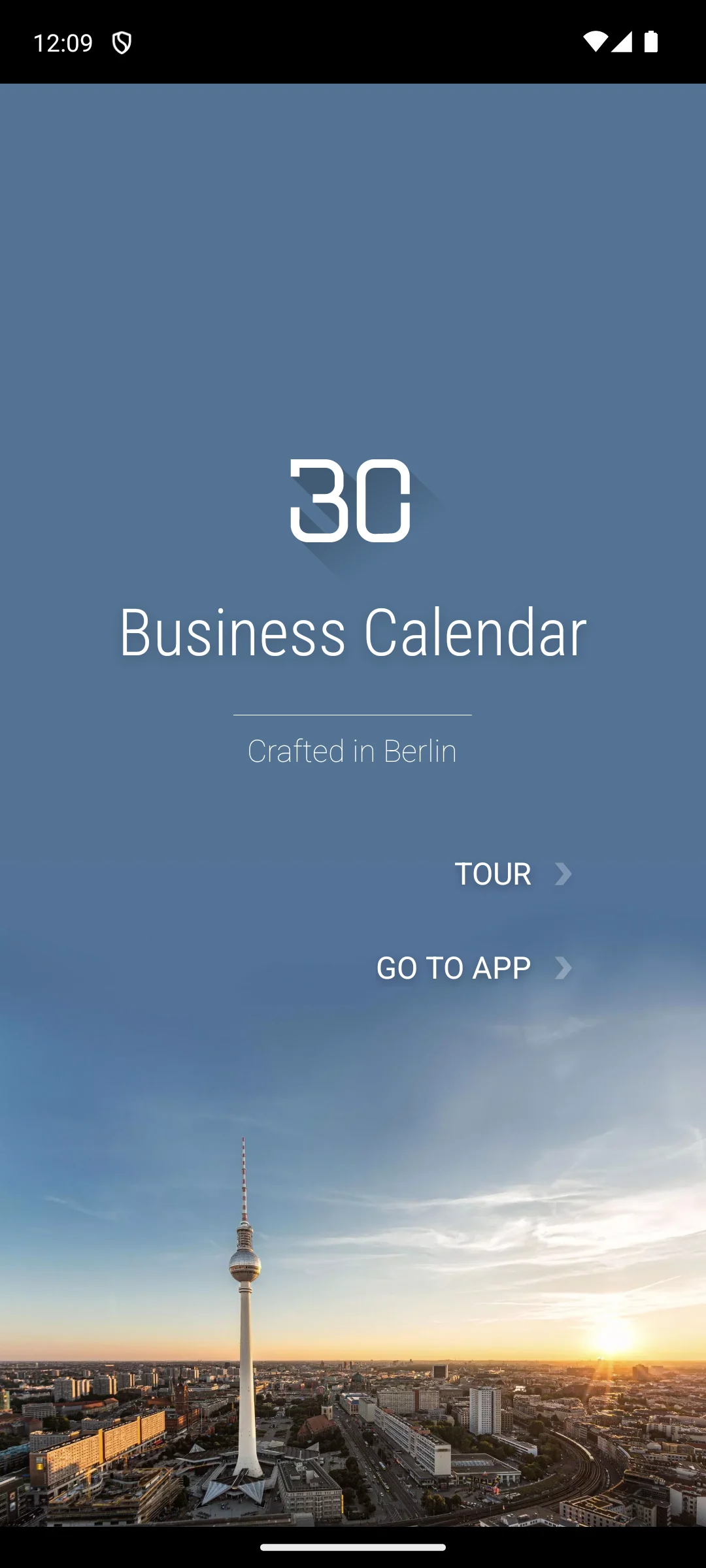
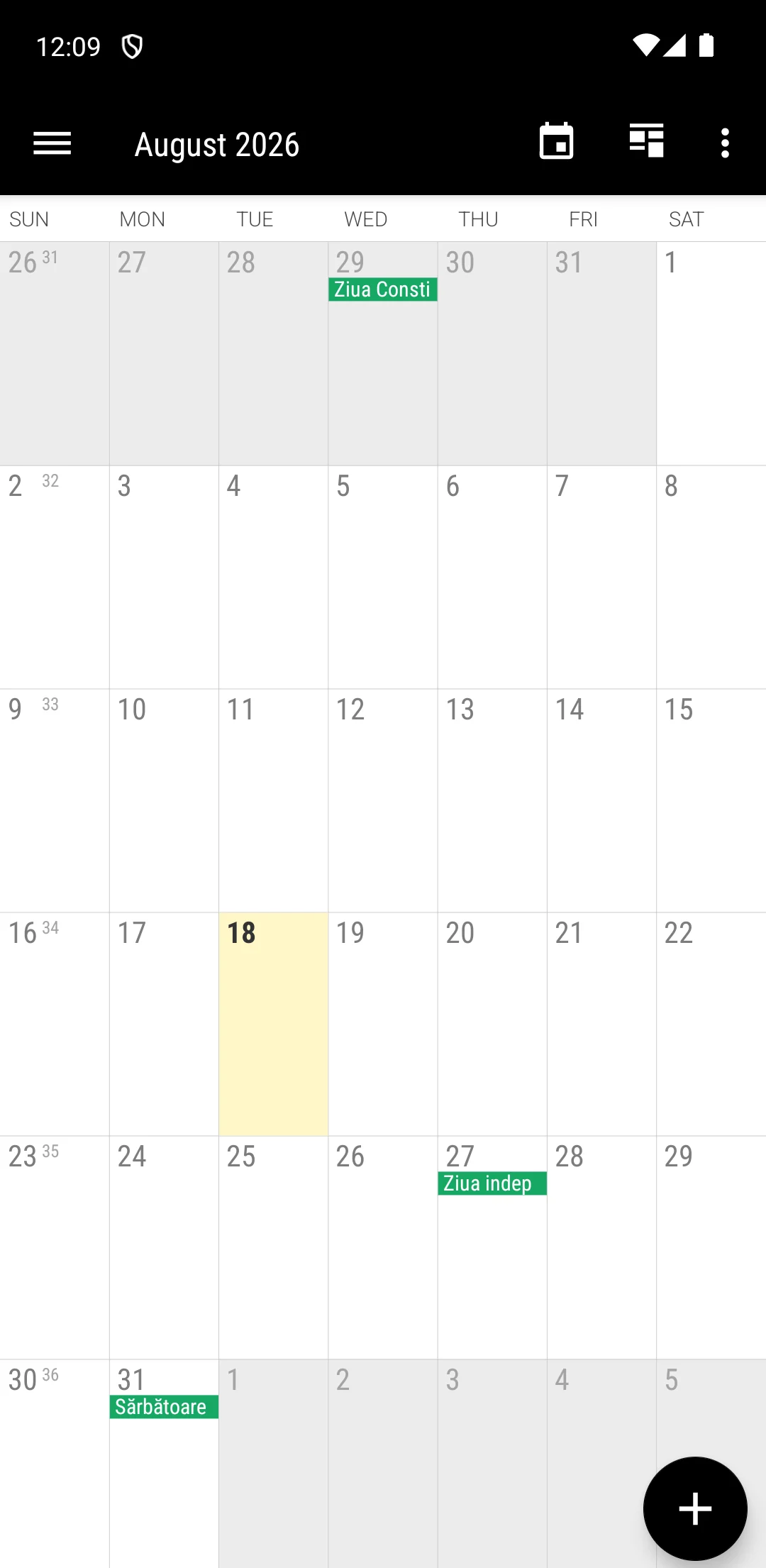
The screenshots here are our own captures from an Android emulator, taken on the date shown. Past that is a month grid that picks up whatever calendars the phone already has, with the colour bar for each one along the bottom. No account of its own is created and no consent dialog stood in the way. The screenshots below are ours, taken on 18 August 2026, with the account row cropped out of the second one.
Verdict: TimeTree is a calendar a couple or a household can co-own, free to install, though its listing declares Contains ads and purchases reach $44.99.
10M+ installs · free · Contains ads · in-app purchases $0.49 to $44.99 · TimeTree, Inc. · listing updated 26 August 2026 · checked 26 August 2026.
Pros: a comment thread on every event · works across Android and iPhone · a tidy daily summary.
Cons: the listing declares ads · a separate calendar, not a view of your Google one · everyone needs an account.
Skip it if you need one place for work invites too. Choose it over Cozi if you share only a schedule, not lists and meals.
↑ Back to the tableVerdict: Proton Calendar keeps every event encrypted end to end, free with no ads label on its listing, but purchases reach $154.99 and it will not show your existing Google events.
1M+ installs · free · no ads label · in-app purchases $6.49 to $154.99 · Proton AG · listing titled Proton Calendar: Secure Events · listing updated 11 August 2026 · checked 26 August 2026.
Pros: events encrypted end to end · no ads label · pairs directly with Proton Mail.
Cons: purchases reach $154.99 · a rating base in the thousands, not the millions · needs a Proton account.
Skip it if your events must stay in a Google or Microsoft account. Choose it over Google Calendar if you have left Google on principle.
↑ Back to the tableVerdict: Any.do suits people who think in to-dos, free with no ads on its listing, but purchases climb to $598.80 and recurring tasks are paid.
10M+ installs · free · no ads label · in-app purchases $0.99 to $598.80 · Any.do To-do list and Calendar · listing updated 23 July 2026 · checked 7 August 2026.
Pros: tasks and events in one view · a daily planning prompt · natural language entry.
Cons: recurring tasks are paid · purchases reach $598.80 · thin as a pure calendar.
Skip it if you keep tasks elsewhere; see our planner apps guide. Choose it over Google Calendar if your day is mostly to-dos, not meetings.
↑ Back to the tableVerdict: DigiCal is a better looking face on the account you already use, free with unlocks from $1.09, but its listing declares Contains ads.
10M+ installs · free · Contains ads · in-app purchases $1.09 to $5.49 · Digibites · listing updated 3 June 2026 · checked 7 August 2026.
Pros: seven view styles · weather on the agenda · themeable widgets.
Cons: the listing declares ads · it stores nothing itself, so it inherits your account's limits · some views are paid.
Skip it if you want a calendar that holds its own events. Choose it over Business Calendar 2 if you want looks out of the box, not tuning.
↑ Back to the tableVerdict: Cozi is a household noticeboard more than a calendar app, free to install, though its listing declares Contains ads and Gold runs to $79.99.
5M+ installs · free · Contains ads · in-app purchases $0.99 to $79.99 · Cozi Inc. · listing updated 23 April 2026 · checked 2 September 2026.
Pros: shared lists, chores and meal plans · a colour per family member · joint highest rating here at 4.7.
Cons: the listing declares ads · the month view sits behind Gold · a weak fit for work calendars.
Skip it if you want a shared schedule and nothing else. Choose it over TimeTree if the family needs lists as well as dates.
↑ Back to the tableVerdict: Samsung Calendar is already on your Galaxy and costs nothing, with no ads and no in-app purchases on its listing, but that listing has not been updated since 1 December 2025.
1B+ installs · free · no ads label · no in-app purchases · Samsung Electronics Co., Ltd. · listing updated 1 December 2025 · checked 2 September 2026. The app also ships preinstalled on Galaxy phones and updates through the Galaxy Store, neither of which Google Play publishes.
Pros: syncs Google, Outlook and Samsung accounts at once · nothing to install on a Galaxy · no ads or purchases declared.
Cons: listing unchanged since 1 December 2025 · rated 4.1, below Google Calendar's 4.6 · Galaxy phones only.
Skip it if you do not own a Galaxy phone. Choose it over Google Calendar if you want Samsung reminders and accounts in one grid.
↑ Back to the tableVerdict: Notion Calendar earns its place only if you already live in Notion: free, no ads, no in-app purchases, but at 3.3 stars it is the lowest rated app on this page.
1M+ installs · free · no ads label · no in-app purchases · Notion Labs, Inc. · listing updated 29 July 2026 · checked 2 September 2026.
Pros: opens a Notion page from an event · free with nothing to buy · a time zone planner.
Cons: 3.3 stars, the lowest here · Google accounts only · little use without Notion.
Skip it if Notion is not where you work; see our notes apps guide. Choose it over Any.do if your tasks live in Notion databases, not a plain list.
↑ Back to the tableVerdict: aCalendar is a fast, light German calendar, free to install, and its listing declares Contains ads: an ad free experience is a purchase here, not the default.
10M+ installs · free · Contains ads · in-app purchases $2.49 to $11.99 · Tapir Apps GmbH · listing updated 8 September 2025 · checked 7 August 2026.
Tapir Apps says so itself: "The free version of aCalendar is supported by advertisements to keep development going" (aCalendar support, Ad Free, modified 8 June 2026, read 7 August 2026).
Pros: swipe between day, week and month · birthdays pulled from contacts · light on battery and storage.
Cons: ads unless you buy the upgrade · listing unchanged since 8 September 2025 · paid features live in a separate aCalendar+ app.
Skip it if you want an ad free calendar without paying. Choose it over DigiCal if you navigate by gesture, not by looks.
↑ Back to the tableVerdict: Tiny Calendar is worth a look if you need Google and Apple calendars side by side, free to install, but its listing declares Contains ads and only 532 people have rated it.
100K+ installs · free · Contains ads · in-app purchases $4.99 · TinyWork Apps · listing updated 30 July 2026 · checked 7 August 2026.
Pros: syncs Google and Apple calendars · offline editing · event templates for repeat bookings.
Cons: only 532 ratings, the thinnest evidence here · the listing declares ads · 100K+ installs, far below the rest.
Skip it if you have no Apple calendar to sync. Choose it over Google Calendar if half your events live in iCloud.
↑ Back to the tableStart with where your events already live. Most apps here are a window onto a Google, Microsoft, Proton or Samsung account, so ask first whether one reads the account you use: DigiCal, Business Calendar 2 and aCalendar add views and widgets on top without moving a single event. Then decide what you share and what the home screen shows. One schedule for a couple suits Google Calendar or TimeTree; a household tracking lists and meals suits Cozi; Business Calendar 2 lists seven widgets and fourteen widget themes. Last, read the ads column above: seven of the twelve listings declare Contains ads.
We do not claim to have installed or lived with every app here. On 7 August 2026, and again for Google Calendar, TimeTree and Proton Calendar on 26 August 2026, we opened each one through the store link printed in its own section, with Google Play set to the United States and English, and read the rating and review count from the listing structured data rather than the visible page. From that same listing we took the install band, the price, whether it declares Contains ads, the in-app purchase range, the developer and the date they last updated it, and we check the Play Data safety section. Developer statements are quoted from the developer's own site and linked in the same sentence. Every app is re-checked quarterly.
For most people Google Calendar is the best free option because it is already installed, syncs everywhere, and handles email invites automatically. If you want nicer widgets and more views without paying, DigiCal and Business Calendar 2 both have strong free tiers worth a look.
TimeTree and Cozi are the two we recommend for shared family use. TimeTree keeps things simple with per event comments, while Cozi adds grocery lists, chores, and meal plans, so it suits a household that wants one app for everything, not just appointments.
Yes. Proton Calendar works with a Proton account and keeps events encrypted, while Outlook, Samsung Calendar, and TimeTree all support their own or third party accounts. You can run a full calendar on Android without ever signing into Google.
The major ones do. Google Calendar, Outlook, Notion Calendar, and TimeTree sync seamlessly across Android, iPhone, and the web. As long as you sign in with the same account, an event you add on your phone shows up on every other device within seconds.
Often, yes. Apps like Google Calendar and Any.do support natural language entry, so typing something like "dentist Tuesday at 3pm" fills in the date, time, and title for you. It is one of the quicker ways to add events on a phone, and it is worth trying before you commit to an app.
Most do. Apps such as Google Calendar, Outlook, Proton Calendar, and Tiny Calendar keep a local copy so you can view and add events with no signal, then sync once you reconnect. It is easy to check by switching on airplane mode and opening the app to confirm your schedule is still there.
Seven of the twelve listings here declare Contains ads on Google Play: Microsoft Outlook, Business Calendar 2, TimeTree, DigiCal, Cozi, aCalendar and Tiny Calendar. Google Calendar, Proton Calendar, Any.do, Samsung Calendar and Notion Calendar carry no ads label at all. In most of the ad supported apps a paid upgrade removes the ads.
 Best Notes Apps for AndroidProductivity