
Eleven Android email clients, compared on what a store listing does not settle: whether the app talks to your mailbox directly, or routes your mail through the vendor’s own servers first. That is who can read it. Each answer comes from the developer’s own documentation, and sits beside what the same developer declares to Google under Data Safety.
Proton Mail is the pick, Tuta Mail the free one that sells nothing inside, K-9 Mail the choice if mail must never reach a developer's server. Our answer, the free pick and the table ↓
Checked 3 September 2026: no pick changed since 20 August; Proton Mail and Tuta Mail re-read 3 September, K-9 Mail stands as read on 20 August
Full logEleven Android email apps, compared on where your mail is handled, whether the listing declares sharing, the ads label and what each sells.
Proton Mail is our best overall because its listing, read 3 September 2026, claims zero-access encryption, carries no ads label, and sells purchases to $119.88 per item.
Tuta Mail is our best free pick because its listing, read 3 September 2026, sells nothing inside and carries no ads label.
K-9 Mail is our privacy pick because its privacy notice, read 20 August 2026, says messages never reach the developer, on a listing with no ads label and purchases to $200.00 per item.
Data checked: 3 September 2026.
Every store figure here is read off the app’s own Google Play listing on a stated date: rating and review count, the install band, the purchase range, the Contains ads label and the Data Safety section. What each app does with the contents of your mail is a separate claim from a separate document, read the same day: the developer’s own privacy notice where there is one, otherwise its own store description, linked in the sentence that uses it. Where the two disagree, both are printed. Nothing here rests on our own use of the apps. The screenshots are our own captures of an app’s opening screens.
Four lines on a store page decide part of this, and all four were read on 20 August 2026. Two of them are columns in the table above, the ads label and the purchase range. The other two are the Data Safety declarations, which no table can hold in full: they are printed in the entry for every app. The fifth line is not on the store page at all.
Gmail is the settled choice for a Gmail address, with the largest review sample on this page and the Contains ads label beside it.
Rating 4.1 from 14,427,252 reviews · Installs 10,000,000,000+ · Free to install, with no in-app purchases listed · Developer Google LLC · Data Safety: no data shared with third parties, the app may collect data types, deletion can be requested, and an independent security review is shown · Listing updated 31 August 2026 · Contains ads: Yes · checked 1 September 2026
Google Play listing · 4.1 (14,427,252) · read 1 September 2026
Gmail is free to install with no in-app purchases listed, and it carries the largest sample on this page, 4.1 from 14,427,252 reviews. Two blunt things sit beside that. Its listing carries the Contains ads label, which four of the eleven listings here do, and Google is the mail provider as well as the app maker, so the mail an @gmail.com address receives sits on Google servers by design rather than by a setting you can change.
Read this first. The install band on this listing reads 10,000,000,000+. That is the store's own count, not a count of people, and it is not read as a headcount anywhere on this page.
On the other kind of account, Google is withdrawing the part that mattered most here. Google’s own notice on changes to third-party email account support in Gmail, read 20 August 2026, says: "Access through the Gmail mobile app for Android, iPhone, and iPad will not change. You can continue to add and use non-Google accounts in the Gmail mobile app as you do today." The same notice puts January 2027 on its timeline as the date Gmail "will fully remove" Send as for third-party accounts, Gmailify and POP, and it scopes two of those three itself: the heading covering the pair reads Gmailify and POP on the web, and the questions below it say third-party mail can still be reached with POP on Gmail for Android. Gmailify is the feature that ran a non-Google mailbox through Google’s own filtering, so the route that put another provider’s mail on Google servers is the route being closed.
Its Data Safety section is the one of the eleven read here that also shows an independent security review, beside the declaration that no data is shared with third parties. The developer entry reads Google LLC on its Play listing, updated 18 August 2026.
Skip this if. The Contains ads label on a mail app is the thing you came here to get away from.
Choosing between them. Choose Gmail over Microsoft Outlook for the far larger sample behind the rating and for a listing that sells nothing inside, and K-9 Mail over both when the point is that no vendor holds a copy.
Microsoft Outlook has the narrowest purchase range and the lowest ceiling here, bought at the price of a copy of your mail resting with Microsoft.
Rating 4.3 from 10,624,548 reviews · Installs 1,000,000,000+ · Free to install, with in-app purchases from $1.99 to $12.99 per item · Developer Microsoft Corporation · Data Safety: this app may share these data types with third parties, the app may collect data types, and deletion can be requested · Listing updated 29 August 2026 · Contains ads: Yes · checked 1 September 2026
Google Play listing · 4.3 (10,624,548) · read 1 September 2026
Microsoft Outlook rates 4.3 from 10,624,548 reviews and its in-app purchases run from $1.99 to $12.99 per item, the narrowest range and the lowest ceiling of the nine listings here that sell anything inside. The blunt part is not on the store page at all. Add any mailbox to this app, including one Microsoft does not host, and Microsoft states plainly that a copy of it is synchronised to Microsoft data centres. The listing also carries the Contains ads label.
Microsoft says this in its own support documentation rather than leaving it to be inferred. Sync your account in Outlook to the Microsoft Cloud, read 20 August 2026, states that when a non-Microsoft account is added "a copy of your email, calendar, and contacts will be synchronized between your email provider and Microsoft data centers". That is the whole of the difference between this app and a plain client: the mail does not simply travel between the phone and the mailbox, a copy of it comes to rest with the app maker.
The developer entry reads Microsoft Corporation and the version reads 5.2631.0 on its Play listing, updated 15 August 2026. Its Data Safety section is one of the five here that says the app may share these data types with third parties, so on this app the two sources agree.
Skip this if. A copy of your mail coming to rest with the app maker is the thing you are trying to avoid.
Choosing between them. Choose Microsoft Outlook over Gmail when a paid tier sold inside the app is wanted rather than a listing that sells nothing, and Aqua Mail or K-9 Mail over it when nothing should be copied to the app maker at all.
Proton Mail is the strongest set of listing figures on this page, and its privacy case is a claim Proton makes about Proton.
Rating 4.5 from 93,191 reviews · Installs 10,000,000+ · Free to install, with in-app purchases from $4.99 to $119.88 per item · Developer Proton AG · Data Safety: no data shared with third parties, the app may collect data types, and deletion can be requested · Listing updated 27 August 2026 · Contains ads: No · checked 1 September 2026
Google Play listing · 4.5 (93,191) · read 1 September 2026
Proton Mail is the pick on the listings alone: 4.5, the joint highest rating here, no Contains ads label, and a Data Safety section declaring no data shared with third parties. Read it for what it is, though. Proton is the mail provider, not a client for a mailbox you already have, so the mail does sit on Proton servers. What Proton claims is that it cannot read them. In-app purchases run from $4.99 to $119.88 per item.
Proton says so in its own words. The developer description on its Play listing, read 20 August 2026, says: "Proton Mail’s zero access architecture means that your data is encrypted in a way that makes it inaccessible to us." The same description says messages are stored on Proton Mail servers using end-to-end encryption at all times. That is a claim about a design, made by the party the design is meant to exclude, and this page prints it as such rather than as a finding of its own.
Its listing title reads "Proton Mail: Encrypted Email", the developer entry reads Proton AG, the version reads 7.11.2 and the store page states Android 10 or newer. Updated 27 August 2026.
Skip this if. Moving to a new mail address is not something you are prepared to do.
Choosing between them. Choose Proton Mail over Tuta Mail when a Data Safety section declaring no sharing is the deciding line, and Tuta Mail over it when nothing at all should be sold inside the app.
Spark Mail is for shared and scheduled mail, which are the same features that move your messages onto Spark servers.
Rating 4.1 from 88,957 reviews · Installs 1,000,000+ · Free to install, with in-app purchases from $4.99 to $199.99 per item · Developer Spark Mail App · Data Safety: this app may share these data types with third parties, the app may collect data types, and deletion can be requested · Listing updated 14 August 2026 · Contains ads: No · checked 1 September 2026
Google Play listing · 4.1 (88,957) · read 1 September 2026
Spark Mail rates 4.1 from 88,957 reviews and its listing carries no Contains ads label. Two things sit against it, and only one of them is on the store page. Its Data Safety section says this app may share these data types with third parties, and Spark’s own privacy policy says that the features the app is sold on, the shared and scheduled ones, are the features that move your mail onto Spark servers. Purchases reach $199.99 per item.
Spark states the split itself. Its privacy policy, read 20 August 2026, says: "This data is mainly processed on your device. The data may also be processed in Spark systems if necessary for a feature to function. For example, if you use such features as shared emails, shared drafts, emails to send later, etc., we will process your data on our servers." So the answer to who handles the mail depends on which features are switched on, which is a more honest answer than most of this field gives and a harder one to act on.
Its listing title reads "Spark Mail: AI Email, Calendar" on its Play listing, the one store title of the eleven here that names AI. The developer entry reads Spark Mail App and the version reads 3.18.5. Updated 14 August 2026.
Skip this if. A Data Safety section that declares sharing rules an app out for you.
Choosing between them. Choose Spark Mail over Blue Mail if the shared and scheduled features are the reason you are here, and Blue Mail over it for a listing that declares no sharing at all.
Yahoo Mail is a planner as much as an inbox, on a listing with the ads label and a company that says its systems analyse what the mail contains.
Rating 4.1 from 8,802,570 reviews · Installs 100,000,000+ · Free to install, with in-app purchases from $0.99 to $119.99 per item · Developer Yahoo · Data Safety: this app may share these data types with third parties, the app may collect data types, and deletion can be requested · Listing updated 27 August 2026 · Contains ads: Yes · checked 1 September 2026
Google Play listing · 4.1 (8,802,570) · read 1 September 2026
Yahoo Mail rates 4.1 from 8,802,570 reviews, the third largest sample here, and purchases start at $0.99 per item. Its listing carries the Contains ads label and its Data Safety section says this app may share these data types with third parties. The bluntest line is elsewhere: Yahoo publishes that its automated systems analyse the content of communications, including mail, and that this happens to synced accounts from other providers too.
Yahoo sets it out on its own communication products privacy page, read 20 August 2026, which says: "This analysis may occur on all communications content as it is sent, received, and when it is stored, including content from services synced with your account." The app’s own store description, read the same day, describes the same mechanism from the other side: it offers to sync Gmail, Outlook and AOL accounts so that Yahoo’s organisation, such as package tracking, reaches "every email you receive, no matter the provider". The ads label and that sentence are the same business model, stated twice.
Its listing title reads "Yahoo Mail: Email & Planner" on its Play listing, the developer entry reads Yahoo, and the store page was updated 27 August 2026.
Skip this if. Content analysis of your mail is the line you will not cross, whatever it buys you.
Choosing between them. Choose Yahoo Mail over Gmail if the planner named in its store title is the draw, and K-9 Mail over it if nothing should analyse the mail at all.
Aqua Mail is a plain client for a mailbox you already have, sold with the ads label and a privacy policy that will not render.
Rating 4.4 from 195,597 reviews · Installs 5,000,000+ · Free to install, with in-app purchases from $1.99 to $199.99 per item · Developer Aqua Mail Inc · Data Safety: no data shared with third parties, the app may collect data types, and data can’t be deleted · Listing updated 13 August 2026 · Contains ads: Yes · checked 1 September 2026
Google Play listing · 4.4 (195,597) · read 1 September 2026
Aqua Mail rates 4.4 from 195,597 reviews, the highest of the four listings here that carry the Contains ads label, and purchases run from $1.99 to $199.99 per item. It describes itself as a plain client for a mailbox you already have. Two blunt lines sit beside that: the ads label, and a Data Safety section that says data can’t be deleted, which two of the eleven listings here say.
On what happens to the mail, the developer’s own description on its Play listing, read 20 August 2026, says the app "serves as an imap email manager for any IMAP or POP3-enabled mailbox" and that "Our private and secure mail client does not collect and store your passwords, emails, or private message content." That is the developer’s claim about its own product, and it is the only readable statement of it we have: the separate privacy policy at aqua-mail.com returned no readable text to us on 20 August 2026, so what its servers do for push notifications is not settled on this page in either direction.
The developer entry reads Aqua Mail Inc, the version reads 2.6.1, and Play files it under Business, the one entry of the eleven here in that category. Updated 13 August 2026.
Skip this if. That deletion line in its Data Safety section is where you stop reading.
Choosing between them. Choose Aqua Mail over Blue Mail for the higher rating on its listing, and Blue Mail over it to avoid both the ads label and the deletion line.
Blue Mail carries the largest review sample of the listings here without an ads label, and a push proxy that Blix documents in its own words.
Rating 4.1 from 797,372 reviews · Installs 10,000,000+ · Free to install, with in-app purchases from $6.99 to $69.99 per item · Developer Blix Inc. · Data Safety: no data shared with third parties, the app may collect data types, and deletion can be requested · Listing updated 24 August 2026 · Contains ads: No · checked 1 September 2026
Google Play listing · 4.1 (797,372) · read 1 September 2026
Blue Mail rates 4.1 from 797,372 reviews, the largest sample of the seven listings here with no Contains ads label, and its Data Safety section declares no data shared with third parties. That declaration is where this page used to stop, and it is not the whole answer. Blix documents a push proxy that receives each incoming message before deleting it. Purchases also start at $6.99 per item, the highest entry price on this page.
Blix publishes both halves. Its privacy policy, read 20 August 2026, says: "We do not store your email messages or calendar events on our servers." The same document then says that with instant push switched on "our servers will momentarily process portions of each incoming email message. The Platform’s push proxy receives emails and within few seconds pushes them to the device’s push service, after which the emails are automatically and completely deleted from the Platform’s servers." Not stored is a true statement and a narrower one than not seen, and the difference is the reason this page reads the two sources separately.
The developer entry reads Blix Inc. on its Play listing, the version reads 2.2.346, and the store page was updated 24 August 2026.
Skip this if. Anything at all touching each incoming message on a vendor server rules an app out.
Choosing between them. Choose Blue Mail over Spark Mail for a listing that declares no sharing and a documented push path, and K-9 Mail over it if nothing may touch the message in transit.
Edison Mail rates as well as anything here and costs the least to enter, and Edison states that mail becomes Commercial Data, de-identified and sold on to subscribers.
Rating 4.5 from 320,777 reviews · Installs 10,000,000+ · Free to install, with in-app purchases from $0.99 to $129.99 per item · Developer Edison Software · Data Safety: this app may share these data types with third parties, the app may collect data types, and deletion can be requested · Listing updated 24 August 2026 · Contains ads: No · checked 1 September 2026
Google Play listing · 4.5 (320,777) · read 1 September 2026
Edison Mail rates 4.5 from 320,777 reviews, the joint highest here, purchases start at $0.99 per item and the listing carries no Contains ads label. Read that last point carefully, because it is not the same as no business model. Edison states that it processes mail to identify commercial activity, calls the result Commercial Data, and supplies de-identified data to subscribers of its commercial services. Its Data Safety section says this app may share these data types with third parties.
Read this first. No Contains ads label on a listing means the developer has not told the store that advertising is part of the app. It does not mean the app has no way of making money from you, and on this entry the developer says in writing that it has one.
The wording is Edison’s. Its privacy policy, read 20 August 2026, says: "We process emails collected through the Services to identify those related to commercial activities, such as subscriptions, sign-ups/cancellations, account requests and confirmations, purchases, travel, reservations, event tickets, boarding passes, promotions, bills, and package shipments (and including emails you set up to auto-forward from another email account)." The same policy says Edison "creates and uses De-identified Data for a variety of purposes, including analytics, research, and insights, and provides it to subscribers of our commercial services", and that opting out later does not remove what has already been derived.
The developer entry reads Edison Software on its Play listing, the version reads 26.7.0, and the store page was updated 24 August 2026.
Skip this if. You would rather pay for a mail app than be the input to one.
Choosing between them. Choose Edison Mail over Spark Mail only if the rating and the entry price decide it, and Proton Mail, Tuta Mail or K-9 Mail over both when the mail must not be a product.
Tuta Mail sells nothing at all inside the app, and its two published sources contradict each other on sharing.
Rating 4.4 from 18,182 reviews · Installs 1,000,000+ · Free to install, with no in-app purchases listed · Developer Tutao GmbH · Data Safety: this app may share these data types with third parties, the app may collect data types, and deletion can be requested · Listing updated 25 August 2026 · Contains ads: No · checked 1 September 2026
Google Play listing · 4.4 (18,182) · read 1 September 2026
Tuta Mail is the entry for a reader who wants nothing sold inside the app and no ads label either: free to install, no in-app purchases on the listing, no Contains ads label, rated 4.4 from 18,182 reviews. Gmail is the other listing here with nothing sold inside, and it carries the ads label. What sits against Tuta Mail is a plain contradiction between its two published sources, and this page prints both rather than picking one.
Its Play Data Safety section, read 20 August 2026, says this app may share these data types with third parties. Tutao’s own privacy statement, read the same day and dated 13 November 2025, says the opposite of the part that matters: "With the exception of payment data as stated above, we will not disclose your personal data including your email address to third parties. However, we can be legally bound to provide content data and traffic data (in case of a valid court order) and inventory data to law enforcement agencies. There will be no sale of data." The same statement says all user data is encrypted so that "Tutao GmbH has no access to the unencrypted data".
One of those two documents is wrong or is answering a narrower question than it appears to, and nothing on a store page settles which. Its listing title reads "Tuta Mail: Secure Email" on its Play listing, the developer entry reads Tutao GmbH, and the store page was updated 25 August 2026.
Skip this if. A large review sample is how you judge whether a score means anything.
Choosing between them. Choose Tuta Mail over Proton Mail when nothing should be sold inside the app, and Proton Mail over it for the larger sample and a Data Safety section that matches its own policy.
K-9 Mail is the entry whose developer states in writing that your messages never reach it, carried on the lowest rating on this page.
Rating 3.0 from 99,814 reviews · Installs 5,000,000+ · Free to install, with in-app purchases from $5.00 to $200.00 per item · Developer Mozilla Thunderbird · Data Safety: no data shared with third parties, no data collected, and data can’t be deleted · Listing updated 11 August 2026 · Contains ads: No · checked 1 September 2026
Google Play listing · 3.0 (99,814) · read 1 September 2026
This is the entry whose Data Safety section reports nothing gathered at all, and whose developer says in a separate document that the messages never reach it, while that same document describes collecting the email domain and the technical data around it. No Contains ads label either. Two things about it are blunt. It is rated 3.0 from 99,814 reviews, the lowest rating on this page, and that same Data Safety section says data can’t be deleted. In-app purchases run from $5.00 to $200.00 per item.
The claim is the developer’s and it is dated. The K-9 Mail privacy notice, read 20 August 2026 and last updated 12 February 2025, states that K-9 Mail is a variant of Thunderbird for Android and that the notice covers both, then says: "Other information, like your name, your email messages, and your account’s address book are stored and processed locally on your device and never sent to us." On sending, the same notice says the data "is exchanged via your email server between you and the recipient of your email and is never shared with us". It also says telemetry is collected and can be turned off, which is a different claim from the one about message content and is not treated here as if it were the same.
The same notice is why the No data collected line on its Play listing is printed here as a declaration rather than a finding. That notice says Thunderbird "collects your email domain and other technical data to set-up and configure your email account", that when technical data is sent "your IP address is temporarily collected as part of our server logs", and that for Thunderbird for Android the crash reports Google gathers "are accessible to us, together with other analytics automatically collected by Google". None of that is message content, which is the claim this entry rests on, and none of it is what a reader takes from the words No data collected.
Its developer entry reads Mozilla Thunderbird, its version reads 22.0, the store page states Android 6.0 or newer, and it was updated 11 August 2026. The developer’s own description on its Play listing says: "K-9 Mail is now part of the Thunderbird family and remains a community developed project."
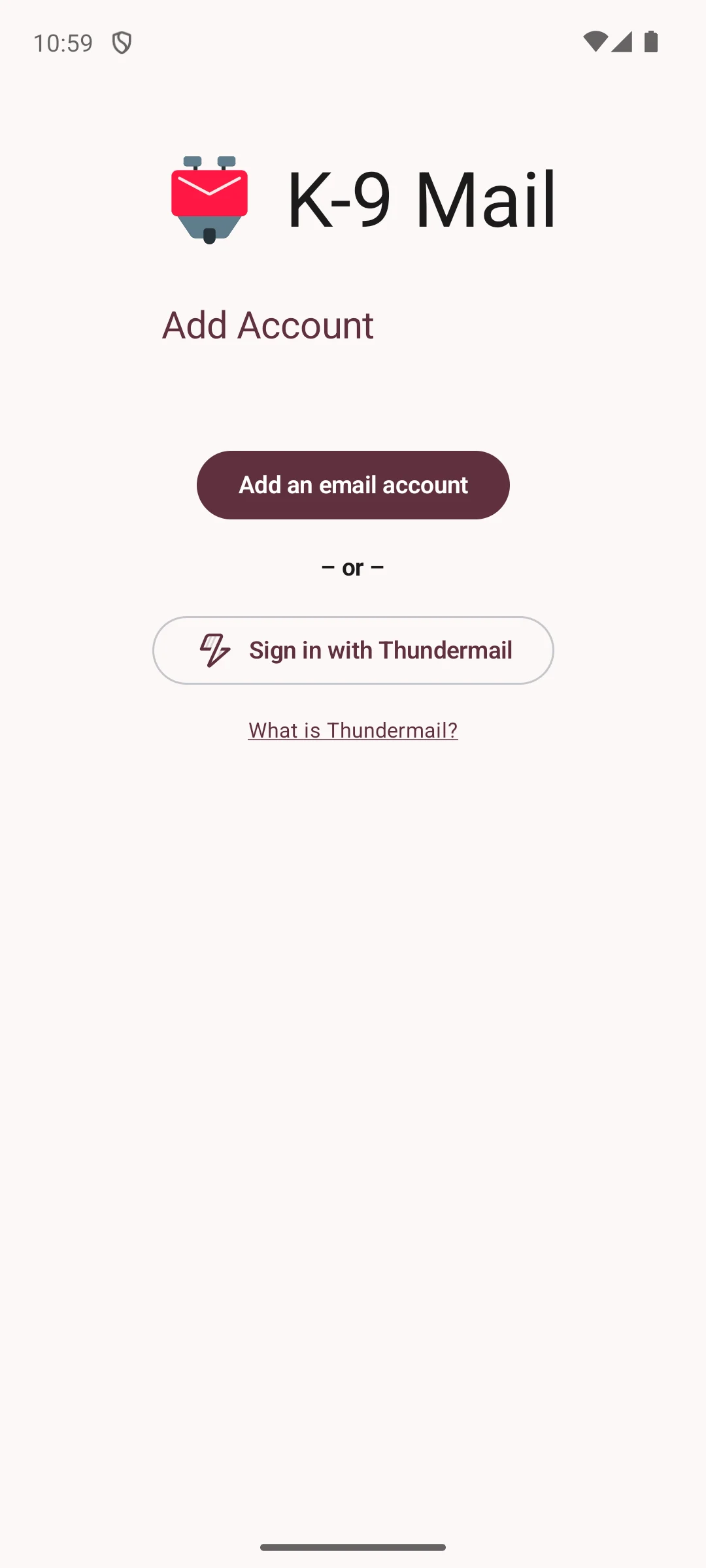
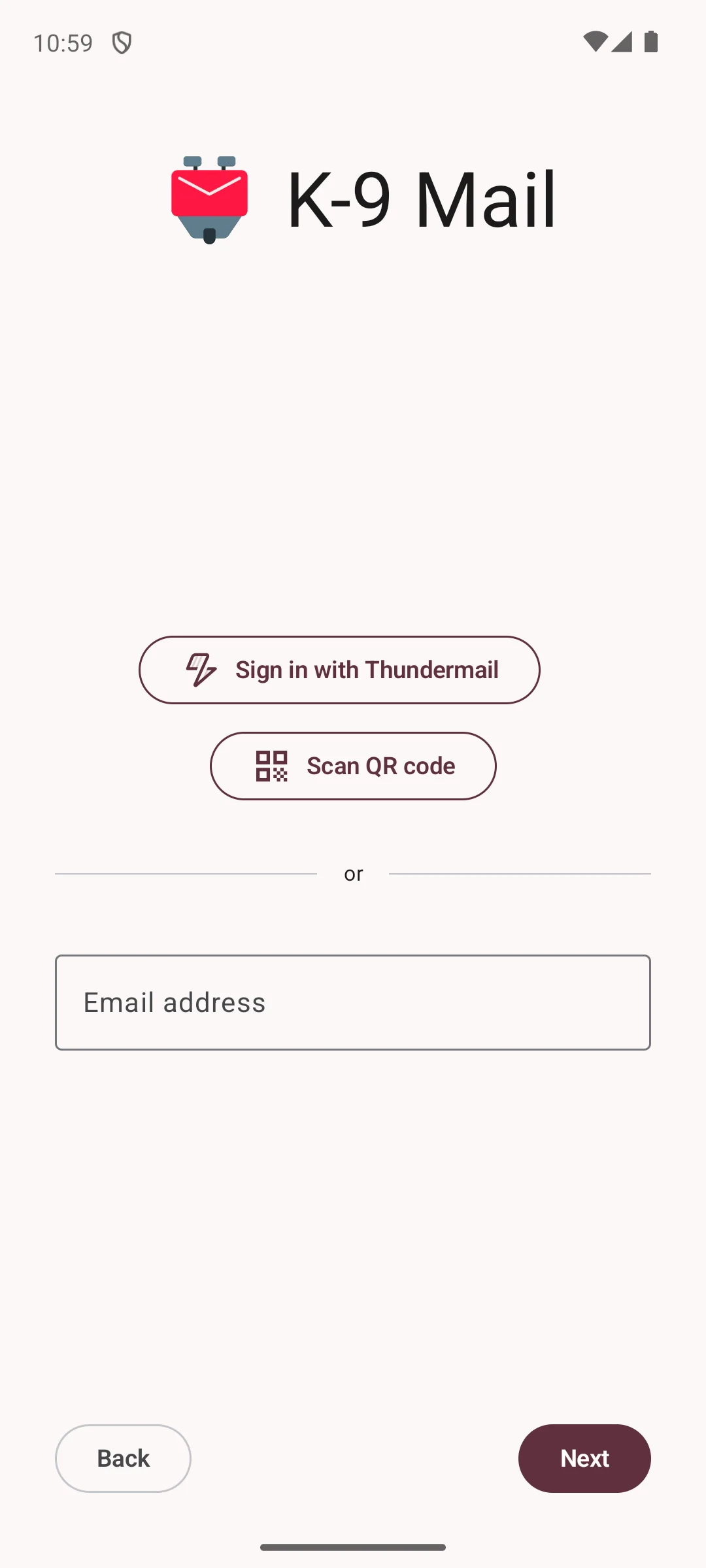
The two captures below are of the app’s opening screens. The first shows an account screen with two ways in: add an existing email account, or sign in with Thundermail, the Thunderbird service. The second asks for an email address, or a QR code, or that same Thundermail sign in. Both screens offer to connect a mailbox you already have rather than to open an account here.
Skip this if. A 3.0 on a sample that size is enough to rule an app out.
Choosing between them. Choose K-9 Mail over Thunderbird for Android when that collection declaration is the deciding line, and Thunderbird for Android over it for the higher rating on its own listing.
Thunderbird for Android is the higher rated of the two listings carrying the Thunderbird developer entry, on the smallest sample here.
Rating 3.6 from 9,657 reviews · Installs 1,000,000+ · Free to install, with in-app purchases from $5.00 to $200.00 per item · Developer Mozilla Thunderbird · Data Safety: no data shared with third parties, the app may collect data types, and deletion can be requested · Listing released 28 October 2024, updated 11 August 2026 · Contains ads: No · checked 1 September 2026
Google Play listing · 3.6 (9,657) · read 1 September 2026
Thunderbird for Android carries the developer entry Mozilla Thunderbird, the same entry the K-9 Mail listing carries, and it is rated 3.6 from 9,657 reviews, the smallest sample on this page. Its listing carries no Contains ads label and declares no data shared with third parties, and a Thunderbird privacy notice of its own names it explicitly. In-app purchases run from $5.00 to $200.00 per item, the highest ceiling here alongside one other listing.
The Thunderbird privacy notice, read 20 August 2026 and last updated 9 May 2025, names Thunderbird for Android explicitly and says that email messages "are stored and processed locally on your device and never sent to us". That is a second document, published three months after the K-9 Mail notice on k9mail.app and covering Thunderbird for iOS as well, and it carries that sentence in the same words, which is why these two entries share a value in the mail handling column while differing on every store field. Its collection wording is the same too, so the email domain, the technical data and the temporary IP address in the server logs are declared for this listing as well.
Its listing title reads "Thunderbird: Free Your Inbox" on its Play listing, the version reads 22.0 and the store page states Android 6.0 or newer. It was released 28 October 2024 and updated 11 August 2026.
Skip this if. A rating needs a large sample behind it before you will act on it.
Choosing between them. Choose Thunderbird for Android over K-9 Mail for the higher rating on its own listing and a Data Safety section that says deletion can be requested, and K-9 Mail over it for the No data collected declaration.
Every entry above is free to install, so the question a store page can settle is not what mail costs but what has been declared about it. The question a store page cannot settle is the one that decides the rest: whether the app is a client that talks to your mailbox, or a service that stands between you and it. Read in that order, the eleven separate quickly.
A Play listing states the price, the purchase range, the presence of the Contains ads label, what the developer has declared under Data Safety, and when the store page was last rewritten. There is no field on it for whether a copy of your mail comes to rest with the app maker. Microsoft, Blix, Spark and Edison all publish that answer for their own apps, in four separate documents of four different shapes, and the Data Safety form flattens all four into the same two lines. That is why this page reads them separately.
Blue Mail is the clearest case. Its Data Safety section declares no sharing, and Blix states that it does not store your email messages on its servers. Both are true, and Blix also states that with instant push on its push proxy receives each incoming message before deleting it. Not stored is narrower than not seen. Tuta Mail runs the other way: it declares sharing to Google, while Tutao’s own privacy statement says it will not disclose personal data to third parties and that there will be no sale of data. Nothing available to a reader settles which document is answering the narrower question, so both are printed.
Seven of the eleven listings carry no Contains ads label. Edison Mail is one of them, and Edison’s own policy describes processing mail into what it calls Commercial Data and supplying de-identified data to subscribers of its commercial services. The label is a declaration about advertising inside the app. It is not a statement that nobody is paying for your mail to be read, and the two are easy to confuse on a store page that only shows the first.
K-9 Mail and Thunderbird for Android carry the same developer entry, Mozilla Thunderbird, the same version and the same purchase range, and a privacy notice on each of the two sites covers both by name, in the same words and on two different dates. What they do not share is a rating, a sample size or a deletion line. On the relationship between them, the K-9 Mail store page speaks for itself: its developer description says the app is now part of the Thunderbird family and remains a community developed project. Neither description says one app is built out of the other, so this page does not say it either.
A listing left alone for eighteen months would be flagged as stale here, and the same threshold is applied to all eleven. None of them reaches it. The oldest update date on this page is 11 August 2026, on K-9 Mail and Thunderbird for Android, and the newest is 31 August 2026, on Gmail, so listing age separates nothing in the table above, and neither an update date nor a release date is scored for or against any entry.
Everything above is what the eleven listings state and what their developers publish about themselves. None of it is an audit, and a privacy notice is a promise rather than a measurement. If Yahoo Mail is the one being weighed, Yahoo Mail against other Android email clients goes further on that single app, on a check older than this one. For the calendar side there is best calendar apps for Android, for the writing side best notes apps for Android, and the wider Productivity apps hub holds the rest of the category.
On the listings alone, Proton Mail: rated 4.5, no Contains ads label, and a Data Safety section that declares no data shared with third parties. Proton runs the mailbox, so this means a new address rather than keeping the one you have, and the privacy case rests on Proton's own claim that it cannot read what it stores. If keeping mail off any vendor is the point instead, K-9 Mail is the entry whose developer states that messages stay on your device. Checked 20 August 2026.
One developer states it plainly for two of these apps. The Thunderbird privacy notice covers both K-9 Mail and Thunderbird for Android and says email messages are stored and processed locally on your device and never sent to the developer. The same notice also says that the developer receives the email domain, technical data and, in its server logs, the IP address, so what stays on the phone is the message content rather than everything. Aqua Mail is a separate case: its own store description says the app is an IMAP and POP3 client and does not collect or store message content, though its separate privacy policy returned no readable text to us, so its push behaviour is not settled here. Every other app on this page either runs the mailbox itself or routes some part of your mail through its own servers, and each entry says which. Checked 20 August 2026.
Four of the eleven listings here carry the Contains ads label: Gmail, Microsoft Outlook, Yahoo Mail and Aqua Mail. The other seven carry no such label. The label states what the developer has told the store about advertising in the app. It is not a statement that nobody is paid for access to your mail, which is a separate question each entry answers from the developer's own policy. Checked 20 August 2026.
All eleven are free to install. Two show no in-app purchases at all on their store pages, Gmail and Tuta Mail, and Gmail is one of the four listings that carry the Contains ads label. The other nine sell something inside the app, priced per item rather than as one yearly figure. Free at the door and free of a business model are different things, and Edison Mail is the clearest example on this page. Checked 20 August 2026.
Edison says so in its own privacy policy. It states that it processes emails collected through its services to identify those related to commercial activities, calls the result Commercial Data, and provides de-identified data to subscribers of its commercial services. It offers an opt out in the app settings, and the same policy says opting out does not remove or affect data already derived from your mail. Its Play listing carries no Contains ads label, which is why this page does not treat that label as an answer to the question. Checked 20 August 2026.
Their listings carry the same developer entry, Mozilla Thunderbird, the same version, the same in-app purchase range and the same update date, and a Thunderbird privacy notice on each of the two sites covers both by name in the same words. They differ on the rating and on the sample behind it, and their Data Safety sections differ too: the K-9 Mail one declares No data collected and says data can't be deleted, while the Thunderbird one says deletion can be requested. K-9 Mail is rated 3.0, the lowest on this page. On how the two relate, the K-9 Mail description says the app is now part of the Thunderbird family and remains a community developed project. Checked 20 August 2026.
Five say so: Microsoft Outlook, Spark Mail, Yahoo Mail, Edison Mail and Tuta Mail. The other six declare no data shared with third parties. Either line is a declaration the developer has made to the store rather than an audit of the app, and on three apps it does not match what the same developer publishes elsewhere, which is why each entry above prints both the declaration and the developer's own wording. Checked 20 August 2026.
Checked 20 August 2026: all eleven Play listings were re-read and every rating, review count, install band, price, in-app purchase range, ads label, Data Safety line and listing date now carries the date it was read on this pass. The page has a new column, and it is the one it should have led with: what the developer says its own servers do with the contents of your mail, read from the developer’s own privacy notice or store description rather than from the Data Safety form. The two do not agree on three apps. Blue Mail declares no sharing to Google, and Blix documents a push proxy that receives every incoming message before deleting it. Tuta Mail declares sharing to Google, and Tutao’s own privacy statement says it will not disclose personal data to third parties and that there will be no sale of data. Edison Mail carries no ads label, and Edison’s policy describes processing mail into what it calls Commercial Data, of which a de-identified set is provided and sold to subscribers of its commercial services, which the earlier version of this entry did not mention at all while leading on the absence of the label. Microsoft Outlook gains the line Microsoft itself publishes, that a copy of your mail, calendar and contacts is synchronised to Microsoft data centres, and Yahoo Mail gains Yahoo’s own statement that its automated systems may analyse communications content. Aqua Mail’s entry now says plainly that its separate privacy policy returned no readable text, so its push behaviour is unverified here rather than cleared. Gmail gains Google’s dated notice on third party accounts: Send as for them ends in January 2027, Gmailify and POP end on the web, and the notice says access through the Gmail app for Android does not change. The mail handling column now says that of Gmail too, rather than reporting flatly that Google runs the mailbox. Two things are withdrawn, both of them ours rather than a developer’s. The three tier How we verify box is gone: its first tier, labelled Installed and examined, asserted personal use of these apps, which the rule here forbids in every channel, and the dated box that replaces it makes no such claim. The K-9 Mail entry opened the same way and now describes what its opening screens show instead. The captures themselves are unchanged and stay in the K-9 Mail entry. The review counts rose on all eleven listings and not one rating changed, so nothing in the table moved on those two columns. The K-9 Mail and Thunderbird for Android listings both moved to version 22.0, and the Proton Mail listing was rewritten on the day of this pass, to version 7.11.2. Three more corrections are ours. The K-9 Mail entry now prints what the same Thunderbird notice says about collection, beside the No data collected line its listing declares, instead of leaving that line to stand alone. The Thunderbird for Android entry cites its own notice and its own date rather than borrowing the K-9 Mail one, which is a separate document published three months later. Every cell in the mail handling column now names the party that published it, as two of the eleven already did. The seo title now names the question the page answers instead of listing the store fields.
 Best Calendar Apps for AndroidProductivity
 Best Keyboard Apps for Android: 10 Checked on Play and F-DroidPersonalization
 Best Notes Apps for AndroidProductivity