
Checked 27 September 2026
Infinite Painter is the pick, PENUP the free one with no ads label, Pixilart the one for pixel art, ibis Paint X the manga choice that carries ads. Our answer and the table ↓
Checked 27 September 2026: all eleven listings re-read; Pixilart 4.1 to 4.2, Krita and Tayasui ratings corrected, PENUP added as the free pick
Full logEleven Android drawing apps, compared on price, the ads label and the rating, with what each one's money buys stated in its own words.
Infinite Painter is our best overall pick because on 27 September 2026 its listing showed 4.5, no ads label and purchases from $1.99 to $9.99. Proofed 27 September 2026
Pixilart is our best free pick for pixel art because on 27 September 2026 its listing published no purchase range and no ads label. Proofed 27 September 2026
ibis Paint X is our manga pick because on 27 September 2026 its listing showed 4.5, free to install, with purchases to $79.99 and the Contains ads label. Proofed 27 September 2026
Data checked: 27 September 2026.
No data collected, one purchase price
Rating 4.1 from 706,275 reviews · Installs 100,000,000+ · Free to install · in-app purchases at $2.99 an item · The listing description sets out brush types, guides and rulers, and layers with blend modes, and calls the interface clean and unobtrusive · Listing updated 30 May 2026 · first published 8 October 2014 · no version number on the record read here · Developer Sketchbook · Category Art & Design · Data Safety: no data shared with third parties, and no data collected · Contains ads: No · checked 27 September 2026
Google Play listing · 4.1 (706,275) · read 27 September 2026
Sketchbook is the only entry here that publishes a single in-app purchase price rather than a range. Its Play listing, read on 27 September 2026, gives that price as $2.99, the lowest ceiling of the nine listings here that publish a purchase price at all, while PENUP and Pixilart publish no purchase range at all. The same listing carries no advertising label, and its Data Safety section declares no data shared with third parties and no data collected. The blunt part: the description says nothing at all about what is free and what is paid, so what that $2.99 buys is not answerable from the listing. Sketchbook's own help site, read on 27 September 2026, names an in-app purchase called the Premium Bundle and says it unlocks advanced features for brush creation, color management, layer management and new export options; neither the listing nor that page ties the name to the $2.99 price.
Skip this one if you want the listing to spell out where the paid line falls before you install: Infinite Painter and Concepts both publish free and paid feature lists in their descriptions, and this description publishes neither. Choose Sketchbook over Infinite Painter when a Data Safety section that declares no collection at all matters more to you than a longer tool list.
Stylus pressure and tilt, no ads label
Rating 4.5 from 245,232 reviews · Installs 10,000,000+ · Free to install · in-app purchases $1.99 to $9.99 per item · The listing description publishes a free feature list and a Pro feature list side by side, and states that the app is designed for stylus devices with full pressure and tilt support · Version 7.2.9 · listing updated 8 September 2026 · first published 2 April 2012 · Developer Infinite Studio LLC · Category Art & Design · Data Safety: the app may share data types with third parties, may collect data types, data encrypted in transit, deletion can be requested · Contains ads: No · checked 27 September 2026
Google Play listing · 4.5 (245,232) · read 27 September 2026
Infinite Painter sets out where its paid line falls under two headings of its own description. On the Play listing, read on 27 September 2026, the free heading gives three layers at the device resolution, all the built-in brushes and brush editing, solid fill, lasso selection, basic transform and symmetry tools, seamless pattern projects and smart shape detection; the paid heading adds HD canvas sizes, more layers, adjustment and filter layers, and layer groups and masks.
Its Data Safety section is the blunt half: it declares that the app may share data types with third parties, and may is the listing's own word, so the section records what the developer declares rather than what the app does. Skip this one if a section that declares no sharing at all is what you want, and look at Sketchbook or Krita first, the two entries here that declare neither sharing nor collection. Choose Infinite Painter over Sketchbook when you want the description to tell you where the paid line falls before you install anything.
Largest review sample, ads label
Rating 4.5 from 3,004,209 reviews · Installs 100,000,000+ · Free to install · in-app purchases $2.99 to $79.99 per item · The listing description counts over 130,000 brushes, 46 screentones and 3,000+ fonts, and links the developer's own page on purchase plans · Version 14.1.2 · listing updated 25 September 2026 · first published 27 February 2014 · Developer ibis inc. · Category Art & Design · Data Safety: the app may share data types with third parties, may collect data types, data encrypted in transit, deletion can be requested · Contains ads: Yes · checked 27 September 2026
Google Play listing · 4.5 (3,004,209) · read 27 September 2026
ibis Paint X carries the largest published sample on this page by a wide margin: 4.5 from 3,004,209 reviews, on an install band of 100,000,000+, read on 27 September 2026. Two things come attached to it. Its listing carries the Contains ads label, which is the store's own statement that the app contains advertising, and its Data Safety section declares that the app may share data types with third parties. The developer's description on the Play listing links a purchase plans page of its own, which, read on 27 September 2026, states that the paid and free versions differ in the presence or absence of advertisements and in nothing else.
The purchase names are the developer's own, and they are worth reading apart: that page, read on 27 September 2026, sets out an Ad Removal Upgrade at $15.99 as a one off payment and a Premium Membership at $4.49 a month or $27.99 a year, prices it says may differ with the exchange rate, as a different purchase, so taking the advertising away and unlocking the premium features are not the same transaction. Both lines of its Data Safety section are hedged: the listing says the app may share and may collect, and may is its own word. The ad-free build is also sold as a separate listing, ibis Paint, priced at $15.99 with no ads label on Google Play on 27 September 2026, and its own description states that unlocking all features still requires the Premium Membership. Skip this one if the advertising label decides it for you, and look at Infinite Painter or PENUP first, the two entries here that publish the same rating figure and carry no advertising label. Choose ibis Paint X over MediBang Paint when the size of the published sample is what reassures you.
Comics, on a plan to save or export
Rating 4.4 from 50,250 reviews · Installs 10,000,000+ · Free to install · in-app purchases $0.99 to $119.99 per item · The listing description opens with a free trial and states under its Tablet heading that a plan is needed to save or export artwork · Version 5.1.4 · listing updated 3 September 2026 · first published 4 December 2020 · Developer CELSYS,Inc. · Category Art & Design · Data Safety: no data shared with third parties, the app may collect data types, data encrypted in transit, deletion can be requested · Contains ads: No · checked 27 September 2026
Google Play listing · 4.4 (50,250) · read 27 September 2026
Clip Studio Paint is the comics entry here whose money question is settled on the listing itself. Under its Tablet heading the developer's description on the Play listing, read on 27 September 2026, states: You need an annual or monthly plan to save or export your artwork
.
Its description sets out two different free windows, one under a Tablet heading and one under a Smartphone heading, so which one applies depends on the device rather than on the app. Skip this one if you want to pay once rather than keep paying, and look at Sketchbook first, whose listing publishes a single purchase price and no plan at all. Choose Clip Studio Paint over MediBang Paint when print ready comic pages are the work and a plan is acceptable.
Self declared beta, lowest rating here
Rating 3.3 from 6,446 reviews · Installs 1,000,000+ · Free to install · in-app purchases $2.49 to $13.99 per item · The listing description calls this a beta release and states that the app is not being made available for phones yet · Version 5.3.4 · listing updated 21 September 2026 · first published 8 April 2024 · Developer Stichting Krita Foundation · Category Art & Design · content rating All ages · Data Safety: no data shared with third parties, and no data collected · Contains ads: No · checked 27 September 2026
Google Play listing · 3.3 (6,446) · read 27 September 2026
Krita is the entry whose own listing sets the expectation before any figure does. The developer's description on the Play listing, read on 27 September 2026, says: This is a beta release of Krita and is not suitable for real work yet.
It adds that the interface, as that description stood on 27 September 2026, is optimised for big screen devices, tablets and chromebooks, and that the app is not being made available for phones yet.
Its 3.3, the lowest rating on this page, rests on 6,446 reviews (read 27 September 2026), a far smaller sample than the largest listings on this page carry, so it is not the same kind of measurement as a score built from millions of reviews. The record does bear on the score in one respect, and in the developer's own words rather than ours: a build the description calls a beta, and does not offer for phones, is not the same proposition as a finished phone app. Skip this one if a published score is what you decide on, and look at Sketchbook first, the other entry here that pairs a declaration of no collection at all with no advertising label. Choose Krita over Clip Studio Paint when you want no plan at all and can live with what the description says about itself.
Infinite vector canvas, free tier published
Rating 4.4 from 24,329 reviews · Installs 5,000,000+ · Free to install · in-app purchases $1.99 to $29.99 per item · The listing description publishes its free tier in full, and offers both a premium subscription and one time purchases beside it · Version 2026.08.3 · listing updated 10 September 2026 · first published 16 November 2018 · Developer TopHatch, Inc. · Category Art & Design · Data Safety: no data shared with third parties, the app may collect data types, data encrypted in transit, deletion can be requested · Contains ads: No · checked 27 September 2026
Google Play listing · 4.4 (24,329) · read 27 September 2026
Concepts is the planning tool of the eleven. The developer's description on the Play listing, read on 27 September 2026, calls it a vector based workspace in which every stroke stays editable and scalable, on an infinite canvas meant for plans, notes, storyboards and product sketches. The blunt part is where the paid line falls: the free list in that description stops at five layers and JPG exports.
That description offers a subscription and one time purchases at once, and states that the one time purchases are limited to the platform you buy them on, which is the kind of condition a price range on its own never shows. Skip this one if finished painting rather than planning is the work, and look at Infinite Painter or Clip Studio Paint first: one gives brushes a heading of its own in the description, the other names its brush engine there. Choose Concepts over Sketchbook when strokes you can reshape after drawing them matter more than a fixed canvas.
Cloud sync for comics, ads label
Store title MediBang Paint:Draw Art, Comic · Rating 3.7 from 302,545 reviews · Installs 10,000,000+ · Free to install · in-app purchases $2.49 to $8.99 per item · The listing description sets out comic panel and screen tone tools, PSD and CMYK support, cloud sync across devices, and further brushes on a subscription plan · Version 28.25 · listing updated 4 August 2026 · first published 16 June 2015 · Developer MediBang Inc. · Category Art & Design · Data Safety: the app may share data types with third parties, may collect data types, data encrypted in transit, deletion can be requested · Contains ads: Yes · checked 27 September 2026
Google Play listing · 3.7 (302,545) · read 27 September 2026
MediBang Paint is the cross device comics entry. The developer's description on the Play listing, read on 27 September 2026, states that you can work across devices with cloud sync and collaborate on the same canvas, and it names comic panel tools, screen tones, speech bubbles and PSD and CMYK support. The listing carries the Contains ads label.
Read this first. The listing read for this page is titled MediBang Paint:Draw Art, Comic, with a full width colon, and its package is com.medibang.android.paint.tablet. MediBang Paletta is a different app from the same developer, on its own listing and a far smaller sample of reviews, and not one figure on this page was read from it. Our page New Android drawing apps in 2026: 6 listings, free tiers compared covers that one instead.
Skip this one if you work on a single device and the advertising label bothers you: look at Clip Studio Paint first, the one of the three comics entries here that carries no advertising label, and which asks for a plan instead. Choose MediBang Paint over ibis Paint X when moving pages between devices matters more to you than the size of the review sample.
No purchases and no ads label
Rating 4.5 from 223,028 reviews · Installs 100,000,000+ · Free to install · no in-app purchase range published on the listing · The listing description sets out coloring pages, templates, Live Drawing and Photo Drawing, drawing challenges, and commenting on other people's drawings · Listing updated 18 September 2026 · first published 7 September 2013 · no version number on the record read here · Developer Samsung Electronics Co., Ltd. · Category Art & Design · Data Safety: the app may share data types with third parties, may collect data types, the listing states that data is not encrypted, deletion can be requested · Contains ads: No · checked 27 September 2026
Google Play listing · 4.5 (223,028) · read 27 September 2026
PENUP is one of two entries here with no in-app purchase range at all. Its Play listing, read on 27 September 2026, publishes no purchase range and carries no advertising label. Its description is about drawing together rather than about tools: coloring pages, templates, Live Drawing and Photo Drawing, challenges, and commenting on other people's work. The blunt part is in its Data Safety section, which states that data is not encrypted.
One thing the description does not do is name the S Pen: it talks about pen drawn content in general. The listing page is not silent on it, though. A developer reply from Samsung Electronics Co., Ltd., dated 10 July 2026 and read on 27 September 2026, states that PENUP is optimized for devices that use the S Pen and that a device supporting it is required for pressure sensitivity adjustment and the auto fix tools. That is a reply to one review rather than a line of the store record, and which stylus this or any other app suits best is not something a store record answers. Skip this one if you want layers, export control and a studio tool set, because the description names none of them. Choose PENUP over Pixilart when coloring pages and challenges rather than a pixel grid are what you are after.
Small tool set, weekly or yearly plan
Rating 3.7 from 78,365 reviews · Installs 10,000,000+ · Free to install · in-app purchases $2.99 to $49.99 per item · The listing description states that premium features are reached by subscription, weekly or yearly · Version 1.5.43 · listing updated 22 September 2026 · first published 29 October 2020 · Developer Tayasui Sketches · Category Art & Design · Data Safety: no data shared with third parties, the app may collect data types, data encrypted in transit, and the listing states that data cannot be deleted · Contains ads: No · checked 27 September 2026
Google Play listing · 3.7 (78,365) · read 27 September 2026
Tayasui Sketches is the deliberately small tool set on this page, and its own description says so: a claimed twenty plus tools, fifteen of them named one by one under a list of tools heading, plus layers, photo import and a brush editor, with the rest on a plan. Its Play listing, read on 27 September 2026, carries no advertising label. The blunt part: its premium features sit behind a subscription, weekly or yearly, which the description states outright.
Its description also lists Shapes as iPad only, inside an Android listing, which is worth reading twice before paying for anything on it. Skip this one if you want depth to grow into, because Infinite Painter and ibis Paint X both publish far longer tool lists. Choose Tayasui Sketches over Sketchbook when a small, named set of drawing tools is the point rather than a limitation.
Pixel art, and no subscriptions
Rating 4.2 from 11,013 reviews · Installs 1,000,000+ · Free to install · no in-app purchase range published on the listing · The listing description states in its own words that there are no subscriptions, and sets out a public community with swearing and spam filters on by default · Version 1.9.0 · listing updated 31 March 2026 · first published 5 November 2018 · Developer Pixilart · Category Art & Design · Data Safety: no data shared with third parties, the app may collect data types, data encrypted in transit, deletion can be requested · Contains ads: No · checked 27 September 2026
Google Play listing · 4.2 (11,013) · read 27 September 2026
Pixilart is the pixel grid on this page, and its description is the only one read here that settles the money question outright: under a subscriptions heading of its own, its Play listing, read on 27 September 2026, states that there are no subscriptions. The same listing publishes no in-app purchase range and no advertising label. The blunt part: it is a pixel editor, and its description offers nothing else.
That description spends as much space on the community as on the editor: all conversations are public, there is no private messaging, and swearing and spam filters are on by default. That is worth having in front of you if the person drawing is a child. Skip this one if you draw anything other than pixels, because every other entry here is broader. Choose Pixilart over PENUP when a pixel grid rather than coloring pages is the point.
AR tracing, purchases to $699.99
Rating 3.7 from 76,756 reviews · Installs 5,000,000+ · Free to install · in-app purchases $0.99 to $699.99 per item · The listing description sets out augmented reality tracing onto paper, step by step lessons, an in-app canvas with layers and custom brushes, and three auto renewable subscriptions · Version 10.11.1-play · listing updated 23 September 2026 · first published 10 May 2017 · Developer Sketchar Inc · Category Art & Design · Data Safety: the app may share data types with third parties, may collect data types, data encrypted in transit, deletion can be requested · Contains ads: No · checked 27 September 2026
Google Play listing · 3.7 (76,756) · read 27 September 2026
Sketchar is the learner's entry. The developer's description on the Play listing, read on 27 September 2026, sets out augmented reality tracing of an image onto real paper through the camera, step by step lessons, and an in-app canvas with layers and custom brushes. The figure to look at before any other is the purchase ceiling: this listing publishes in-app purchases from $0.99 to $699.99 per item.
Read this first. In-app purchases on this listing reach $699.99 per item. That is the store's own published range, read on 27 September 2026, and it is more than five times the next highest ceiling on this page. What any single item at that price buys is not something the listing says.
Its description names three auto renewable subscriptions as well, so the per item range is not the whole of the money either. Skip this one if you already draw without a guide, because the tracing is what this listing is built around. Choose Sketchar over Pixilart when learning to draw on paper is the goal rather than making digital art.
Drawing exported, which photo editor gives it a final polish for free?
Our answer there: Snapseed, our best overall and best free pick, whose listing showed 4.5 stars, free, no ads and nothing to buy, listing read 3 September 2026.
See it against 15 rivalsMatch the app to the work, and use the table above rather than a feature list.
All eleven are free to install, so free is not a reason to pick one of them over another, and nine of the eleven publish an in-app purchase price or a range, so almost none of them is free of money either. Two carry the Contains ads label: ibis Paint X and MediBang Paint. Five declare in their Data Safety sections that they may share data types with third parties: Infinite Painter, ibis Paint X, MediBang Paint, PENUP and Sketchar. Two declare that no data at all is collected: Sketchbook and Krita. Those groups overlap, so each app's full Data Safety section is printed in its own section above rather than summarised.
Comics and manga are where the descriptions differ most, and they differ from each other too. MediBang Paint is the one that names both comic panel tools and screen tones. ibis Paint X counts 46 screentones and 3,000+ fonts in a description read on 27 September 2026, and names no panel tool. Clip Studio Paint names speech bubbles, frames and action lines instead, and of the three it is the only one with no advertising label. Painting is where the descriptions say most about brushes: Krita and Clip Studio Paint name a brush engine in those words, and Infinite Painter gives brushes a heading of its own, while ibis Paint X counts over 130,000 brushes in its description read on 27 September 2026. Planning and diagrams are Concepts, whose description is built around strokes that stay editable after they are drawn. Pixel work is Pixilart. Learning to draw on paper is Sketchar. Coloring pages and company are PENUP. Animation as the main work, rather than a bonus, has a list of its own: 13 Best Animation Apps for Android, 2D and 3D: Who Watermarks the Free Export and in Which Formats, which ranks Krita and ibis Paint X in its table and explains why it leaves Clip Studio Paint out.
A pressure stylus changes what any of these can do, and a store record is thin evidence about styluses. Five of the eleven descriptions read for this page say something about them, and two of the five, Infinite Painter and Concepts, state pressure and tilt support in so many words; the other six name no stylus, though the PENUP description is built around pen drawn content, and the FAQ below names all five. Which app handles one particular pen best, and whether it offers a stylus only input mode, is a question for the developer's own documentation rather than for a store listing, and it is not something this page answers.
Pair it with: a photo editor app for cleaning up reference shots, a scanner app to digitise paper sketches, and a handwriting app for S Pen notes and lettering.
Every app here is read from its own Google Play listing: the rating and review count from the listing's own structured data, the install band, the price and the in-app purchase range, the Contains ads label, the developer, the version where one is published, the date the listing was last updated, the full Data Safety section, and what the developer's own description states about what the money buys. Where a listing publishes no such field, this page says so rather than leaving a blank. Ratings drift and counts climb, so every figure carries the date it was read. Nothing here rests on our own use of the apps.
We re-verify this category monthly. Get the monthly diff by email
None of the eleven descriptions read for this page states that a stylus is required. Five of them say something about styluses: Infinite Painter states full pressure and tilt support, Concepts says its pencils, pens and brushes respond to pressure, tilt and velocity, Tayasui Sketches lists stylus support among its tools, Clip Studio Paint says lines can be adjusted with a finger or a stylus, and ibis Paint X links a list of supported digital styluses from its description, read on 27 September 2026. The other six name no stylus, though the PENUP description is built around pen drawn content, and a developer reply on the PENUP listing, dated 10 July 2026, is the one place any of these records ties a drawing feature to a particular pen. What a pen feels like against a finger is general Android guidance rather than anything these listings publish, and this page does not answer it.
All eleven apps on this page are free to install, so the real question is what each listing asks for after that. On Google Play on 27 September 2026, PENUP and Pixilart were the two listings with no in-app purchase range and no Contains ads label; PENUP is our free pick for drawing and coloring, though its Data Safety section states that data is not encrypted, and Pixilart is a pixel editor only. Sketchbook publishes a single in-app purchase price rather than a range, and carries no advertising label. Pixilart and PENUP publish no in-app purchase range at all. Krita is free to install with no advertising label too, and its own description calls the Android build a beta that is not suitable for real work yet.
For a tablet or a phone, Infinite Painter is our overall pick, and its description, read on 27 September 2026, names tablets, phones and Chromebooks; the ibis Paint X description read that day calls it an app for smartphones and tablets. Krita's description, read on 27 September 2026, states that its interface is optimized for big screen devices, tablets and chromebooks, and that the app is not being made available for phones yet. Clip Studio Paint sets its terms by device on its listing, read on 27 September 2026: under its Tablet heading an annual or monthly plan is needed to save or export artwork, and under its Smartphone heading all features are free for 30 hours a month. On a phone, Krita is the one listing on this page whose description rules phones out.
Several of these descriptions name photo import as a reference or tracing layer, Concepts, Infinite Painter and Tayasui Sketches among them, and Infinite Painter also names color correction and filter effects among its tools. None of the eleven descriptions read for this page presents the app as a photo retouching tool. For cropping, color correction and filters you want a dedicated app. Take a look at our guides to the best photo editor apps and the best camera apps for that side of things.
Sharing usually exports a flattened PNG or JPG, which merges every layer into one image so it can be viewed anywhere. Your layers are not lost. They stay in the app's own project file. If you want to keep editable layers when moving to a computer, export a layered PSD instead, and open that file in desktop software. Four descriptions read for this page name PSD: MediBang Paint, Krita, Concepts and Infinite Painter. Clip Studio Paint does not name it in its description at all. How sharing behaves in each app is not something a store listing states, and that part of this answer is general Android guidance rather than a claim about any of these eleven.
No store listing can say which app suits a particular child, so these are listing facts read on Google Play on 27 September 2026 rather than a verdict. PENUP publishes coloring pages and drawing challenges, no in-app purchase range and no ads label, though its Data Safety section states that data is not encrypted. Pixilart's description states that all conversations are public, that there is no private messaging, and that swearing and spam filters are on by default. Sketchar's description names kids among its audience and sets out step by step lessons, but on 27 September 2026 its Google Play listing showed in-app purchases reaching $699.99 per item. Kids Doodle, from Doodle Joy Studio, is not ranked on this page: on 27 September 2026 its listing showed it as approved by teachers for Ages 6-12, declared no data collected and a commitment to the Play Families Policy, and carried the Contains ads label.
No. Procreate's own site, procreate.com, read on 27 September 2026, lists Procreate for iPad and Procreate Pocket for iPhone, and names Savage Interactive Pty Ltd as the holder of the Procreate trademark. A Google Play search for Procreate on 27 September 2026 returned a listing that uses the name Procreate in its title from a developer named GaziAbbas786, in the Productivity category with an install band of 0+ and the Contains ads label; its description presents it as a guide to digital drawing rather than a drawing app, and it is not published by Savage Interactive. The top two results of that search were Infinite Painter, our overall pick, whose description states full pressure and tilt support and export to layered PSD files, and HiPaint, which is not on this page and whose listing showed 4.3 from 62,338 reviews and the Contains ads label on that date.
PENUP is published by Samsung Electronics Co., Ltd., and its description is built around pen drawn content, coloring pages and drawing challenges, although it does not name the S Pen itself. A developer reply on that listing, dated 10 July 2026, does name it: it states that PENUP is optimized for devices that use the S Pen and that such a device is required for pressure sensitivity adjustment and the auto fix tools. Of the others, Infinite Painter states full pressure and tilt support in its description, Concepts says its tools respond to pressure and tilt, and Tayasui Sketches lists stylus support among its tools. How any of them handles one particular pen is not something a store listing answers.
Three of the descriptions read for this page mention it. Krita says it supports animation with onion skinning and storyboarding, Clip Studio Paint says you can make anything from GIFs to full length animations, and ibis Paint X calls itself an illustration and animation app, up to frame-by-frame animation (descriptions read 27 September 2026). If animation is the main goal rather than a bonus, our list of the best animation apps for Android compares dedicated animation apps, including which free exports carry a watermark.
No. A Google Play search for Adobe Fresco on 27 September 2026 returned thirty app listings, seven of them published by Adobe, and no listing for Adobe Fresco itself, which is why it is not one of the eleven apps read for this page. That is a search result rather than a listing that was opened. If you want painting brushes described at length on an Android listing, Infinite Painter gives brushes a heading of its own in its description, ibis Paint X counts over 130,000 brushes in its own, read on 27 September 2026, and Krita and Clip Studio Paint name a brush engine in those words.
Checked 27 September 2026: All eleven listings were re-read on the United States Google Play storefront on 27 September 2026, and every rating, review count, version and listing update date printed for those eleven apps carries that date. On that read Pixilart's rating rose from 4.1 to 4.2, which also changed the count of listings rated above Sketchbook, and the listing update dates of nine of the eleven apps had moved, to dates between 4 August and 25 September 2026. Two figures were wrong on the page itself: Krita was printed as 3.2 in four places and 3.3 in three, and reads 3.3 everywhere after this pass; Tayasui Sketches was printed as 3.8 in the table and one bullet against 3.7 elsewhere, and reads 3.7 everywhere, which makes three listings at 3.7 and corrects the tie counts in the MediBang Paint and Sketchar sections. Withdrawn: the claims that Tayasui Sketches had the oldest update on this page and that only two listings had gone longer without an update than Infinite Painter, because both listings were updated in September 2026. The ibis Paint X description was rewritten by its developer and no longer names its purchase plans, its text tool or a brushes heading, so the plan names and prices are taken from the developer's own purchase plans page, linked in that section. Sketchbook's help site names the purchase its listing leaves unexplained, and that section says so. The Procreate and Adobe Fresco answers were searched again on Google Play, and the Procreate answer names a lookalike listing. Added: PENUP as the free pick, a question on drawing apps for children in place of one this page could not answer, a rewritten question on tablets and phones that now names a pick, and a link to our animation list. Removed from the top of the page: a method paragraph and a jump list that repeated the table's own links. No app was added or removed.
Checked 26 August 2026: Three of the eleven listings were re-read on 26 August 2026: Infinite Painter, Pixilart and ibis Paint X. Rating, install band, price, the Contains ads label and the in-app purchase range are unchanged on all three. The ibis Paint X record has moved to version 14.0.11 with its listing updated on 21 August 2026, a date later than any update date this page recorded on 16 August 2026, so the update date rankings in the ibis Paint X, Krita and PENUP sections are withdrawn and the plain dates left in their place. Review counts are not reprinted from the 26 August 2026 read and keep their 16 August 2026 date, and the eight listings not opened on 26 August 2026 keep every figure and date from that pass.
Checked 16 August 2026: This is a re-read of a page that was already enriched on 6 August 2026, and every figure on it has been read again from each app's own Google Play listing on 16 August 2026. Six of the eleven records had moved in the ten days between the two reads. ibis Paint X: the in-app purchase range this page printed as $1.99 to $49.99 is $2.99 to $79.99 on its listing as read on 16 August 2026. Krita: the page printed 3.2 from 6.25K reviews and called that the lowest rating on this list; the same listing on 16 August 2026 gives 3.2 from 6,243 reviews, still the lowest of the eleven, and every review count on this page is now printed in full rather than rounded to thousands. Concepts: the rating its listing displays has moved from 4.3 to 4.4. Clip Studio Paint, Tayasui Sketches and Pixilart: their review counts have all climbed, and the new counts are in their fact lines. Sketchbook, Infinite Painter, MediBang Paint, PENUP and Sketchar: rating, install band, price and ads label are unchanged from the previous read, and each carries the 16 August 2026 date because it was read on that date, not because it moved. Every count here is what the listing published at the moment it was read on that date: a count read a few hours later, on this page or on a sister page dated the same day, can differ by a handful of reviews without either read being wrong.
MediBang Paint: the page named it only as MediBang Paint. Its store title on 16 August 2026 was MediBang Paint:Draw Art, Comic, with a full width colon, and the heading and the fact line now use that title. Two different MediBang apps exist and both are real: this page links com.medibang.android.paint.tablet, and our page on the new drawing listings of 2026 links a different product from the same developer, on its own listing and a far smaller sample of reviews. That is now stated inside the MediBang section, so a reader moving between the two pages does not read one figure as a contradiction of the other.
Claims withdrawn from the body, each of them in the stored page until 16 August 2026. Claims about using the apps, which the owner's rule forbids in every channel: "runs well on mid range tablets", "genuinely usable on a phone", "the touch interface still feels rough", "light on storage and battery", "lovely watercolor rendering" and "the AR tracing genuinely builds hand confidence". Superlatives and absolutes that no listing read on 16 August 2026 supports: "the best perspective and symmetry guides on Android", "the closest thing to desktop illustration software on an Android tablet", "smallest install base on this list", which was wrong because Krita publishes the same install band, and "preloaded on Galaxy devices", which the PENUP listing does not state. Claims contradicted by the listings themselves: "free with every pro tool", against a listing that publishes a purchase price and a description that says nothing about what is free; "removing them takes a subscription", against an ibis Paint X description that names an Ad Removal Upgrade as a purchase separate from its monthly or yearly plan; "the free version is a trial", against an Infinite Painter description that publishes a free feature list in full; "one time pro upgrade, no subscription", against a Tayasui Sketches description that sets out a weekly or yearly subscription; and "full brushes and layers need a subscription", against a Concepts description that offers one time purchases alongside the subscription.
Added in this pass: a Data Safety line and a description line in every app's fact line, a version and a listing update date for every app whose record publishes them, and the developer's own words quoted and linked in the same sentence for Clip Studio Paint and Krita. The Krita quote is now taken from the Play description read on 16 August 2026 rather than from the project FAQ the page quoted before. The decision table was already here and there is still exactly one; it now carries an Ads column and a Rating column, so the two facts most readers filter on sit in the table rather than only in the sections, and the standout and pick it for columns it used to carry are folded into the single best for cell. A dated How we verify section and a verdict paragraph were already here; both were rewritten, and both now use the box and capsule markup the standard asks for, which the stored page did not carry.
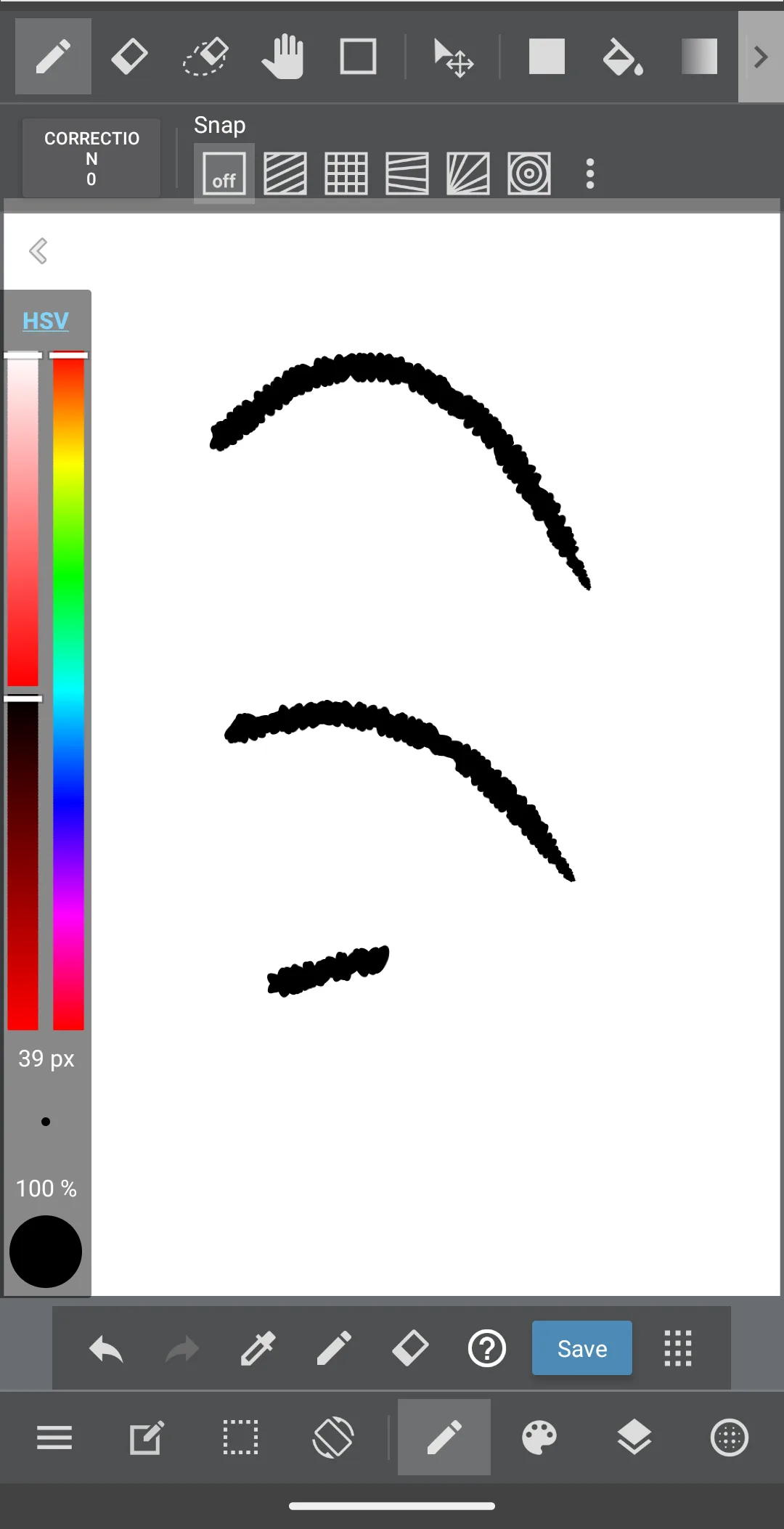
Removed from the body: the inline card that linked our page on the new drawing listings of 2026. Its artwork carries a July framing and wording that the linked page itself withdrew when it was rewritten on 16 August 2026, and the image file cannot be edited from this account, so the link stays as text and the picture goes. The MediBang screenshot stays where it was, inside the MediBang section; its caption stated that the image was captured in-app on Android 14, and it now names what the picture shows and who publishes the app and claims nothing about where the image came from, because verificat, nu testat applies to captions as well as to prose and nothing available to this pass could establish the origin of that file either way. No app was removed from this page and none was added: all eleven store links the live page carried resolved on 16 August 2026 with status ok, and nothing on this page rests on installing or running any of these apps.