
Checked 5 September 2026
Ten call blockers compared on what actually separates them: whether the listing carries ads, what the in-app prices really reach, and what each Play data safety section declares about your call data. An eleventh entry is kept as history because its Android app is gone. More in our Communication guides, and if you also want to record the calls you answer, see the best call recorder apps.
Phone by Google is the pick and it is free, Truecaller the biggest database, Call Control the cleanest data declaration. Our answer, the free pick and the table ↓
Checked 5 September 2026: no pick changed; all nine Play listings re-read 5 September, Call Control still carries the ads label
Full logTen Android call blockers, compared on whether the listing carries ads, what the in-app prices really reach, and what each Data safety section declares about your call data.
Phone by Google is our pick for most people because on 5 September 2026 its listing showed 4.4 stars from 50,808,230 reviews, no ads and nothing to buy.
Truecaller is our pick for the biggest database because on 5 September 2026 its listing showed 1B+ installs, though it carries the Contains ads label and declares third-party sharing.
Call Control is our pick for the cleanest declaration because on 5 September 2026 its Data safety section alone read no data collected, though the listing carries ads.
Should I Answer? is our pick for working offline because its developer states the database sits on the phone, and on 5 September 2026 its listing carried no ads label.
Data checked: 5 September 2026.
Every app on this page sits in one of three tiers, and each entry says which one applies to it.
Best for most people
4.4 stars from 50,748,503 reviews · 5B+ installs · free to install · no in-app purchases · no ads · by Google LLC · listing updated 31 August 2026 · Google Play listing · checked 3 September 2026
Phone by Google is the blocker most people already have, and for many of them it is the whole answer.
Skip it if you need to block whole area codes or countries, or you want an unknown number named before you pick up.
Choose it over Truecaller when you would rather add nothing to the phone at all; choose Truecaller when naming unknown callers matters more than keeping your call data in one place.
Largest spam database
4.4 stars from 29,345,044 reviews · 1B+ installs · free to install · in-app purchases $0.99 to $449.00 per item · carries ads · by Truecaller · listing updated 31 August 2026 · Google Play listing · checked 3 September 2026
Truecaller names more unknown numbers than anything else here, and it asks for the most in return.
Skip it if you are uneasy about a caller-ID service that may share data, or you will not accept ads in a dialer.
Choose it over Call Control when you want the biggest database and will accept the trade; choose Call Control when you want a community blacklist with a far smaller data footprint.
Best privacy declaration
3.9 stars from 110,802 reviews · 5M+ installs · free to install · in-app purchases $2.99 to $29.99 per item · carries ads · by Call Control LLC · listing updated 27 August 2026 · Google Play listing · checked 3 September 2026
Call Control runs a community blacklist while making the strongest privacy declaration on this page.
Skip it if you want the most recently maintained app, or ads are a dealbreaker even in a free tier.
Choose it over Should I Answer? when you want a community database with a clean data declaration; choose Should I Answer? when you want the check to happen with the connection off.
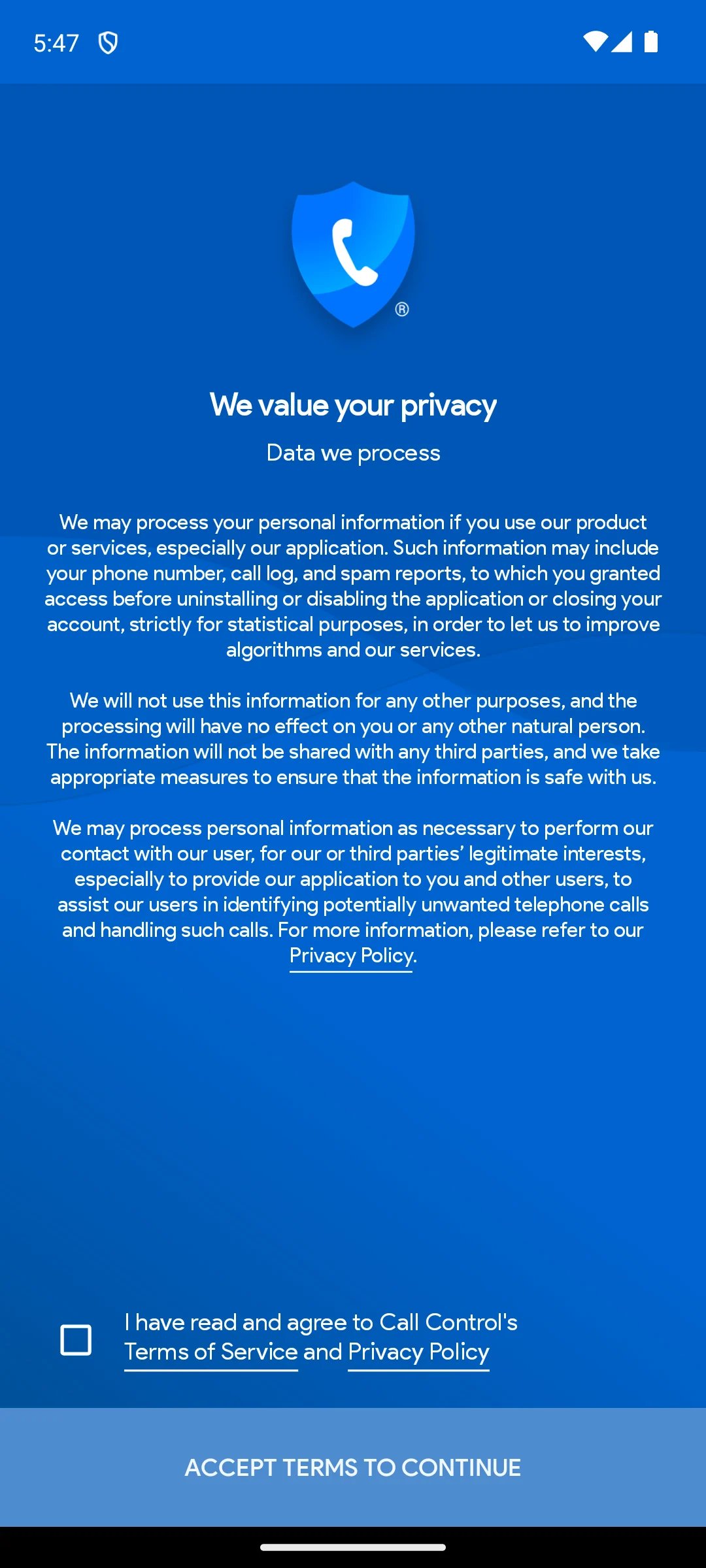
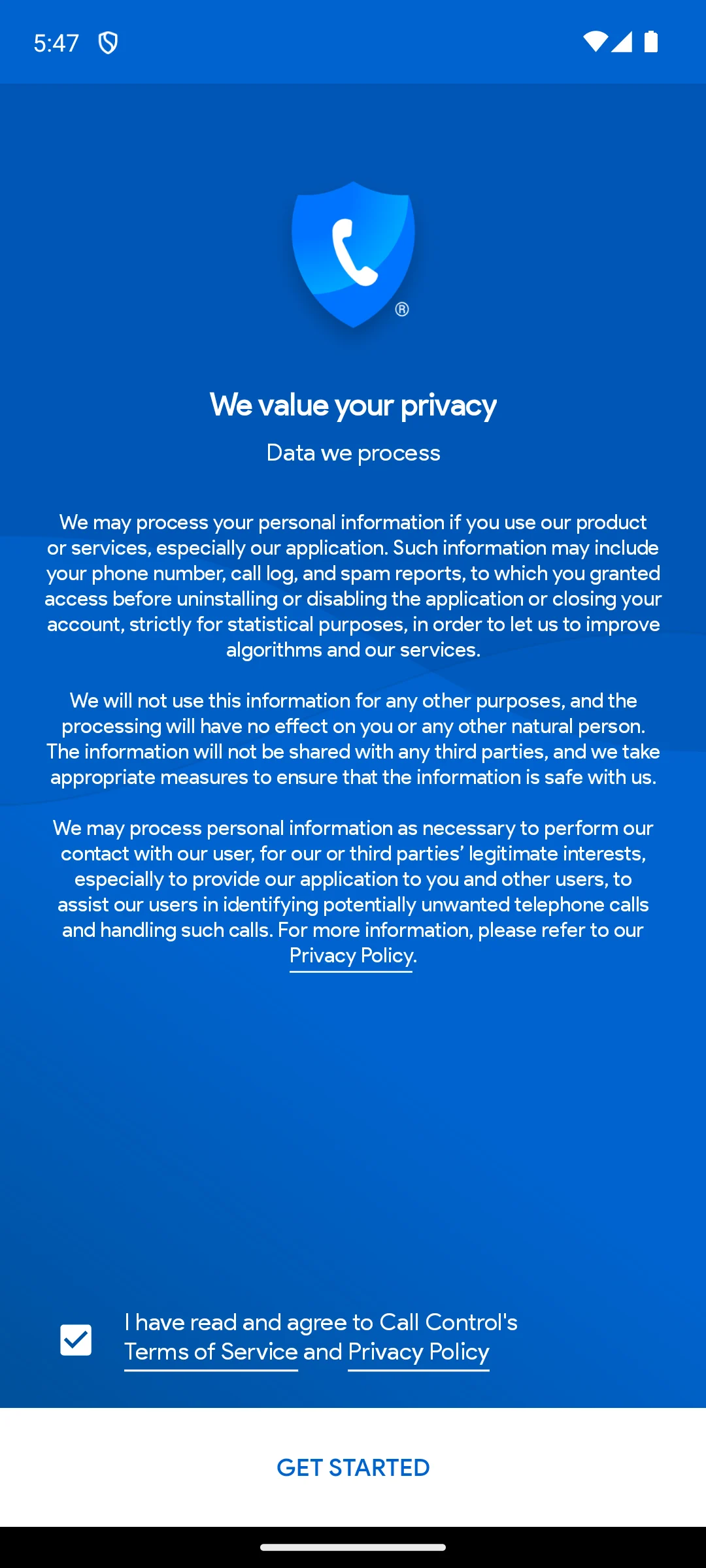
The screenshots here are our own captures from an Android emulator, taken on the date shown. Underneath is a single empty tick box for the terms of service and privacy policy, and the button reads Accept terms to continue, so nothing in the app opens until that box is ticked. We did not tick it. The screenshots below are ours, taken on 18 August 2026.
Best offline blocking
4.0 stars from 95,769 reviews · 1M+ installs · free to install · in-app purchases $1.99 to $9.99 per item · no ads · by Mister Group s.r.o. · listing updated 30 July 2026 · Google Play listing · checked 3 September 2026
Should I Answer? keeps its database on the phone, which is why it still works when the data is off.
Skip it if you want the widest possible spam database, or you need an app that supports older Android versions.
Choose it over Hiya when you want the work done on the device; choose Hiya when you would rather have a large cloud database doing the identifying.
Lightest community blocker
3.9 stars from 262,858 reviews · 10M+ installs · free to install · in-app purchases $1.99 to $24.99 per item · no ads · by Hiya · listing updated 27 August 2026 · Google Play listing · checked 3 September 2026
Hiya is the one that gets out of the way, blocking known spam without turning your dialer into a product.
Skip it if you want a personal block list without paying, or you want the app to hold nothing about your calls.
Choose it over Calls Blacklist when you want a database deciding for you; choose Calls Blacklist when you want to decide yourself and keep it local.
Best manual blocklist
4.4 stars from 847,311 reviews · 10M+ installs · free to install · in-app purchases $1.99 to $14.99 per item · carries ads · by Enchan Li · listing updated 3 September 2026 · Google Play listing · checked 3 September 2026
Calls Blacklist is the right tool when the problem is a handful of numbers rather than the whole world.
Skip it if you want unknown callers named, or you want robocalls stopped before they ever reach you.
Choose it over Mr. Number when the nuisance is a few specific numbers; choose Mr. Number when it is a whole area code or country.
Best for blocking ranges
3.9 stars from 201,089 reviews · 10M+ installs · free to install · in-app purchases $0.99 to $24.99 per item · no ads · by Hiya · listing updated 19 May 2025 · Google Play listing · checked 3 September 2026
Mr. Number exists for the case where the spam all shares a prefix.
Skip it if you expect a currently maintained app, or you want the smallest possible data footprint.
Choose it over RoboKiller when the spam comes from a predictable range; choose RoboKiller when you want the calls answered rather than dropped.
Most aggressive
3.8 stars from 125,633 reviews · 5M+ installs · free to install · in-app purchases $0.99 to $129.99 per item · no ads · by Mosaic Srl · listing updated 28 May 2026 · Google Play listing · checked 3 September 2026
RoboKiller is the only app here that answers the call instead of just refusing it.
Skip it if you want a free solution, or you would rather a scam call simply never rang.
Choose it over Showcaller when you want the spammers held on the line; choose Showcaller when you mainly want to know who is calling.
Caller ID first
4.4 stars from 199,557 reviews · 10M+ installs · free to install · in-app purchases $1.99 to $12.99 per item · carries ads · by Showcaller Caller ID Studio · listing updated 2 September 2026 · Google Play listing · checked 3 September 2026
Showcaller is built around telling you who is ringing, with blocking as the second job.
Skip it if you want the identification done offline, or you will not accept ads.
Choose it over Nomorobo when you want to know who is calling; choose Nomorobo when you want known robocalls stopped before the first ring.
Smallest, most focused
3.6 stars from 2,618 reviews · 100K+ installs · free to install · in-app purchases $2.99 to $49.99 per item · no ads · by Telephone Science Corp · listing updated 26 August 2026 · Google Play listing · checked 3 September 2026
Nomorobo does one thing, and its listing is unusually specific about what it will not touch.
Skip it if you want caller ID, or you want a large user base behind the app.
Choose it over Phone by Google when you want robocalls stopped by a dedicated service; go back to Phone by Google when free and built in is enough.
Gone from Android
No longer on Google Play · the listing returns 404 and no app under this name appears in store search · checked 8 August 2026
TrapCall did something none of the apps above do: it unmasked withheld and private numbers, so a caller hiding behind No Caller ID could be identified and then blocked. For people dealing with persistent anonymous harassment that was the reason to pay for it.
Status. The Android app was withdrawn after the company changed hands. Its Play listing returns 404 and a store search for the name returns no matching app, checked 8 August 2026. Treat this entry as history rather than a recommendation.
Skip it: nothing on Android replaces the unmasking feature today. If anonymous calls are the actual problem, Calls Blacklist can reject private and unknown numbers outright, and Phone by Google can send unknown callers to screening. If the calls are threatening, your carrier and the police can trace a withheld number in ways no app can.
Picking a call blocker is less about chasing the app with the longest feature list and more about matching one tool to how you actually get bothered. Before you install anything, it helps to understand what these apps really do under the hood, what they ask for in return, and whether you even need a separate app at all.
Almost every call blocker combines two simple ideas. The first is your own block list, a private list of numbers you have personally chosen to silence. When one of those numbers calls, the app intercepts it and either rejects it outright or sends it straight to voicemail. This part works entirely on your phone and needs no internet connection. It is reliable, predictable, and completely under your control.
The second idea is the community spam database. Apps like Truecaller, Hiya, and Call Control collect reports from millions of users. When enough people mark a number as a telemarketer or a scam, it gets a bad reputation in that shared database. The next time that number calls anyone using the app, it is flagged or blocked automatically, even though you never added it yourself. This is what catches the robocalls you have never seen before.
The trade off is straightforward. A personal block list is precise but reactive, since you only block a number after it has already bothered you once. A community database is proactive and catches far more, but it depends on the app phoning home to check reputations, and it is only as current as the reports flowing into it. Scammers rotate through fresh numbers constantly, so no database is ever complete. The better apps blend both approaches.
Known spam numbers, repeat robocallers, and anything on your personal list are the easy wins. The harder cases are spoofed numbers, where a scammer fakes a local prefix to look like a neighbor, and brand new numbers that no one has reported yet. Some apps let you block whole ranges or anyone not in your contacts, which is a blunt but effective tool if the junk keeps coming from one area code. Just remember that blocking everyone outside your contacts can also silence a delivery driver, a clinic, or a returning call you were waiting for.
Call blockers need real access to do their job, and it is worth knowing why before you tap accept. Expect to grant some or all of the following.
A reasonable rule is to grant only what an app clearly needs for the feature you want. If you only care about a personal block list, an app that demands your full contact book and call history is asking for more than the task requires.
This is the part most lists skip. Android already includes solid blocking tools, and for a lot of people they are enough. In the Google Phone app that ships on Pixel and many other devices, you can long press any number in your recent calls and choose to block and report it. There is also a built in Caller ID and spam protection setting that quietly identifies suspected spam and can filter the worst robocalls into a silent bucket so your phone never even rings.
If you mostly want to silence a handful of specific numbers, or you just want known robocalls filtered out, try the built in tools first. They cost nothing, add no extra app to maintain, and do not introduce a new company into your call data. Reach for a dedicated blocker only when you need something the built in tools do not offer, such as a much larger spam database, blocking entire number ranges, or richer caller ID. Treat the third party app as an upgrade you choose on purpose, not a default you install reflexively.
You will see apps promise to save battery by managing calls. Be honest with yourself here, the blocking itself uses almost no power. A lightweight app that checks numbers on your device barely registers. Apps that constantly sync with a cloud database use a little more, but on any modern phone the difference is too small to notice. Battery saving as a selling point is mostly placebo, so choose your blocker on how well it blocks, not on power claims.
The uncomfortable truth behind the biggest spam databases is that they are partly built from users' contacts. Just like many caller ID apps, some call blockers ask to upload your address book, and that is how they learn to put a name on an unknown number. The benefit is better identification. The cost is that you are handing over other people's phone numbers, names, and sometimes more, often without those people ever agreeing to it.
If that bothers you, and it reasonably might, prefer on device blocking. Apps that work from a local database or that only manage a personal block list keep your data on the phone and ask for far less. Should I Answer? is the clearest example: its listing states the check runs without an internet connection and that the app does not send your contacts anywhere. Call Control declares no data collected at all in its Play data safety section, and Nomorobo states that it never accesses your contacts or call logs. Calls Blacklist keeps its rules on the phone and needs no account, though its listing does carry the Contains ads label. Whatever you pick, take two minutes to read the privacy policy and check what the app says it collects and uploads. If an app insists on your contacts before it will block a single number, that is a fair reason to walk away.
Run back up to the comparison table and read three columns: price, ads and what the data safety section declares. On this page those three cut ten apps down to two or three very quickly.
The ones backed by a large shared database stop most known spam automatically, and Truecaller has the largest here at 1B+ installs. None of them stop everything, because scammers move to fresh numbers constantly and a spoofed local number looks like a neighbour. A personal block list is precise but only works after a number has bothered you once. The honest expectation is a large reduction, not silence.
For most people the built in tools are. Phone by Google carries no ads and no in-app purchases at all, checked 8 August 2026, which nothing else on this page manages. Everything else described as free here still sells something: Should you Answer? from $1.99, Calls Blacklist from $1.49, Hiya from $1.99. Four of the ten also carry the Contains ads label, so free usually means advertising rather than nothing.
Blocking itself costs almost nothing in power. An app that checks numbers against a database held on the phone barely registers, and apps that query a cloud database use a little more. On a modern phone the difference is too small to matter, so choose on how well an app blocks rather than on any battery claim in its description.
Yes. Should you Answer? states on its listing that the check runs without an internet connection and that the app does not send your contacts anywhere. Nomorobo states that it never accesses your contacts or call logs. Call Control declares no data collected at all in its Play data safety section. Calls Blacklist needs no account. Any of these blocks numbers without an address book upload.
It depends on the app. A personal block list always lives on the phone and works offline. Community spam detection checks a number against an online database, so it needs a connection and shares something with the app maker. Should you Answer? is the exception here: its database is stored locally and updates over wi-fi, so the check itself happens on the device.
For two reasons, and only one of them is for you. The first is so the app recognises people you know and does not block them by accident. The second is that some caller ID services build their shared database partly from uploaded address books, which means other people end up in a database they never agreed to. If that is not a trade you want to make, choose an app whose data safety section declares that nothing is collected or shared.
Checked 8 August 2026: all eleven entries re-read against their listings. TrapCall moved from a recommendation to a history entry: its listing returns 404 and no app under that name appears in store search. Should I Answer? was described here as completely free, and its listing shows in-app purchases from $1.99 to $9.99; it was also the only app on the page with no store link, which is how the error survived. The Contains ads label is now stated for Truecaller, Call Control, Calls Blacklist and Showcaller, and Call Control’s no data collected declaration is stated too. Mr. Number is flagged as last updated 19 May 2025, and RoboKiller’s publisher now reads Mosaic Srl. The comparison that used to be a picture is now a real table, and that picture both omitted Should I Answer? and still listed TrapCall.
 How to Stop Spam Calls and Texts on AndroidCommunication