
Phone by Google's built-in recorder is the pick and it is free, ACR Phone the fallback with a documented setup, TapeACall the choice when the handset fights everything. Our answer, the free pick and the table ↓
Checked 5 September 2026: no pick changed; all seven Play listings re-read 5 September, ads labels and prices unchanged
Full logSix call recorders that still work on Android, compared on the ads label, what each really costs, when the listing was last updated and where the recording actually happens, plus three former picks.
If your dialer is Phone by Google, its built-in recorder is our pick because on 5 September 2026 the listing showed no ads and nothing to buy, and it captures both sides.
ACR Phone is our pick when that recorder is missing because its developer documents a setup for Android 10 and above, where a plain install records silence. On 5 September 2026 its listing carried ads and an $11.99 purchase.
TapeACall is our pick when the handset fights everything because it records the line rather than the phone and its developer states it needs carrier three-way calling. On 5 September 2026 its listing carried no ads label and purchases from $3.99 to $99.99.
Cube ACR, Truecaller, the Q4U recorder and ACR Phone all carried the Contains ads label on 5 September 2026, which this page once disclosed for none of them.
Data checked: 5 September 2026.
If you want the calls stopped rather than recorded, see the call blocker guide.
Every app on this page sits in one of three tiers, and each entry says which one applies to it.
Pixels and stock Android
4.4 stars from 50,715,747 reviews · 5B+ installs · free to install · no in-app purchases · no ads · by Google LLC · listing updated 31 August 2026 · Google Play listing · checked 3 September 2026
When it is available, the recorder built into the dialer beats every add-on: no extra app, no account, and the audio lands in the call log.
Read this first. The limit the page never stated: Google notes on the listing that recording is available only on devices that have the Phone app preinstalled. The listing also requires Android 11, while its own description says 9.0; the field is what gates the install (checked 9 August 2026).
When the dialer has no recorder
4.1 stars from 905,057 reviews · 50M+ installs · free to install · in-app purchases $1.99 to $25.99 per item · carries ads · by Catalina Group · listing updated 2 January 2026 · Google Play listing · checked 9 August 2026
Cube ACR is the app most people land on when the built-in option is missing, and it is still the most capable of the add-ons.
People willing to configure
4.2 stars from 56,787 reviews · 5M+ installs · free to install · in-app purchases $11.99 per item · carries ads · by NLL APPS · listing updated 23 July 2026 · Google Play listing · checked 2 September 2026
ACR Phone is the recorder for people prepared to set something up, and it is honest about what happens if you do not.
Read this first. The detail that decides whether this app is any use to you: on Android 10 and above the plain Play build records silence. Both sides are captured only through the developer's documented setup using its companion app and Shizuku. This page presented reliable two-sided recording as a plain attribute (checked 9 August 2026).
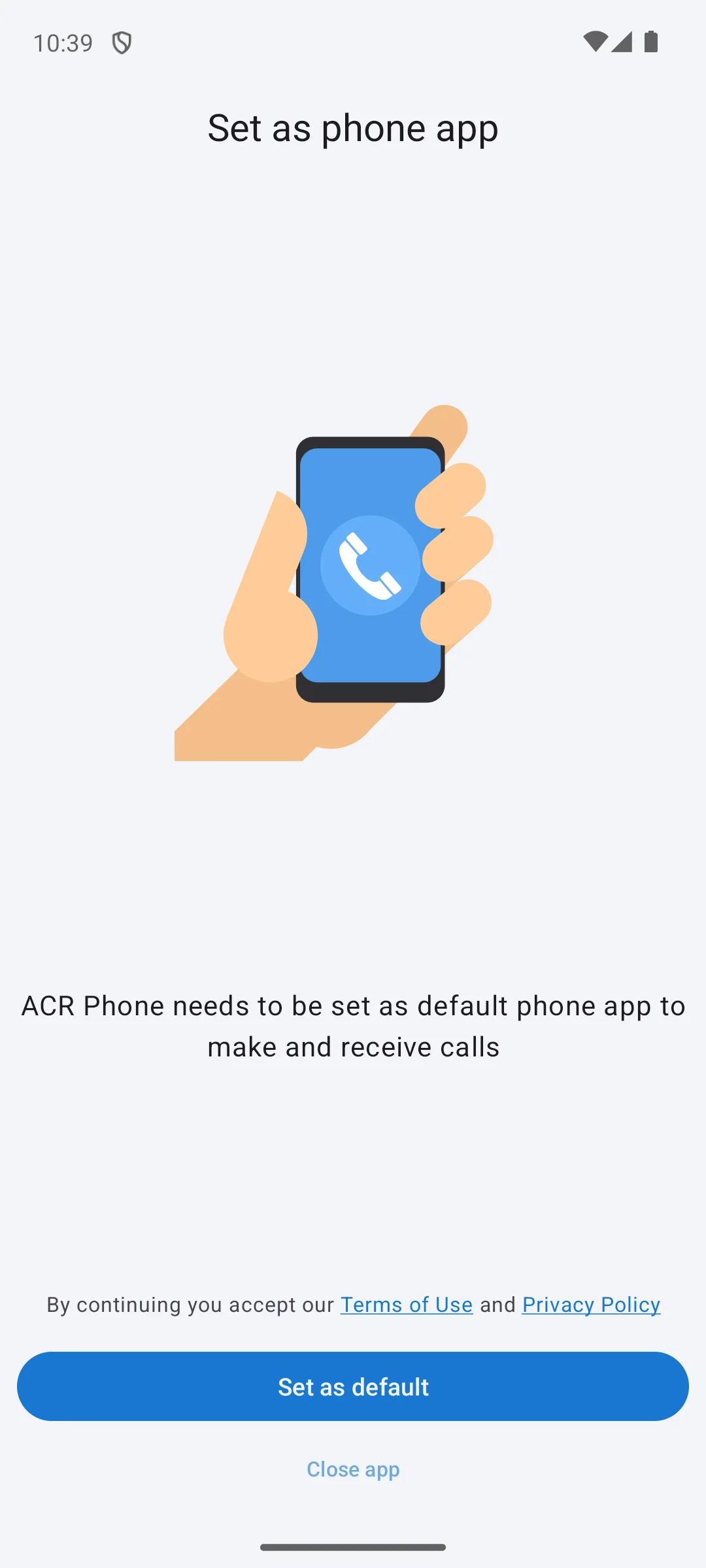
The screenshots here are our own captures from an Android emulator, taken on the date shown. The only two choices offered there are Set as default and Close app, and a line above them says that continuing means accepting the Terms of Use and Privacy Policy. So this is not an app that sits beside your dialler, it replaces it, and nothing inside can be looked at first. We did not hand over the dialler role, so that screen is where we stopped. The screenshot below is ours, taken on 18 August 2026.
If you already use it
4.4 stars from 29,333,147 reviews · 1B+ installs · free to install · in-app purchases $0.99 to $449.00 per item · carries ads · by Truecaller · listing updated 31 August 2026 · Google Play listing · checked 3 September 2026
Most people install Truecaller to filter spam, and the recorder is a reason to keep it rather than a reason to get it.
Starting without a tap
3.4 stars from 708,851 reviews · 10M+ installs · free to install · in-app purchases $0.99 to $49.99 per item · carries ads · by Q4U · listing updated 21 August 2026 · Google Play listing · checked 3 September 2026
This one exists to start recording the moment a call connects, with nothing to press.
Bypassing the OS entirely
3.6 stars from 6,031 reviews · 1M+ installs · free to install · in-app purchases $3.99 to $99.99 per item · no ads · by Mosaic Srl · listing updated 18 December 2025 · Google Play listing · checked 9 August 2026
TapeACall sidesteps Android completely by merging your call into a conference line and recording that.
Read this first. Two corrections. This page said it records no matter how locked down your phone is; the developer states it needs three-way calling from your carrier, so on a plan without that it does not work at all. And it is not free with a trial: a subscription is required to use it (checked 9 August 2026).
Transcribing, not recording
4.8 stars from 42,360 reviews · 5M+ installs · free to install · in-app purchases $12.99 to $99.99 per item · no ads · listing updated 1 September 2026 · Google Play listing · checked 3 September 2026
Otter is the highest-rated app on this page and it does not record calls. It transcribes audio, which is a different job, and this page listed it among the recorders anyway.
What its listing actually says. Transcription covers English, Spanish and French only, and it needs an internet connection to work. Its data safety section declares that data may be shared with third parties while its own description says otherwise, which matters more than usual for anyone transcribing interviews or client calls (checked 9 August 2026).
Removed, see below
Not on Google Play · the package returns 404 and three validated searches surface only a different app · distributed as a direct APK download from the developer's own site · the developer caps it at Android 11 · newest dated note on that site is from 2020 · checked 9 August 2026
Boldbeast had a real reputation for working on handsets that defeated everything else, and this page recommended it on that basis.
Why it is no longer a pick. It fails on every axis at once. It is not on Google Play, and the name this page said to look for there appears in no source we could find. The only way to install it is a raw APK download, which this page's own advice tells readers not to do. Its developer caps support at Android 11, the newest dated note on the developer's site is from 2020, some handsets need root, and there is a paid tier that this page presented as free with no ads (checked 9 August 2026).
Instead: if the built-in recorder is missing on your phone, ACR Phone with its documented setup is the maintained way to get both sides, and TapeACall works regardless of the handset if your carrier supports three-way calling.
Check your own dialer
No Google Play listing, no Galaxy Store listing and no reachable Samsung support document · checked 9 August 2026
On some Galaxy phones the One UI dialer records calls without any extra app, and if yours does, that is the best option available to you: nothing to install and nothing to pay.
What we cannot confirm. This page previously stated which regions have it enabled and that it captures both sides. None of that is checkable: the feature ships inside the system dialer, so there is no listing and no support page we could reach to cite. The honest instruction is to open your own dialer and look, rather than to trust a region list nobody can source (checked 9 August 2026).
If your recordings keep coming out with only your voice on them, you are not doing anything wrong. Google and the Android platform have steadily closed the doors that recording apps used to walk through. Android 6 removed the official call-recording API back in 2015. Android 10 went further and blocked apps from grabbing the call audio stream through the microphone, which is why so many older recorders now catch your side and nothing else. Then on May 11, 2022, Google banned apps from the Play Store if they abused the Accessibility API to record calls. Between those three changes, the easy path simply no longer exists. That is the backstory behind every quirk on this page, and it explains why apps take such different approaches to the same problem.
It also explains why the app you used three years ago may be gone. Plenty of names that used to top these lists are no longer installable. Record My Call from Coconatech was pulled from the Play Store at the start of 2024, and even when it worked it only captured your microphone. The original Automatic Call Recorder from Appliqato left in 2023. Rev shut its call recorder down entirely on October 31, 2025, and the icon now greys out and will not reinstall. If a guide is still recommending those, it has not been checked recently, and that matters because the only place left to get a dead app is a sketchy APK mirror.
Once you understand that the simple method is gone, the current apps sort into three camps, and it helps to think of them as a ladder you climb only as far as you need.
The first and best is built-in dialer recording. The Google Phone app and Samsung's dialer record at the system level, which means they catch both sides cleanly, they are allowed to do it, and they announce the recording out loud so everyone knows. Try this first. If your phone has it, you are done.
The second is accessibility or VoIP capture. Cube ACR and ACR Phone live here. They work around the platform limits using Android's accessibility service, which also lets them record WhatsApp and similar internet calls. The trade is setup: ACR Phone needs its separate helper and a Shizuku configuration to get true two-way audio. These are your move when the built-in option is missing.
The third is conference-line routing, which is what TapeACall does. Instead of touching the call audio on your phone at all, it merges your call into a conference line on a server and records there. That works on any locked-down phone, but it adds latency, usually costs a subscription, and the other person may hear the join beep. Treat it as the last resort when the first two fail.
One more note on that ladder. Otter sits a little outside it, because it is not capturing a phone call at all in the usual sense. It joins your online meetings as a bot or listens through your speaker and writes down what is said. If a transcript is what you are after rather than an audio file, that is a fourth route worth knowing about, but do not reach for it expecting a recording of a normal phone call.
Whether you are allowed to record a call comes down to consent law, and it splits roughly two ways. Some places follow one-party consent, meaning you alone agreeing is enough. Others require all-party consent, where everyone on the call has to say yes first. This varies by country and even by state, so there is no single rule we can give you. The safe habit, and the one that keeps you out of trouble almost everywhere, is to say out loud at the start that you are recording. The built-in tools make this easy: both Google's Phone app and Samsung's dialer announce the recording automatically, so consent is handled for you. With third-party apps you have to do it yourself, and a one-line heads-up at the start of the call is usually all it takes.
There is a second layer to privacy that people forget: where the recording ends up. A local file on your phone is yours alone. The moment an app syncs to its own servers or a cloud account, someone else can potentially reach it, so read what a free app does with your audio before you trust it with a sensitive call. Conference-line tools route your call through a third party by design, which is fine for a work call but something to think about for a private one.
A few errors come up again and again. The first is assuming any recorder catches both sides; many only get your voice, which you find out after the call that mattered. The second is ignoring the recording-mode toggle buried in apps like Cube ACR and Boldbeast, when flipping it is often the exact fix for one-sided audio. The third is not testing before an important call, then discovering the problem too late. The fourth is forgetting cloud backup and losing everything when a phone breaks. The fifth, and the one that recurs most, is trusting an app that is no longer on the Play Store; several well-known recorders were pulled or shut down, and sideloading a dead app from a random mirror is a security risk that is not worth it. And the last is confusing a transcription tool like Otter with a true call recorder. They overlap, but they are not the same job.
It depends where you are and who is on the line. Some places allow recording if one party consents, which can be you; others require everyone to agree. Some workplaces and professions add their own rules on top. The safe habit, and the one that stays legal nearly everywhere, is to say at the start that you are recording. This is general information rather than legal advice.
Because Android stopped letting ordinary apps read the call audio stream. On Android 10 and above, an add-on recorder installed the plain way often captures your microphone alone. Two things get around it: a dialer that has recording built in, such as Phone by Google where it is available, or a service that records the line rather than the phone, such as TapeACall. ACR Phone documents a third path through its companion app, which is why its setup matters. Checked 9 August 2026.
Only Phone by Google, which has no ads and no in-app purchases at all. Cube ACR, ACR Phone, Truecaller and Q4U are free to install but all four carry the Contains ads label and sell in-app purchases. TapeACall needs a subscription to work at all. Checked 9 August 2026.
Sometimes, and less reliably than the marketing suggests. Cube ACR advertises support for several internet calling apps, but which ones work depends on the Android version and the handset, and app updates break it regularly. Treat it as something to test on your own phone before you rely on it, and never assume it works because a list says so.
In app storage on the phone by default, with cloud backup usually a paid extra. That matters for two reasons: a recording sitting only on the device disappears with the device, and a recording synced to a company server is a recording someone else holds. Decide which risk you prefer before you record anything sensitive.
Boldbeast is not on Google Play and is only distributed as a direct download, which is why it was removed. Samsung's built-in recorder may well be on your phone, but nothing about it can be verified through a store listing, so this page now tells you to check your own dialer instead of repeating a region list. Otter is a transcriber rather than a recorder. Checked 9 August 2026.
Checked 9 August 2026: nine entries became six picks plus three explained removals. Boldbeast was cut: its package returns 404 on Google Play, the store name this page told readers to look for appears in no source, it is distributed only as a direct APK download, its developer caps support at Android 11, the newest dated note on that site is from 2020, and it has a paid tier this page described as free with no ads. Samsung's built-in recorder is now marked unverifiable, because it has no Play listing, no Galaxy Store listing and no reachable support document, so the region and both-sides claims rested on nothing. Otter was moved out of the roster, since it transcribes rather than records, and its listing limits it to English, Spanish and French and requires a connection. Four of the six remaining picks carry the Contains ads label, Cube ACR, ACR Phone, Truecaller and Q4U, which this page disclosed for none. ACR Phone now states that the plain Play build records silence on Android 10 and above. TapeACall now states that a subscription is required to use it and that it needs carrier three-way calling. Two listings are old and now say so: Q4U from 12 September 2025 and TapeACall from 18 December 2025. The note claiming ratings were pulled live from Google Play was removed, because every figure on the old page was a fixed string. The comparison that used to be an image, which also served as the social preview, is now a real table.