
Checked 5 September 2026
Eleven ways to find out who is calling, compared on what a store page can prove: ads, in-app prices, what each data safety section declares, the minimum Android version and the rating with its date. If you also want the calls stopped rather than named, see the call blocker guide.
Phone by Google is the pick and it is free, Truecaller the biggest database, Should I Answer? the choice for keeping the lookup local. Our answer, the free pick and the table ↓
Checked 5 September 2026: no pick changed; all ten Play listings re-read 5 September, Whoscall slipped to 3.7 stars
Full logEleven ways to find out who is calling, compared on ads, in-app prices, what each Data safety section declares, the minimum Android version and the rating.
Phone by Google is our pick for most people because on 5 September 2026 its listing showed no ads and no in-app purchases, and it is already on many phones.
Truecaller is our pick for the biggest database because on 5 September 2026 its listing showed 1B+ installs, though it carries ads and purchases up to $449.00.
Should I Answer? is our pick for keeping the lookup local because on 5 September 2026 its Data safety section declared no data shared with third parties, though with purchases from $1.99 it is not the completely free app this page once called it.
Read the region note on Hiya: no ads label on 5 September 2026, but its own description limits call screening, AI voice detection and fraud detection to the United States and Canada.
Data checked: 5 September 2026.
Every app on this page sits in one of three tiers, and each entry says which one applies to it.
Most people
4.4 stars from 50,715,747 reviews · 5B+ installs · free to install · no in-app purchases · no ads · by Google LLC · Android 11 or newer · listing updated 31 August 2026 · Google Play listing · checked 3 September 2026
Phone by Google names unknown callers and filters suspected spam without you installing anything new, and it sells you nothing at all.
Read this first. Two limits the page never mentioned. Call Screen is available only on some devices that ship with this dialer preinstalled, and Google states that automatic screening is United States only and English only. Separately, the listing requires Android 11 while its own description says the app runs on Android 9.0 and above; the field is what gates the install, so treat 11 as the real bar (checked 8 August 2026).
Naming unknown numbers
4.4 stars from 29,333,147 reviews · 1B+ installs · free to install · in-app purchases $0.99 to $449.00 per item · carries ads · by Truecaller · Android 8.0 or newer · listing updated 31 August 2026 · Google Play listing · checked 3 September 2026
Truecaller names more unknown numbers than anything else here, because more people feed it than feed anything else here.
Keeping data local
4.0 stars from 95,564 reviews · 1M+ installs · free to install · in-app purchases $1.99 to $9.99 per item · no ads · by Mister Group s.r.o. · Android 10 or newer · listing updated 30 July 2026 · Google Play listing · checked 8 August 2026
Should I Answer? checks numbers against a database held on the phone, which is why it still works with the data off.
Read this first. A correction: this page said the app is completely free with no real catch. Its Play listing carries in-app purchases from $1.99 to $9.99. The developer’s own description does say absolutely free, so the app’s two surfaces disagree, and the page previously repeated only the flattering one. The listing was also the one thing this section never linked (checked 8 August 2026).
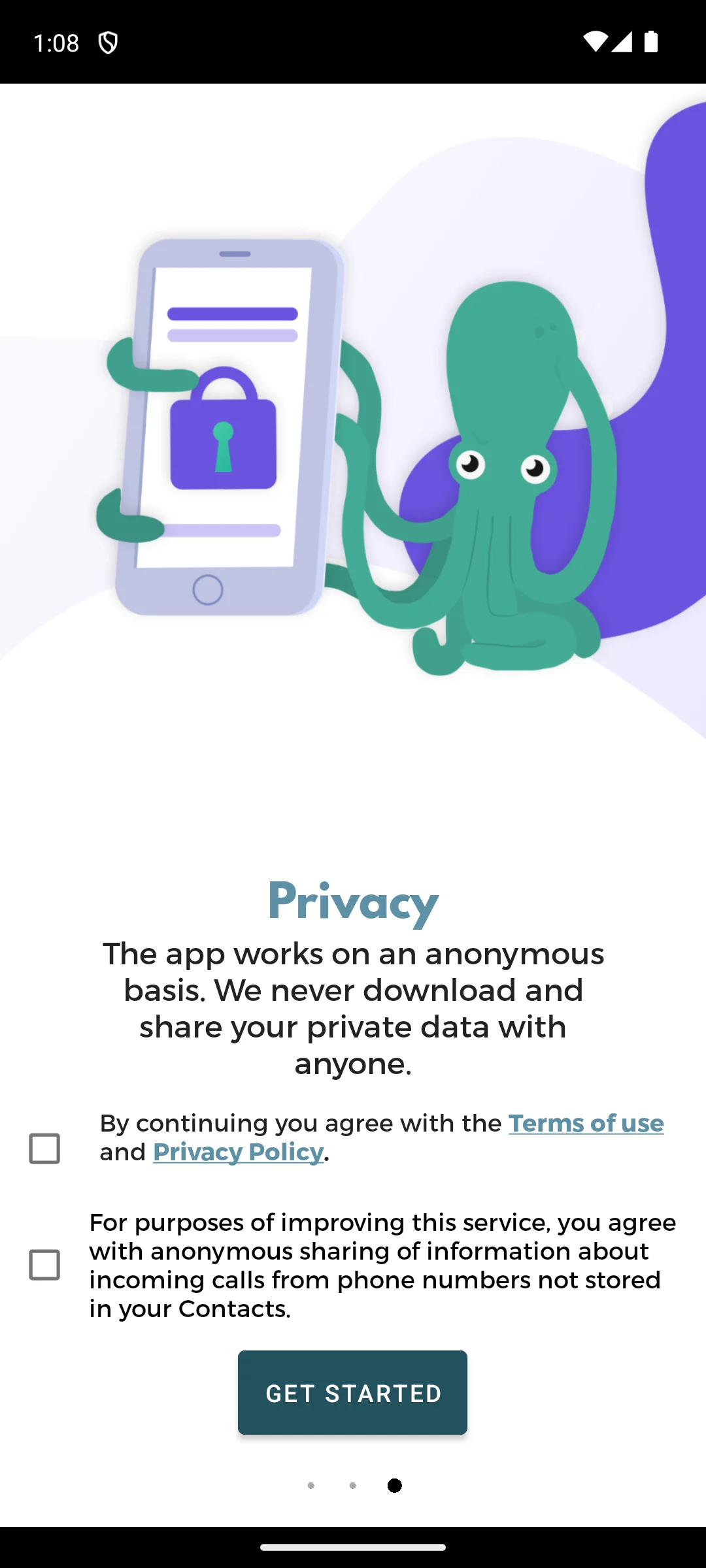
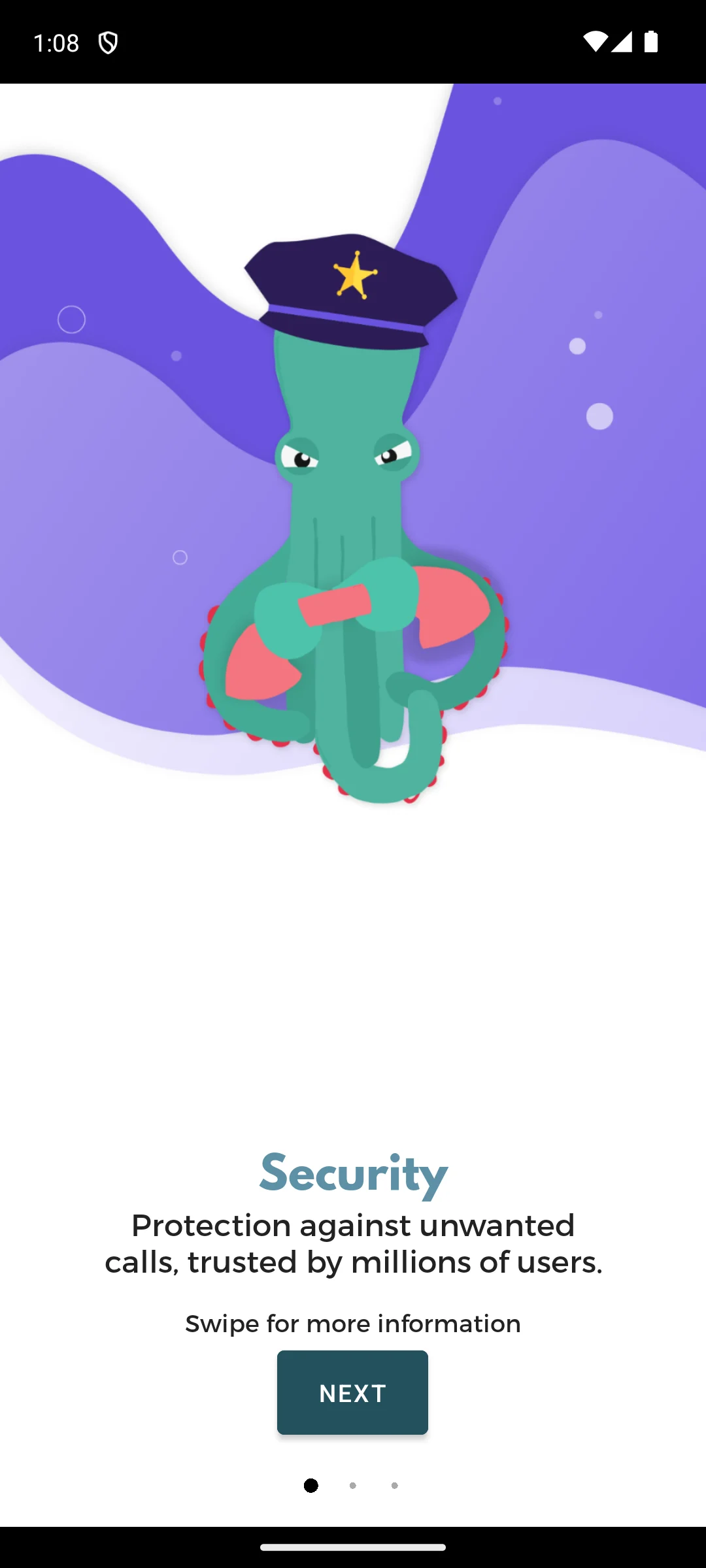
The screenshots here are our own captures from an Android emulator, taken on the date shown. Its opening screen is headed Privacy and states that the app works on an anonymous basis and never downloads or shares your private data. What is worth noticing is how it asks: two separate tick boxes, both empty to start. The first is agreement with the terms of use and privacy policy. The second, kept apart from it, is agreement to share anonymous information about incoming calls from numbers not in your contacts, and it is optional in the sense that it is not the same box. Several other free apps we opened the same day bundle everything behind one button. We ticked nothing. The screenshots below are ours, taken on 18 August 2026.
Ad-free identification
3.9 stars from 262,891 reviews · 10M+ installs · free to install · in-app purchases $1.99 to $24.99 per item · no ads · by Hiya · Android 10 or newer · listing updated 27 August 2026 · Google Play listing · checked 3 September 2026
Hiya is the calmest app on this page: it names callers and flags spam without turning your dialer into a shop.
Read this first. The caveat this page owed you: Hiya states on its own listing that Call Screener, AI Voice Detection and Fraud Detection are currently available only in the United States and Canada. Those are the features that make it worth choosing, so outside those two countries this is a different product (checked 8 August 2026).
Big contact lists
4.4 stars from 1,210,366 reviews · 100M+ installs · free to install · in-app purchases $0.49 to $39.99 per item · carries ads · by Eyecon · Android 6.0 or newer · listing updated 28 August 2026 · Google Play listing · checked 3 September 2026
Eyecon puts a photo against every caller, which genuinely helps if your contact list runs into the hundreds.
Read this first. This page called Eyecon free to use with optional upgrades and said nothing about advertising. Its listing carries the Contains ads label, and the developer’s own description settles it: premium is what removes the ads, and it is also what makes reverse lookups unlimited, so the free tier is capped (checked 8 August 2026).
Doing everything at once
4.3 stars from 1,814,441 reviews · 100M+ installs · free to install · in-app purchases $0.99 to $149.99 per item · carries ads · by CallApp · Android 8.0 or newer · listing updated 1 September 2026 · Google Play listing · checked 3 September 2026
CallApp bundles caller ID, blocking, recording and a themed dialer into one app, and it asks for a great deal in return.
Read this first. Read the listing twice, because it disagrees with itself. The description says CallApp does not sell or share data with any third party. The Play data safety section on that same listing says the app may share data types with third parties, and CallApp is the only pick on this page whose data safety declares that data is not encrypted. This page previously attributed a consumer-watchdog finding to CallApp; the report it cited names no app at all, so that claim is gone and the app’s own contradiction stands in its place (checked 2 September 2026).
Older or slower phones
4.4 stars from 199,276 reviews · 10M+ installs · free to install · in-app purchases $1.99 to $12.99 per item · carries ads · by Showcaller Caller ID Studio · Android 6.0 or newer · listing updated 2 September 2026 · Google Play listing · checked 3 September 2026
Showcaller is the lightweight option, and on an older handset that matters more than any feature list.
Numbers from Asia
3.7 stars from 806,373 reviews · 50M+ installs · free to install · in-app purchases $0.99 to $99.99 per item · carries ads · by Gogolook · Android 10 or newer · listing updated 31 August 2026 · Google Play listing · checked 5 September 2026
Whoscall is the pick when the calls come from parts of Asia that the western databases barely cover.
Read this first. A correction. This page said Whoscall identifies callers offline without sending each number to a server. The word offline appears nowhere in its current Play description or on its own features page. What does exist, and what the developer actually sells, is a downloadable number database whose automatic updating is a paid feature. That is the accurate version and it replaces the old wording (checked 8 August 2026).
Replacing the dialer
4.1 stars from 376,600 reviews · 10M+ installs · free to install · in-app purchases $0.99 to $19.99 per item · carries ads · by drupe · Android 7.1 or newer · listing updated 1 September 2026 · Google Play listing · checked 3 September 2026
Drupe replaces the whole calling experience, with caller ID as one part of a much larger redesign.
Fighting back
3.8 stars from 125,629 reviews · 5M+ installs · free to install · in-app purchases $0.99 to $129.99 per item · no ads · by Mosaic Srl · Android 8.0 or newer · listing updated 28 May 2026 · Google Play listing · checked 2 September 2026
RoboKiller is the odd one out here: it is not really a caller ID app, it is a way of wasting a spammer’s time.
Galaxy owners
No separate Google Play listing · built into the Samsung Phone app · the identification comes from Hiya, which Hiya confirms on its own site · checked 8 August 2026
On a Galaxy, spam identification is already in the dialer. There is nothing to install, nothing to buy and no extra company in your call data, because the lookup runs through the same database that powers Hiya, something Hiya states plainly on its own site when it describes being built in with operators and phone makers including Samsung.
Worth knowing: because it is part of the system dialer rather than a Play app, it has no listing, no rating and no data safety section of its own, so it cannot be compared on the same terms as everything else here. If it already covers the calls that bother you, the honest advice is to install nothing.
It is worth knowing what happens in the second between a call arriving and a name appearing on your screen, because the mechanism explains both why these apps are useful and why they raise privacy questions. When an unknown number rings, the app checks that number against a large database of numbers other people have already labeled. If enough users have flagged a number as a telemarketer, a scam, or a debt collector, the app shows you that warning before you answer.
The key thing to understand is that this database is built from the crowd. Accuracy does not come from a magic lookup of public records; it comes from millions of people reporting numbers and, in many cases, from the app reading the names and numbers already saved in their phones. A number is identified as Joe's Plumbing because many users have Joe's Plumbing saved under that name, or because people have reported it. The more people contribute, the better the coverage, which is exactly why the biggest databases tend to name the most callers.
To do this, caller ID apps often request access to several sensitive parts of your phone: your phone and call logs, your contacts, your notifications, and sometimes your SMS messages. Some of these permissions are genuinely required for a feature to function. An app cannot label an incoming call without seeing that a call is happening, and it cannot screen an SMS for a suspicious link without reading SMS. That does not make the permissions harmless, only understandable. The question to ask is not just whether a permission is needed for the feature, but what else the app might do with the data once it has it.
For most people, the practical checklist is short. First, decide whether you need offline lookup, useful if you travel or have patchy signal, since offline apps carry a downloaded database instead of querying a server for every call. Second, look at how the app makes money: a free, ad supported app is paying its bills somehow, and sometimes that includes your data. Third, check how aggressively it asks for your contacts, and whether it still works if you decline. Finally, weigh the extras you actually want, such as call recording or a reverse number search, against the permissions they require. A focused app that does one job well is often a calmer choice than a do everything dialer.
This is the part that surprises people. How these databases get contacts varies. The Truecaller app from the Play Store says it no longer bulk-uploads your address book, and instead builds its database from name suggestions people submit after a call. Bulk contact uploading has mainly been tied to its separate web 'Enhanced Search' feature and to some preinstalled versions. Either way, your number and name can still end up in these databases through other people's phones. From the app's point of view this is what makes identification so good. From a privacy point of view it has an uncomfortable side effect.
The side effect is this: people who never installed the app can end up listed in it. If your friend uploads their contacts and you are saved in their phone as your full name, your name and number can become visible to other users of the service, even though you never agreed to anything. You did not install the app, you did not accept its terms, and yet you are in its database. Non-users often do not even realize they are listed. Some services do offer a way out, for example Truecaller has a public unlisting page where anyone can remove their number, although a number can reappear if another user's phone re-adds it. This is why services that build databases this way have drawn scrutiny under the GDPR in Europe over the years, though in 2025 Sweden's data protection authority dismissed a complaint against Truecaller without a penalty, and similar privacy laws elsewhere generally expect a clear legal basis and a way for people to control data held about them.
The point is not that any single app is malicious. It is that granting contacts access can affect people other than yourself. When you let an app upload your phonebook, you are making a decision on behalf of every person saved in it. The Hong Kong Consumer Council has warned that some spam blocker apps effectively made their users' contact lists public, without naming any app, in a release dated 16 May 2024, which is the same risk seen from the other side: your number sitting in a database you never joined.
Before installing anything, check what your phone already does, because the answer is often more than enough. Android has caller ID and spam protection built into the Google Phone app. When a number that is not in your contacts calls, the number can be sent to Google to identify a business or flag it as spam. Importantly, this feature does not take numbers from your contact list to build a database, it is on by default, and you can turn it off whenever you like. You can read exactly how it behaves in Google Phone Help.
If you own a Pixel, Call Screen lets the Assistant answer suspicious calls and transcribe them live, so you can read what a caller wants without engaging. Samsung Galaxy phones have Smart Call, which flags suspected spam during an incoming call. Both are built in options that flag spam without asking you to hand over your phonebook, which makes them a sensible default for anyone who is privacy conscious.
If privacy matters most to you, you do not have to give up caller ID to protect it. Use this short checklist when deciding what to install or keep.
None of this means caller ID apps are not worth using. It means the most private choice is usually the built in protection, or a focused app that blocks on device, keeps accounts minimal, and lets you opt out of data sharing. Choose with the whole picture in mind, including the people in your contacts who never get asked.
Mostly no, and this page previously overstated it. Should you Answer? is the clear case: it checks numbers against a database stored on the phone. Whoscall offers a downloadable number database, but its automatic updating is a paid feature and its text never uses the word offline. Showcaller hedges, saying it can help when the connection is weak or unavailable and that availability varies by region. Everything else looks a number up over the network. Checked 8 August 2026.
It varies more than the category suggests, and the Play data safety section is the fastest way to see it. Phone by Google and Should you Answer? both declare no data shared with third parties, as does RoboKiller. CallApp is the only one here declaring that data is not encrypted, and its description denies sharing data while its data safety section allows it. Everything else declares possible sharing. Checked 8 August 2026.
Often not. Phone by Google identifies suspected spam and filters it with no extra app, and Samsung phones do the same through Smart Call. Reach for a dedicated app when you need something those cannot do: a much larger community database, depth in a specific region, or identification that stays on the device.
Only Phone by Google, which has no ads and no in-app purchases at all. Hiya, Should you Answer? and RoboKiller are free of ads but all three sell something in-app. The other six carry the Contains ads label. Checked 8 August 2026.
From a shared database built out of what other users report, and in some cases out of what other users' address books contain. That is the trade at the heart of the category: the app names strangers for you because other people's phones named strangers for someone else. Read what an app says about contact upload before granting it, and note that a developer saying it will not make your phonebook public or searchable is not the same as saying it will not upload it.
Yes, if someone who has you saved uses an app that uploads contacts. That is why the larger services publish an unlisting page where you can ask for a number to be removed. It works after the fact rather than preventing the entry, which is the honest limit of the remedy.
Checked 8 August 2026: all eleven entries re-read. Six carry the Contains ads label on their own listings, Truecaller, Whoscall, CallApp, Eyecon, Showcaller and Drupe, which this page did not disclose; Eyecon was described as free with optional upgrades while its own description says premium is what removes the ads. Should I Answer? was called completely free against a listing with in-app purchases from $1.99 to $9.99. Hiya is now marked as limited to the United States and Canada for its headline features, on the developer’s own statement. Phone by Google gained the store link, rating and install figures it never had, along with the limits on Call Screen and the Android 11 requirement. Whoscall’s offline identification claim was removed: the word does not appear in the developer’s text, and what exists is a downloadable database whose automatic updates are paid. The claim that a consumer watchdog flagged CallApp was deleted, because the cited report names no app; the contradiction on CallApp’s own listing, where the description denies sharing and the data safety section allows it, stands in its place. The heading now reads Caller ID rather than Caller Id, and the comparison that used to be an image, covering nine of eleven apps and carrying a testing claim in its footer, is a real table.
 How to Stop Spam Calls and Texts on AndroidCommunication