What this category covers
Books, news and education apps are the tools you reach for when you want to take something in, not just kill time. In practice they fall into four buckets: readers (ebooks, PDFs and document viewers), language learning (lesson-based courses and flashcard apps), news (aggregators, single-publisher apps and RSS readers), and reference (dictionaries, thesauruses and translators). A few apps blur the lines, an ereader that also handles PDFs, or a news app with a built-in save-for-later reading list, but knowing which bucket you actually need stops you from downloading five things that half-overlap. The questions worth asking up front are simple: are you trying to read long-form, build a skill over time, stay informed, or just look something up fast. The best pick for one of those is rarely the best pick for another.
What to look for
The criteria that matter here are different from a game or a photo editor. These are the things we actually checked, by type:
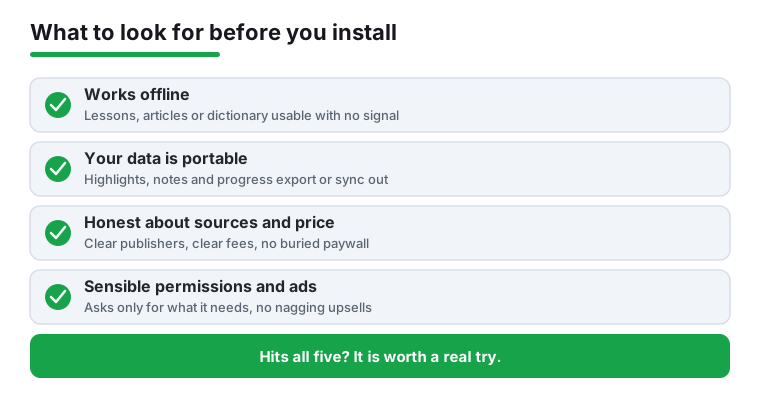
- Readers: how cleanly it opens a large or scanned PDF, reflow and font controls, page-sync across devices, and whether your highlights and notes are exportable rather than locked inside the app.
- Language learning: real speaking and listening practice (not just tapping word tiles), a sensible spaced-repetition system, offline lessons for commutes, and clear pricing before you commit a streak to it.
- News: source transparency and a way to see who published a story, a genuine offline or save-for-later mode, and control over notifications so you are not pinged every ten minutes.
- Reference: a full offline dictionary download, pronunciation audio, and example sentences rather than bare definitions.
- Across all of them: reasonable permissions (a dictionary does not need your contacts), how aggressive the ads and upsells are, and whether your library, progress or saved articles survive a phone change.
Common mistakes to avoid
- Choosing a language app by streak gimmicks instead of whether you can actually hold a short conversation after a month.
- Trusting a news aggregator that hides its sources or buries the publisher name, which makes it hard to judge what you are reading.
- Assuming a free reader keeps your notes forever; check that highlights export to a file before you annotate a whole book.
- Granting an app broad permissions it has no reason to need, and ignoring a paywall that only appears after you have built up progress.
- Picking a heavyweight reader for quick PDFs when a light viewer opens them instantly without an account.
How we pick
Every app here is installed and used hands-on for real reading and study sessions, on real Android phones, across a few weeks rather than a five-minute look. We are not paid for placement, and an app earns its spot by being genuinely pleasant to come back to, not by buying it.