What this category covers
Health and fitness on Android is a wide tent, and the apps inside it pull in different directions. It helps to know which kind you are actually shopping for before you read a single review. The main types break down like this:
- Activity and workout trackers that count steps, log runs and rides, and guide strength or HIIT sessions.
- Sleep monitors that estimate your sleep stages using the phone microphone or a paired watch, and wake you in a light phase.
- Nutrition and calorie loggers built around barcode scanning and food databases.
- Heart-rate and recovery tools that lean on a wearable or your phone camera.
- Outdoor and sport-specific apps such as golf GPS, hiking, and cycling navigators.
Most people only need one or two of these. Mixing four overlapping apps usually means four half-filled diaries and data that never lines up.
What to look for
The features that separate a keeper from a delete-in-a-week download are fairly specific in this category:
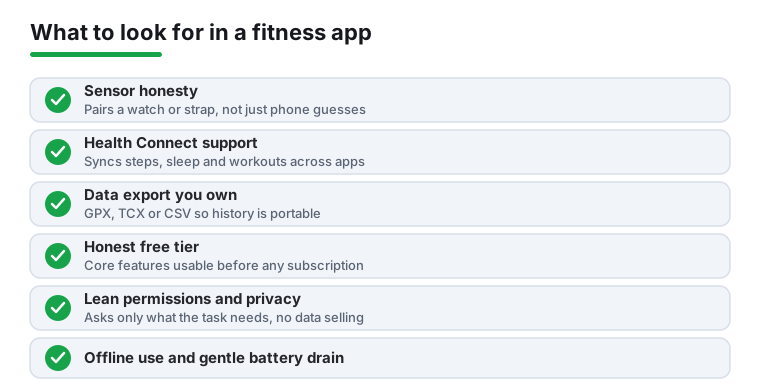
- Sensor honesty. A phone-only app guesses sleep and heart rate from sound and the camera. That is fine for trends, but if you want accuracy, pick something that pairs with a watch or chest strap rather than one that pretends a phone on the nightstand reads your pulse.
- Google Health Connect support. This is the modern hub that lets your steps, workouts, and sleep flow between apps. An app that reads and writes Health Connect frees you from one walled garden.
- Data export and ownership. Look for GPX, TCX, or CSV export so your history is portable. If your year of runs is trapped inside one app, you do not really own it.
- Honest free tier versus subscription. Many of these apps are free to install but lock the parts you actually want, like coaching plans or full history, behind a recurring fee. Check what the free version really does before you commit a habit to it.
- Offline and battery behavior. A run tracker that needs signal, or a sleep app that drains 30 percent overnight, will not survive real use. GPS sport apps especially should hold a fix without data.
- Permissions that match the job. A step counter needs activity recognition; it does not need your contacts or constant location in the background. Permission requests that overreach are a red flag.
- Privacy of sensitive data. Weight, cycles, mood, and sleep are intimate. Favor apps with a clear privacy policy and avoid ones that sell or share health data with advertisers.
Common mistakes to avoid
- Chasing accuracy you cannot get. No phone-only app measures calories burned or sleep stages precisely. Use the numbers as relative trends, not gospel.
- Buying the annual plan on day one. Try the free tier for two weeks first. The best app is the one you keep opening, and you cannot know that in five minutes.
- Stacking redundant apps that each ask to be your single source of truth, then wondering why your step counts disagree.
- Ignoring the export option until you want to switch, by which point the lock-in is the whole point.
How we pick
Every app here was installed and used hands-on on real Android phones across several days, with no paid placement and no sponsored slots. If something annoyed us or quietly leaked data, we say so.