
Checked 3 September 2026
Sixteen apps, each read at its own Google Play listing on 21 August 2026. Twelve are maker apps, each built around one company's thermostats; four are whole home hubs. The column that decides this category is which hardware an app actually drives, so that is where the sourcing went. What no comparison can promise is that any of it will still be running in ten years.
ecobee is the pick and it is free, Google Home the only route for a new Nest, Sensibo the choice for an existing air conditioner. Our answer, the free pick and the table ↓
Checked 3 September 2026: no pick changed since 21 August, when all sixteen listings were re-read; nothing has moved since
Full logTwelve smart thermostat apps for Android, compared on what each one controls, price and the rating, and on what happens to a thermostat when its maker retires it.
ecobee is our best overall and best free pick because its no-ads 21 August 2026 listing is free, sells nothing, and covers sensors and a camera.
Google Home is our pick for a new Nest because Google's setup page, read 21 August 2026, permits no other app; its free, no-ads listing sells in-app purchases.
Sensibo is our niche pick because its controllers drive an existing air conditioner, on a free, no-ads 21 August 2026 listing with in-app purchases from $2.99.
Data checked: 3 September 2026.
Every app here is read against its own Google Play listing on a stated date: rating and review count, the install band, price and the in-app purchase range, the Contains ads label and the Data Safety section. Which hardware an app drives is a separate claim read the same day, from the maker's own product page, its own support page or its own store description, and linked in the sentence that uses it. Where a listing and a maker's documentation disagree, both are printed. Where a maker publishes no model list, this page says so rather than guessing. Nothing here rests on our own use of the apps, and the screenshots show opening screens only.
Almost every disappointment in this category comes from one misunderstanding: the app is not talking to the thermostat. It is talking to the manufacturer's servers, and those servers talk to the thermostat.
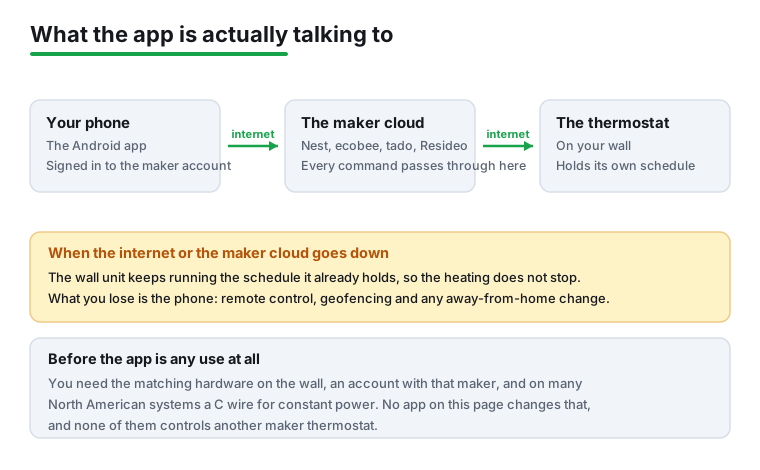
That layout explains the behaviour people find surprising. When broadband drops, or the maker has an outage, what goes is everything that needed the round trip: remote control, geofencing and any change made from somewhere else. Whether the heating itself carries on is a property of the hardware rather than of the app, and it has to be checked model by model. Google's own end of support notice, read 21 August 2026, is the one document read for this page that states it outright, and it states it for three retired Nest thermostats: cut off from the app they keep running their schedules and stay controllable at the wall. No source we read publishes the same for the other makers here, and one entry on this page has no wall thermostat at all, because Sensibo drives an air conditioner instead.
It also explains why most maker apps do not drive a rival's thermostat. Each is a client for its own company's cloud. The exceptions are the ones that speak Matter or hold accounts with several makers at once, which is what the hub apps lower down do, and what Google Home does alongside its Nest role.
Before any of this matters you need the matching hardware, an account with that maker, and on many North American systems a C wire to give the thermostat constant power. Sensi's own store description, read 21 August 2026, is the bluntest statement of that on this page: it says a common wire is required for heat only systems, cool only systems and heat pump systems, and that the thermostat does not work with baseboard heat.
Google ships two apps, and which one is needed is decided by the generation printed on the box rather than by preference.
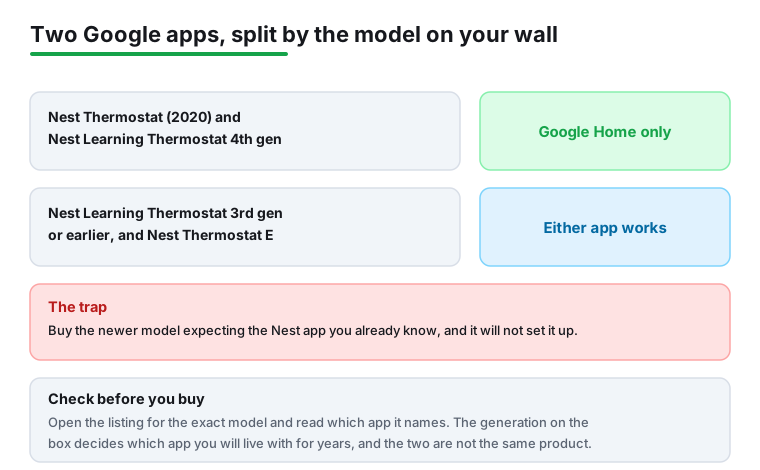
Google's own get started page, read 21 August 2026, states it plainly: the Nest Thermostat and Nest Learning Thermostat 4th gen can only be set up in the Google Home app. Its control page, read the same day, says the Nest Learning Thermostat 3rd gen or earlier and the Nest Thermostat E work in either app, the older ones through Google Home after a Google Account migration.
The practical advice is short: open the listing for the exact model before buying and read which app it names. Nothing on the shelf says it, and the two apps are different products with different ratings.
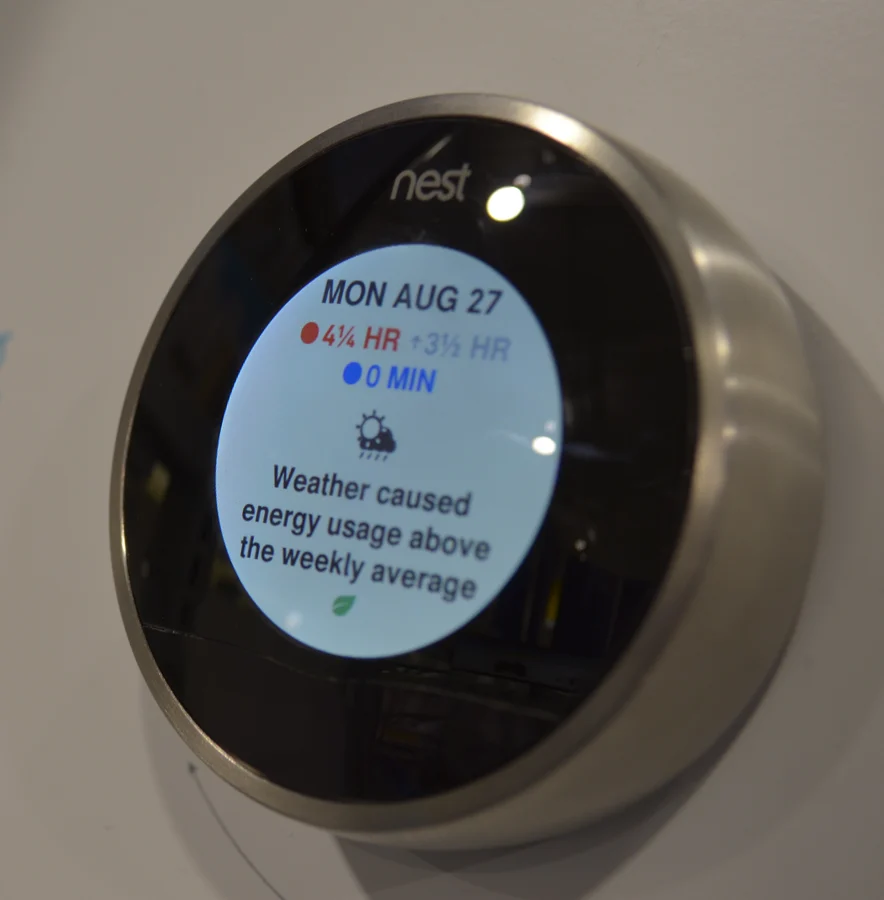
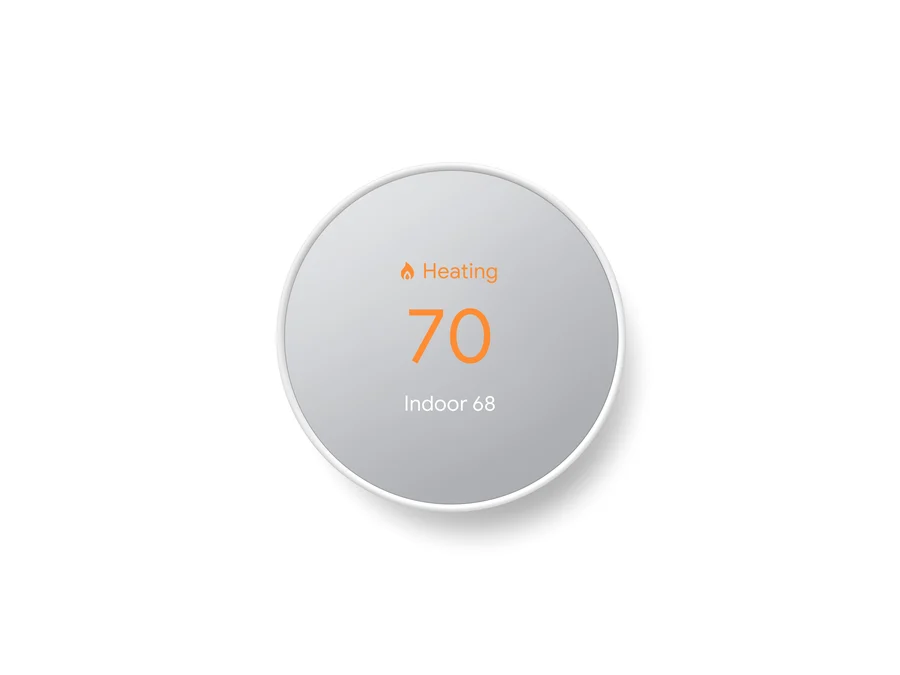
Any Nest bought today
1,000,000,000+ installs · free to install · in-app purchases $0.05 to $999.99 per item · by Google LLC · listing updated 20 August 2026 · Data Safety: no data shared with third parties, independent security review · Contains ads: No · checked 21 August 2026
Google Play listing · 4.0 stars from 3,649,942 reviews · read 21 August 2026
Google Home is the only route onto a current Nest thermostat, which makes it the one app here you may have no choice about. Google's own get started page, read 21 August 2026, states that the Nest Thermostat and Nest Learning Thermostat 4th gen can only be set up in the Google Home app. It is free to install and its listing carries no Contains ads label, but it sells in-app purchases running to $999.99 per item, and at 4.0 stars it rates below ecobee, Sensi, First Alert and Total Connect Comfort, and below the SmartThings hub.
It is Google's own thermostat app first, which is why it sits with the twelve rather than with the hubs, but it doubles as a whole home hub and drives Matter devices from other makers too. Separately, Google Home Premium is priced on Google's own store page at $10 a month or $100 a year for the standard plan; what that page describes is event based video history, intelligent alerts and Gemini for Home, and no thermostat feature appears in it.
Learning 3rd gen and earlier
10,000,000+ installs · free to install · no in-app purchases · by Nest Labs Inc. · listing updated 17 August 2026 · Data Safety: no data shared with third parties, independent security review · Contains ads: No · checked 21 August 2026
Google Play listing · 3.8 stars from 446,915 reviews · read 21 August 2026
The Nest app is still maintained and its listing was updated on 17 August 2026, but it covers a fixed and shrinking list: its own store description names the Nest Learning Thermostat and the Nest Thermostat E and nothing newer. It is free with no in-app purchases and no Contains ads label. The blunt problem is that it will not set up the thermostats Google sells now, and at 3.8 stars from 446,915 reviews it is rated below the Google Home app that replaced it.
Read this first. Google has already switched three of the thermostats this app used to hold. Google's own end of support notice, read 21 August 2026, says that from 25 October 2025 the Nest Learning Thermostat 1st gen, 2nd gen and the 2014 European 2nd gen are unpaired and removed from the Nest or Home app. Buying second hand, check the generation first.
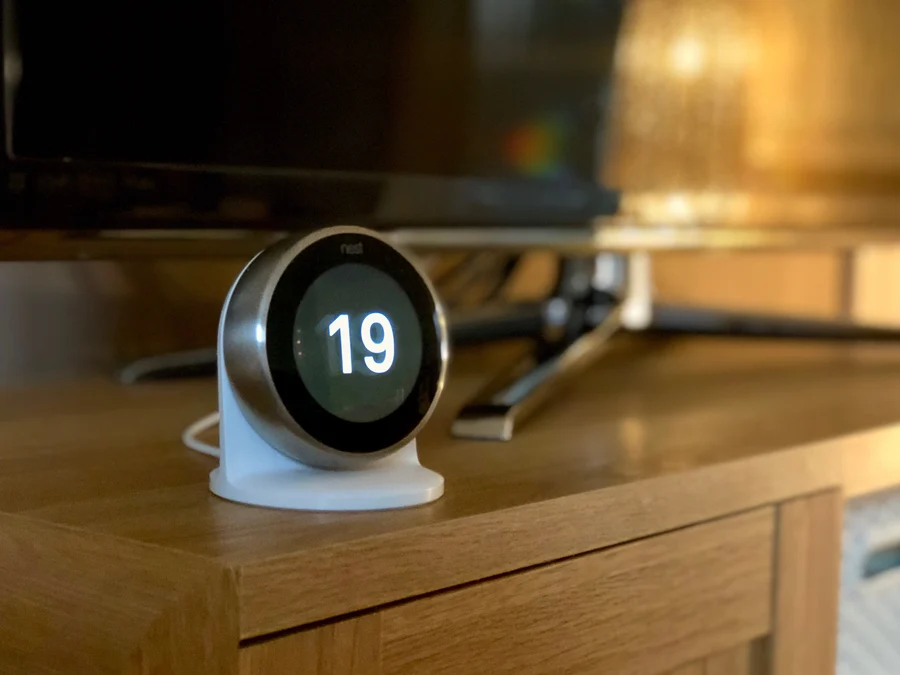
ecobee owners
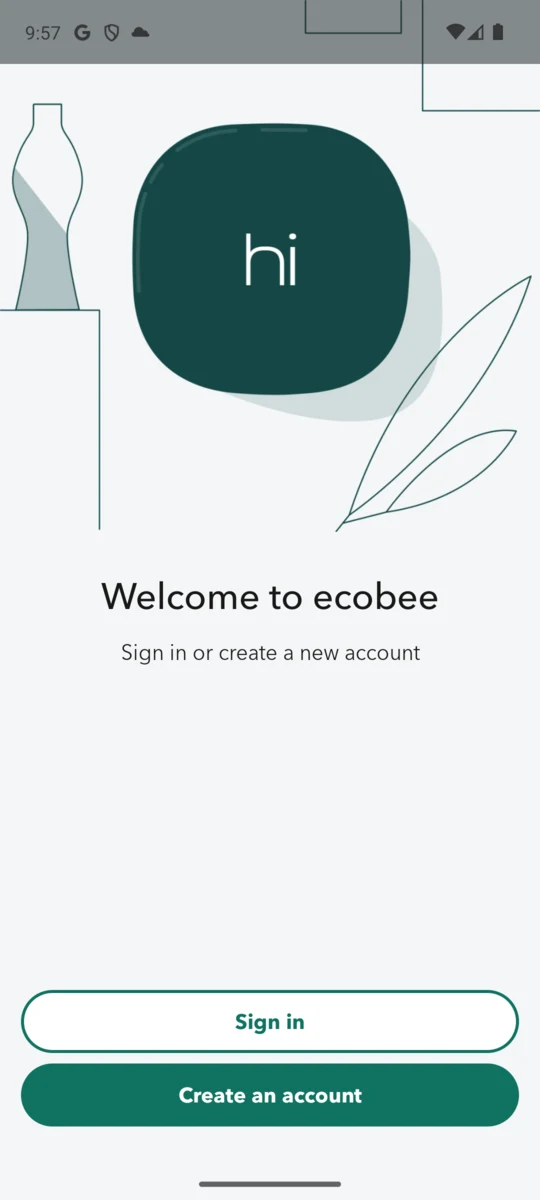
1,000,000+ installs · free to install · no in-app purchases · by ecobee inc. · listing updated 14 August 2026 · Data Safety: this app may share these data types with third parties · Contains ads: No · checked 21 August 2026
Google Play listing · 4.3 stars from 41,083 reviews · read 21 August 2026
ecobee is free with no in-app purchases and no Contains ads label, at 4.3 stars from 41,083 reviews, just behind Sensi and First Alert by Resideo, which rates higher on a far thinner sample. Its own description limits it to ecobee thermostats, SmartSensor and SmartCamera, so it is worth nothing without ecobee hardware, which its own savings footnote prices in US and Canadian dollars only. The bluntest mark against it is on its own listing: it is one of the eight listings here whose Data Safety section says data may be shared with third parties.
On savings, read the footnote rather than the headline. ecobee's own product page, read 21 August 2026, advertises savings on annual heating and cooling costs of up to 26 percent, and its own asterisk defines the baseline as a hold of 72F, or 22C. The longer footnote on the same page says the number is "Based on an internal analysis conducted in April, 2021", which makes it an ecobee measurement from five years ago against a hypothetical constant temperature, not a comparison with the thermostat already on the wall.
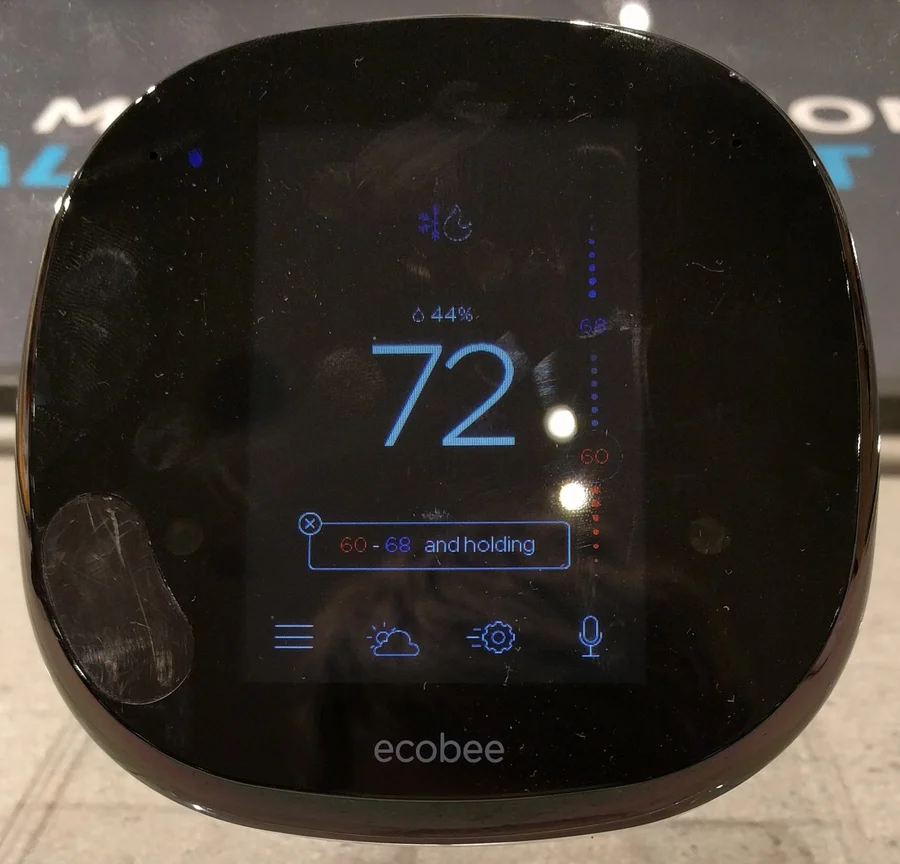
A cheaper US thermostat
1,000,000+ installs · free to install · no in-app purchases · by Copeland LP · listing updated 6 August 2026 · Data Safety: no data shared with third parties · Contains ads: No · checked 2 September 2026
Google Play listing · 4.4 stars from 48,644 reviews · read 2 September 2026
Sensi matches ecobee's 4.4 stars on more reviews, 48,386 of them, and is free with no in-app purchases and no Contains ads label. Copeland's own range, read 2 September 2026, is Sensi, Sensi Lite, Sensi Touch and Sensi Touch 2, all of it North American, which is the blunt limit: outside the United States and Canada the app has nothing to talk to.
It is also the one listing here that names what it will not run. Its own store description says: "Does not work with baseboard heat and some other systems. Common wire (c-wire) is required for heat only systems, cool only systems and heat pump systems." Of the sixteen store descriptions read on 21 August 2026 it is the only one that names a heating type it does not support.
European homes
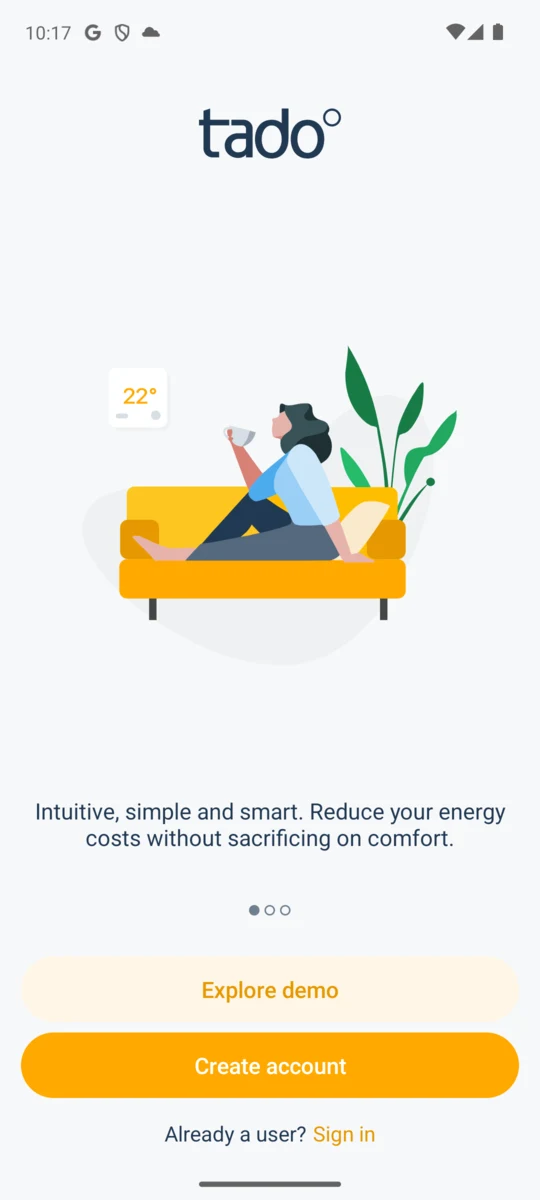
1,000,000+ installs · free to install · in-app purchases $3.99 to $29.99 per item · by tado · listing updated 21 August 2026 · Data Safety: no data shared with third parties · Contains ads: No · checked 21 August 2026
Google Play listing · 3.8 stars from 68,933 reviews · read 21 August 2026
tado° is the most widely used option in Europe, where the American brands barely reach, and its radiator valve approach suits older housing with no central zoning. It is free to install with no Contains ads label, but it is the app on this page that most clearly sells you something afterwards: its own description puts geofencing, open window detection and holiday mode behind AI Assist, a paid subscription. At 3.8 stars from 68,933 reviews it rates below ecobee and Sensi despite a much larger sample.
Read this first. tado's own shop, read 21 August 2026, states a constraint worth knowing before buying: tado° V3+ and tado° X products cannot be used in the same home, and its own shop marks the Smart AC Control as not compatible with tado° X. Mixing generations is not a matter of preference here.
The paid tier is named on the listing itself. Its store description says: "Get even more smart features with AI Assist (subscription)", and the features it lists under that heading include adaptive heating, geofencing, preheat before arrival, holiday mode and open window detection. It also claims savings of up to 55 percent more energy than the free app, and its own footnote on the same listing, read 21 August 2026, says that figure "is based on internal modelling comparing the use of tado° AI Assist vs the free tado° app". That is tado's own model rather than an outside measurement.
Netatmo owners
1,000,000+ installs · free to install · no in-app purchases · by Legrand - Netatmo - Bticino · listing updated 13 April 2026 · Data Safety: no data shared with third parties · Contains ads: No · checked 21 August 2026
Google Play listing · 4.0 stars from 23,158 reviews · read 21 August 2026
The Legrand owned European option, free with no in-app purchases and no Contains ads label, rated 4.0 stars from 23,158 reviews. Its own description is unusually direct about what it needs: "This application requires a Netatmo Smart Thermostat or a Netatmo Smart Valve starter pack." The blunt mark against it is age: the listing has not been touched since 13 April 2026, about four months, the second slowest on this page.
New Honeywell Home buyers
100,000+ installs · free to install · in-app purchases $4.49 to $149.99 per item · by Resideo Technologies, Inc. · listing updated 29 July 2026 · Data Safety: no data shared with third parties · Contains ads: No · checked 21 August 2026
Google Play listing · 4.6 stars from 4,836 reviews · read 21 August 2026
This is the current Honeywell Home path, and it is the only Resideo app that publishes its supported thermostats by model number. Resideo's own support page, read 21 August 2026, names the T5 and T6 Smart Thermostat and the T9, T10 and T10+ Pro WiFi Thermostat, by model number. It is free to install with no Contains ads label and it holds the highest rating of any thermostat app here at 4.5 stars, but from only 4,836 reviews, far too few to be settled, and its in-app purchases reach $149.99 per item.
Read this first. Three different apps carry Honeywell branded thermostats depending on how old yours is, and the naming gives no help at all. Resideo's own apps page, read 21 August 2026, lists First Alert, the Resideo app formerly called Honeywell Home, and Total Connect Comfort side by side. This one is the current path; the other two are below.
Resideo's own page also states the direction of travel: "Existing TCC / Total Connect 2.0 / Resideo / Honeywell Home app users can still control their devices via their current mobile app until they are migrated to / compatible with the new First Alert App." Read that as an end of support notice written in the future tense.
Existing Lyric owners
1,000,000+ installs · free to install · no in-app purchases · by Resideo Technologies, Inc. · listed as Resideo - Smart Home · listing updated 29 July 2026 · Data Safety: this app may share these data types with third parties · Contains ads: No · checked 21 August 2026
Google Play listing · 3.6 stars from 32,613 reviews · read 21 August 2026
This is the app Resideo lists as the Resideo App, formerly the Honeywell Home App, still maintained on 29 July 2026, free with no in-app purchases and no Contains ads label. The blunt problem is the column this whole page turns on: its store description, read end to end on 21 August 2026, names not one thermostat model. It talks about the planet, about simplifying home comfort and about a family of connected products, and never says which piece of hardware it drives.
Resideo publishes the migration in the other direction rather than the model list: its own material, read 21 August 2026, says existing Resideo and Honeywell Home app users keep control until they are migrated to First Alert. So the honest reading of this row is that it covers whatever a reader already has paired, and that Resideo intends it to end.
RTH9580WF and similar
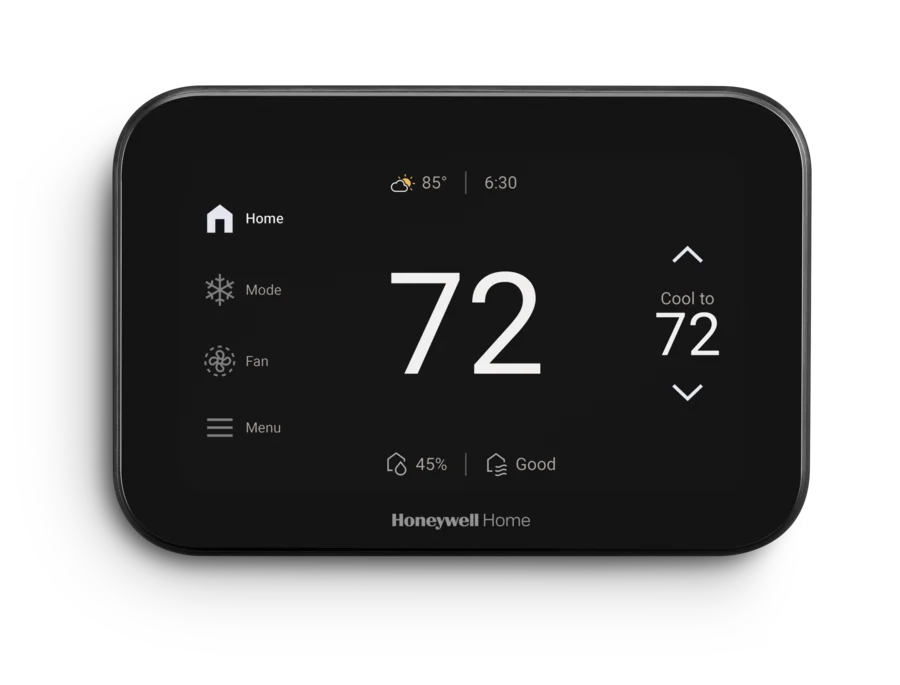
1,000,000+ installs · free to install · no in-app purchases · by Resideo Technologies, Inc. · listing updated 4 November 2025 · Data Safety: this app may share these data types with third parties · Contains ads: No · checked 21 August 2026
Google Play listing · 4.2 stars from 90,385 reviews · read 21 August 2026
The third Honeywell branded app, and the only one of the three whose own Play description names the systems it works with. Its own store description says it "works with Honeywell Wi-Fi Thermostats and with Prestige, Prestige IAQ, Wireless FocusPRO and EConnect Comfort Systems when used in conjunction with Honeywell's Internet Gateway" (trademark symbols omitted). It is free with no in-app purchases and no Contains ads label and rates 4.2 stars from 90,385 reviews, but its listing has not been touched since 4 November 2025, about 9 months, the longest gap on this page.
Read this first. On a cloud dependent product the listing date is the number to watch, because the app is the part the maker can retire, and Resideo has already published that its users will be migrated to First Alert. About 9 months without an update is not the same as abandoned, and this page does not claim it is.
One correction this pass owes the reader: this listing's own description advertises a demo, in the line "Utilize the Demo Mode before purchasing a thermostat". Resideo's own page for the app, read 21 August 2026, names the WiFi Smart Color Thermostat and the VisionPRO 8000 WiFi Programmable Thermostat.
Controlling an existing AC
100,000+ installs · free to install · in-app purchases $2.99 to $34.99 per item · by Sensibo · listing updated 15 July 2026 · Data Safety: no data shared with third parties · Contains ads: No · checked 21 August 2026
Google Play listing · 3.9 stars from 3,544 reviews · read 21 August 2026
Sensibo does not replace a thermostat at all: its controller sits beside an air conditioner that is already there. Its own site, read 21 August 2026, says its controllers work with any air conditioner or heat pump with a remote control and claims more than 10,000 supported models. The app is free with no Contains ads label but sells in-app purchases from $2.99 to $34.99 per item, and the blunt limit is at the other end of the house: it does nothing for a boiler or a forced air furnace.
Its own description states the prerequisite in three words, "Requires a Sensibo device", and names the hardware: Sensibo Sky, Sensibo Air and Sensibo Air PRO for control, with Pure and Elements for air quality. A paid tier called Sensibo Plus is advertised on the listing as well.
Existing Hive owners only
1,000,000+ installs · free to install · no in-app purchases on the Play listing · by Centrica Hive Ltd · listing updated 5 August 2026 · Data Safety: this app may share these data types with third parties · Contains ads: No · checked 2 September 2026
Google Play listing · 2.0 stars from 50,779 reviews · read 2 September 2026
The British Gas smart heating app sits at 2.0 stars from 50,779 reviews, a settled verdict from a large sample rather than a handful of complaints. Its Play listing shows no in-app purchases, and that is where the store stops being the whole story: Hive sells a membership called Hive+ on its own site at £3.99 a month or £39.90 a year, and its own comparison table, read 2 September 2026, puts Away Mode, Saver Mode, Budget Tracker and Schedule Assist on the paid side.
Read this first. Hive has already switched hardware off. Hive's own product news page, read 21 August 2026, says the Hive View camera and Hive HomeShield stopped functioning after a support period ending on 01/08/2025, and the Hive Leak sensor after one ending on 01/09/2023. Anyone reading an older guide that describes this app as covering cameras should stop there.
What the app drives comes from Hive's own shop, read 21 August 2026, which lists the Hive Thermostat, the Hive Thermostat Mini and Hive Radiator Valves under smart heating, alongside Hive Plugs, Hive bulbs and EV charging. On the rating itself this page can report the number and not the cause. No Hive source read on 21 August 2026 publishes an explanation for it, and repeating user reviews back at readers is not evidence. Treat the rating as the fact and the reason as unknown.
Electric baseboard homes
100,000+ installs · free to install · no in-app purchases · by Empowered Homes Inc. · listing updated 3 August 2026 · Data Safety: this app may share these data types with third parties · Contains ads: No · checked 21 August 2026
Google Play listing · 2.6 stars from 984 reviews · read 21 August 2026
Mysa covers the corner no other app on this page names support for, high voltage electric baseboard and in-floor heating, which matters in Canada and the northern United States. The app is free with no in-app purchases and no Contains ads label. What sinks it is the crowd verdict: 2.6 stars, and from only 984 reviews, so the picture is thin as well as poor.
Its own store description sets out the range line by line: Mysa for Electric Baseboard Heaters works with high voltage baseboard, convector and radiant ceiling systems; Mysa for Electric In-Floor Heating with most high voltage in-floor systems; Mysa for Air Conditioners replaces remotes on most ductless mini-split, window or portable units. Mysa's own shop, read 21 August 2026, adds a model for central furnaces, heat pumps and central air, so this is a wider range than a baseboard specialist.
These are not thermostat apps. They hold accounts with several makers, or speak Matter, and present the result in one place, which is the only way to run a mixed house without juggling four apps. The cost is a second company and a second account between a phone and a boiler, and for the thermostat itself the maker's own app is still the one that gets new features first.
Two of the four are covered in full below. The other two carry live Play listings that publish no rating at all, so they are set out here without one: an absent rating is an absence of information, not a low score, and no figure for either app appears on this page.
Bosch Smart Home households
Free to install · no in-app purchases on the listing · Contains ads: No · by Robert Bosch GmbH · listing updated 7 July 2026 · Play publishes no rating for this listing · Data Safety: this app may share these data types with third parties · read 21 August 2026
Google Play listing · no rating published · read 21 August 2026
Bosch's app is the front end for the Bosch Smart Home system, and its own store description states the prerequisite outright: "To use the Bosch Smart Home app, you require a Smart Home Controller and one other device that is supported by Bosch Smart Home." Bosch's own product pages, read 21 August 2026, say the Room thermostat II and the Room thermostat II 230 V can only be used in combination with that controller, while the Radiator thermostat II can also run in any Matter system. So the heating hardware is Bosch, and a hub box has to be bought before the app does anything.
One disagreement worth printing rather than smoothing away: the store description says personal details are stored locally, and the Data Safety section on the same listing says the app may share data types with third parties. Both were read on 21 August 2026 and both are reported here.
Schneider and Drayton Wiser homes
Free to install · no in-app purchases on the listing · Contains ads: No · by Schneider Electric SE · listing updated 21 May 2026 · Play publishes no rating for this listing · Data Safety: no data shared with third parties · read 21 August 2026
Google Play listing · no rating published · read 21 August 2026
Schneider Electric's app, also sold under the Drayton name in the United Kingdom. Its own store description, read 21 August 2026, names no thermostat model at all, only smart thermostats, plugs and appliances in general. No page on Schneider's own se.com would open for us on 21 August 2026, so what follows comes from the Drayton side of the same system, which is where this maker publishes the detail in a readable page. The Wiser Smart Room Thermostat page, read 21 August 2026, says programming and setting is done via the Wiser Home App and that the thermostat requires a Wiser Hub or HubR, and the Wiser how it works page, read the same day, names the Hub, the Room Thermostat, the Radiator Thermostats and the Wiser Plugs as what the app controls. One oddity worth noticing before installing: the listing is called Wiser Home while its package id still reads WiserHeat, a leftover from an earlier product name.
Several makers at once
1,000,000,000+ installs · free to install · no in-app purchases · by Samsung Electronics Co., Ltd. · listing updated 4 June 2026 · Data Safety: this app may share these data types with third parties · Contains ads: No · checked 2 September 2026
Google Play listing · 4.6 stars from 5,349,760 reviews · read 2 September 2026
SmartThings carries the best rating in this comparison, 4.4.6 stars from 5,349,760 reviewsfree with no in-app purchases and no Contains ads label. It is also not a thermostat app: Samsung's own page, read 2 September 2026, tells buyers to look for a Works with Samsung SmartThings or Matter badge rather than publishing a thermostat list. The blunt cost of using it is a second company and a second account between a phone and a boiler.
A hub earns its place only in a mixed house. For the thermostat itself the maker's own app is the one that gets new features first. Samsung's own description also warns that the app is optimised for Samsung phones and that some features may be limited on other handsets.
Voice control on top
100,000,000+ installs · free to install · no in-app purchases · by Amazon Mobile LLC · listing updated 17 August 2026 · Data Safety: this app may share these data types with third parties · Contains ads: No · checked 21 August 2026
Google Play listing · 4.0 stars from 5,694,867 reviews · read 21 August 2026
Alexa is free with no in-app purchases and no Contains ads label, rated 4.0 stars from 5,694,867 reviews. Its own description promises to "control or check status of your compatible smart lights, locks and thermostats", and that is as specific as it gets: no thermostat is named. It is worth having for voice, and it is not a replacement for the maker app.
Every maker here advertises a saving and the numbers disagree by more than a factor of three, so rank them by the evidence attached rather than averaging them.
The honest reading is that a smart thermostat saves real but modest money, that most of the saving comes from finally running a sensible schedule, and that a single digit percentage is swamped by how well the house holds heat.
This is the part of the category buying guides skip, and it is why the app deserves as much attention as the hardware.
It has already happened, and more than once. Google's own end of support notice, read 21 August 2026, covers the Nest Learning Thermostat 1st gen from 2011, the 2nd gen from 2012 and the 2014 European 2nd gen, and says: "Starting October 25, 2025, your device will be unpaired and removed from your Nest app or Home app."
What survives. The house still gets heat. The same notice says owners can still control the thermostat directly on the device to manage auto-schedule settings, switch between temperature modes and access all other features and settings available on the thermostat itself. Nothing was bricked; each unit degraded into a decent conventional programmable thermostat.
What dies. The device is unpaired and every cloud feature goes with it: status in the app, remote control, notifications and any change made from a phone. Two consequences deserve more attention than they get. Google's notice states that "Nest Protects will also disconnect from the thermostat and emergency shut off will no longer run", which is a safety feature rather than a convenience. And it states that "The devices will no longer receive software or security updates, which may lead to decreased performance with continued use", on hardware that stays installed, powered and attached to the home network.
What the maker offered instead. The same notice says eligible EU Nest owners were emailed a discount of 50 percent towards the latest tado° thermostat. A maker pointing its own stranded customers at a competitor that also appears on this page is a plain statement about its long term commitment to that market.
It is not only Google. ecobee ended server connectivity for its original Smart Thermostat and its EMS on 31 July 2024, after which both keep running heating and cooling on a schedule at the wall while everything needing ecobee's servers stops. No ecobee page could be opened on 21 August 2026 carrying that notice, so it is reported here from trade coverage published at the time rather than from the maker. Google also shut the Works with Nest integration platform on 29 September 2023, as its own support page records, breaking existing third party connections. And Hive's own product news page, read 21 August 2026, lists its own retirements: the Hive View camera and Hive HomeShield after a support period ending 01/08/2025, the Leak sensor after one ending 01/09/2023.
The lesson to carry into a purchase is narrower and more useful than fear. Ask what the thermostat does with no cloud at all, prefer hardware that keeps its schedule on the device, and treat the app as the part with the shortest expected life.
It depends on the generation. Google states that the Nest Thermostat and the Nest Learning Thermostat 4th gen can only be set up in the Google Home app. The Learning Thermostat 3rd gen or earlier and the Thermostat E work in either the Nest app or Google Home, the latter after a Google Account migration. Check the model before buying, because the box does not tell you. Checked 21 August 2026.
Not for basic remote control on any app here. Several makers do sell a tier on top. Hive sells a membership on its own site and puts Away Mode, Saver Mode, Budget Tracker and Schedule Assist behind it. tado puts geofencing, adaptive heating and open window detection behind a subscription it calls AI Assist. Sensibo advertises Sensibo Plus. Google Home Premium is $10 a month or $100 a year and buys camera and assistant features, not heating ones. Checked 21 August 2026.
The phone certainly stops: remote control, geofencing and any change made from somewhere else all need the maker's servers. Whether the heating carries on is a property of the thermostat rather than of the app. Google's own end of support notice says its three retired Nest models keep running their schedules and stay controllable at the wall, and that is the behaviour to look for on a spec sheet. No source we read publishes it for the other makers on this page, and Sensibo controls an air conditioner rather than a wall thermostat, so check the model rather than assuming. Checked 21 August 2026.
The best evidenced figure comes from the US Environmental Protection Agency, whose smart thermostat FAQ puts average savings for an ENERGY STAR certified smart thermostat at about 8 percent of heating and cooling bills, or $50 a year, measured by running EPA supplied software over a year of data from sample homes. ecobee advertises up to 26 percent against a home held at one temperature, on an internal analysis it dates to April 2021. Google's own Nest savings page did not render as readable text on 21 August 2026, so no Nest figure is quoted here. Checked 21 August 2026.
It can end support, and it has. Google ended support for three Nest thermostat models on 25 October 2025 and ecobee cut server connectivity to two models on 31 July 2024. Google's own notice says its units kept heating the house and kept their schedules; for the two ecobee models that is reported by trade coverage, because no ecobee page carrying the notice could be opened on 21 August 2026. What went was the app connection, every cloud feature, and in the Nest case the link that shuts the furnace down when a Nest Protect detects carbon monoxide. Retired units also stop getting security updates. Checked 21 August 2026.
This page can report the rating and not the cause. Hive sits at 2.0 stars from 50,225 reviews, which is a settled verdict from a large sample rather than a handful of complaints. No Hive source read on 21 August 2026 publishes an explanation for it, and repeating user reviews back at readers is not evidence. Checked 21 August 2026.
Not the maker apps. Each one is a client for its own company's servers. Hub apps such as SmartThings and Amazon Alexa can present several makers in one place because they hold accounts with each, and Matter widens that further, but they add another company and another account between you and your heating. Checked 21 August 2026.
Checked 21 August 2026: all sixteen Play listings this page links were re-read on 21 August 2026, and every rating, review count, install band, price, in-app purchase range, ads label, Data Safety line and listing date now carries that date. No app was cut and none was added: every one of the sixteen listings answered, and the two whose listings publish no rating still have live listings, so the page carries them without inventing a score for either. No screenshot, diagram or photograph was removed; all eleven figures on this page were carried across byte for byte from the live record and are asserted against it in the build.
The decision table was rebuilt around the thing this category actually turns on, which is the hardware an app drives. Its old second column was called Works with, and eight of its sixteen cells restated the app's own brand back at the reader: tado hardware, Mysa thermostats, Sensi thermostats, ecobee thermostats and sensors, Netatmo thermostat and valves, current Resideo thermostats, Sensibo add-on controllers, and Hive heating and smart home. That differentiates nothing while looking verified. Every cell now comes from the maker's own product page, support page or store description, read on the run date and linked in the section that uses it, and where a maker publishes no model list the cell says exactly that. The Ads column came off: all sixteen listings carried no Contains ads label on 21 August 2026, so sixteen identical cells were noise, and the ads reality is printed in every section instead. A column showing when each listing was last updated took its place, because on a cloud dependent product that is the number that matters. The page description shown in search results was rewritten too: it called all sixteen entries thermostat apps, which this page's own text denies in four places, and it now says twelve thermostat apps plus four hubs.
Six claims came off the page. First, the blanket line saying that no app here had been installed on a phone is withdrawn: the page carries four captures of app opening screens dated 17 August 2026, and the honest claim is the narrower one now in the How we verify box, that nothing here rests on our own use of the apps. The old changelog line saying this page carried diagrams rather than screenshots was false the moment those captures were added, and it is gone with it. Second, tado was described as the only app on this page whose first screen offers a demo. Total Connect Comfort's own store description, read 21 August 2026, advertises a demo mode before buying a thermostat, so the superlative is withdrawn and replaced by a statement scoped to the four opening screens this page actually shows. Third, ecobee was said to state in its footnote that its savings methodology has not been independently verified. Its footnote does not say that. What it says, read 21 August 2026, is that the figure is based on an internal analysis conducted in April 2021 against a hold of 72 degrees Fahrenheit, and that is what the page now quotes. Fourth, the page asserted that Google names no study behind the Nest savings figures, and then printed those figures anyway. Google's own Nest savings page did not render as readable text on 21 August 2026, to a plain fetch or to a text extractor, so both halves go: the assertion about what Google does or does not name, and the two figures themselves, 10 to 12 percent on heating and 15 percent on cooling. No Nest saving figure is quoted anywhere on this page now, and the link is left in place for anyone whose browser gets further than ours did. Fifth, the page told readers flatly that heating does not stop when the internet goes down, and rested that on Google's Nest end of support notice. That notice covers three retired Nest thermostats, describes an account being unpaired rather than a broadband outage, and says nothing at all about any other maker. The claim is now scoped to what the notice does say, the page states that no source we read publishes the same behaviour for the other makers here, and it points out that one entry, Sensibo, has no wall thermostat to fall back on. Sixth, the ENERGY STAR average is now given as the EPA gives it, for a certified smart thermostat rather than for smart thermostats in general, and it has come out of the verdict capsule, where it was carrying neither the subject nor the denominator of the number.
Three factual errors were corrected. Hive was described as free with nothing to buy, on the strength of a Play listing that shows no in-app purchases. Hive's own site, read 21 August 2026, sells a membership called Hive+ and puts Away Mode, Saver Mode, Budget Tracker and Schedule Assist on the paid side of its own comparison table, so the row now says free on Play with a membership sold elsewhere. Hive was also credited with covering cameras; Hive's own product news page says the Hive View camera and Hive HomeShield stopped functioning after a support period ending 01/08/2025, so that is gone. And Mysa was described as a narrow baseboard niche with no fallback. Its own store description and its own shop name four hardware lines, for electric baseboards, electric in-floor heating, mini-split heat pumps and central heating and cooling, so the range is wider than the page claimed. A superlative about Hive, that it held the lowest rating this site has put in a table, is withdrawn as well, because nothing read today could establish it across this site's other pages. One passage also came out of the end of support section: a paragraph about Revolv, a hub switched off with nothing surviving locally, which was carried with no source and could not be re-derived from any page read on 21 August 2026. The section now rests only on notices the makers themselves publish. Two more corrections belong here. The ecobee section carried a con saying its Data Safety section declares data sharing with third parties "which the other eight listings here do not", which reads as though ecobee were the exception; counted across this page's own sixteen fact lines, eight listings declare sharing and eight do not, so the con now says ecobee is one of the eight that do. And a claim that Schneider's own support articles name a Wiser Room Thermostat and a Wiser Electrical Heat Switch is withdrawn: no page on Schneider's own site would open for us on 21 August 2026. The Wiser entry now rests on the maker's Drayton branded Wiser pages, which do open, are read on 21 August 2026 and are linked in that entry, and the Hive entry gained the same treatment, with its hardware list now sourced to Hive's own shop rather than asserted.
Two apps gained full sections of their own. SmartThings and Amazon Alexa were previously a bullet each inside the hub block; both publish a rating, a review count, an install band and a Data Safety section, so both are now set out on the same skeleton as every other app. Bosch Smart Home and Wiser Home stay hand written, because Play publishes no rating for either listing and an absent rating must never be rendered as a score. Their table rows say so and no figure for either app appears anywhere on this page. The tado row gained the constraint tado's own shop publishes, that its two generations cannot be used in the same home, and the Resideo row now states the finding this pass turned up: that app's own store description, read end to end on 21 August 2026, names not one thermostat model, while its sibling First Alert publishes its supported thermostats by model number. Five ranking claims were wrong and are corrected. Google Home was said to rate below the older Nest app; on 21 August 2026 it rates above it, and the sentence now names the apps it actually rates below. First Alert was called the highest rated app on the page; the SmartThings hub rates higher, so the claim is now scoped to thermostat apps. One sample size ranking was wrong: Sensibo was called the thinnest review sample on the page when Mysa's 984 reviews are thinner, so the order printed now is Mysa, then Sensibo, then First Alert. One rating ranking was wrong in the other direction: the Resideo app was called the second weakest rating here when it is the third. And ecobee was called the top rated app any thermostat maker publishes here, which was wrong twice over. Sensi carries the same rating on more reviews, and First Alert, published by the thermostat maker Resideo and driving Resideo thermostats by model number in its own entry on this page, rates higher still. ecobee is now described as level with Sensi and behind First Alert, and the heading above its section no longer claims a rating crown. Five figure captions or alt strings were corrected where they described something the picture does not show or made a claim about the other apps; in each case the image file, its dimensions and its loading hints were left untouched and only the words changed, and the build now fails if a corrected figure differs from the live one by so much as an attribute. One of those five was written for this pass and caught before it shipped: it said the ecobee app's first screen cannot be got past without an account, which is a claim about what happens when a button is pressed and not something a still capture can show. It now describes only what is on the screen. The verdict capsule was rebuilt for the same reason. Its Google Home pick credited the store listing with a setup rule that only Google's support page states, and its Google Home and Sensibo picks both called a listing free while leaving out the in-app purchases those two listings sell; each pick now names its own source and its own price reality, and the ecobee pick no longer rests on a rating two other entries match or beat. Two more lines written for this pass were caught the same way. One said that no source read on the run date publishes a method behind tado's claim of up to 55 percent more savings; the footnote printed under that claim on tado's own listing does give a basis for it, so the page now quotes the footnote instead of asserting an absence. The other said the Smart AC Control cannot share an account with tado X hardware, which is more than tado's shop says; the shop marks that controller as not compatible with tado X, and that is what the page now says. Nothing here rests on installing or running any of these apps.